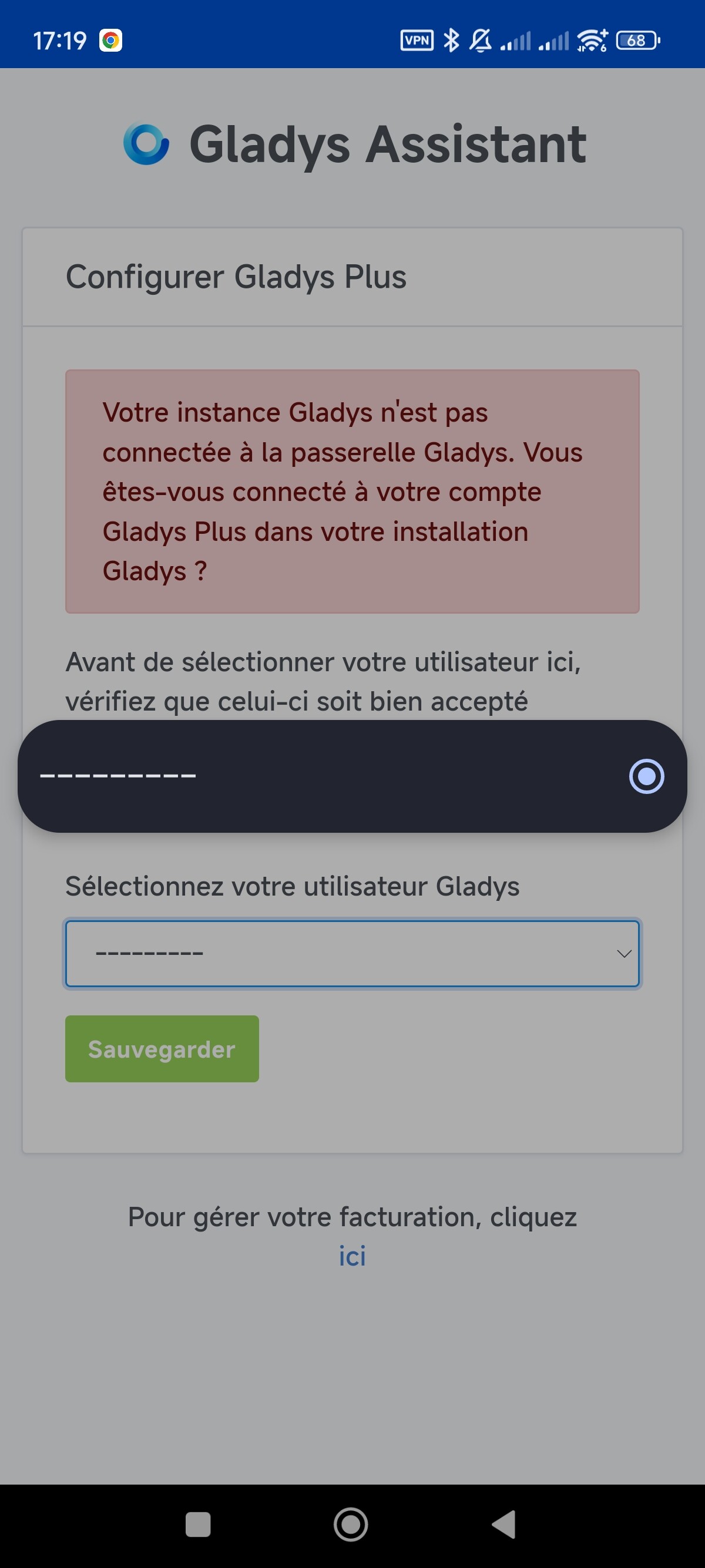
I’ve been having a problem since yesterday: my gladys plus no longer interacts with my devices and is no longer « up to date ».
All my graphs stopped on June 2 (even though everything was working until about 2 days ago).
When I access my local instance everything is up to date, no problem… What’s going on?
Any clue on your end @pierre-gilles?
Okay, I’m running into an issue: the problem keeps recurring.
Yet on my side: no network problem, I don’t have a power issue since everything is on a UPS.
Since I can’t determine when the disconnection occurs I’m a bit lost in terms of logs.
What I notice this morning is that my Gladys logs are totally flooded with Telegram errors:
2024-06-28T09:05:27+0200 \u003cwarn\u003e message.connect.js:19 (TelegramBot.\u003canonymous\u003e) Telegram polling error, code = ETELEGRAM, message = ETELEGRAM: 409 Conflict: terminated by other getUpdates request; make sure that only one bot instance is running
There are hundreds of them in the few logs I pulled.
Also, I asked ChatGPT what it thinks, it suggested testing a command:
That’s not a big deal, I’ll manage. However, what I find strange is that I can’t find any Node-RED flows that use the same API as the one configured in Gladys …!
And I did have a Node-RED flow that used the same Telegram as Gladys. I disabled that Node-RED flow, and Gladys has been working much better since.
But not yet perfect — I had another freeze afterwards that I couldn’t analyze at the time… So I’m in ‹ observation › mode, with a Gladys scene that triggers every hour and writes a ‹ keep alive › to Telegram, to efficiently spot the next crash
But yeah, I’m really short on time right now to sit down and seriously analyze all this…
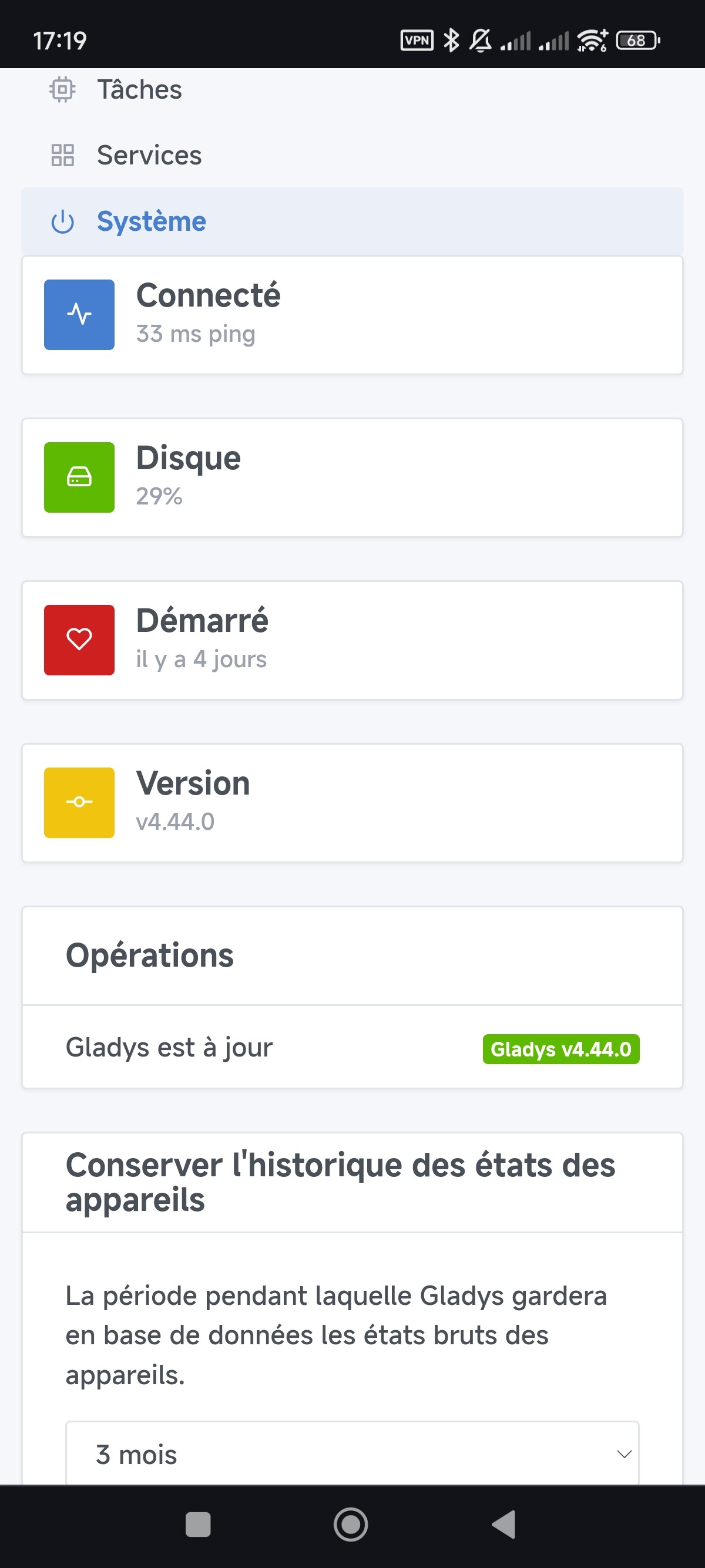
There might be a small confusion: the « 33ms ping » only means that your frontend is connected to the Gladys backend (purely local), it does not mean that Gladys is connected to the internet.
No particular issues yesterday with the infrastructure. I don’t have per-instance details, though.
Did you check the logs to see if anything was wrong? The activity on your machine?
2024-07-02T04:00:00+0200 \u003cinfo\u003e device.purgeStates.js:29 (DeviceManager.purgeStates) Purging device feature states of the last 90 days. States older than Wed Apr 03 2024 04:00:00 GMT+0200 (Central European Summer Time) will be purged.
2024-07-02T04:00:06+0200 \u003cwarn\u003e device.calculateAggregate.js:95 (Socket.\u003canonymous\u003e) device.calculateAggregate stderr: Error
    at Database.\u003canonymous\u003e (/src/server/node_modules/sequelize/lib/dialects/sqlite/query.js:179:27)
    at /src/server/node_modules/sequelize/lib/dialects/sqlite/query.js:177:50
    at new Promise (\u003canonymous\u003e)
    at Query.run (/src/server/node_modules/sequelize/lib/dialects/sqlite/query.js:177:12)
    at /src/server/node_modules/sequelize/lib/sequelize.js:314:28
    at async SQLiteQueryInterface.bulkUpdate (/src/server/node_modules/sequelize/lib/dialects/abstract/query-interface.js:366:12)
    at async t_device_feature.update (/src/server/node_modules/sequelize/lib/model.js:1958:28)
    at async /src/server/lib/device/device.calculcateAggregateChildProcess.js:153:5 {
  name: 'SequelizeTimeoutError',
  parent: [Error: SQLITE_BUSY: database is locked] {
    errno: 5,
    code: 'SQLITE_BUSY',
    sql: 'UPDATE `t_device_feature` SET `last_hourly_aggregate`=$1,`updated_at`=$2 WHERE `id` = $3'
  },
  original: [Error: SQLITE_BUSY: database is locked] {
    errno: 5,
    code: 'SQLITE_BUSY',
    sql: 'UPDATE `t_device_feature` SET `last_hourly_aggregate`=$1,`updated_at`=$2 WHERE `id` = $3'
  },
  sql: 'UPDATE `t_device_feature` SET `last_hourly_aggregate`=$1,`updated_at`=$2 WHERE `id` = $3',
  parameters: {}
}
all values are hidden
2024-07-02T04:00:06+0200 \u003cwarn\u003e device.calculateAggregate.js:101 (ChildProcess.\u003canonymous\u003e) device.calculateAggregate: Exiting child process with code 1
2024-07-02T04:00:19+0200 \u003cinfo\u003e device.purgeAggregateStates.js:31 (DeviceManager.purgeAggregateStates) Purging device feature states of the last 365 days. States older than Mon Jul 03 2023 04:00:19 GMT+0200 (Central European Summer Time) will be purged.
2024-07-02T04:00:19+0200 \u003cerror\u003e device.onHourlyDeviceAggregateEvent.js:22 (DeviceManager.onHourlyDeviceAggregateEvent) Error: Error
    at Database.\u003canonymous\u003e (/src/server/node_modules/sequelize/lib/dialects/sqlite/query.js:179:27)
    at /src/server/node_modules/sequelize/lib/dialects/sqlite/query.js:177:50
    at new Promise (\u003canonymous\u003e)
    at Query.run (/src/server/node_modules/sequelize/lib/dialects/sqlite/query.js:177:12)
    at /src/server/node_modules/sequelize/lib/sequelize.js:314:28
    at async SQLiteQueryInterface.bulkUpdate (/src/server/node_modules/sequelize/lib/dialects/abstract/query-interface.js:366:12)
    at async t_device_feature.update (/src/server/node_modules/sequelize/lib/model.js:1958:28)
    at async /src/server/lib/device/device.calculcateAggregateChildProcess.js:153:5 {
  name: 'SequelizeTimeoutError',
  parent: [Error: SQLITE_BUSY: database is locked] {
    errno: 5,
    code: 'SQLITE_BUSY',
    sql: 'UPDATE `t_device_feature` SET `last_hourly_aggregate`=$1,`updated_at`=$2 WHERE `id` = $3'
  },
  original: [Error: SQLITE_BUSY: database is locked] {
    errno: 5,
    code: 'SQLITE_BUSY',
    sql: 'UPDATE `t_device_feature` SET `last_hourly_aggregate`=$1,`updated_at`=$2 WHERE `id` = $3'
  },
  sql: 'UPDATE `t_device_feature` SET `last_hourly_aggregate`=$1,`updated_at`=$2 WHERE `id` = $3',
  parameters: {}
}
all values are hidden
    at ChildProcess.\u003canonymous\u003e (/src/server/lib/device/device.calculateAggregate.js:102:23)
    at ChildProcess.emit (node:events:517:28)
    at maybeClose (node:internal/child_process:1098:16)
    at Process.ChildProcess._handle.onexit (node:internal/child_process:303:5)
Could this be coming from there?
Because I noticed this morning that my connection to Gladys plus dropped again…
F*ck … I was hoping
I’ll keep looking, the problem is that I can never tell when the connection drops, I usually only notice it when I’m away from home.
What I notice is that when I restart Gladys, the used memory drops sharply:
It goes from 1.9GB of RAM to about 250MB
Here are the startup logs (I don’t know what is interesting to investigate or not):
Container started
2024-07-02T13:14:19+0200 <info> job.purge.js:17 (Job.purge) Deleting all background jobs created before = Tue Jun 25 2024 13:14:19 GMT+0200 (Central European Summer Time)
2024-07-02T13:14:21+0200 <info> index.js:14 (Object.start) starting Alexa service
2024-07-02T13:14:21+0200 <info> index.js:20 (Object.start) Starting Open Weather service
2024-07-02T13:14:21+0200 <info> index.js:88 (Object.start) Starting CalDAV service
2024-07-02T13:14:21+0200 <info> index.js:15 (Object.start) Starting enedis service
2024-07-02T13:14:21+0200 <info> index.js:18 (Object.start) Starting GoogleCast service
2024-07-02T13:14:21+0200 <info> index.js:16 (Object.start) Starting Z-Wave JS UI service
2024-07-02T13:14:21+0200 <info> service.start.js:40 (Service.start) Service zwavejs-ui is not configured, so it was not started.
2024-07-02T13:14:21+0200 <info> index.js:17 (Object.start) Starting Sonos service
2024-07-02T13:14:21+0200 <info> index.js:17 (Object.start) Starting Netatmo service 2c286e6d-2a29-4b91-acff-6f4d942430a4
2024-07-02T13:14:21+0200 <info> service.start.js:40 (Service.start) Service netatmo is not configured, so it was not started.
2024-07-02T13:14:21+0200 <info> init.js:14 (NodeRedManager.init) Nodered: is not enabled, skipping...
2024-07-02T13:14:21+0200 <info> index.js:27 (Object.start) Starting MELCloud service 1ef9a32d-2664-4a3b-8824-ac983bb3cc12
2024-07-02T13:14:21+0200 <info> service.start.js:40 (Service.start) Service melcloud is not configured, so it was not started.
2024-07-02T13:14:21+0200 <info> index.js:17 (Object.start) Starting Tuya service d94188bc-9520-4043-9171-3e8dc9c4ee48
2024-07-02T13:14:21+0200 <info> service.start.js:40 (Service.start) Service tuya is not configured, so it was not started.
2024-07-02T13:14:21+0200 <info> index.js:16 (Object.start) Starting Nextcloud Talk service
2024-07-02T13:14:21+0200 <info> service.start.js:40 (Service.start) Service nextcloud-talk is not configured, so it was not started.
2024-07-02T13:14:21+0200 <info> index.js:17 (Object.start) Starting LAN Manager service
2024-07-02T13:14:21+0200 <info> lan-manager.initPresenceScanner.js:18 (LANManager.initPresenceScanner) LANManager configuration: starting presence scanner
2024-07-02T13:14:21+0200 <info> index.js:16 (Object.start) starting Broadlink service
2024-07-02T13:14:22+0200 <info> index.js:18 (Object.start) Starting HomeKit service
2024-07-02T13:14:22+0200 <info> index.js:14 (Object.start) starting GoogleActions service
2024-07-02T13:14:22+0200 <info> init.js:63 (Zigbee2mqttManager.init) Zigbee2mqtt USB dongle attached to /dev/ttyUSB0
2024-07-02T13:14:22+0200 <info> checkForContainerUpdates.js:14 (Zigbee2mqttManager.checkForContainerUpdates) Checking for current installed versions and required updates...
2024-07-02T13:14:22+0200 <info> installMqttContainer.js:114 (Zigbee2mqttManager.installMqttContainer) MQTT broker container successfully started
2024-07-02T13:14:22+0200 <info> configureContainer.js:23 (Zigbee2mqttManager.configureContainer) Z2M Docker container is being configured...
2024-07-02T13:14:22+0200 <info> configureContainer.js:36 (Zigbee2mqttManager.configureContainer) Z2M configuration file already exists.
2024-07-02T13:14:23+0200 <info> installZ2mContainer.js:90 (Zigbee2mqttManager.installZ2mContainer) Zigbee2mqtt container successfully started
2024-07-02T13:14:23+0200 <info> connect.js:25 (Zigbee2mqttManager.connect) Connecting Gladys to mqtt://localhost:1884 MQTT broker...
2024-07-02T13:14:23+0200 <error> index.js:20 (process.<anonymous>) uncaughtException catched: uncaughtException
2024-07-02T13:14:23+0200 <error> index.js:21 (process.<anonymous>) Error: Service name is already in use on the network
    at Registry._onProbeComplete (/src/server/services/homekit/node_modules/bonjour-hap/lib/Registry.js:108:27)
    at Prober.done (/src/server/services/homekit/node_modules/bonjour-hap/lib/Prober.js:67:10)
    at Prober.onMDNSresponse (/src/server/services/homekit/node_modules/bonjour-hap/lib/Prober.js:61:102)
    at EventEmitter.emit (node:events:517:28)
    at Socket.<anonymous> (/src/server/services/homekit/node_modules/multicast-dns/index.js:49:43)
    at Socket.emit (node:events:517:28)
    at UDP.onMessage (node:dgram:942:8)
2024-07-02T13:14:23+0200 <info> connect.js:35 (MqttClient.<anonymous>) Connected to MQTT container mqtt://localhost:1884
2024-07-02T13:14:23+0200 <info> subscribe.js:12 (Zigbee2mqttManager.subscribe) Subscribing to MQTT topic zigbee2mqtt/#
2024-07-02T13:14:23+0200 <info> index.js:18 (Object.start) Starting TP-Link service
2024-07-02T13:14:23+0200 <info> index.js:17 (Object.start) Starting eWeLink service
2024-07-02T13:14:23+0200 <warn> service.start.js:44 (Service.start) Unable to start service ewelink Error500:
    at EweLinkHandler.throwErrorIfNeeded (/src/server/services/ewelink/lib/device/index.js:65:11)
    at EweLinkHandler.connect (/src/server/services/ewelink/lib/device/connect.js:43:14)
    at processTicksAndRejections (node:internal/process/task_queues:95:5)
    at Object.start (/src/server/services/ewelink/index.js:18:5)
    at Service.start (/src/server/lib/service/service.start.js:33:7) {
  status: 500,
  code: 'SERVER_ERROR',
  error: 'eWeLink: Sign:oauthClient enable invalid'
}
2024-07-02T13:14:23+0200 <info> index.js:15 (Object.start) Starting Bluetooth service
2024-07-02T13:14:23+0200 <info> index.js:15 (Object.start) Starting Tasmota service
2024-07-02T13:14:23+0200 <info> index.js:14 (Object.start) Starting Xiaomi service
2024-07-02T13:14:23+0200 <info> index.js:13 (Object.start) Starting usb service
2024-07-02T13:14:23+0200 <info> index.js:19 (Object.start) Starting Telegram service
2024-07-02T13:14:23+0200 <info> index.js:18 (Object.start) Starting RTSP service
2024-07-02T13:14:23+0200 <info> index.js:18 (Object.start) Starting Philips Hue service
2024-07-02T13:14:23+0200 <info> index.js:16 (Object.start) Starting MQTT service
2024-07-02T13:14:23+0200 <info> updateContainer.js:13 (MqttHandler.updateContainer) MQTT: checking for required changes...
2024-07-02T13:14:23+0200 <info> updateContainer.js:41 (MqttHandler.updateContainer) MQTT: no container update required
2024-07-02T13:14:23+0200 <info> connect.js:38 (MqttClient.<anonymous>) Connected to MQTT server mqtt://localhost
2024-07-02T13:14:23+0200 <info> subscribe.js:12 (MqttHandler.subscribe) Subscribing to MQTT topic stat/+/+
2024-07-02T13:14:23+0200 <info> subscribe.js:12 (MqttHandler.subscribe) Subscribing to MQTT topic tele/+/+
2024-07-02T13:14:23+0200 <info> subscribe.js:12 (MqttHandler.subscribe) Subscribing to MQTT topic gladys/master/#
2024-07-02T13:14:23+0200 <info> index.js:26 (Object.start) Starting EDF Tempo service
2024-07-02T13:14:23+0200 <info> index.js:17 (Object.start) Starting Ecowatt service
2024-07-02T13:14:23+0200 <info> index.js:21 (Object.start) Starting example service
2024-07-02T13:14:23+0200 <info> scene.dailyUpdate.js:58 () Sunrise today is at 6:18 today, in your timezone = Europe/Paris
2024-07-02T13:14:23+0200 <info> scene.dailyUpdate.js:59 () Sunset today is at 21:42 today, in your timezone = Europe/Paris
2024-07-02T13:14:23+0200 <info> scene.dailyUpdate.js:70 () The sun rose this morning. Not scheduling for today.
2024-07-02T13:14:23+0200 <info> scene.dailyUpdate.js:81 () Sunset is scheduled, in 8 hours.
2024-07-02T13:14:24+0200 <info> index.js:64 (Server.<anonymous>) Server listening on port 80
2024-07-02T13:14:24+0200 <info> index.js:884 (Socket.<anonymous>) Gladys Gateway: connected in websockets
I’m going to install Netdata, I’ve already used it on my NAS but I admit I’m a bit lost with all the information (especially since the tool is super powerful!).
I have a mini PC with a Core i3 and 8GB of RAM.
I have a fiber connection with Free that seems perfectly stable.



 I was hoping
