Bonjour
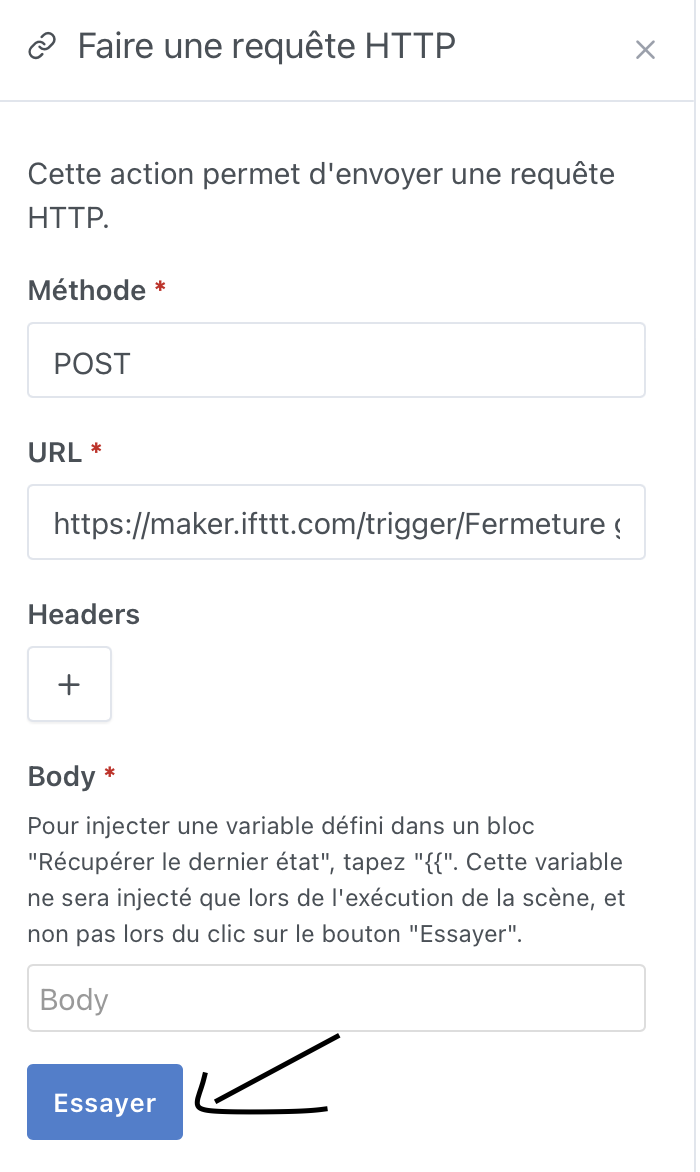
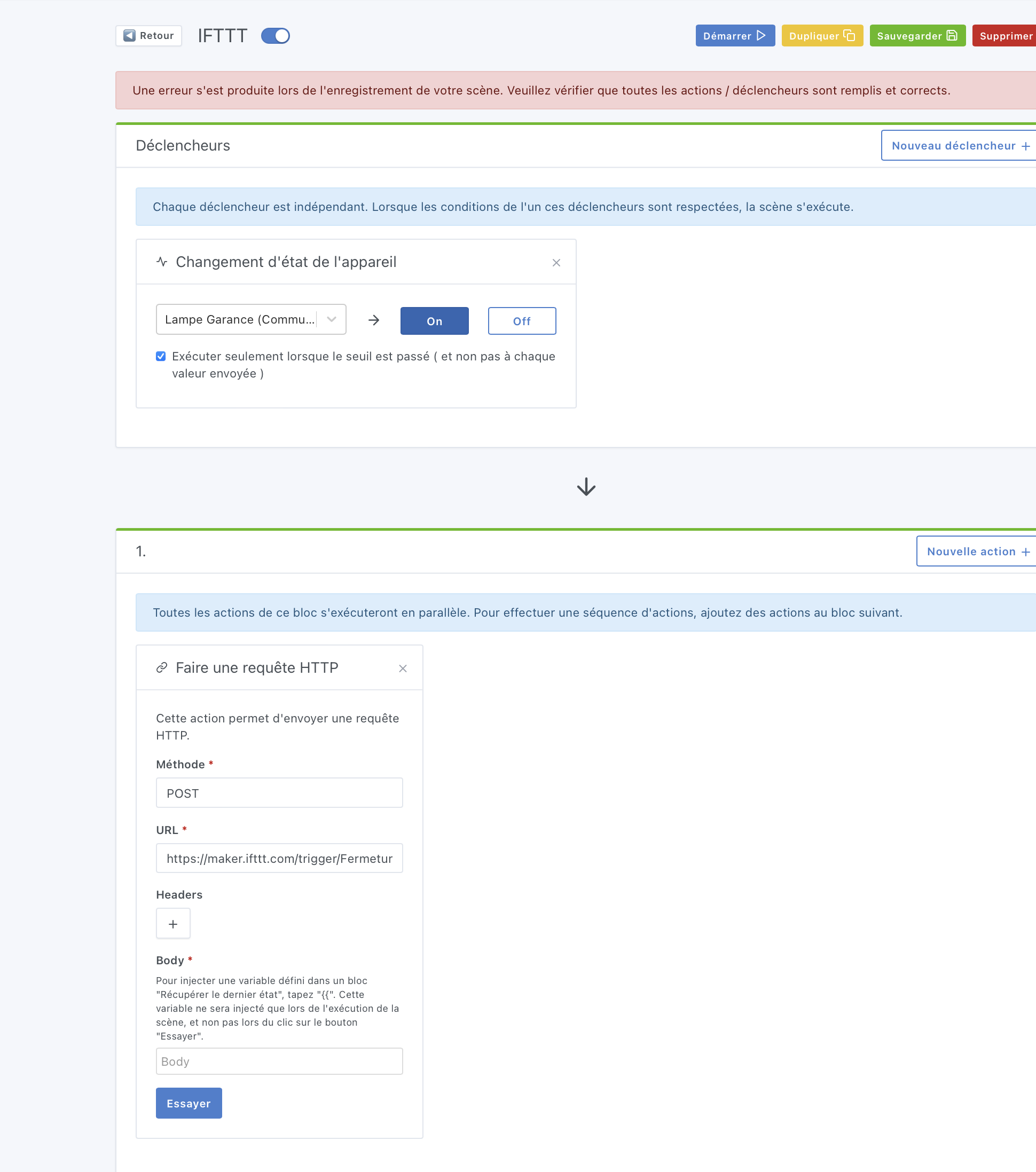
Je teste l’envoie d’une requête HTTP dans une scène en utilisant IFTTT, quand je veux sauvegarder ma scène j’ai ce massage d’erreur
*Une erreur s’est produite lors de l’enregistrement de votre scène. Veuillez vérifier que toutes les actions / déclencheurs sont remplis et corrects.
Pourtant quand je click sur le bouton Essayer la requête HTTP via IFTTT s’exécute bien car mon volet se ferme.
@pierre-gilles : Je viens de faire un test et j’ai exactement le même souci lorsque je ne mets rien dans le body.
Tu peux faire un test en envoyant une requête POST vers l’URL suivante : https://webhook.site/e1fe207f-4323-46f4-b6a0-ff55c7a70cdc
Si le token dans l’URL n’est plus valable, crée un nouveau en allant directement sur https://webhook.site/ et ensuite tu peux refaire le test.
Le bouton « Essayer » fonctionne si le body est vide mais l’enregistrement de la scène retourne une erreur. J’ai ensuite indiqué « {} » dans le body est la scène a bien voulu s’enregistrer.
@pierre-gilles : Je viens encore de tester et j’ai à nouveau le même souci … Étrange !
La seule différence, c’est que je suis sur Windows et Chrome (tu es sur Mac + Firefox ou Safari ?). Un contrôle qui passe sur certains navigateurs et pas d’autres ?
Aussi, je suis en version v4.22.0. Est-ce que tu serais sur une version plus avancée ?
@Kevin Tu peux ouvrir la console de ton navigateur et voir dans l’onglet Network l’erreur retourné par Gladys ?
Super cool ça C’est possible avec IFTT ça? N’hésite pas à faire un tutoriel sur le forum ( Tutoriels - Communauté Gladys Assistant ) qui explique comment tu fais, ça peut aider du monde !
@pierre-gilles : En créant directement la scène comme sur ta vidéo, ça fonctionne.
Maintenant, modifie ta scène, indique quelque chose dans ton body et sauvegarde. Maintenant, supprime la valeur du body et tente à nouveau de sauvegarder.
Tu n’as pas réussi à reproduire avec mon complément d’informations ?
La réponse semble claire : {« status »:422,« code »:« UNPROCESSABLE_ENTITY »,« properties »:[{« message »:« "[0][0].body" is not allowed to be empty »,« attribute »:« actions »,« value »:[[{« type »:« http.request »,« method »:« post »,« headers »:[],« url »:« Webhook.site - Test, process and transform emails and HTTP requests error »}]}
Maintenant, pourquoi est-ce que cela passe quand on crée la scène et non quand on modifie celle-ci … ? Il faudrait vraiment que je me mette à NodeJS pour vous aider !


 C’est possible avec IFTT ça? N’hésite pas à faire un tutoriel sur le forum (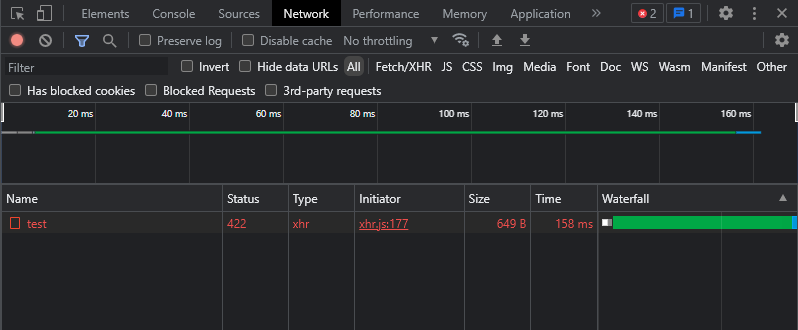
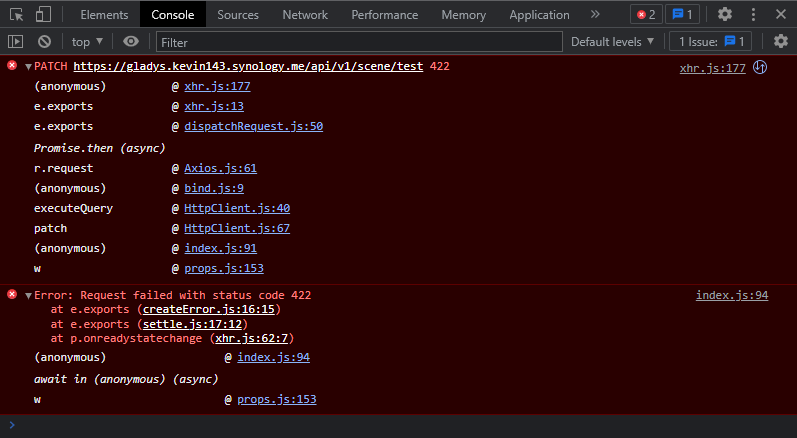
 (Onglet Network => tu cliques sur la requête => Response )