Make menus consistent

I noticed in the integrations that the menus were not all identical; in some integrations the link to the documentation is even missing.

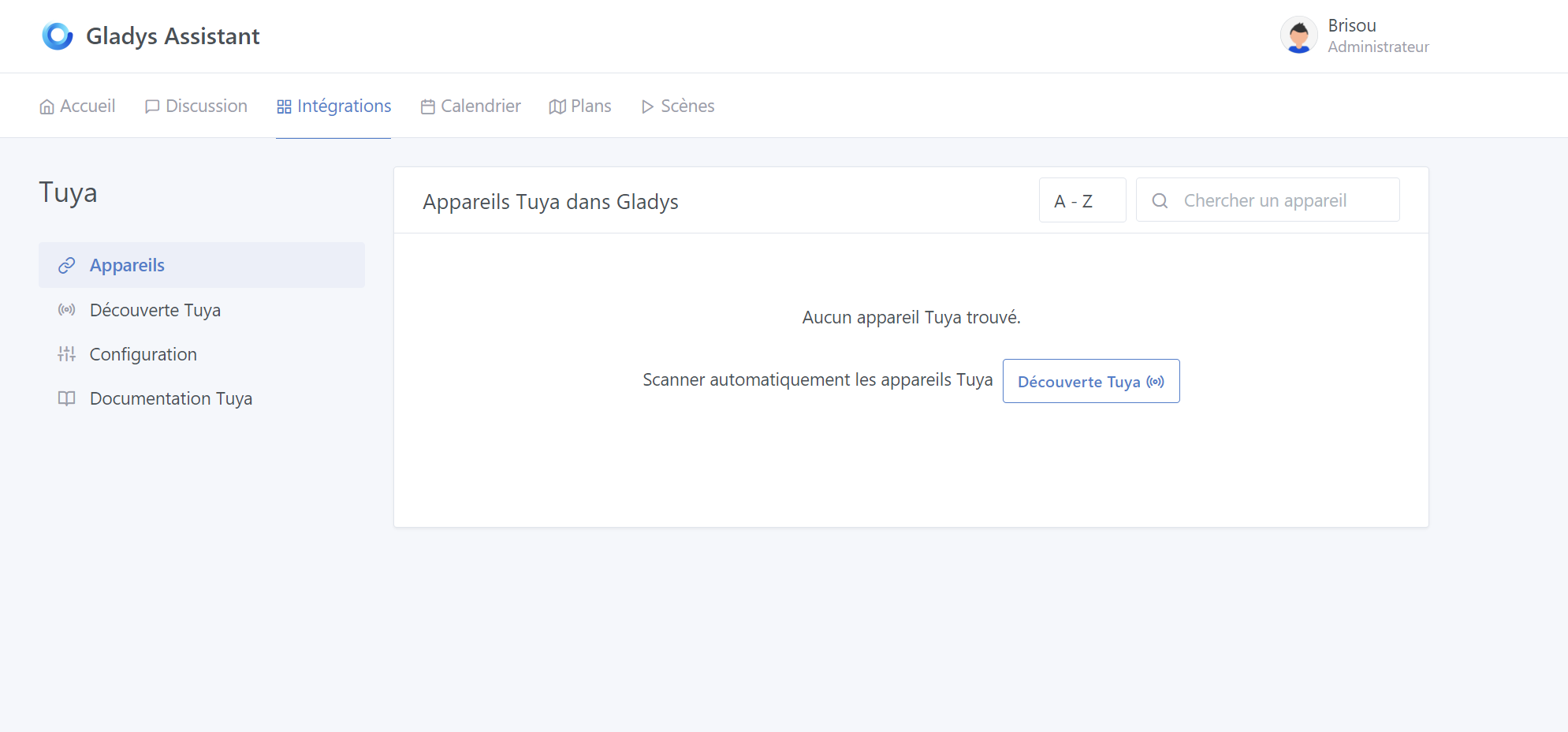
– Tuya integration :
Tuya documentation instead of Tuya documentation

– TP-Link integration
Missing the link to the documentation TP-Link documentation

– Xiaomi Home
Missing the link to the documentation Xiaomi documentation

– Telegram
There is a link in the text but no Telegram documentation button

– Philips Hue
Missing the link to the documentation Philips Hue documentation PR drafted

– OwnTracks
There is a link in the text but no OwnTracks documentation button

– Nextcloud Nextcloud Talk
Missing the link to the documentation Nextcloud Talk documentation

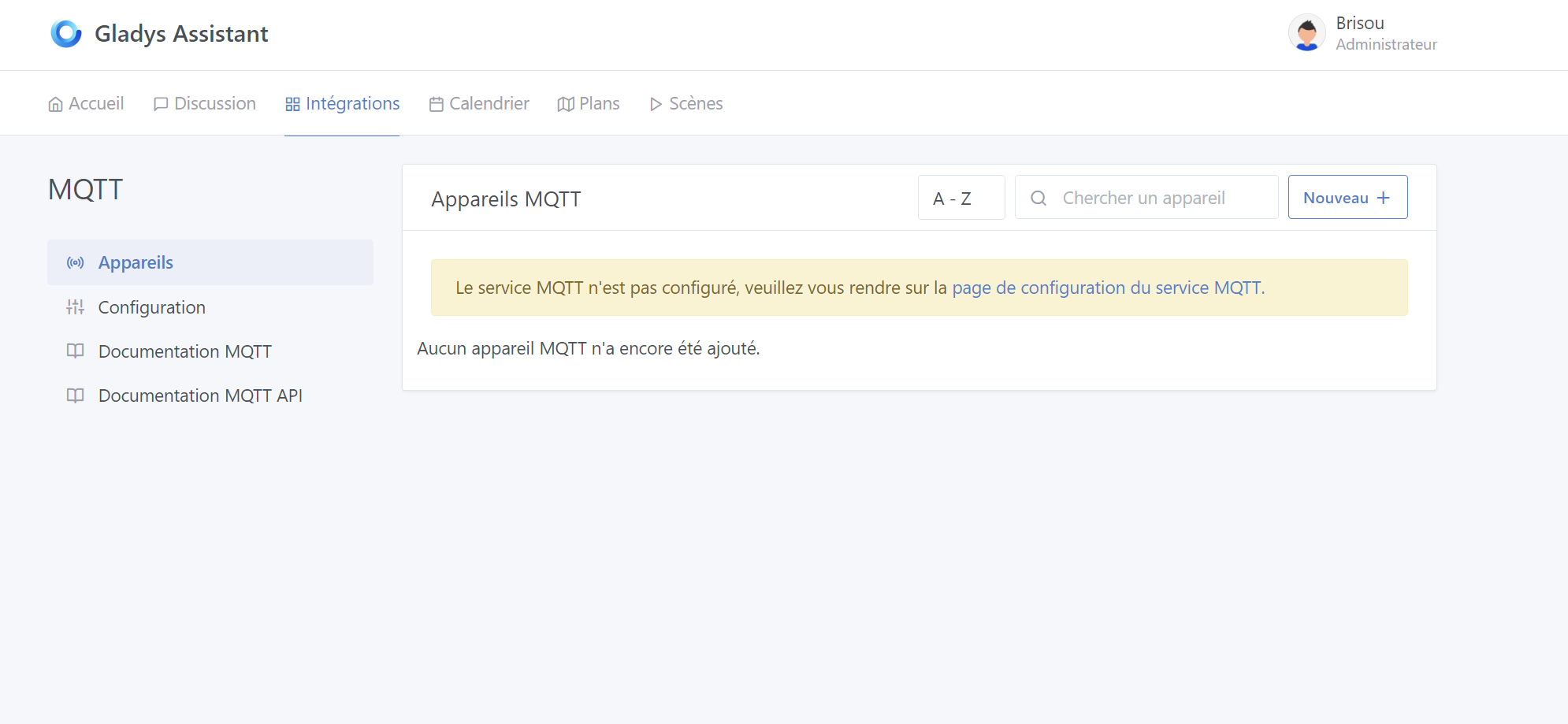
– MQTT
Missing the link to the documentation MQTT documentation

– MelCloud
Missing the link to the documentation MelCloud documentation

– LAN Manager
Missing the link to the documentation LAN Manager documentation

– Google Home
There is a link in the text but no Google Home documentation button

– eWeLink
Missing the link to the documentation eWeLink documentation

– Enedis
Missing the link to the documentation Enedis documentation

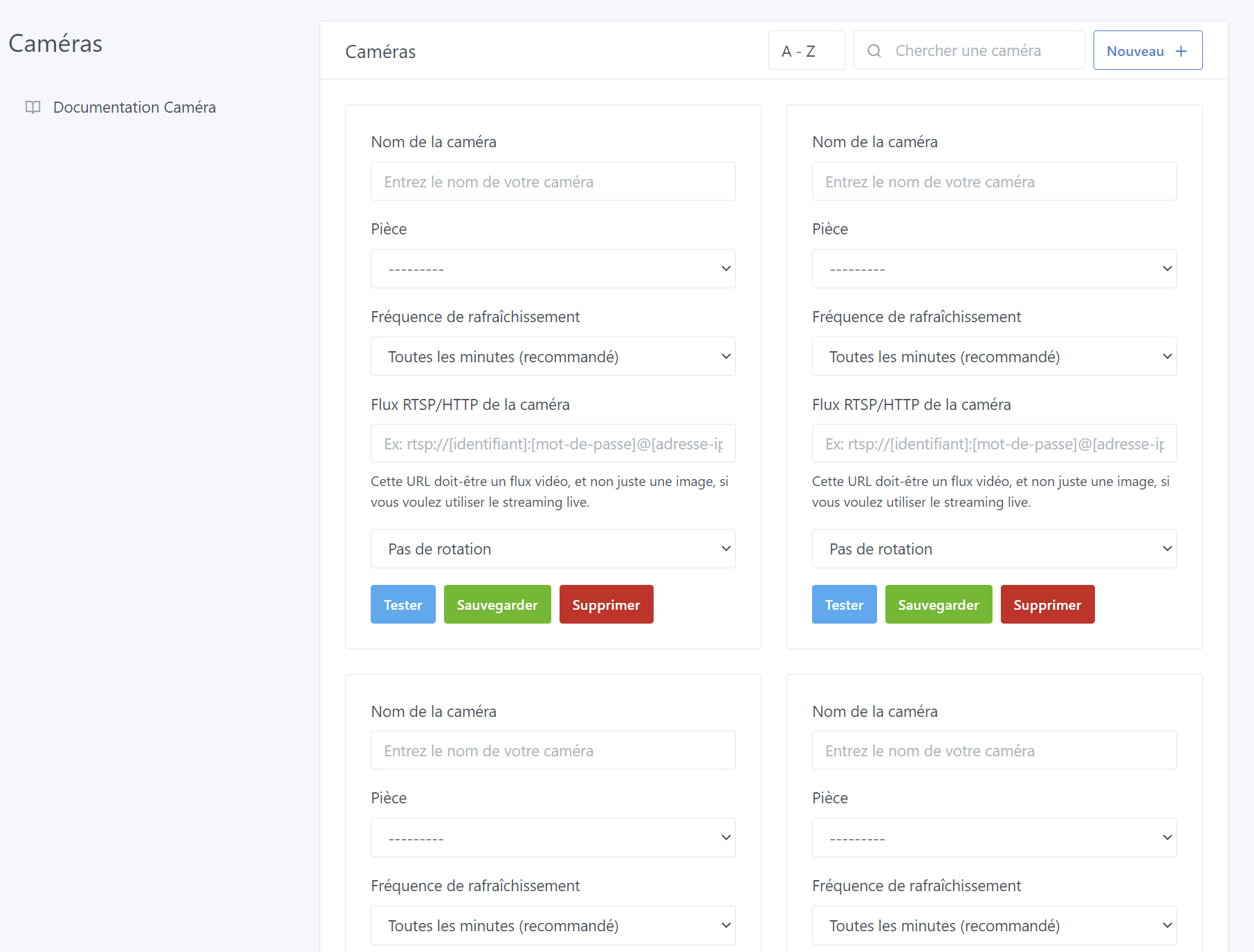
– Camera
Missing the link to the documentation Camera documentation

– CalDAV
Missing the link to the documentation CalDAV documentation

– Broadlink
Missing the link to the documentation Broadlink documentation

– Bluetooth
Missing the link to the documentation Bluetooth documentation

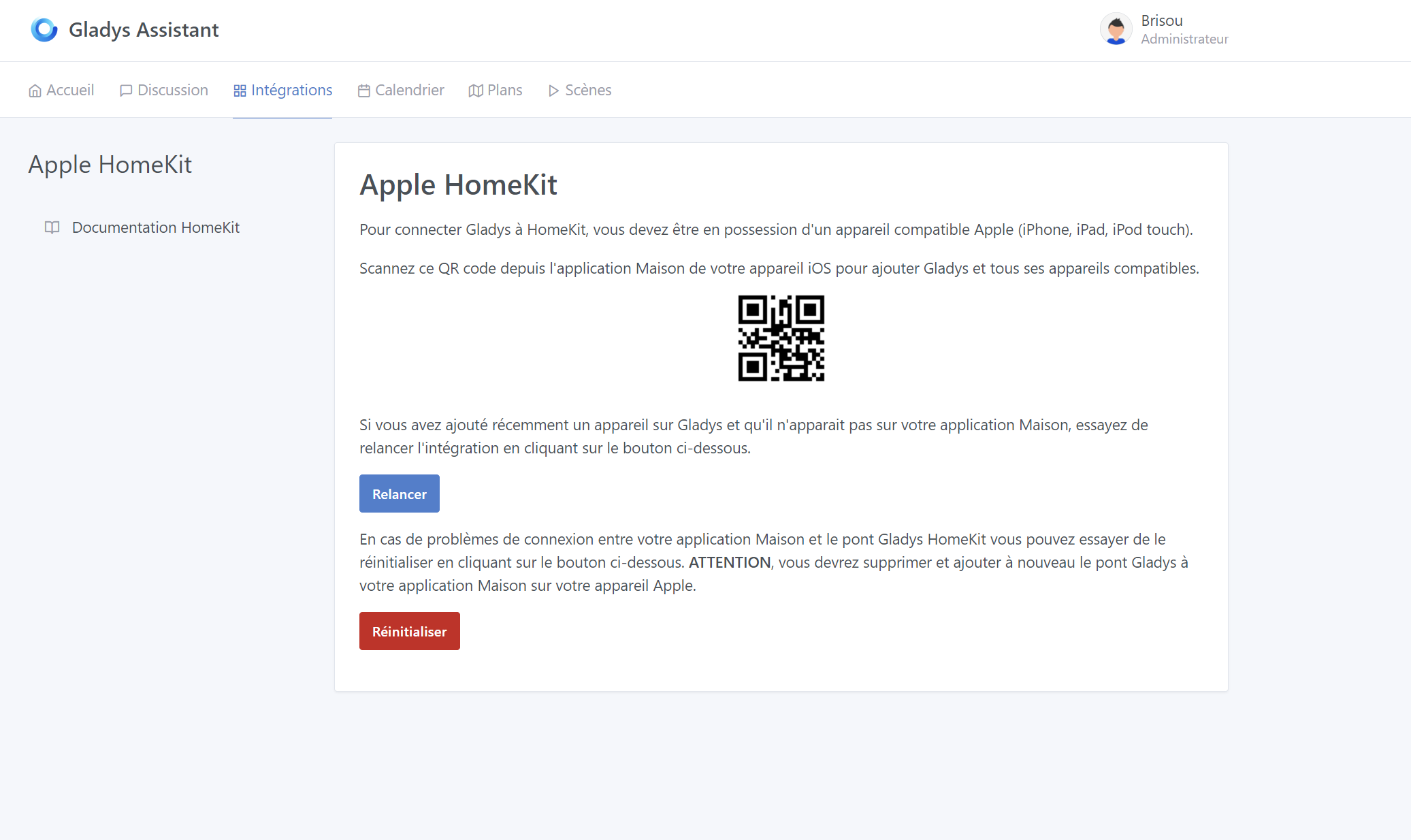
– Apple HomeKit
Missing the link to the documentation Apple HomeKit documentation

– OpenWeather
Missing the link to the documentation OpenWeather documentation

– Amazon Alexa
There is a link in the text but no Amazon Alexa documentation button

4 Likes

Why not :slight_smile: Any PR is welcome to change that!
I’m working on the documentation on the site — can someone take care of it?

I haven’t looked into the PRs for Gladys yet. I don’t know exactly where to add the changes.

@Terdious could you guide me if needed?

But not right away, documentation first.

Hello @Tlse-vins,

I’m happy to take a look and then tell you how I did it when you have more time.

Ok great !

Hello,

Below are a few screenshots :

@Tlse-vins
Does this match what you had in mind?
I tried to unify the appearance.

For the Nextcloud, MELCloud, LAN Manager, eWeLink and ChatGPT integrations, there is no documentation on the site, do you still want a link?

In the Camera integration there is already a Documentation button, do you also want to replace it?

I also noticed that sometimes the icons were inconsistent (for the devices or configuration tab), do we have a « brand guidelines » document somewhere?

@pierre-gilles
Otherwise, I have a small issue with the Alexa and Google Home pages — can anyone help me?

eWiLink is the Sonoff integration
LAN Manager I need to do it
NextCloud I need to check it
MELCloud I need to check it
ChatGPT, there’s nothing to configure

For the icons, I agree, I hadn’t noticed. Tuya’s is pretty good in my opinion.

Yes? :slight_smile: No need to ask for permission aha, just ask :wink:

I can’t get the user variable (or a prop) to be passed up to the welcome.jsx page for Alexa or Google Home so that I can display the link to the docs.

MELCloud is @lokkye, who created it.
@lokkye, can you make the documentation?

NextCloud is @bertrandda, same, can you make the documentation?
LAN Manager is @alextrovato, same, can you make the documentation?

1 Like

Did you put a connect around your component to inject the user?

Example:

‹ I have ‹ user › in the connect. ›

export default connect(‹ user,session ›, {})(GoogleHomeGateway);

What I tried:

  • Check if ‹ user › is indeed in the connect.
  • Add the necessary imports.
  • Try passing {…props} and user={props.user}.
  • Create a <GoogleWelcomePage {…props} />.
  • Create a < GoogleWelcomePage user={props.user} />.

I’m still looking :nerd_face:

EDIT : I hadn’t thought of it, but your idea of putting a connect inside the component works!!!
I didn’t know you could put it directly in the component and not only in index.js :upside_down_face:
Thank you very much!

Otherwise, you just need to pass the user as props from index.js :slight_smile:

Exactly like that, didn’t it work?

I tried several ways, but it didn’t work.

No, neither…

Pull request sent, here is the link:
https://github.com/GladysAssistant/Gladys/p

1 Like

Thanks for the PR @Brisou, it’s really great and it works really well :slight_smile:

I’ve left you some feedback on the PR :

(Nothing too serious)

@pierre-gilles I’ll check, thanks

1 Like

@pierre-gilles I’ve modified the code

Thanks! You need to remove the files modified by the PR that are not related to the PR (cypress, package.json, etc..)

I’m willing, but how do I do it?