Hello,
I am testing the connection with a Shelly product.
I can’t connect my Shelly device to the MQTT broker.
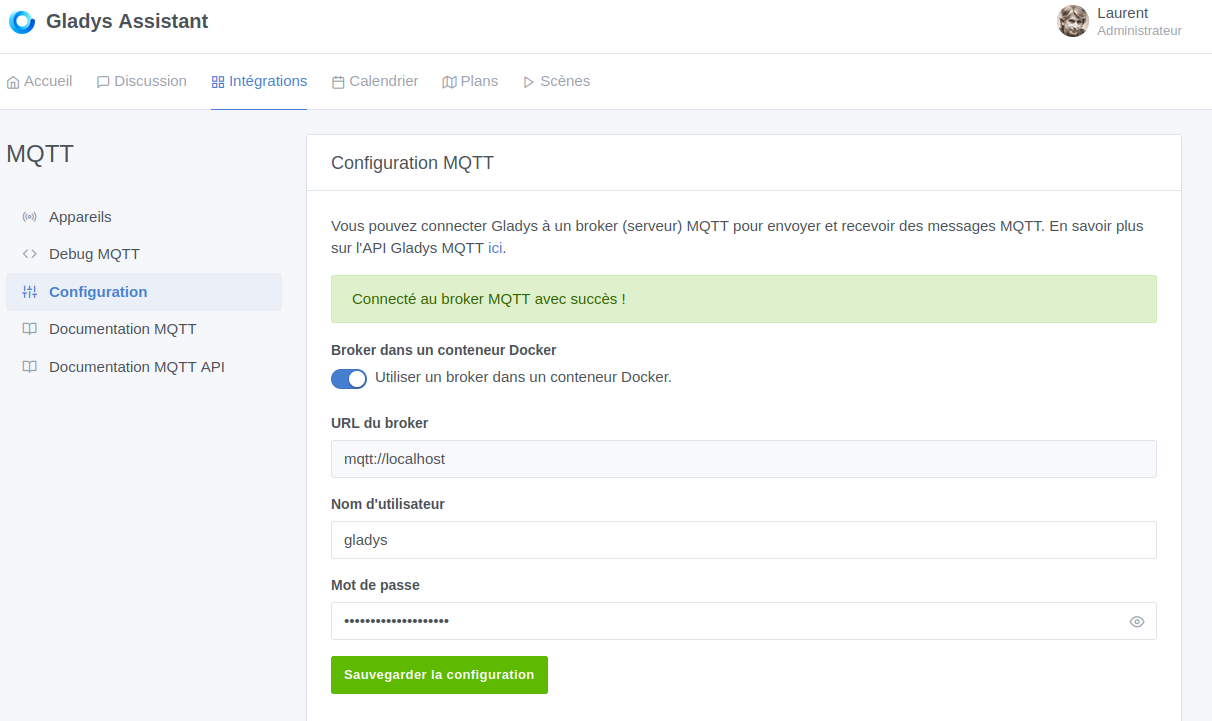
Connection with Gladys: no problem:
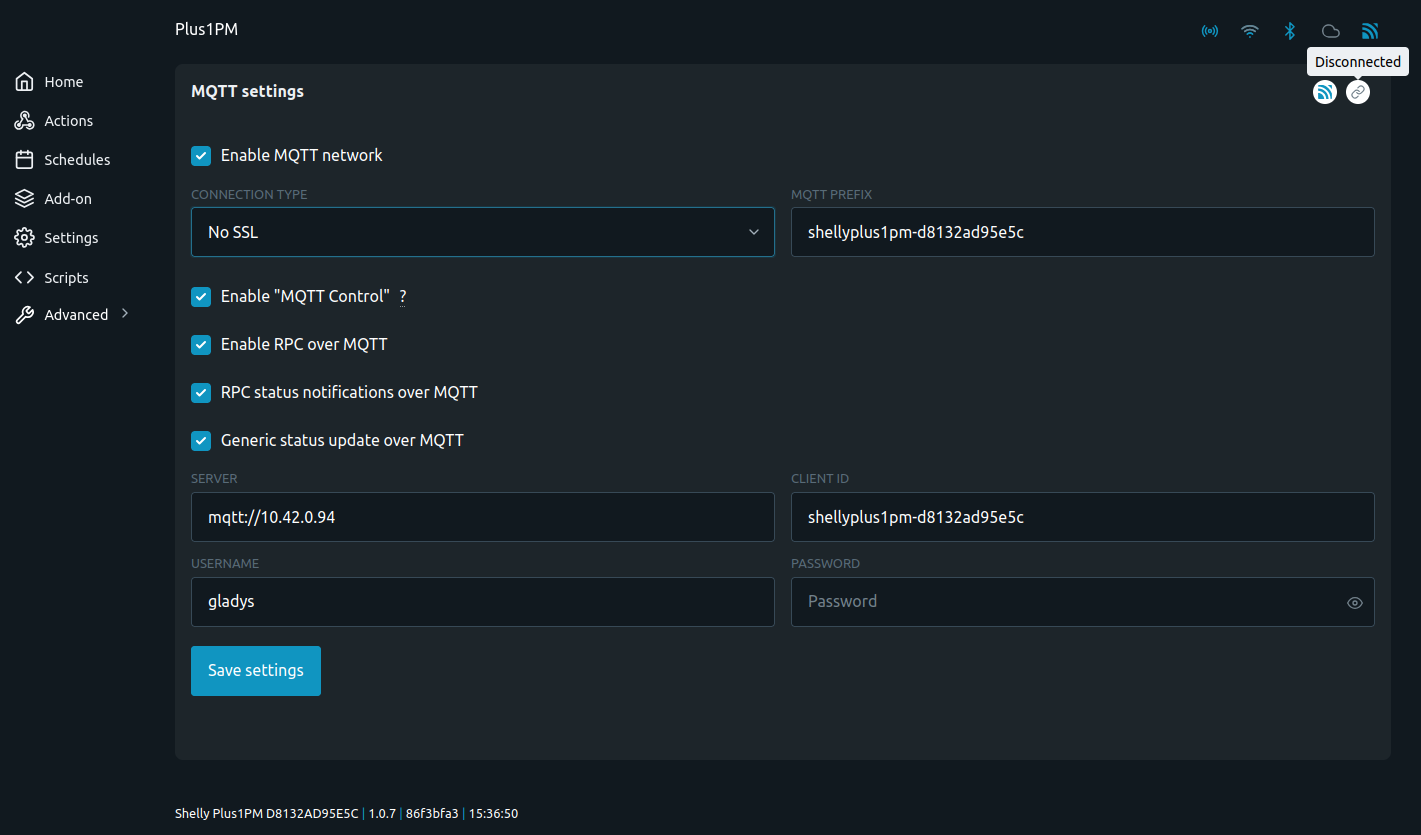
Shelly connection: impossible:
For info, I can connect perfectly with MQTTX.
I probably missed some information as I’m still having a bit of trouble grasping the logic of MQTT.
But I’m sure that for many of you, it holds no secrets.
Thanks
Hi @l.dolle 
You can check the logs of the mosquitto container, that can help you see what’s wrong (password, username)
You can run:
docker logs eclipse-mosquitto -f
To see the logs live (-f → Follow)
Otherwise, are you sure about the basics? Is the IP correct, on the same network as your Shelly?
Is the password correct?
Hello @pierre-gilles,
Thank you for the answers. The IPs are correct: broker at 10.42.0.94 and Shelly at 10.42.0.110. The password is copy/pasted.
Log analysis shows that the Shelly is not trying to connect. It just opens the channel but doesn’t attempt to test the connection. I have to test it elsewhere (by a script, I suppose).
Hello,
I still have the connection problem to the MQTT broker (Mosquitto from Gladys) from my Shelly module.
The logs show « shos_mqtt_conn.c:653 MQT0: Failed to resolve mqtt://10.42.0.94:1883 »
yet the module is on IP 10.42.0.110. So there should be no problem.
The only possible issue might be the port 1883 being closed.
What do you think?
Okay, I just figured it out. You shouldn’t put mqtt:// in front of the IP address.
Now I’m trying to figure out how to send the toggle command to the switch.
More in the next episode.
Great if you found the solution @l.dolle
I’ve marked your post as solved
Thanks @pierre-gilles
Is there a tutorial or configuration for MQTT device handling that I could draw inspiration from? I’m stuck. I think I have the solution for the topic, but not for the body.
Thanks in advance. And well done on your work.
Yes, there is a tutorial in the documentation:
Hi @l.dolle, were you able to get your orders?
Hello @Terdious, yes, the answer was, in the end, much simpler than what I was looking for.
Great!!
I’ve installed quite a few Shelly devices over the past month after getting an electric vehicle and finishing renovation work!!
Indeed!! Very simple ^^
Glad you managed to find it.
@Terdious which Shelly model/Gen do you have? After tomorrow’s live (🚀 Matter & Gladys Assistant : C’est parti!) I’d be very curious to get your feedback on using Matter to control Shelly devices, whether natively if you have the Gen4, or via Matterbridge if you have Shelly Gen 3 or lower 
I was a bit disappointed when I saw you were going to do a live and that, by a hair, I could have looked for compatible products. But the products I needed aren’t available yet with :
But I’m not giving up yet: Shelly Matter 
I’ll take a look!