Good evening, for now I just made a scene that opens and closes all my shutters at scheduled times. And I’m playing with my RFlink to repurpose an old wireless doorbell remote into a sensor to announce mail in my mailbox. I also added an Nrf24l01 board to pick up the BLE information that is sent by my itags and my health watch. I receive so much info, and not just from my home, that I can’t sort it out and identify the different devices. Does anyone know an app or software that can scan and identify everything that communicates over Bluetooth around us?
I have another question about my shutters: is it normal that I can’t trigger the closing or opening of my shutters by communicating with Gladys via Telegram, and I also can’t with Alexa even though I’ve enabled the integration?
My RFlink is set to 433.420 MHz for my Somfy RTS shutters, yet I can see in Node-RED the remote control commands and even the wireless controller of one of my neighbors’ gas boilers that are not on that frequency. And my neighbors are at least about ten meters from my house.
Good evening everyone,
I’m installing my RFLink on my mini PC, going through Gladys’ Node-RED, but I apparently have a connection problem. Here is the Node-RED output
"[serialconfig:d6cc1009c5b68c2f] serial port /dev/ttyUSB1 error: Error: Error: No such file or directory, cannot open /dev/ttyUSB1"
I already had this at the start on my Raspberry Pi and it was fixed with this command:
The Gladys integration launches a container with the basic command so if you want a customized installation, remove the Gladys integration and run this command.
I’d like to keep the Gladys installation, it’s a bit easier to install and above all to know whether it will evolve on the SerialPort RFLink side of Node-RED. But for now, I don’t have access to the RFLink, no access to my Harmony Hub, and no access to the Xiaomi gateway. MQTT works fine. It seems that apart from MQTT nothing crosses Docker (I’m trying to explain with my basic knowledge )
So you can install your Docker Node-RED with your command or redirect your port by adding the line -p 1880:1880 (or another port). That gives you 2 Docker Node-RED instances (sometimes useful to have one for testing and one for production and now on mini-PCs it’s no longer an issue in terms of performance!
In the long run being able to modify the settings in Gladys would be ideal for you… maybe for others! The best would be to have an integration page « docker » like Portainer but simplified with the ability to add/remove/edit/start/stop a container in a user-friendly way!
Be careful with Node-RED in a container: in the MQTT nodes etc. you must not set the server to 127.0.0.1 or localhost but to the real IP address of the MQTT broker (so of Gladys). I think the same applies for the rest (give your flow if needed to check)
hello @cce66
What you’re telling me is not to use Gladys’ Node-RED?
But anyway, that’s what’s going to happen, because I crashed zigbee2mqtt but not because of Node-RED, I tried to install Node.js and npm
so I’m going to reconfigure everything
No, to use Gladys’ node-red accessible on port 1881( I don’t remember, by the way, whether disabling Gladys’ node-red also deletes its flows so save them beforehand as @Lokkye indicated in the integration) and to install a second node-red container with your usb0/usb1 settings which will be accessible on port 1880 so that you have 2 distinct node-red instances on 2 different ports but only Gladys’ one won’t have access to the 2 USB ports
Not sure that’s related since it’s in a container and installed by Gladys but I’m not an expert there, you should ask @pierre-gilles
Thank you for your reply
Yes, I don’t use Node-red Gladys, but I install Node_red as before with the commands.
When you disable Node_red Gladys, it removes the container and the files as far as I remember; I don’t know where it’s stored — I don’t see it in cd /var/lib
But I’m resetting everything because I no longer have access to the Zigbee2Mqtt interface
thanks
first run docker ps -a to see the status of your Docker containers, otherwise if you have « gladys plus » you might as well not bother and just reinstall!
Hello everyone
When moving from an RPI to the miniPC, I noticed what I wrote above. I don’t think it’s related to the machine, but rather to the new versions
I added a new note in the tutorial, the rest doesn’t change:
Have a good day
 Thanks
 )
)
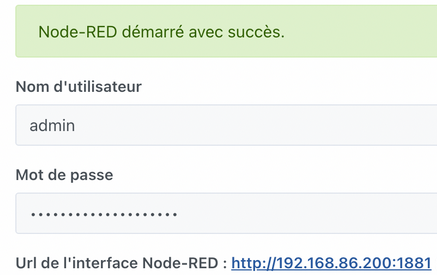


 , I had simply omitted this line after restarting node_red: