I wanted to indicate on the mockup the nesting limit of multiple “Conditional blocks If… Then… Else…” actions? You wrote above: « set limits on the depth (max 1 or 2 I think) ». Does that mean that 1.A.1 would be the max? or 1.A.1.A.1? or 1.A.1.A.1.A.1? I would vote for the middle case
I also wanted to specify on the mockup the scope of moving blocks of actions. In principle no technical limit, and we can envisage that moving an action block from a “Then” section could be possible within the same “Then” section (ex: before 1.A.1.), or into the “Else” section (ex: after 1.S.2.), and even outside the “Conditional blocks If… Then… Else…” action (ex: before 3.)? But not into an “If…” section, of course.
Same for moving an action: No technical limit and we could move it anywhere? Well, except into an “If…” section.
2/ I wonder if we could move the « New action + » and « New condition + » buttons; instead of using the right side of those sections (which could become a collapse button), maybe we could put them as a centered button at the bottom of the section, which could perhaps be just a small icon?
3/ I don’t see how to add/remove action groups in your design?
Are you sure? Actually I placed them there to remain consistent with what exists today for adding a new action in a block. What you suggest would be applied in this action « Conditional blocks… » and also in the action blocks that already exist today (because otherwise we’d miss the goal of consistency)? If that’s the case, I think that’s another topic to open, no?
Well, like what already exists:
to remove an action block, it’s the ‹ trash › icon. It’s not visible in my steps 1-2-3 because there’s only one block, but you can see them clearly in step 4 for blocks 1.A.1., 1.A.2., 1.S.1., 1.S.2.
to add an action block, it’s automatic as soon as you add an action in the last empty block. I didn’t specify it, but I can add a Whimsical annotation to make that clear.
I believe we’re converging toward an excellent UI with the latest points discussed, well done!
I would add, in my opinion (but this may already have been written): restrict creation to a single IF/THEN/ELSE section per main block (1. or 2. or 3. etc., I hope I’m being clear…).
Ah yes, I see what you’re talking about. And it’s not that it would be impossible to handle two If… Then… Else… structures in parallel, but it’s just that visually the two actions would be one below the other, which wouldn’t intuitively convey their execution in parallel. I added an annotation in step 3 of my previous message.
I think this is another feature, but it would be nice if the condition could take a device’s current value without having to retrieve that value beforehand?
I’m not sure if I’m being clear?
You’re right, might as well keep the development simple here.
I thought the « collapse » button would get in the way of those buttons, but actually it’s not in the same block.
Ok indeed!
Ok thanks!
We’ll see, I’m not convinced that this limitation is that useful…
Another feature!
Next steps
@StephaneB Indeed, I think we’ve reached a really satisfying result in terms of UI! Well done!
Now we need to think/write specifications to define what actually happens in these conditions.
Typically, you use a set of conditions that already exist today, but which work very differently: they stop the scene if the condition is not met.
We need to think about how we will work with these new conditions: are they the same conditions, but instead of stopping the scene, they only stop the « current » execution flow?
What about existing scenes?
Are they entirely new conditions?
We need to define and write the entire behavior of this new system
By the way, I’m not sure I’ve seen the design for all the conditions.
Thanks!! And thanks to everyone who provided feedback to help gradually refine this interface.
So in my head it was very simple and ‹ logical ›:
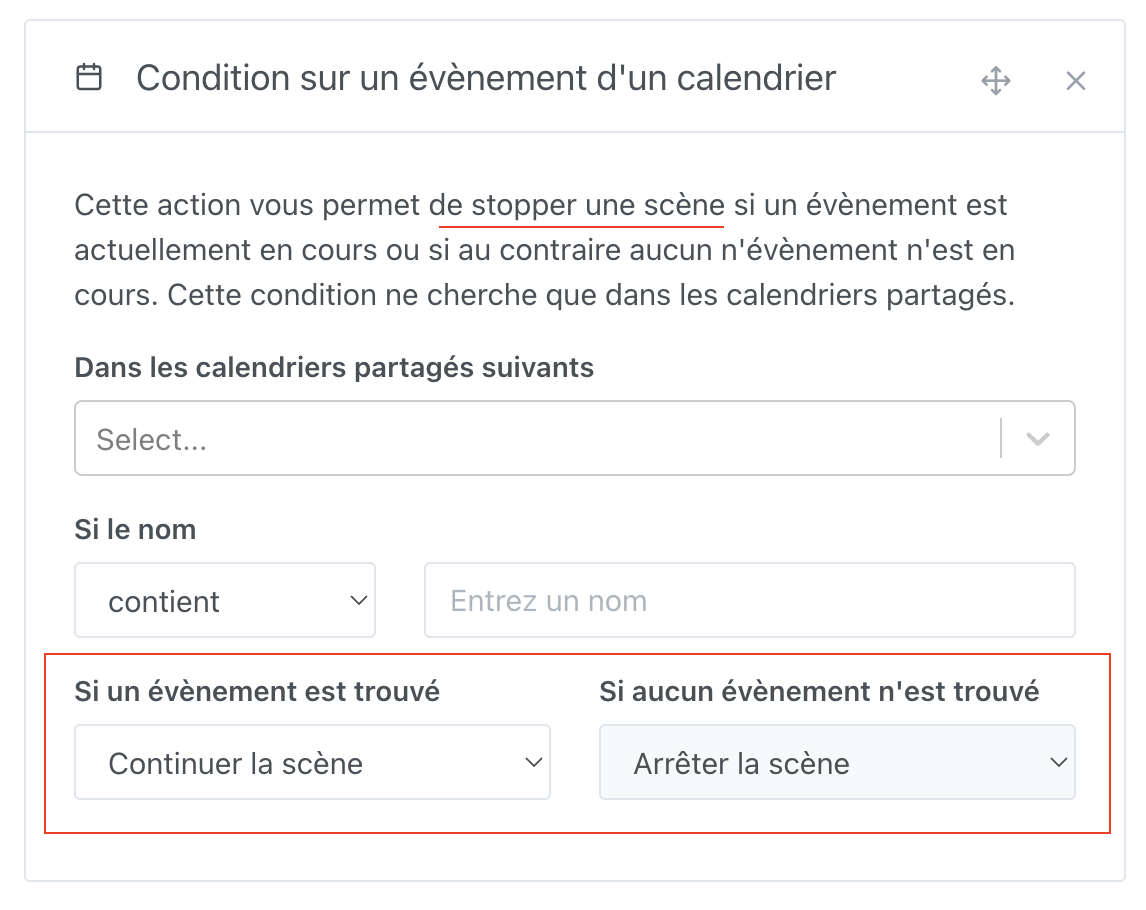
the 5 current conditional actions do exactly that: if the condition is met, then the scene continues, otherwise the scene stops when all the actions in the block have finished.
the 5 equivalent conditions that we’ll use in a « Conditional Blocks » action will behave as follows: if the condition is met (and all the other conditions are met too), then the scene proceeds into the « Then… » section, otherwise it proceeds into the « Else… » section. Then in both cases the scene continues into the next actions block.
Is that what you expect when you say « specification »?
I don’t understand that question. Do you mean a possible migration? I don’t think we need to consider that. Each person will decide how they rework their existing scenes to use the new « Conditional Blocks » action, right?
From a UX/UI point of view, it seems to me that there should be no difference between the 5 current conditional actions. Thus, using them in one case or the other will be understood in the same way (except for the difference in behavior described just above).
On the other hand, whether it’s the same technical component is more of a job for the dev side, right?
I indeed didn’t provide an example using « EDF-Tempo condition » and « Event condition », but if I add them it will only show that their interface is exactly the same, whether we use them as a conditional action or as a condition inside a « Conditional Blocks » action.
So, let me know what you need me to specify more precisely.
It has to be handled case by case, but each condition currently in the scenes is nonetheless closely linked to the « continue/stop the scene » mechanism.
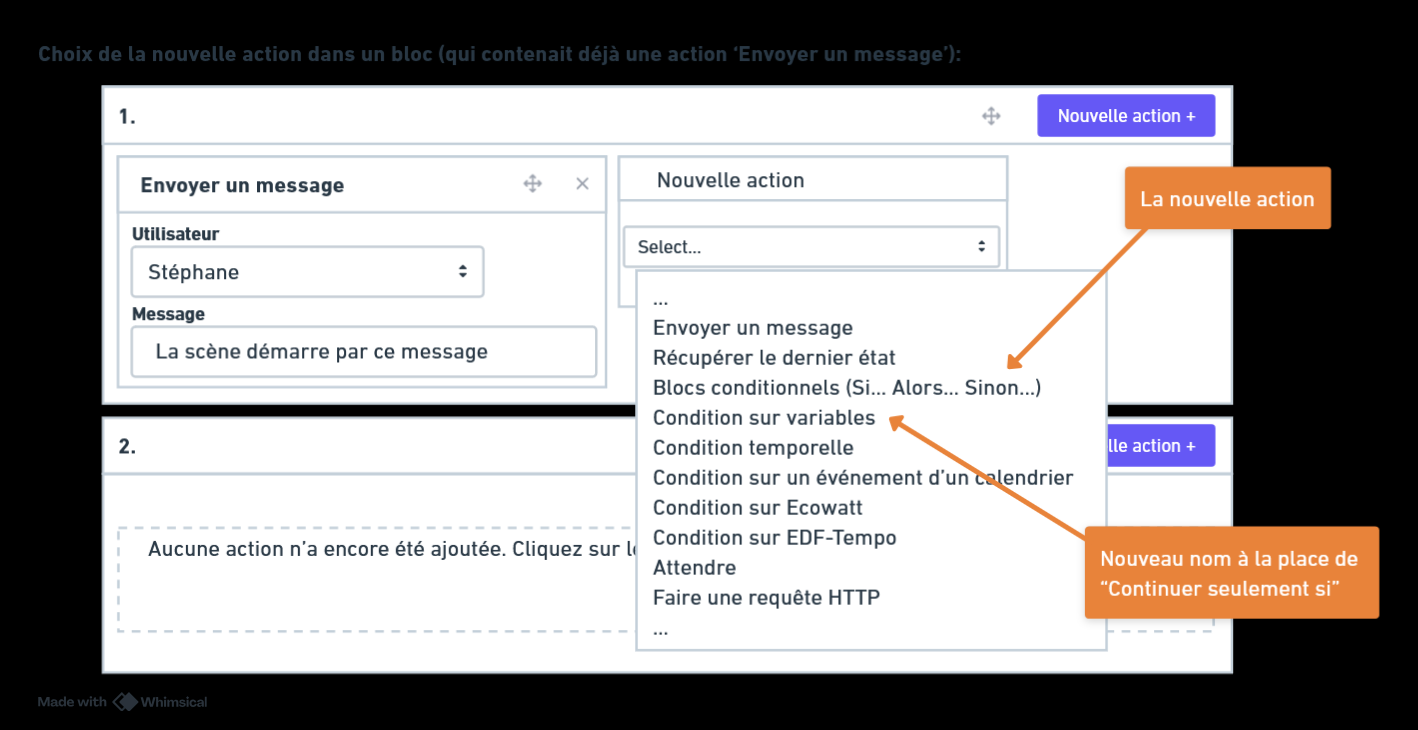
I think it would be useful to create specific mockups for each condition in order to define the « IF… THEN » version.
This may seem obvious, but that’s precisely the purpose of a specification: to define together, in advance, everything that will be developed, even if it seems obvious.
A clear specification allows development to start without ambiguity.
The more detailed the specification, the more likely the development is to succeed!
If we assume that there is a new set of conditions dedicated to the « IF…THEN », then yes, no migration is needed. But that needed to be defined!
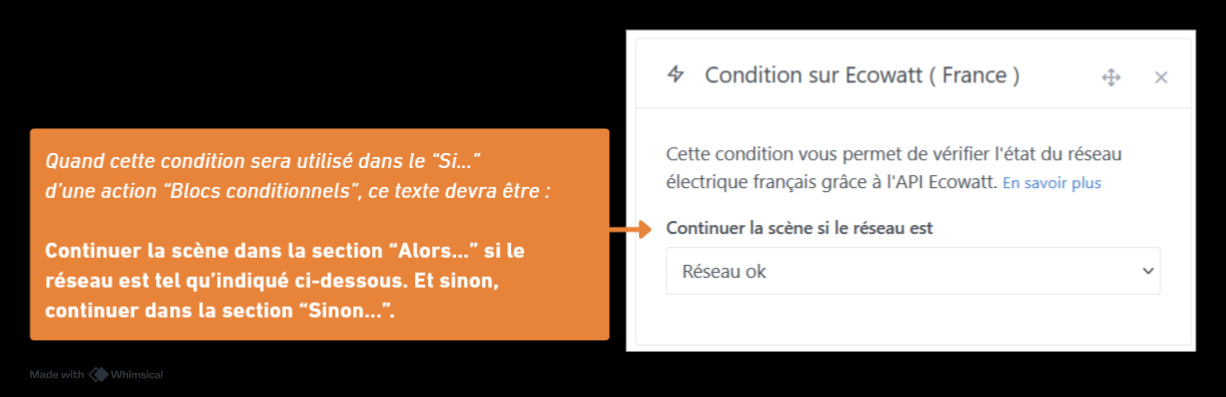
So I set aside my assumptions and logic , and I reread the texts of each of the 5 current conditional actions. Here’s what I propose to create the equivalent conditions dedicated to the action « Conditional blocks (If… Then… Else…) »:
@pierre-gilles, it’s a small detail but I find that the title of this thread is no longer really relevant. What would you say to changing it to ‹ Scenes: new action « Conditional blocks (If… then… Else…) » ›?
I find that restating how the « IF… THEN » works in each condition makes the text redundant and not necessarily clear.
Since multiple conditions can be present, I actually find the current description rather incorrect.
For example, in the condition about EDF Tempo, you write:
« The scene will continue in the ‹ Then… › section if the conditions below on EDF Tempo are satisfied. »
This wording can suggest that the conditions are connected by an « OR », whereas in reality it’s an « AND ».
If you want to remind users of the « IF… THEN » principle, it would be better to explain it at the start of the « IF… THEN » block, rather than within each condition.
In each individual condition, it would be clearer to simply describe its own validation (e.g.: « This condition will be valid if… ») . In some cases, like for EDF Tempo, it even seems to me that the text could simply be removed.
That looks really good. I’m really eager to be able to use it!
Your choices seem relevant to me, no problem on my end…
Just the numbering of the blocks: the « 1.1.Then » is weird.
« 1.1 » is because you think of allowing multiple ‹ conditional block › actions inside block « 1. », which would therefore be numbered « 1.1 » and « 1.2 », …? I said it earlier, I think that will harm readability. But anyway, worth testing…
And after the then there should already be a « .1 ». Because as it stands we’ll certainly be able to chain several action blocks, numbered « Then.1 », « Then.2 »,…


 We’ll see in real use what works!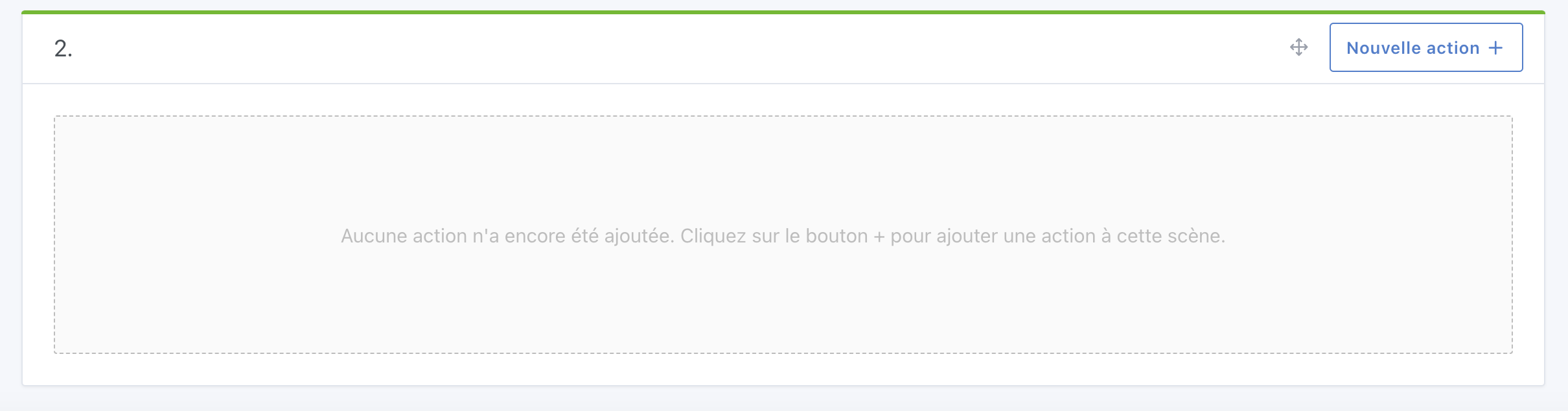

 , and I reread the texts of each of the 5 current conditional actions. Here’s what I propose to create the equivalent conditions dedicated to the action « Conditional blocks (If… Then… Else…) »: