Hello,
I am turning to you for a question or perhaps some help.
I use Gladys to manage a few lamps or other light strips.
Having children and a pregnant wife, nighttime awakenings are « frequent », but when half-asleep, sometimes the light stays on.
In this case, I would like to create a scene that turns on the light in the hallway when the detector sees movement (that’s OK) but only during a time range (or low light detection) and that the light turns off after 5 minutes, for example.
That’s a lot of triggers…
Do I necessarily need to create 2 scenes?
For the time range (11 PM - 7 AM?), I don’t see how to place it in the scenarios in a simple and logical way.
I might have missed something…
Thank you.
Hi @Fabichou!
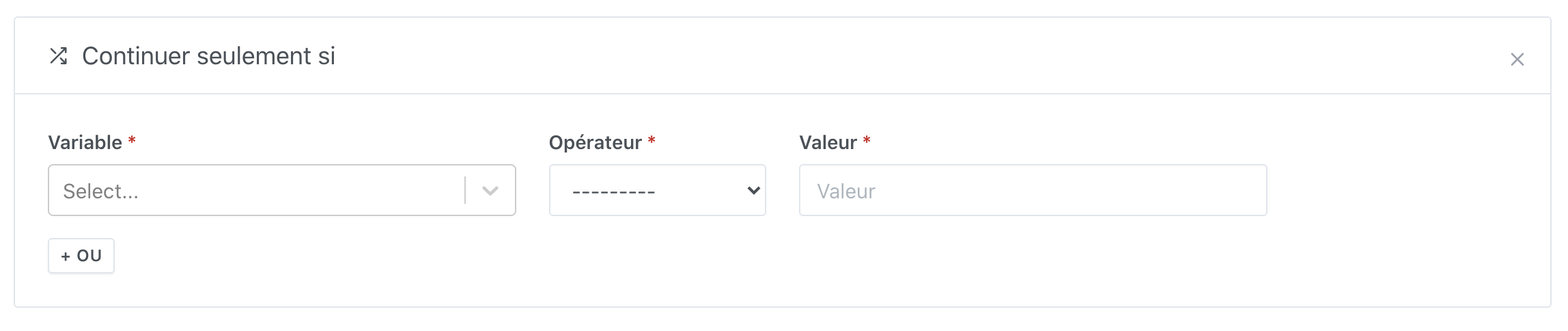
As it stands, I don’t think it’s possible, there are no conditions on time slots in v4 currently. 
However, I think it’s a good addition!
I think in this condition, we could add in « Variable » a variable « Current Time »
And then you could select a time range like >= 11 PM and <= 7 AM
What do you think?
Hello @pierre-gilles
Yes, that’s a good solution, it seems to fit the need
Do you have a solution for the « timer »? Do we use the movement boolean to turn on every time we have a 1 and turn off as soon as we have a 0?
I think another brick is missing that would also be very interesting to add:
- In your lighting scenario, after turning on, you put a « wait XX minutes »
- After the wait, you put a « retrieve last sensor value » on your motion detector
- Then, you put a « continue only if » block with a condition on the time at which the last movement occurred in « if the last movement occurred more than XX minutes ago, then continue » mode
- Turn off the light
What do you think? The missing brick is 3), and I think it would be useful for many things!
When composing like this, it seems good to me and since there are many steps, it seems quite flexible and therefore adaptable to several scenarios.