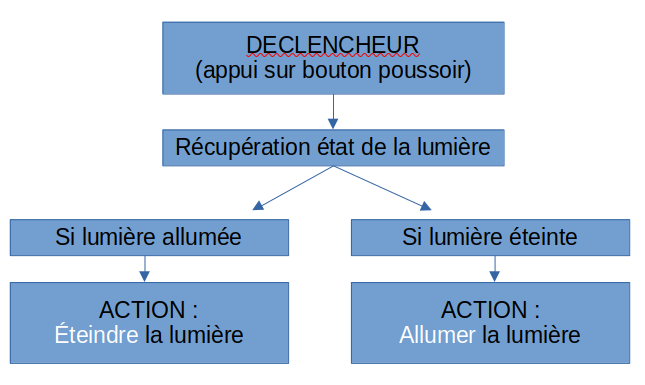
At the moment, if I want to create this, I’m forced to use 2 scenes, whereas it would seem much more logical and efficient to be able to manage it in a single one.
Yes that would be less heavy than the system I imagined!
Is it possible in Gladys to just say something like: toggle light?
Doesn’t Gladys expect a specific action like toggle light ON?
I didn’t mention it in my post but I’m expecting the same with my alarm as well.
I’d like to use the same command (a long press on a push button) to activate / deactivate the alarm
@Tlse-vins@vonox I think on that point we misunderstood each other (even if the idea is a good one).
I was talking about pressing a physical Zigbee button that I already own
Hello.
Like you, I had created 2 Scenes to turn a room on by pressing a button SONOFF SNZB-01
1st scene to turn off
Trigger : Sonoff Button Click >= 1
Get last state : Switch bedroom1
Continue only if : Switch bedroom1 = 1
Control a device : Switch bedroom1 = OFF
2nd Scene to turn on:
Trigger : Sonoff Button Click >= 1
Get last state : Switch bedroom1
Continue only if : Switch bedroom1 = 0
Control a device : Switch bedroom1 = ON
Everything worked until today; it wasn’t very responsive but it worked.
Today I changed my coordinator Sonoff key for TubesZB
And this one seems too fast, too sensitive — the two scenes execute in parallel: if the light is on it turns off then immediately turns on again; if it is off it turns on and immediately turns off. I tried adding a timer but it changes nothing.
With a staggered delay between the two scenes, one works but not the other.
So a scene that inverts the switch value seems like the only solution.
The other solution would be to use the « else » condition that would call the 2nd scene, but that function does not exist yet.