Hizo
April 4, 2023, 1:31pm
1
Hello,
here is a small tutorial to explain how to connect to your local Gladys from outside using the VPN offered by the Freebox.
I don’t know how good an idea this is… in any case, it works.
On the Freebox side:
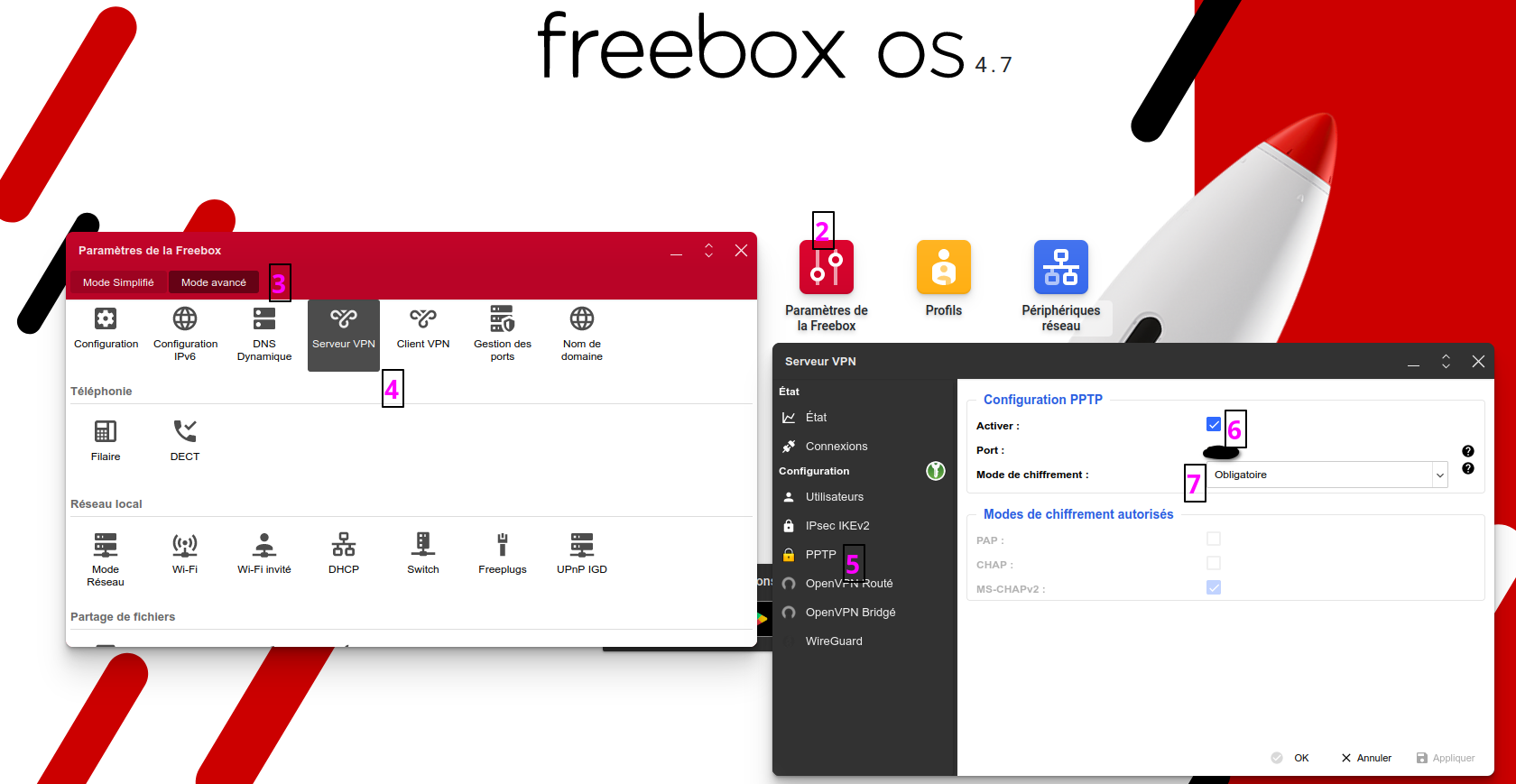
Go to the local site: http://mafreebox.freebox.fr/
Icon Freebox Settings
Advanced mode
Icon VPN Server
Tab PPTP
Check the box Enable
Box encryption mode: Mandatory
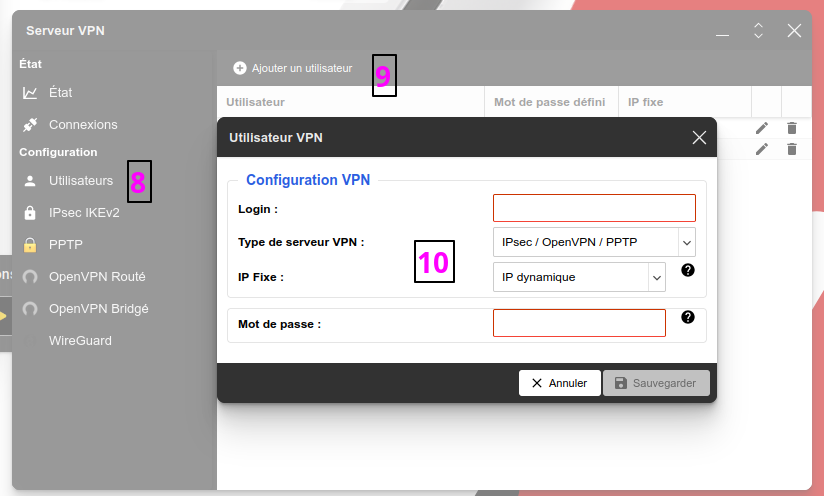
Tab Users
Click on Add a user
Enter a login , a password and leave the other two boxes at their defaults
Example of connecting from my Android phone:
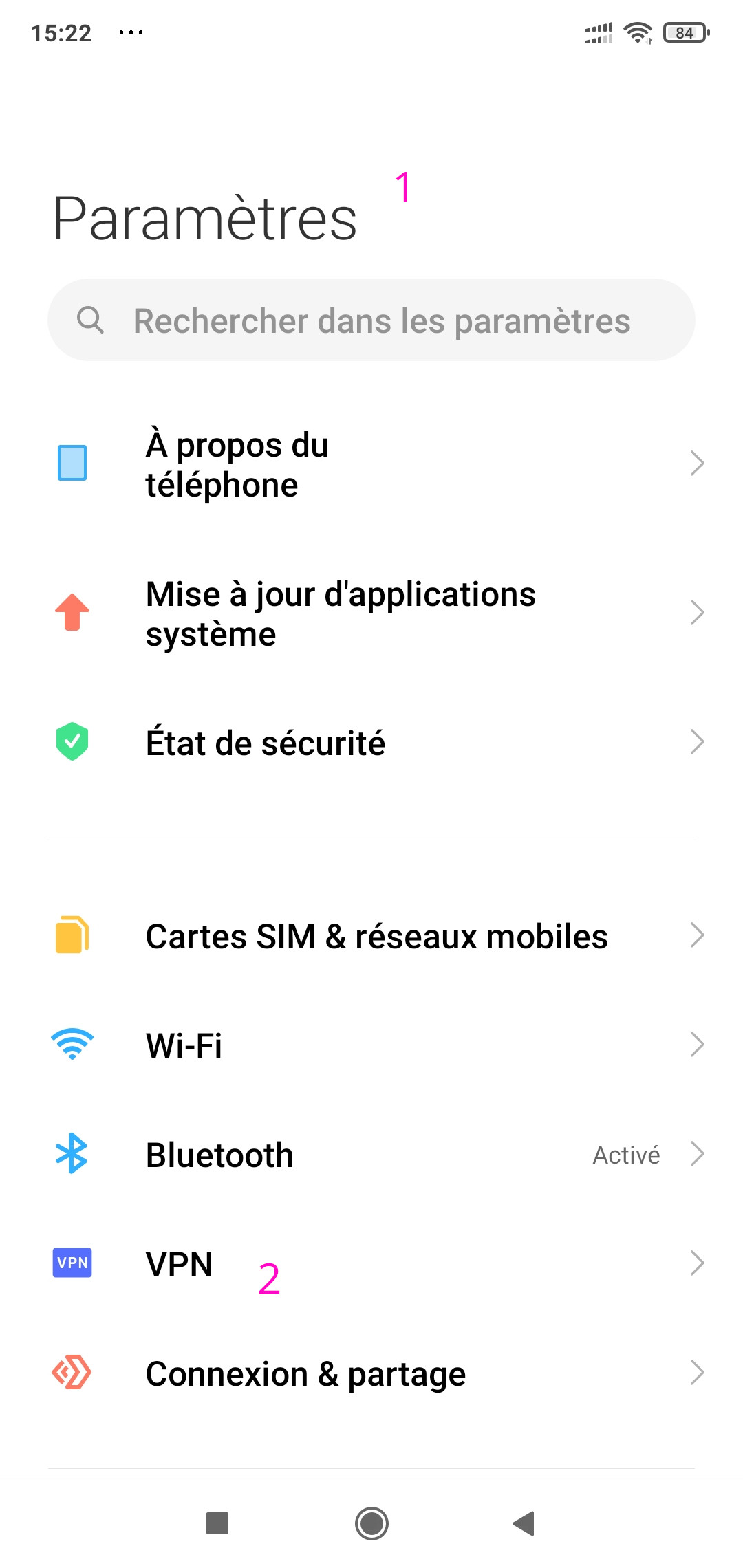
Go to the phone settings
VPN menu
Add a new VPN
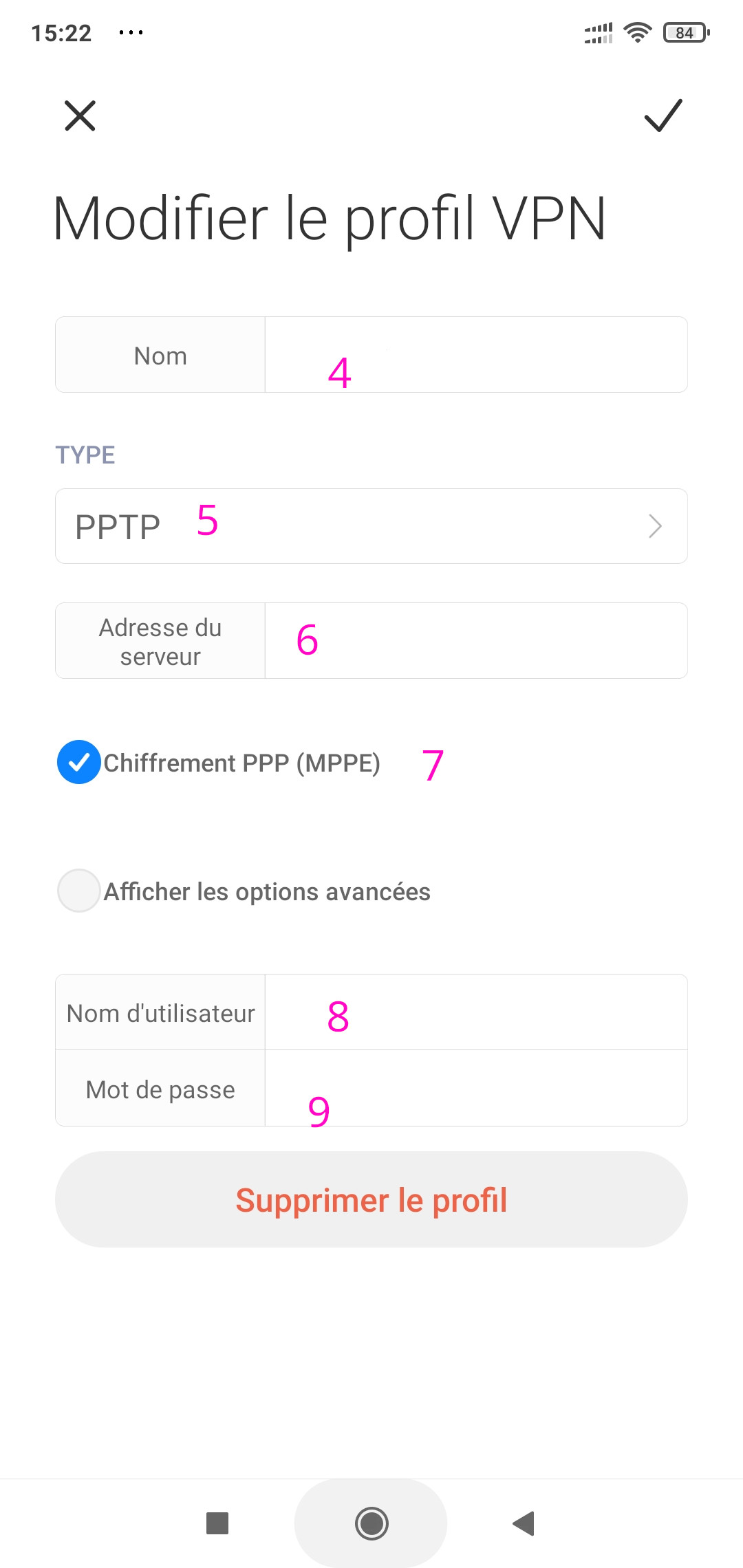
Give it a name
Set the type to PPTP
Enter the Freebox’s address on the internet
Select PPP encryption
Enter the username
Enter the password
Enable the VPN
To test, make sure to switch to 4G and not to WiFi
Hope this is useful.
Feel free to give advice or add clarifications.
Jluc
April 4, 2023, 1:57pm
2
Hello @Hizo
Great tutorial — does that allow access to Zigbee2MQTT? I’m still figuring things out. And where can the Freebox address be found online?
cce66
April 4, 2023, 2:55pm
3
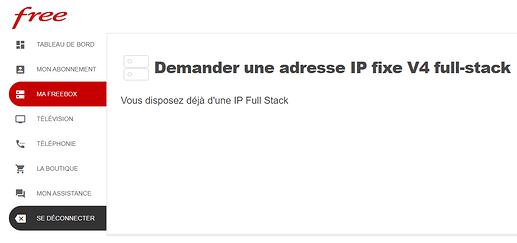
you must use a DynDNS-type address and then access it through the DynDNS address, or request a fixed IP address from Free
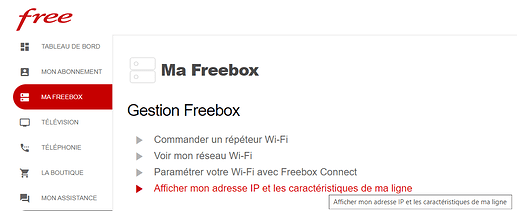
then the IP is located here
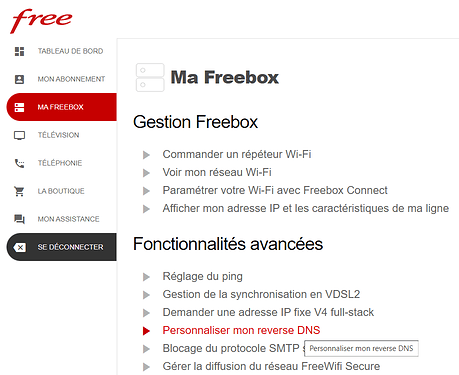
Then you need to go to « customize my reverse DNS »
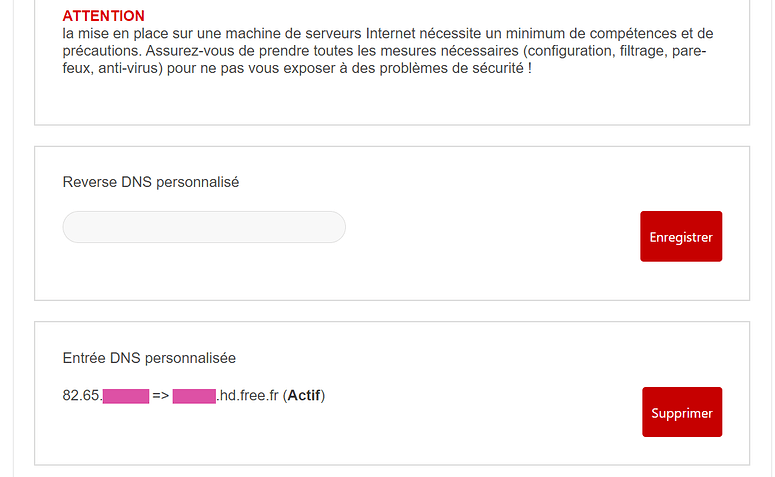
And there, go all the way to the bottom to configure only the « custom DNS entry »
That’s it for configuring the Freebox subscriber area, you now have a fixed V4 IP address and it is published in the DNS servers under the name xxx.hd.free.fr https://dnschecker.org , enter your domain name xxx.hd.free.fr
Hizo
April 4, 2023, 3:30pm
4
@cce66
After that, I didn’t go and create a custom Reverse DNS.
@Jluc
Jluc
April 4, 2023, 3:31pm
5
Thanks @cce66 ?
Given my level, it’s a bit worrying, isn’t it? And can having a static IP also cause security issues?
Hizo
April 4, 2023, 3:33pm
7
Without a static IP, it’s complicated because you’ll never know which address to connect to…
I made a tutorial on how to easily use a reverse DNS service