Thank you very much @AlexTrovato.
I’m not very good, how do I test it?
You have this tutorial, but don’t do it on a production instance.
I recommend doing it on another SD card or another device if you’re not used to it.
Hello,
@tiboys and others,
were you able to test the changes?
I updated the test image (with German, available within an hour): atrovato/gladys:ewelink
Thanks in advance.
Hi,
Sorry, I’ve been pretty tied up with work and @Tlse-vins put me off the procedure on a production
Hello, I’m checking in here, I’m updating the image, and I see it has just been uploaded… tests in progress?? 
Hi @AlexTrovato, I finally managed to find the hardware and the time at the same time to try the procedure.
However I’m even more clueless than I thought. I can’t reach your ewelink config page.
I think I managed to retrieve your image :
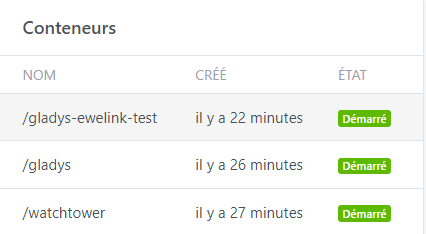
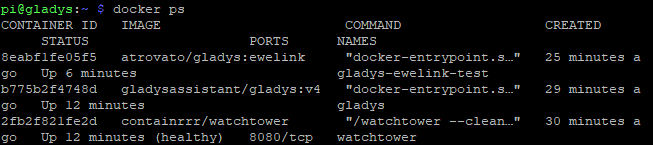
But the login system doesn’t look like yours :
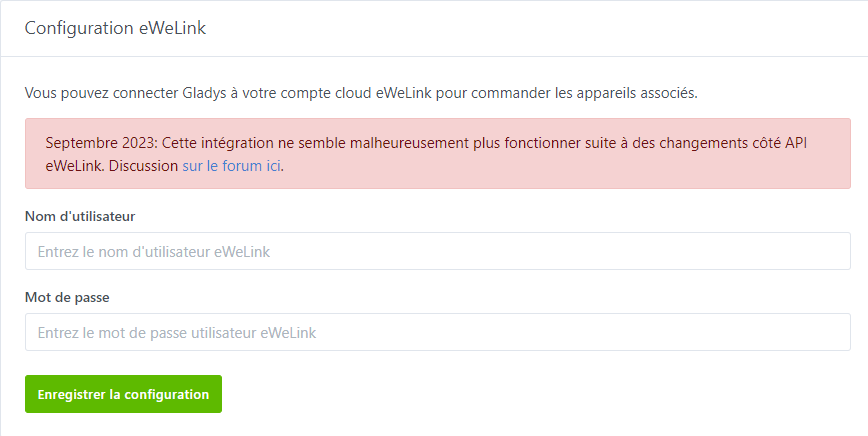
What did I miss?
If you followed the procedure from @Tlse-vins, in theory the « test » Gladys is accessible on port 8801 (SERVER_PORT=8001).
So probably http://localhost:8001 
Thank you very much, that was indeed it.
However, I get an error when I try to connect my account:

Indeed, you need to follow this doc
I’m really sorry, I can’t see what needs to be done .. 
No worries, the goal is to get there 
Is this clearer for you?
Thanks, that’s indeed the tutorial I followed. The connection with the APPID and APP SECRET works fine but signing in with my account opens a new page (with a very long URL that contains the link added in the config) and then the error I mentioned.
EDIT : I just recreated the app because I hadn’t specified a port number in the config.
EDIT 2 : Same problem :

When you create an app, you have to wait 24 to 48 hours to receive a confirmation email from eWeLink, if you modify a piece of data, you have to wait about 15 / 20 minutes.
Creating the developer account took 24/48 hours, yes, but the app was available within 5/15 min as you say in your tutorial. I was even able to retrieve the IDs with « view ». Do you also have to wait for an email from eWeLink for the app?
Normally no, no second email, the 15/20 minutes wait is enough…
Tu as bien sélectionné la bonne région (europe ou autre) ?
The message clearly says that the redirect address used after login is not valid.
Did you put http://localhost:8001/dashboard/integration/device/ewelink/setup/login? Because your test gladys is on port 8001 (and not 1440).
I just noticed an error, I typed http:// twice!! I don’t know how.

Everything works now.
However, I have devices that were recognized before and are no longer (D1R1, RF_R2
hello
still no news regarding this integration?
will it be abandoned?
I’ll let @AlexTrovato reply to you — on my end I haven’t heard anything in any case
Summer is often much quieter development-wise; everyone is off here and there, and it often picks up again in the fall ^^
(Not on my end anyway — I stay active all summer)
Hello, on my end it’s working, I had feedback about a device that’s no longer compatible, so a regression.
But I’m still in dad mode, I haven’t reinstalled my workstation. I hope to resume development by the end of the year.