Hello everyone,
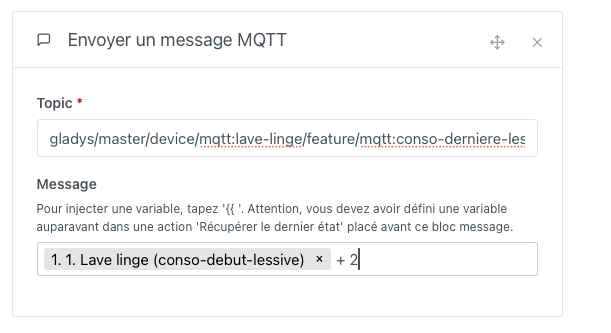
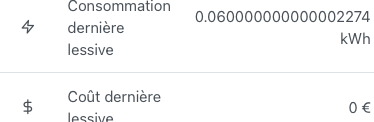
Here I will show you how to easily smartify a washing machine with just one outlet and achieve a result like this:
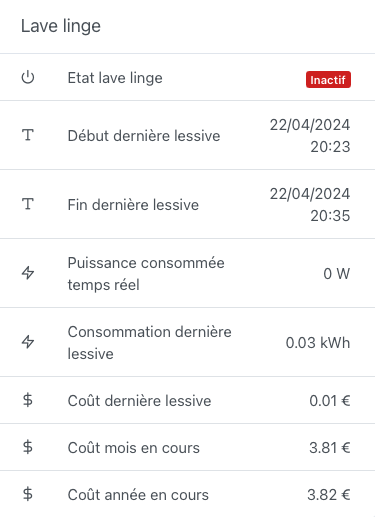
Note: This tutorial will evolve, and some screenshots will change over time as bugs are fixed or features are added. The changelog will be available at the end of the tutorial
I will include many screenshots without necessarily accompanying text, but if you have any questions, remarks, or suggestions, feel free to ask 
I was heavily inspired by the tutorial on Domo-Blog, which you can find here:
https://www.domo-blog.fr/comment-connecter-et-monitorer-la-machine-a-laver-sous-la-domotique-home-assistant/
Prerequisites:
- MQTT integration
- Zigbee2Mqtt integration
- A Zigbee smart plug (In my case, this one)
- Having integrated your Zigbee smart plug into the Zigbee2Mqtt integration
1. Creating the washing machine device in the MQTT integration:
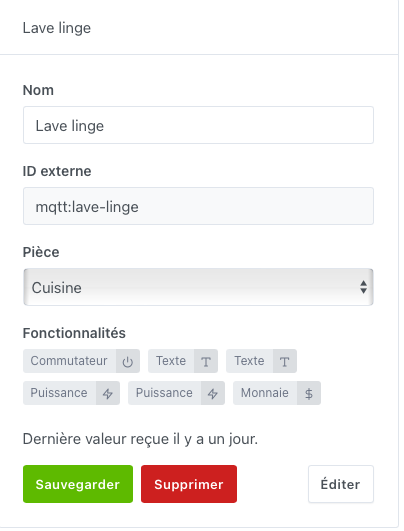
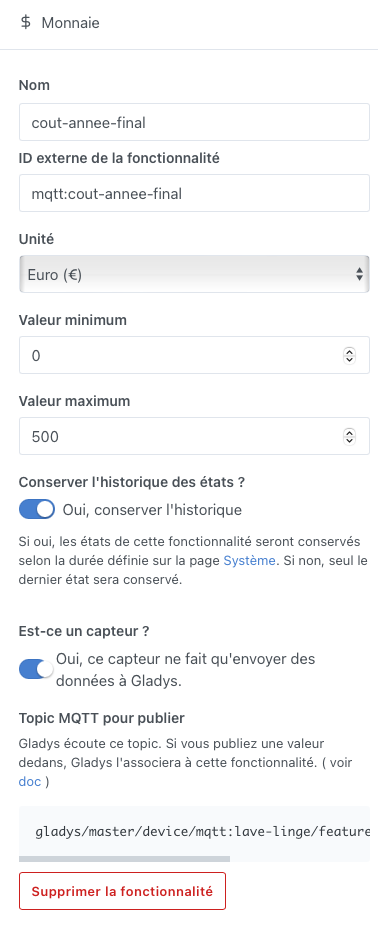
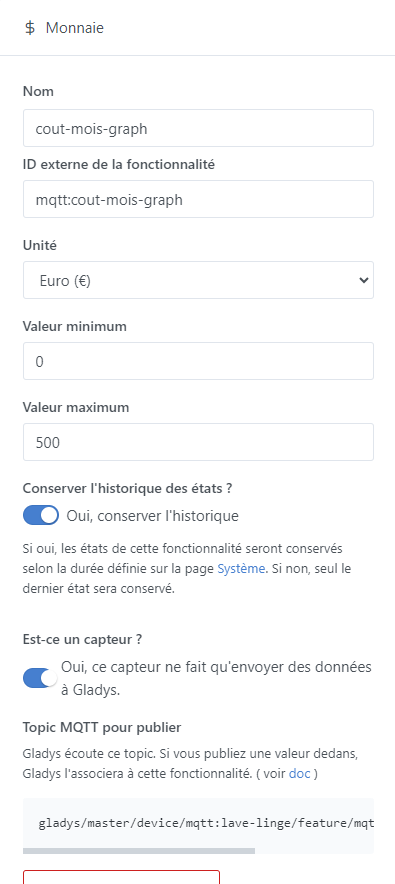
2. Creating features on the MQTT washing machine device:
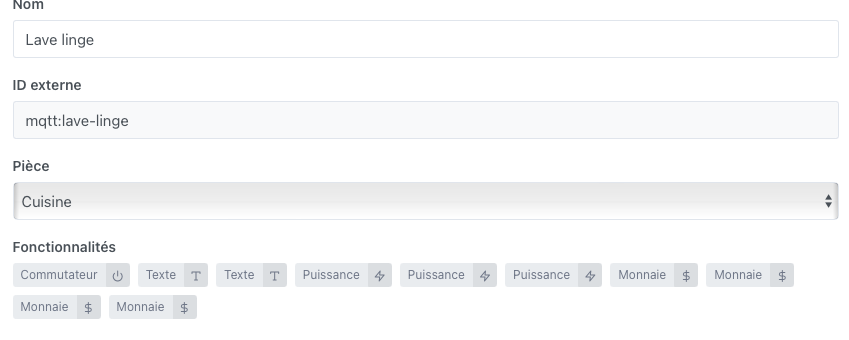
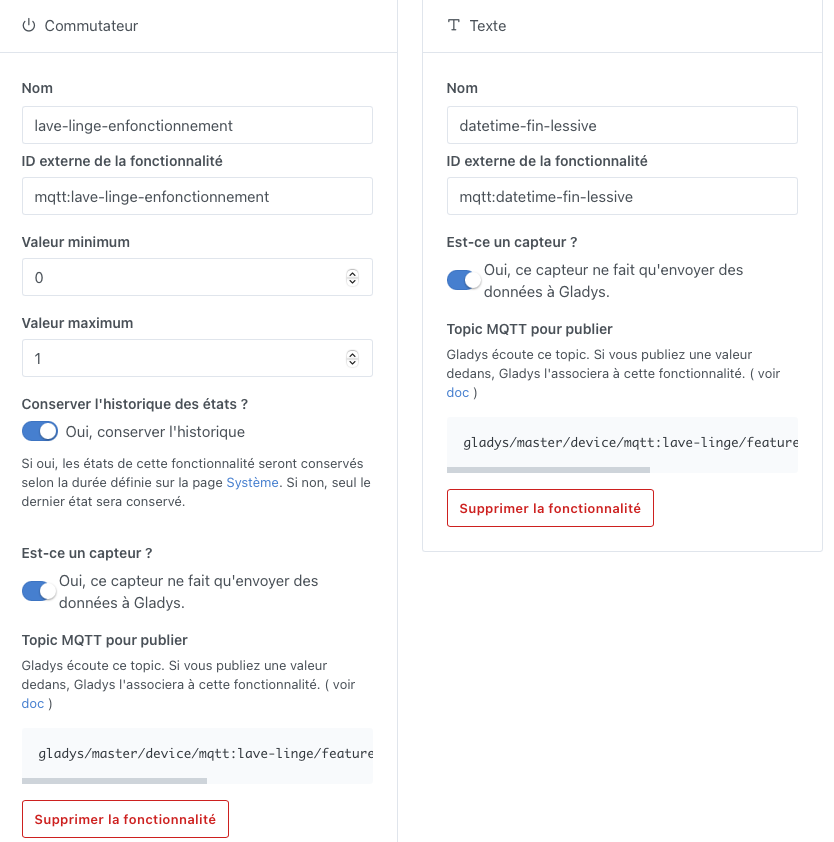
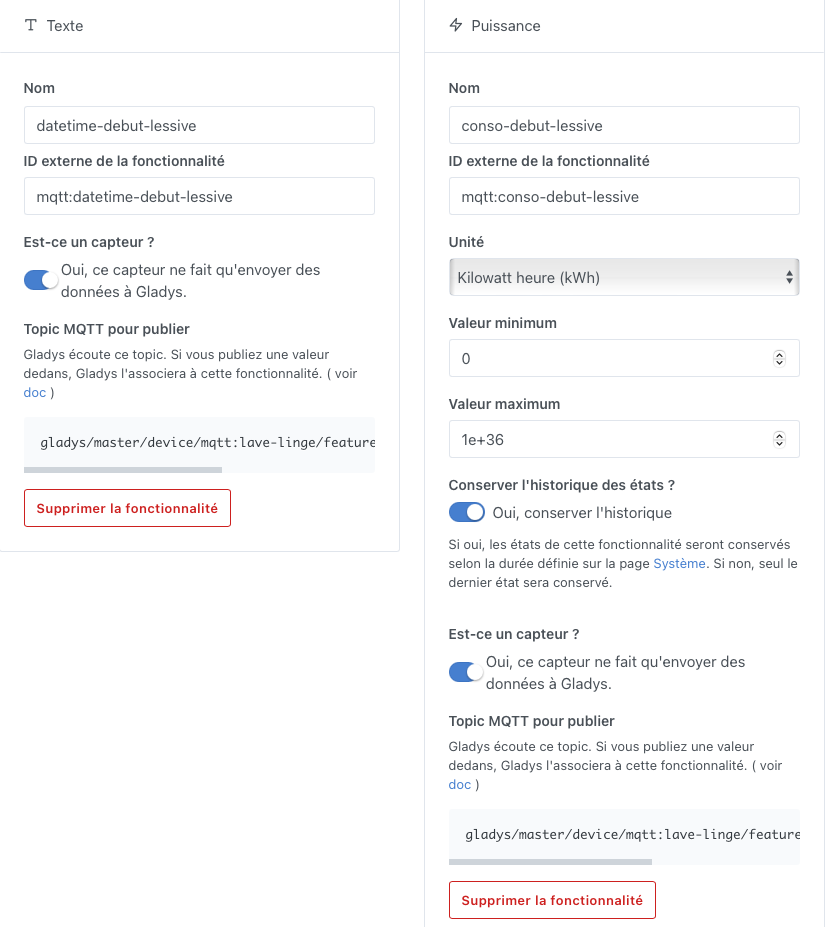
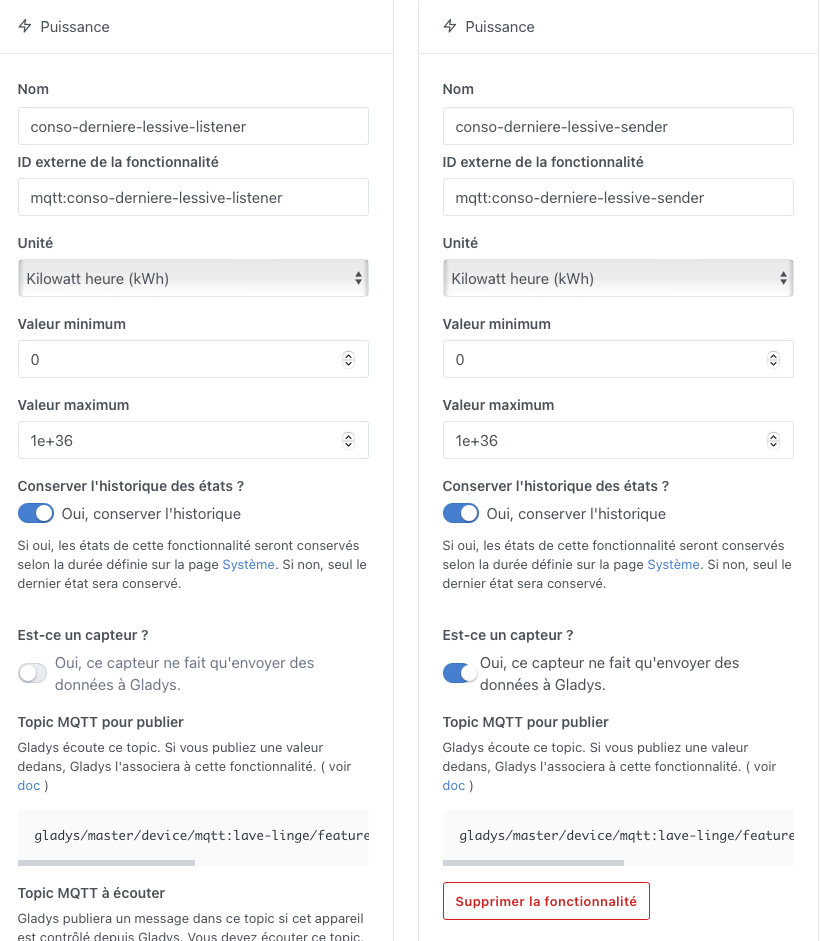
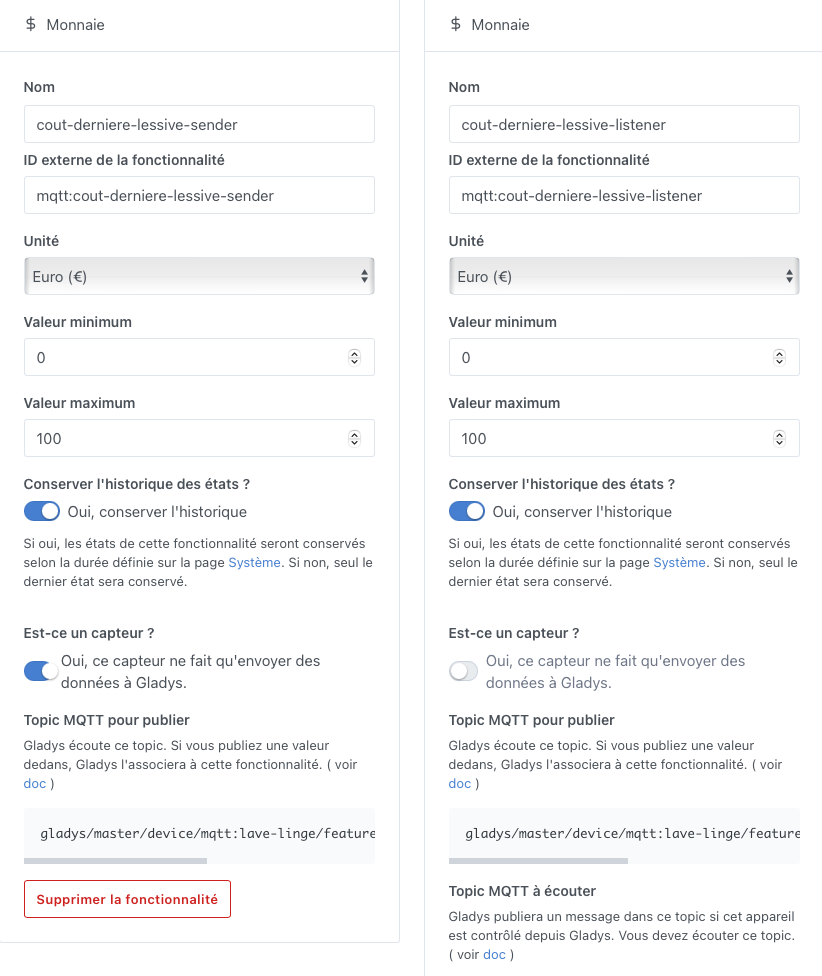
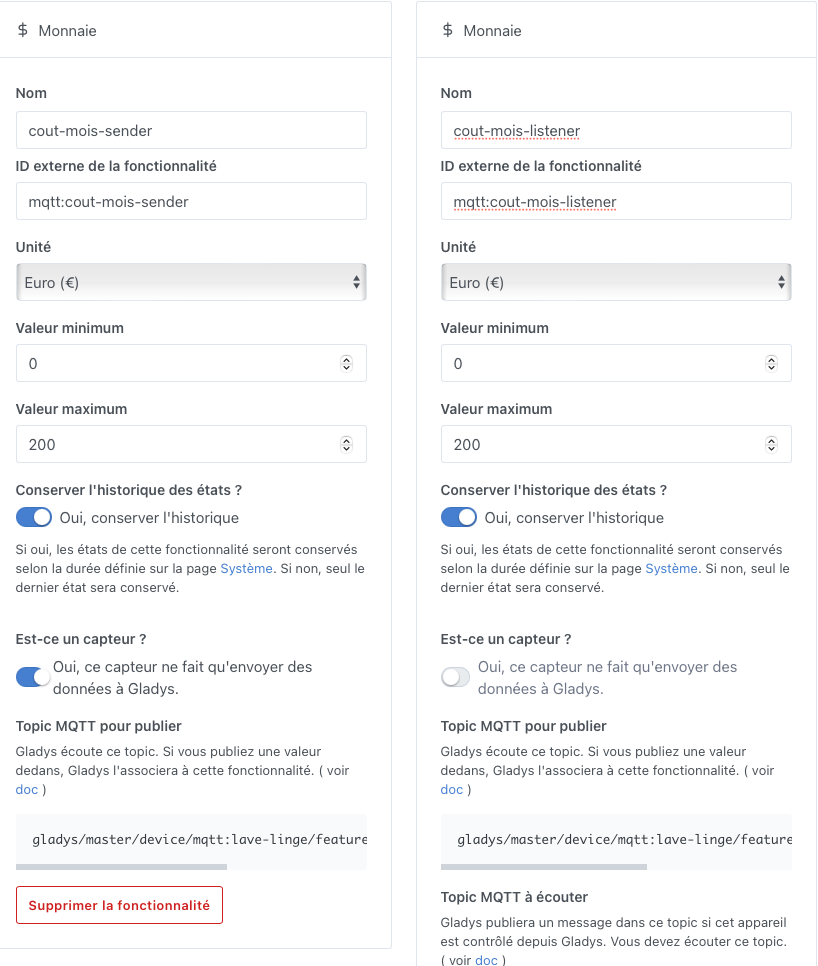
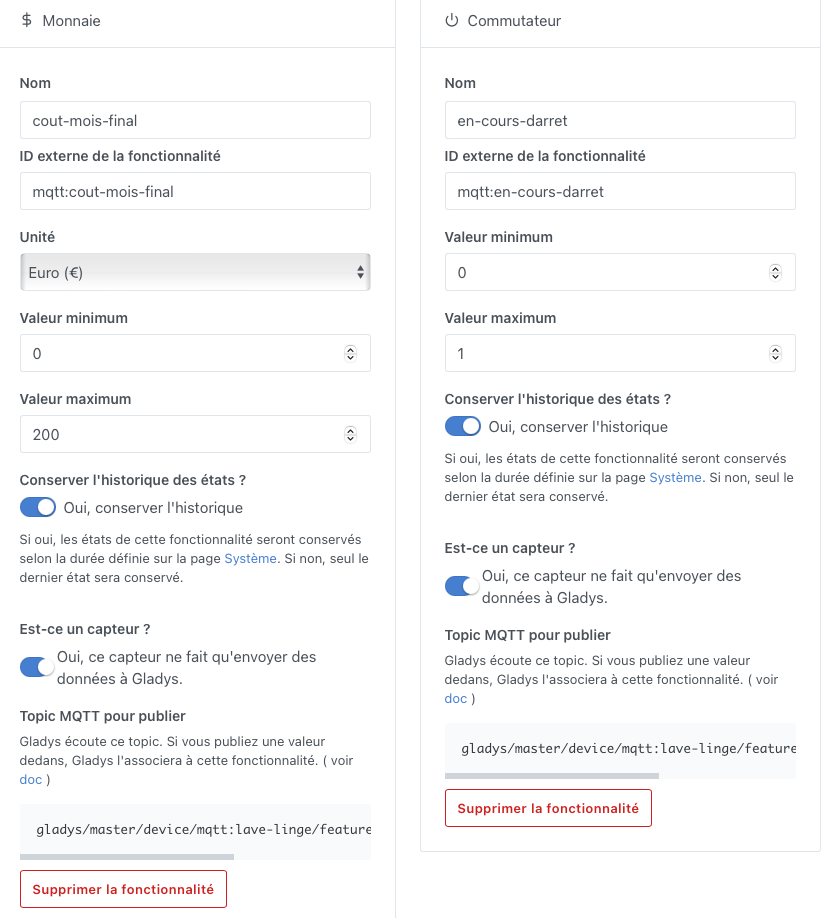
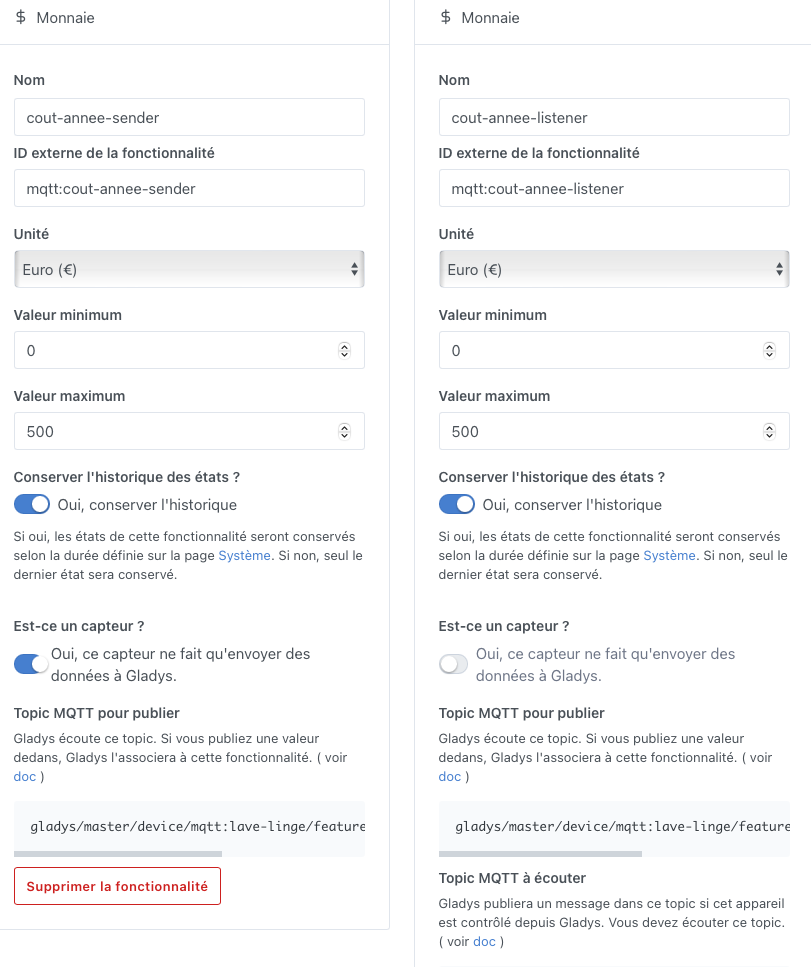
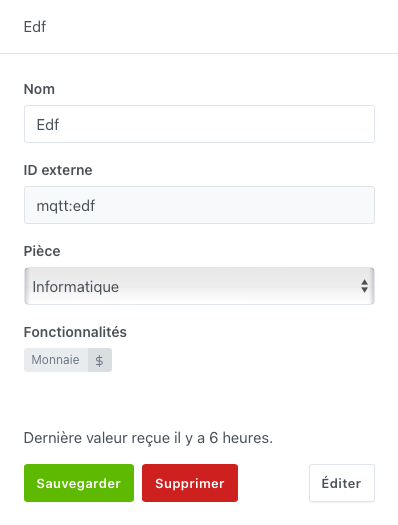
3. Creating the EDF device in the MQTT integration:
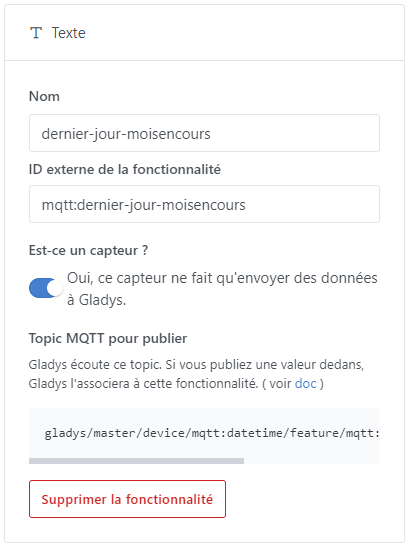
1. Creating the device to retrieve the last day of the month:
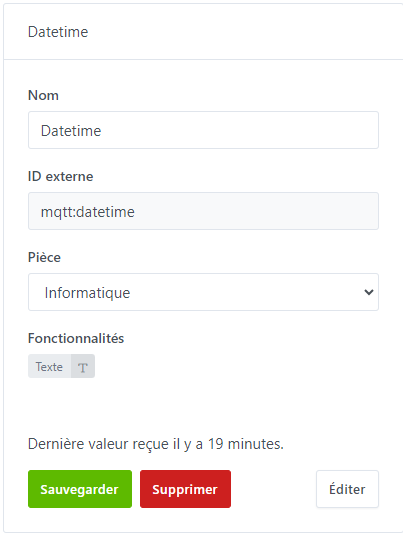
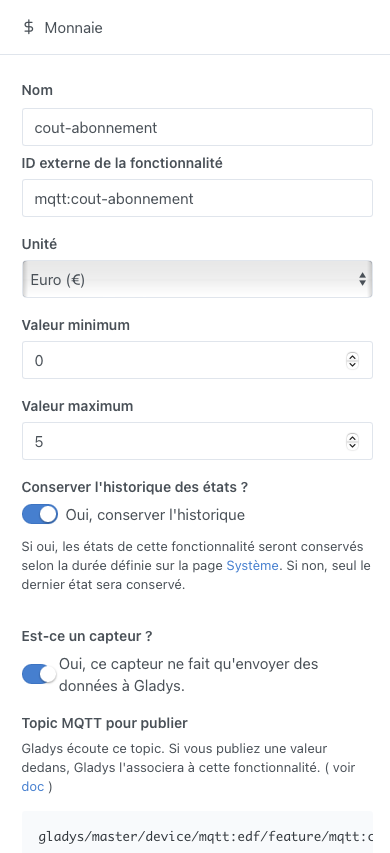
4. Creating the feature on the MQTT EDF device:
5. Creating the scene for EDF to indicate the cost of your subscription:
You can automate this task with the following tutorial:
https://community.gladysassistant.com/t/tuto-recuperer-le-prix-de-son-abonnement-delectricite-via-le-site-data-gouv-fr/8838
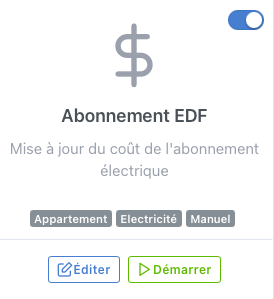
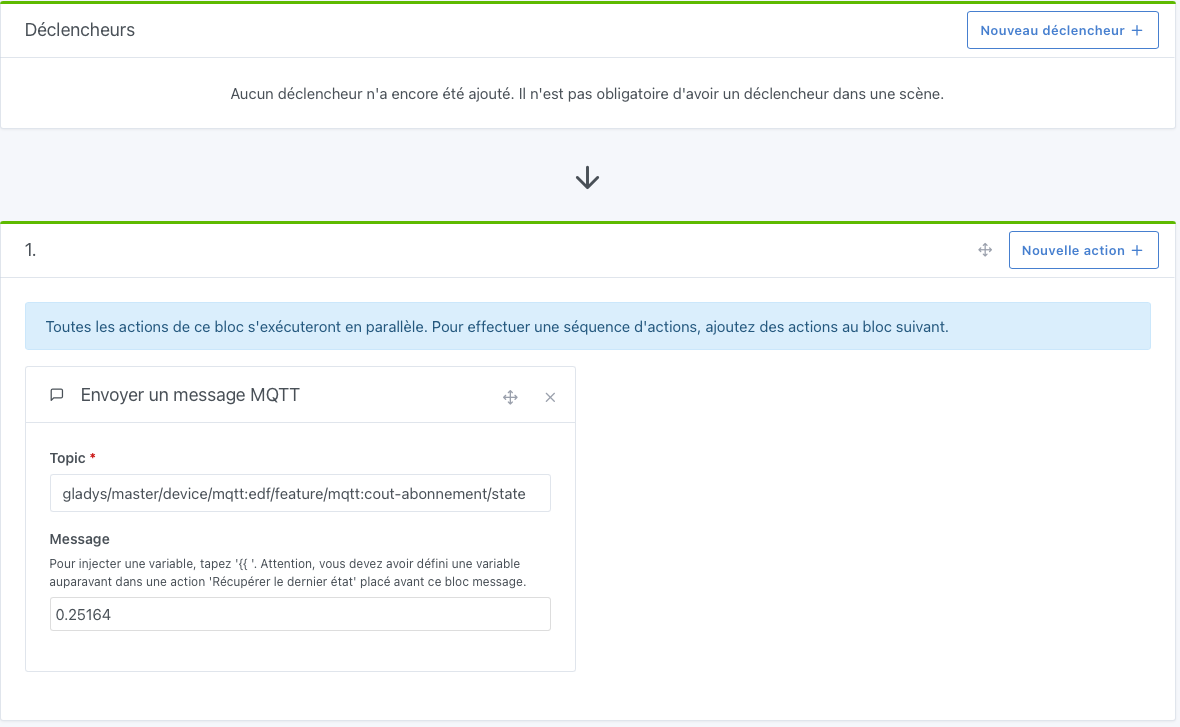
Run this scene manually once, and the next time your rate changes, if you don’t use automation
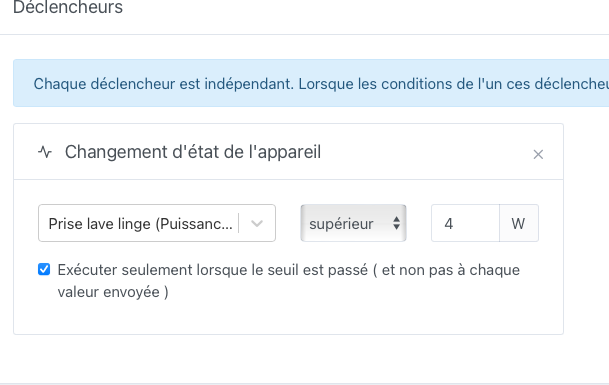
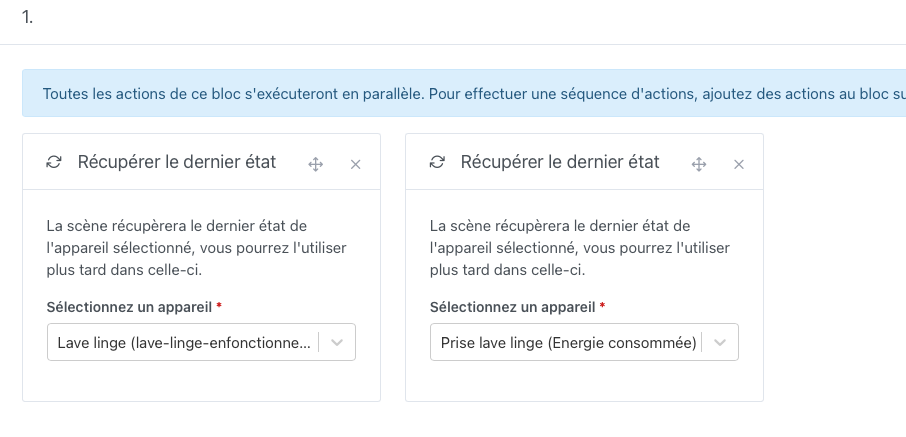
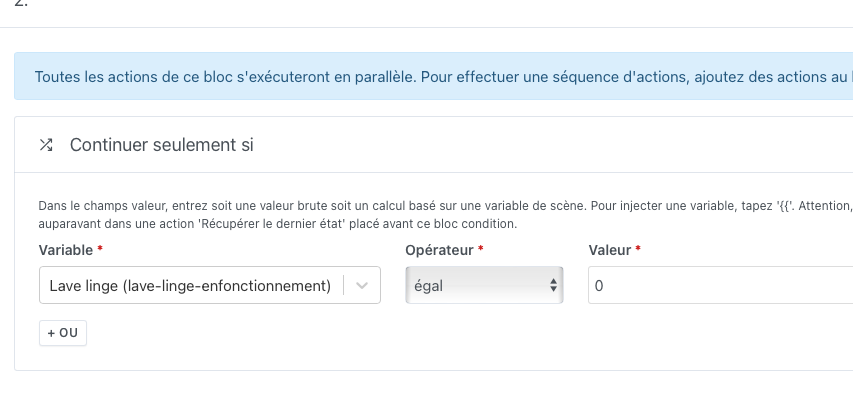
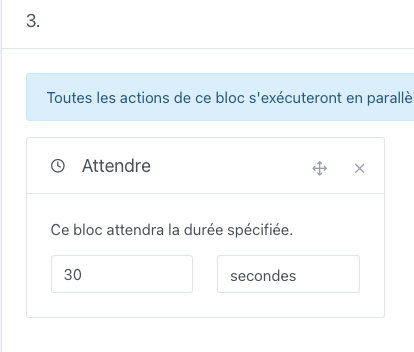
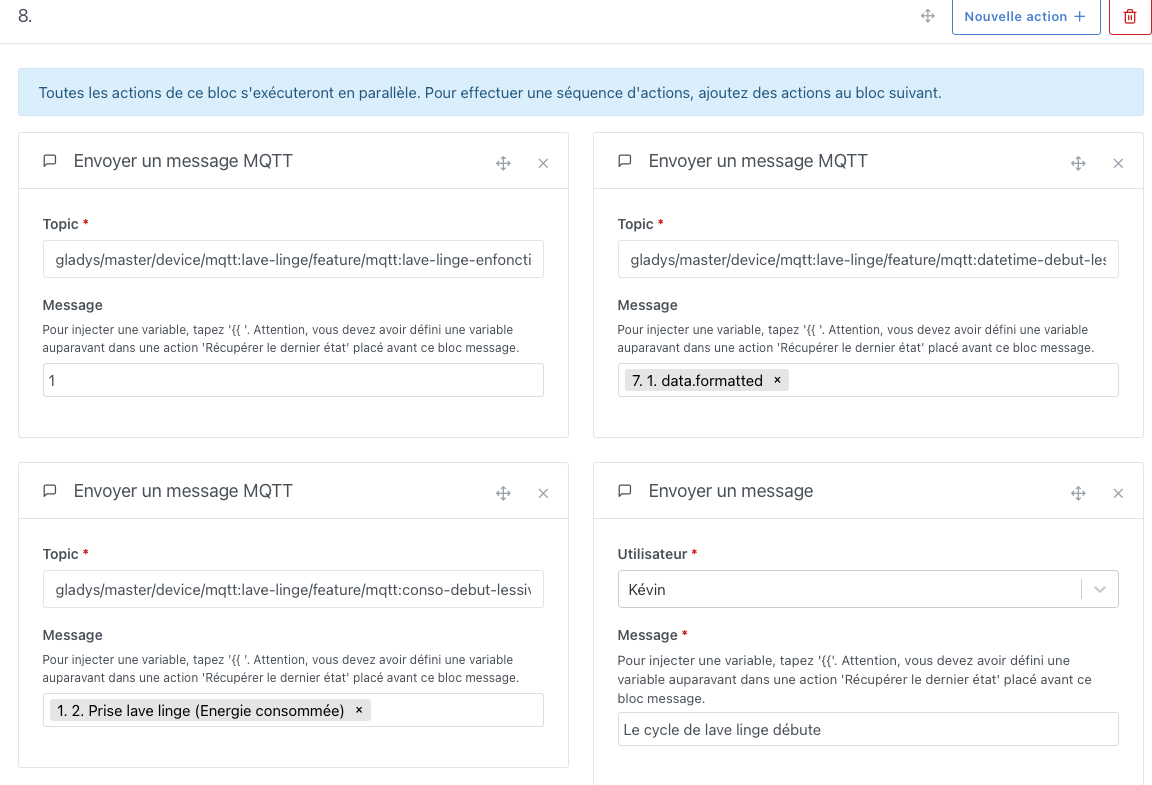
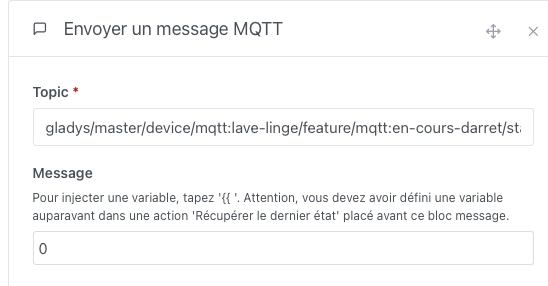
6. Creating the washing machine running scene:
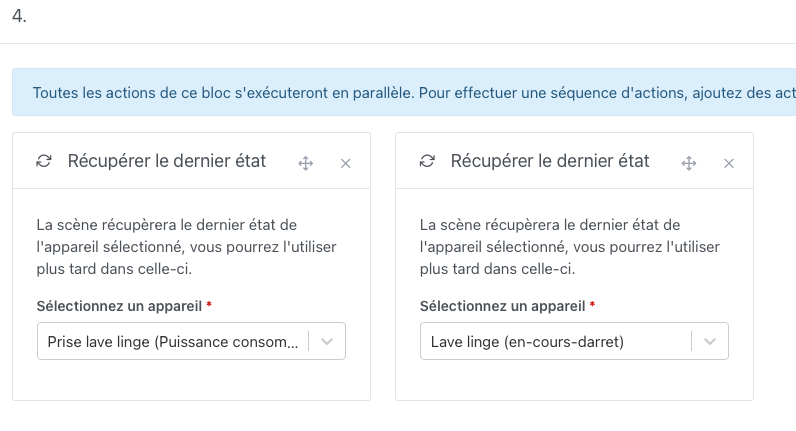
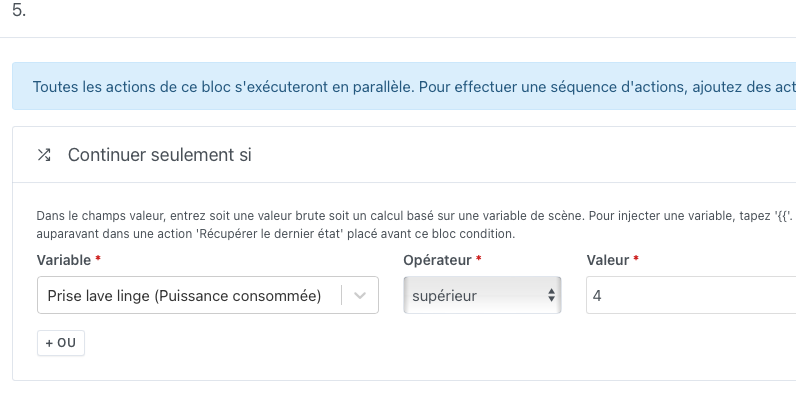
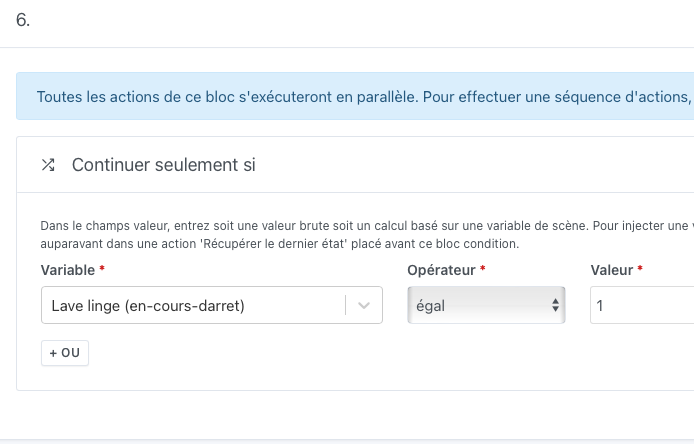
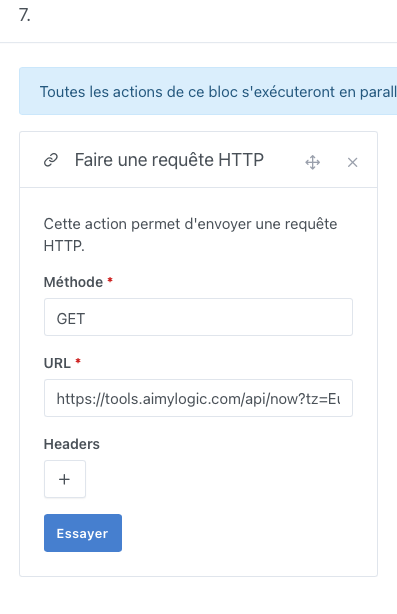
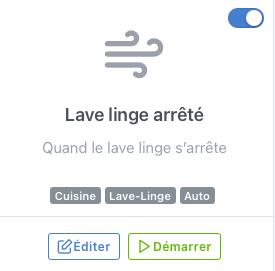
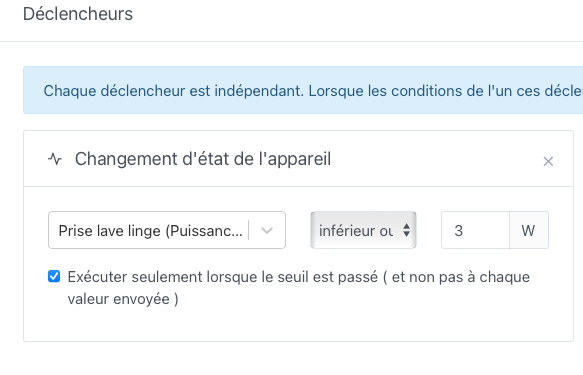
7. Creating the washing machine stopped scene:
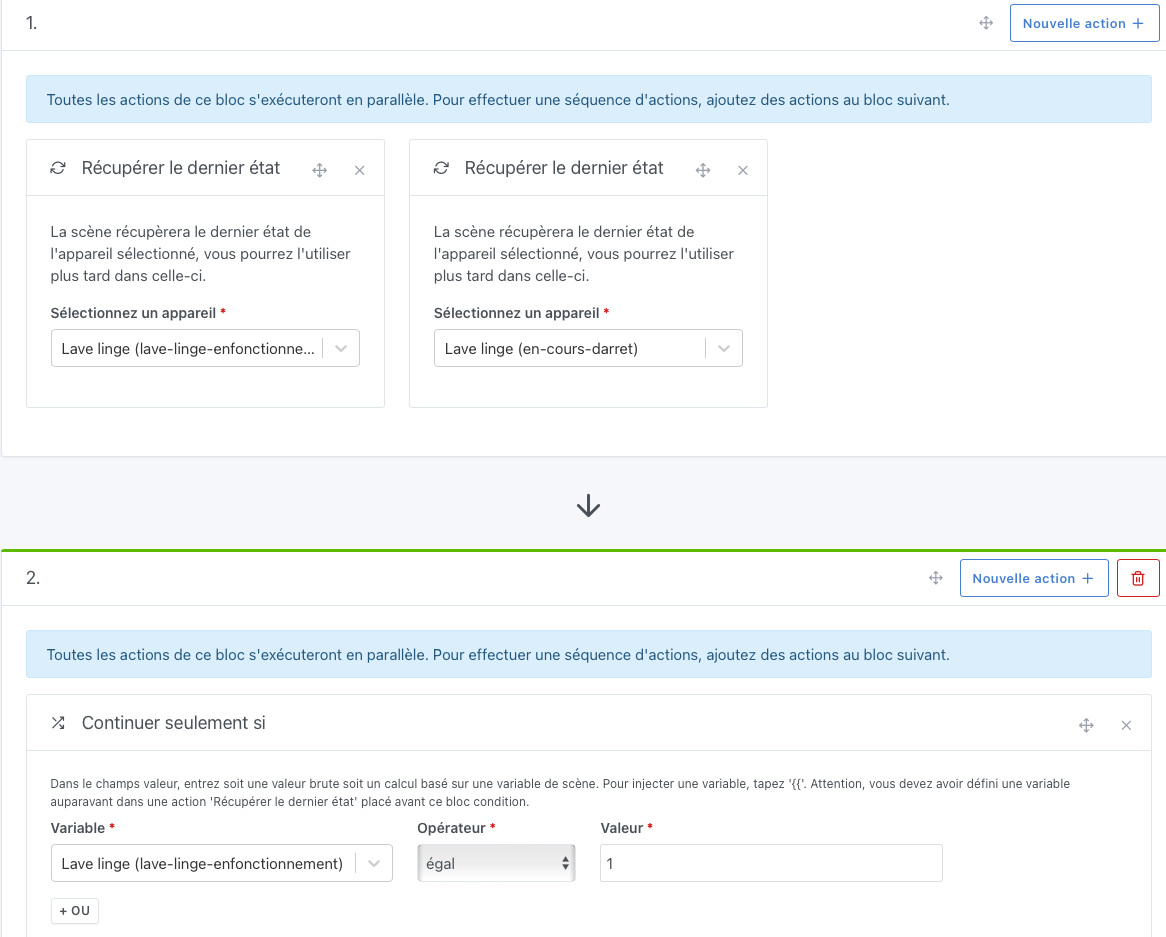
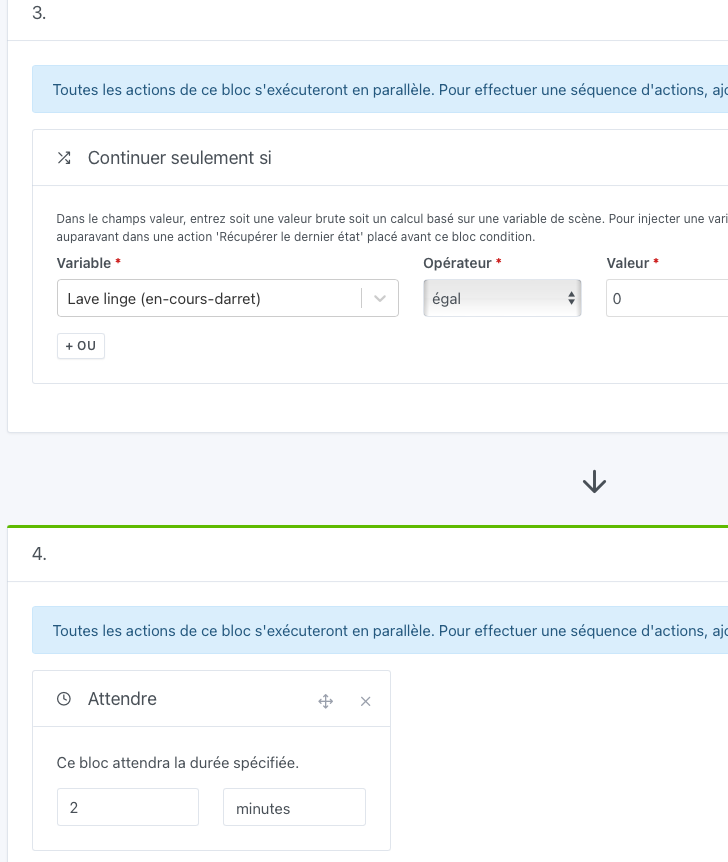
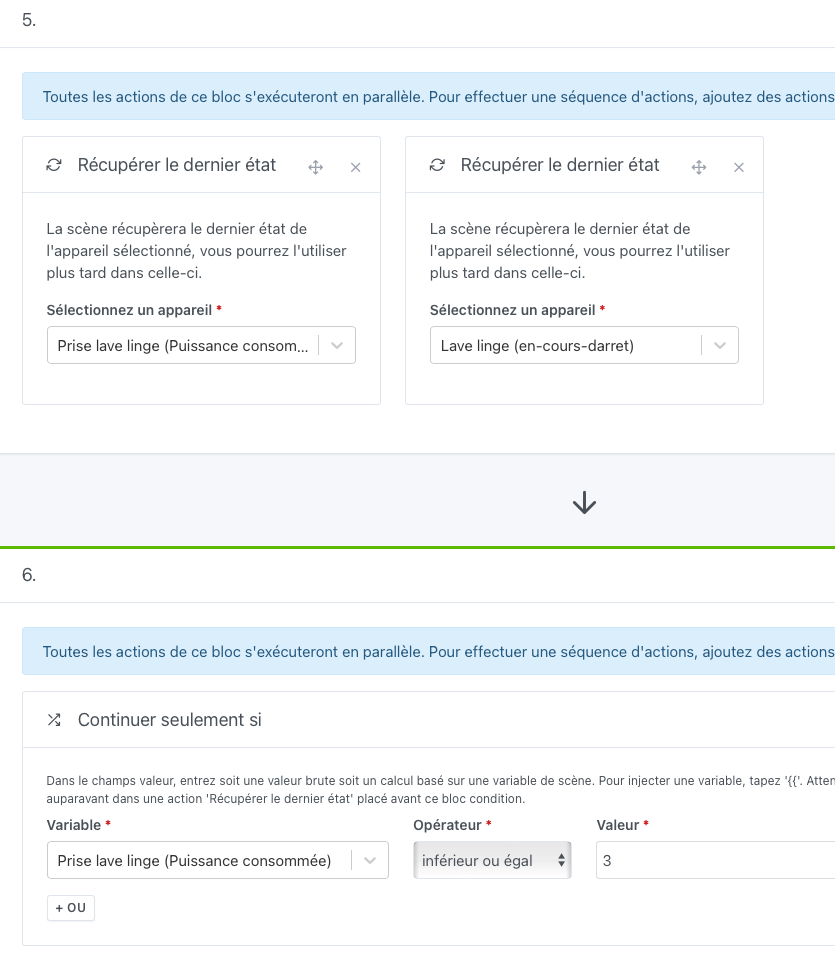
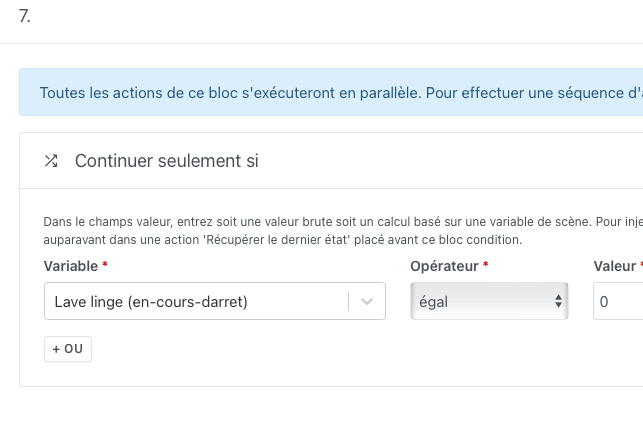
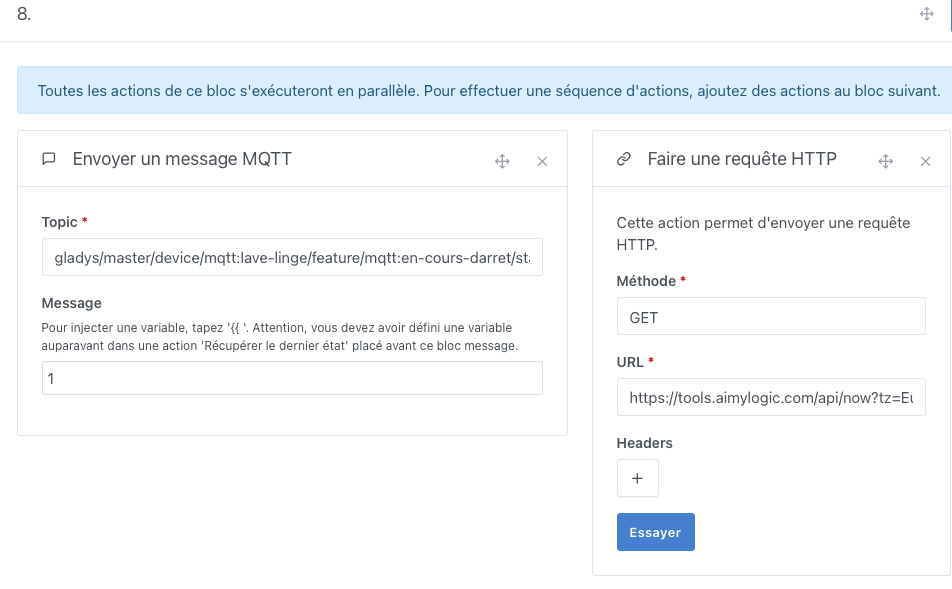
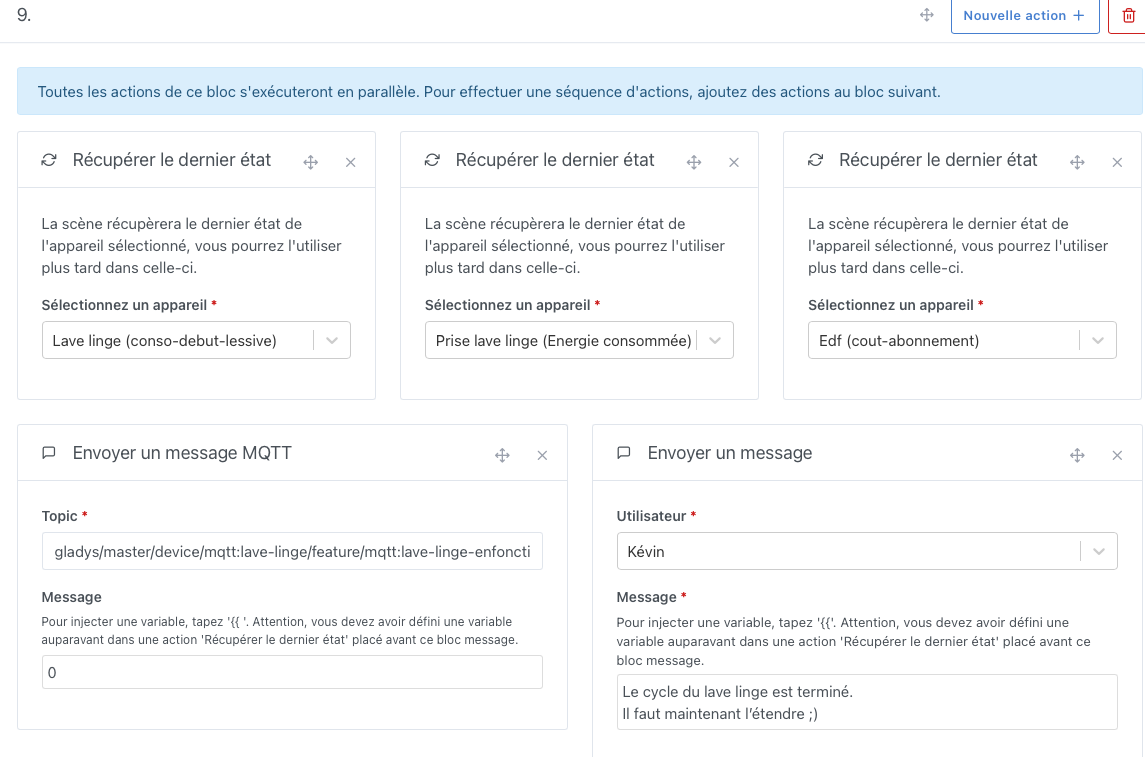
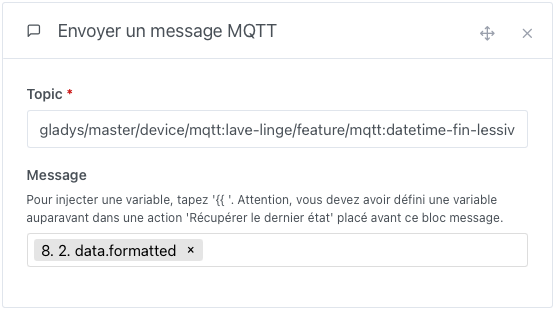
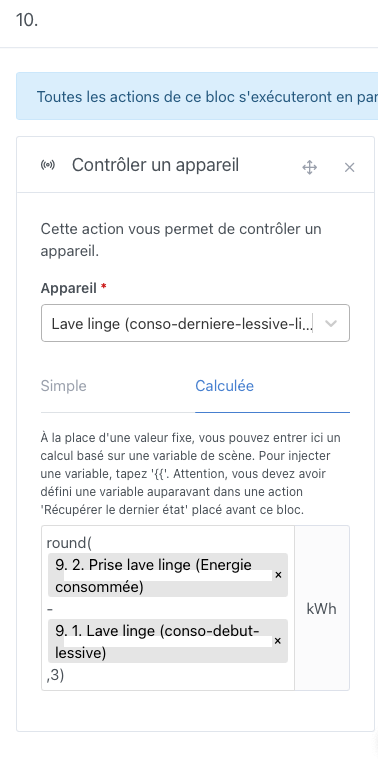
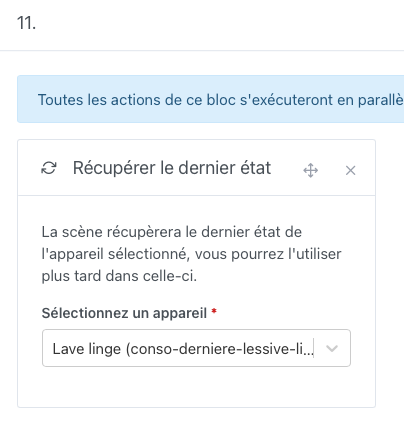
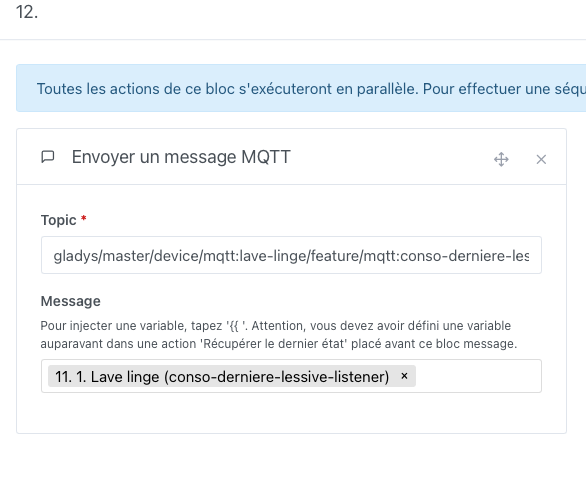
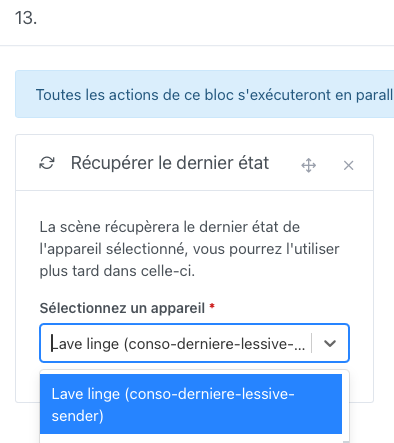
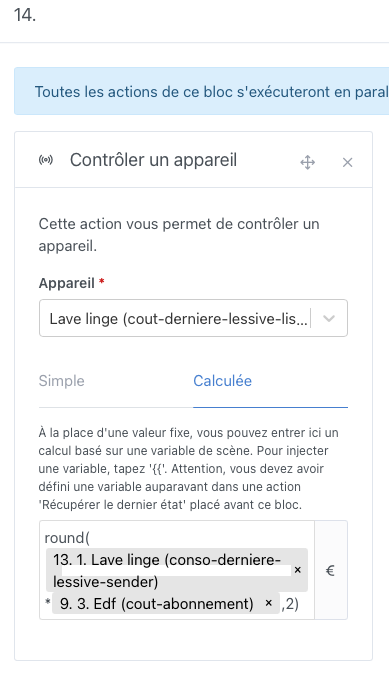
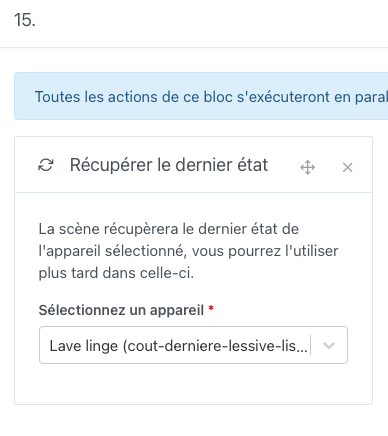
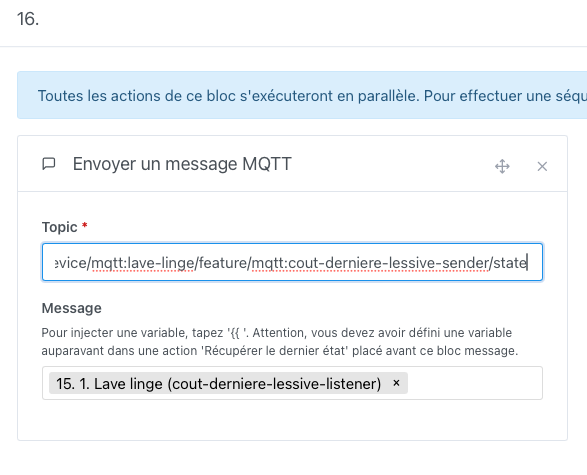
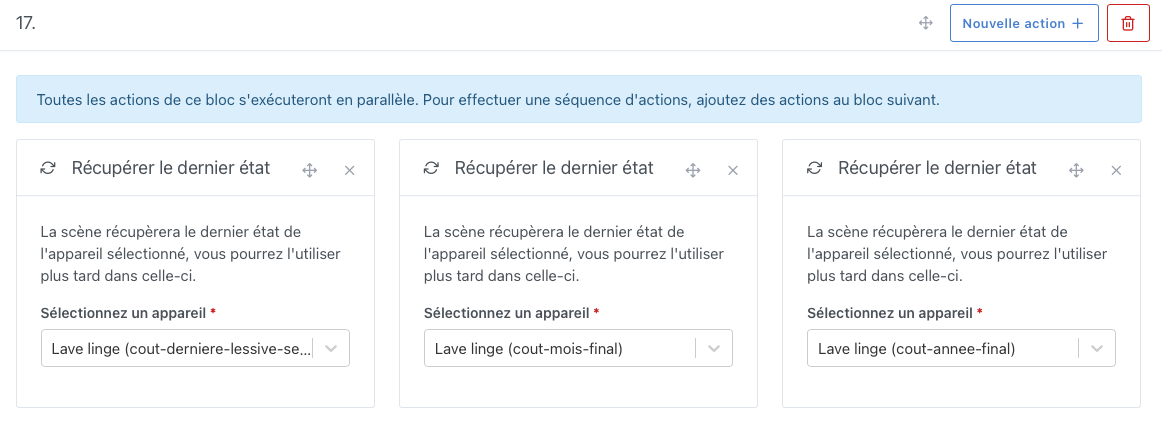
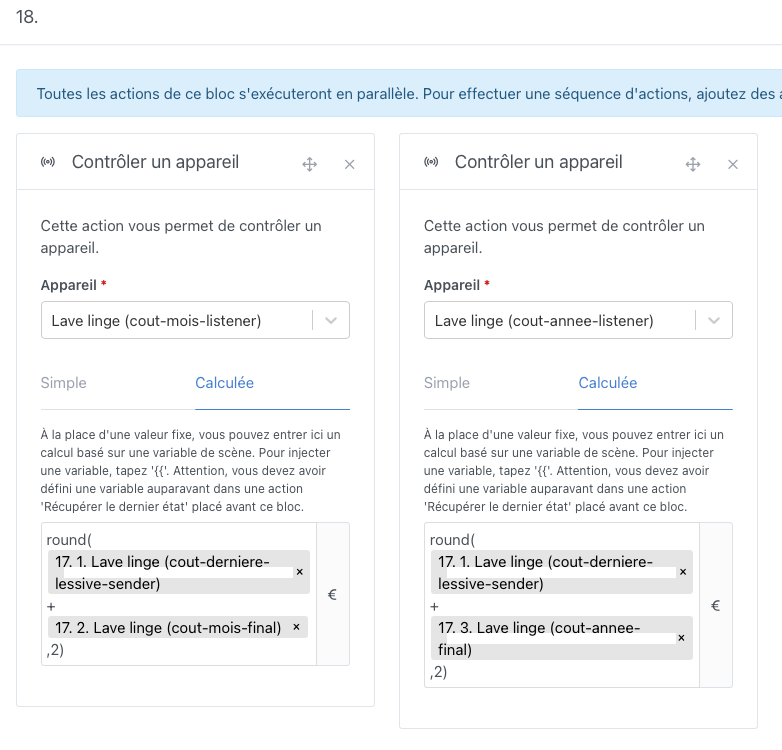
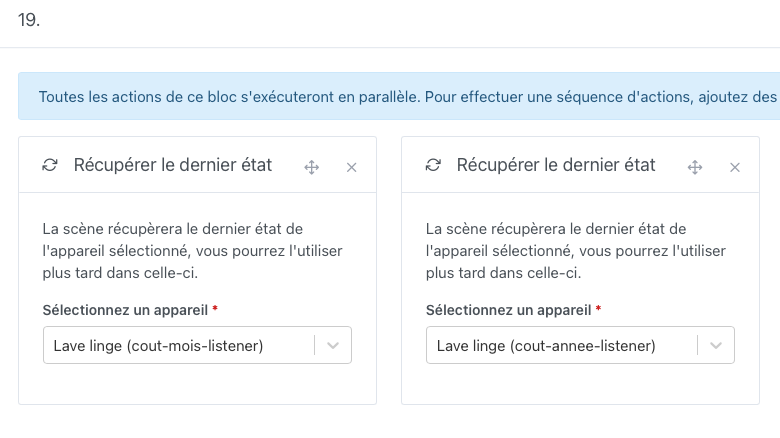
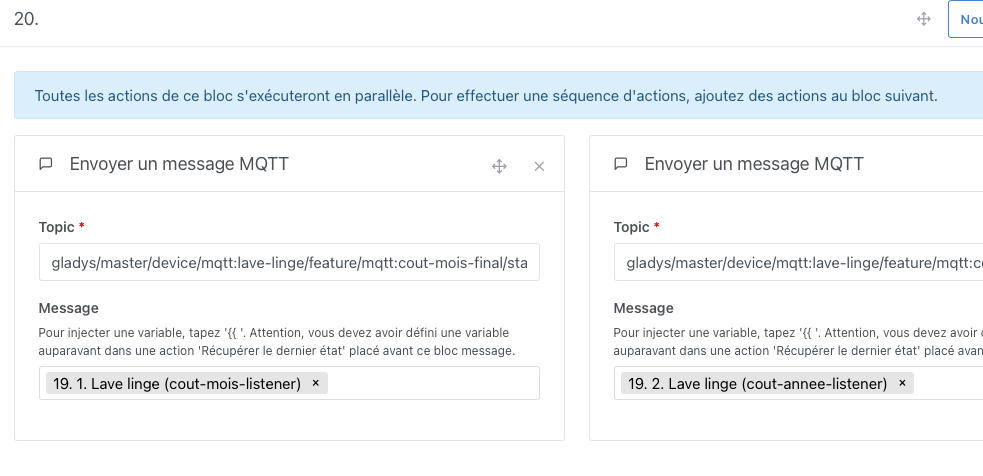
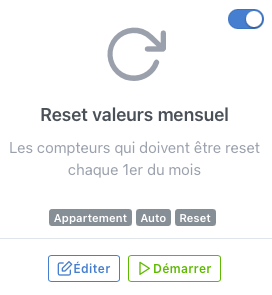
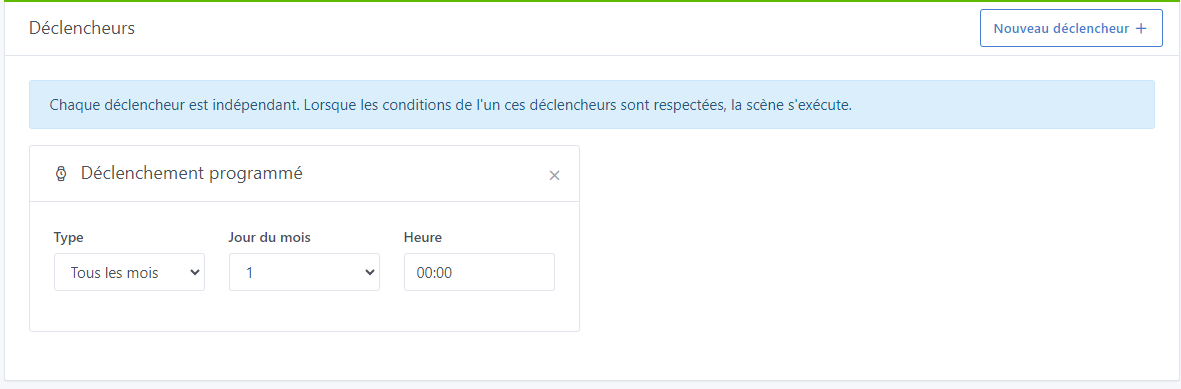
8. Creating the monthly reset scene:
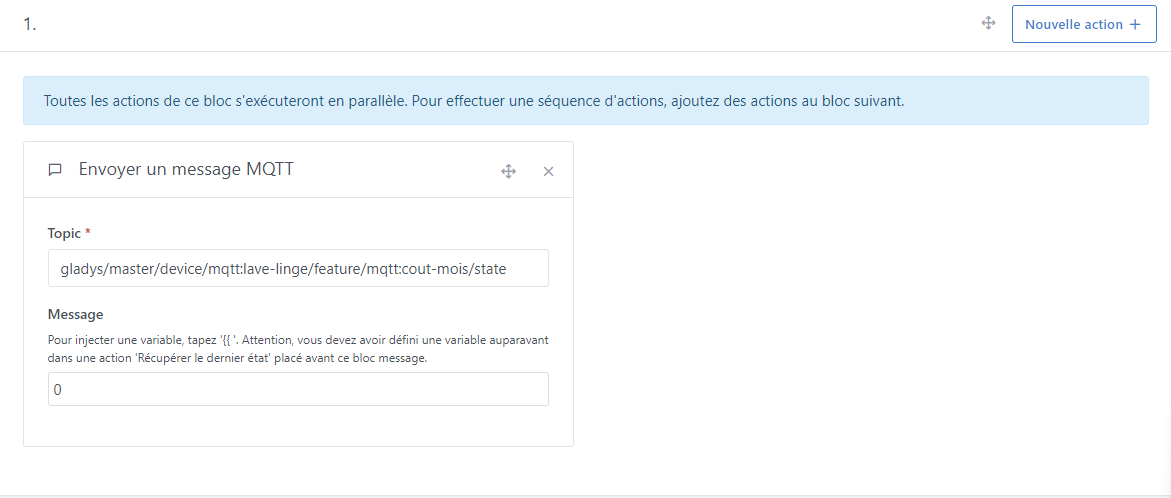
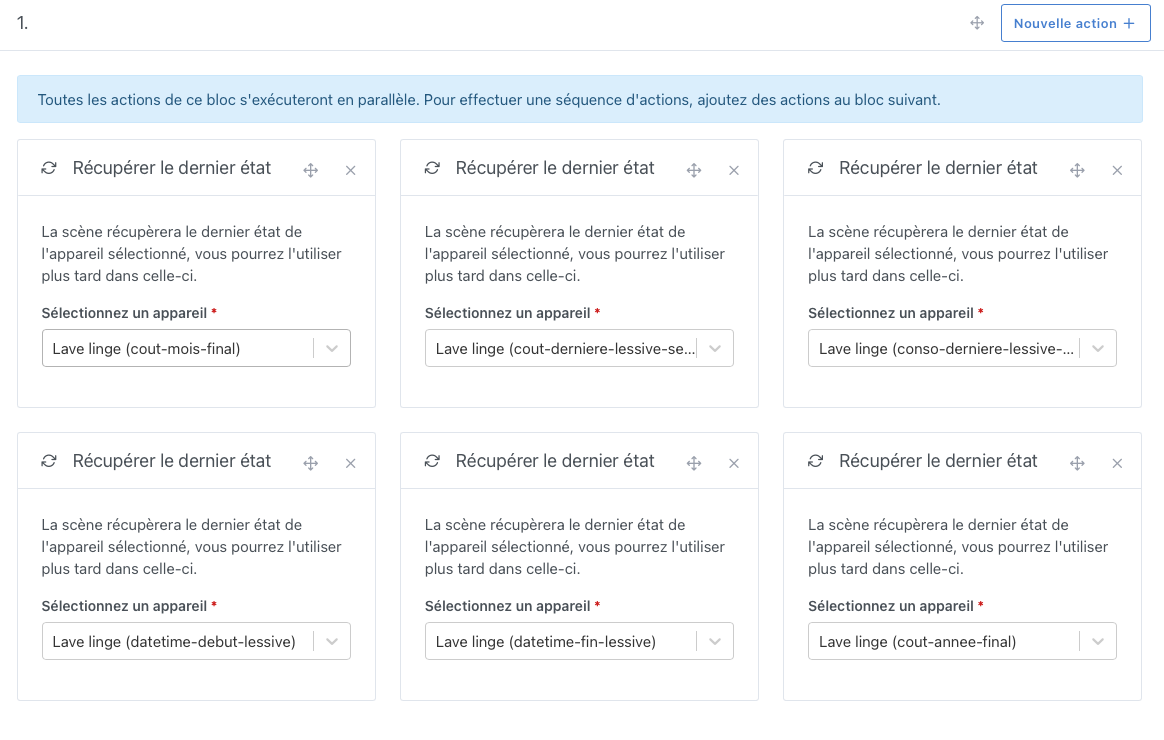
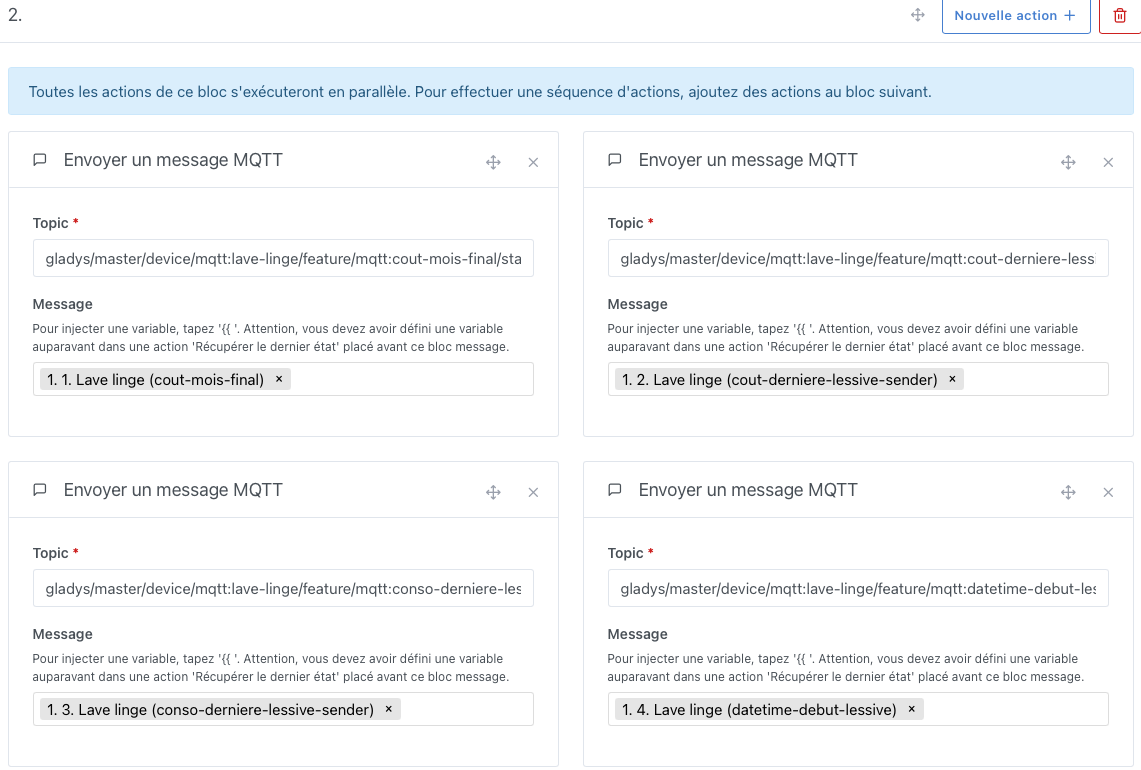
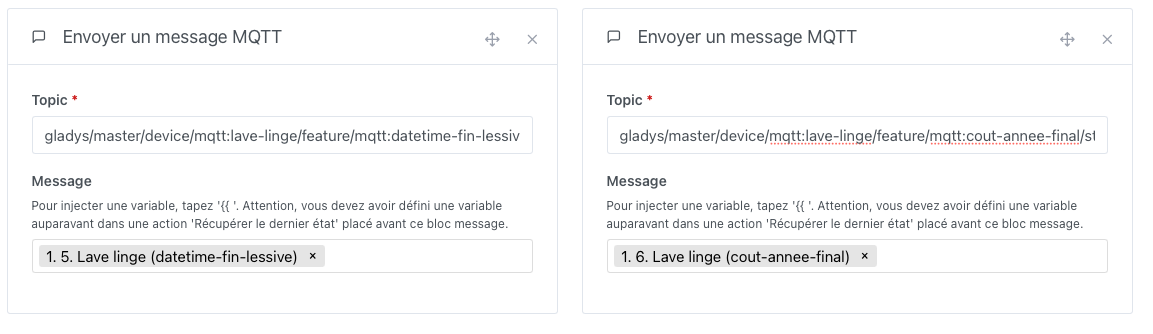
9. Creating the static values refresh scene:
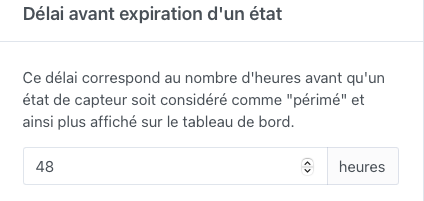
If you don’t run your machine for 48 hours, some values no longer appear on the Dashboard. This value is found in Settings → Gladys System:
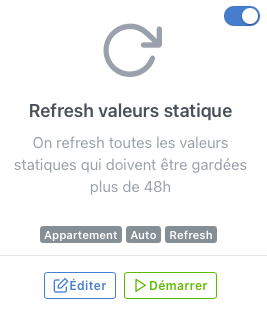
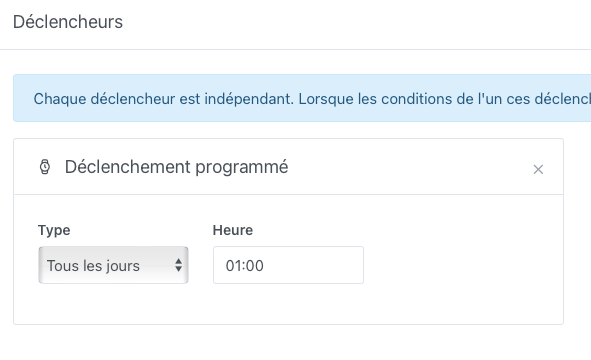
I have therefore created a scene that updates the values with the same values every 24 hours at a time when I know my machine won’t be running
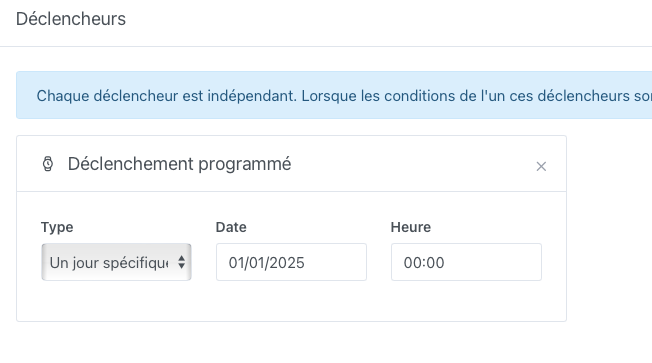
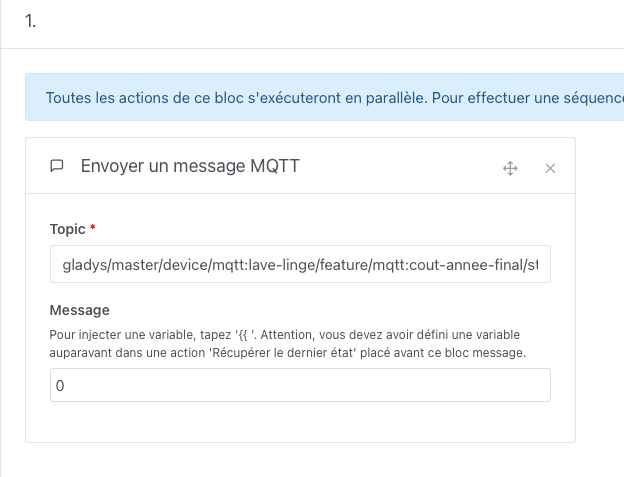
10. Creating the annual values refresh scene:
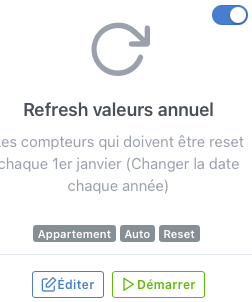
A small note on this scene, you will need to modify this date every year
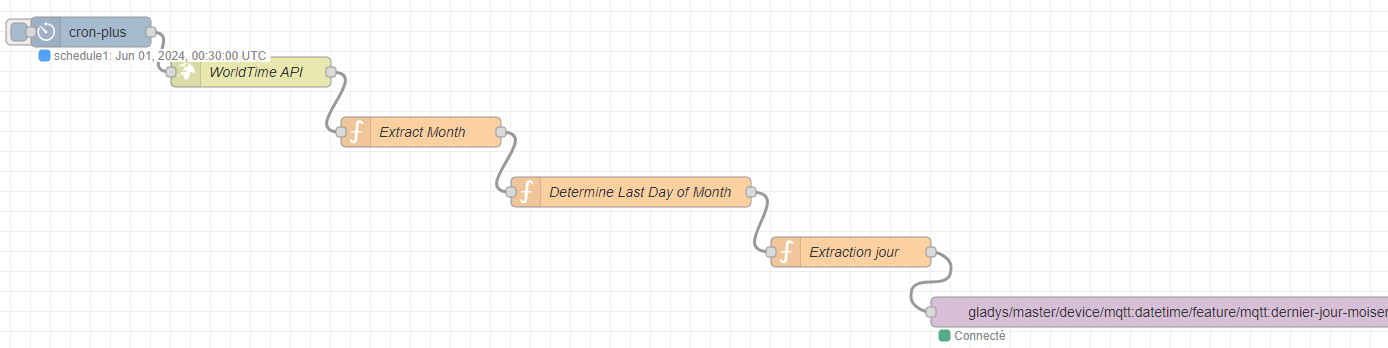
11. Creating the Node-Red flow to retrieve the last day of the month:
[
    {
        "id": "b7191a33c07d23e0",
        "type": "tab",
        "label": "Check last day of current month",
        "disabled": false,
        "info": "",
        "env": []
    },
    {
        "id": "d0e045cb.9f4ef",
        "type": "http request",
        "z": "b7191a33c07d23e0",
        "name": "WorldTime API",
        "method": "GET",
        "ret": "obj",
        "paytoqs": "ignore",
        "url": "http://worldtimeapi.org/api/ip",
        "tls": "",
        "persist": false,
        "proxy": "",
        "authType": "",
        "x": 260,
        "y": 200,
        "wires": [
            [
                "91df43f4.81a518"
            ]
        ]
    },
    {
        "id": "91df43f4.81a518",
        "type": "function",
        "z": "b7191a33c07d23e0",
        "name": "Extract Month",
        "func": "var current_month = msg.payload.datetime.substring(5, 7);\nmsg.current_month = parseInt(current_month);\nreturn msg;",
        "outputs": 1,
        "noerr": 0,
        "initialize": "",
        "finalize": "",
        "x": 430,
        "y": 260,
        "wires": [
            [
                "7894f4e2.dcb4f4"
            ]
        ]
    },
    {
        "id": "7894f4e2.dcb4f4",
        "type": "function",
        "z": "b7191a33c07d23e0",
        "name": "Determine Last Day of Month",
        "func": "var months_30_days = [4, 6, 9, 11];\nvar months_31_days = [1, 3, 5, 7, 8, 10, 12];\n\nif (months_30_days.includes(msg.current_month)) {\n    msg.payload = 30;\n} else if (months_31_days.includes(msg.current_month)) {\n    msg.payload = 31;\n} else {\n    var current_year = parseInt(msg.payload.datetime.substring(0, 4));\n    if ((current_year % 4 == 0 && current_year % 100 != 0) || current_year % 400 == 0) {\n        msg.payload = 29; // Leap year\n    } else {\n        msg.payload = 28;\n    }\n}\nreturn msg;",
        "outputs": 1,
        "noerr": 0,
        "initialize": "",
        "finalize": "",
        "x": 640,
        "y": 320,
        "wires": [
            [
                "b55312bdd26f4bda"
            ]
        ]
    },
    {
        "id": "fbac43b9673078da",
        "type": "mqtt out",
        "z": "b7191a33c07d23e0",
        "name": "",
        "topic": "gladys/master/device/mqtt:datetime/feature/mqtt:last-day-of-current-month/text",
        "qos": "2",
        "retain": "true",
        "respTopic": "",
        "contentType": "",
        "userProps": "",
        "correl": "",
        "expiry": "",
        "broker": "0ee77e0f90aa9681",
        "x": 1220,
        "y": 440,
        "wires": []
    },
    {
        "id": "b55312bdd26f4bda",
        "type": "function",
        "z": "b7191a33c07d23e0",
        "name": "Extract Day",
        "func": "const payload = msg.payload;\nmsg.payload = payload;\nreturn msg;",
        "outputs": 1,
        "timeout": 0,
        "noerr": 0,
        "initialize": "",
        "finalize": "",
        "libs": [],
        "x": 860,
        "y": 380,
        "wires": [
            [
                "fbac43b9673078da"
            ]
        ]
    },
    {
        "id": "65287af29bc457b9",
        "type": "cronplus",
        "z": "b7191a33c07d23e0",
        "name": "",
        "outputField": "payload",
        "timeZone": "",
        "storeName": "",
        "commandResponseMsgOutput": "output1",
        "defaultLocation": "",
        "defaultLocationType": "default",
        "outputs": 1,
        "options": [
            {
                "name": "schedule1",
                "topic": "topic1",
                "payloadType": "default",
                "payload": "",
                "expressionType": "cron",
                "expression": "30 00 1 * *",
                "location": "",
                "offset": "0",
                "solarType": "all",
                "solarEvents": "sunrise,sunset"
            }
        ],
        "x": 100,
        "y": 160,
        "wires": [
            [
                "d0e045cb.9f4ef"
            ]
        ]
    },
    {
        "id": "0ee77e0f90aa9681",
        "type": "mqtt-broker",
        "name": "Gladys",
        "broker": "mqtt://192.168.0.248",
        "port": "1883",
        "clientid": "",
        "autoConnect": true,
        "usetls": false,
        "protocolVersion": "4",
        "keepalive": "60",
        "cleansession": true,
        "autoUnsubscribe": true,
        "birthTopic": "",
        "birthQos": "0",
        "birthRetain": "false",
        "birthPayload": "",
        "birthMsg": {},
        "closeTopic": "",
        "closeQos": "0",
        "closeRetain": "false",
        "closePayload": "",
        "closeMsg": {},
        "willTopic": "",
        "willQos": "0",
        "willRetain": "false",
        "willPayload": "",
        "willMsg": {},
        "userProps": "",
        "sessionExpiry": ""
    }
]
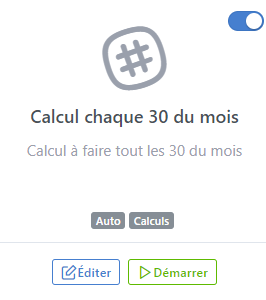
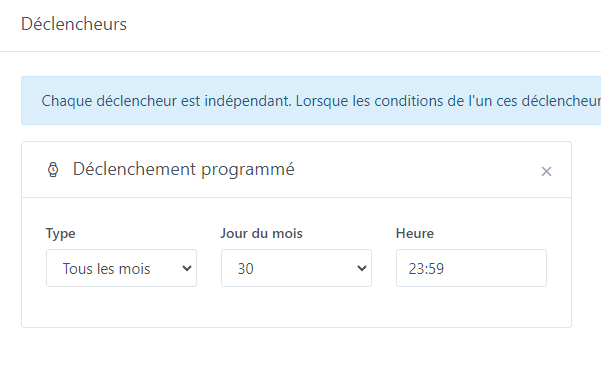
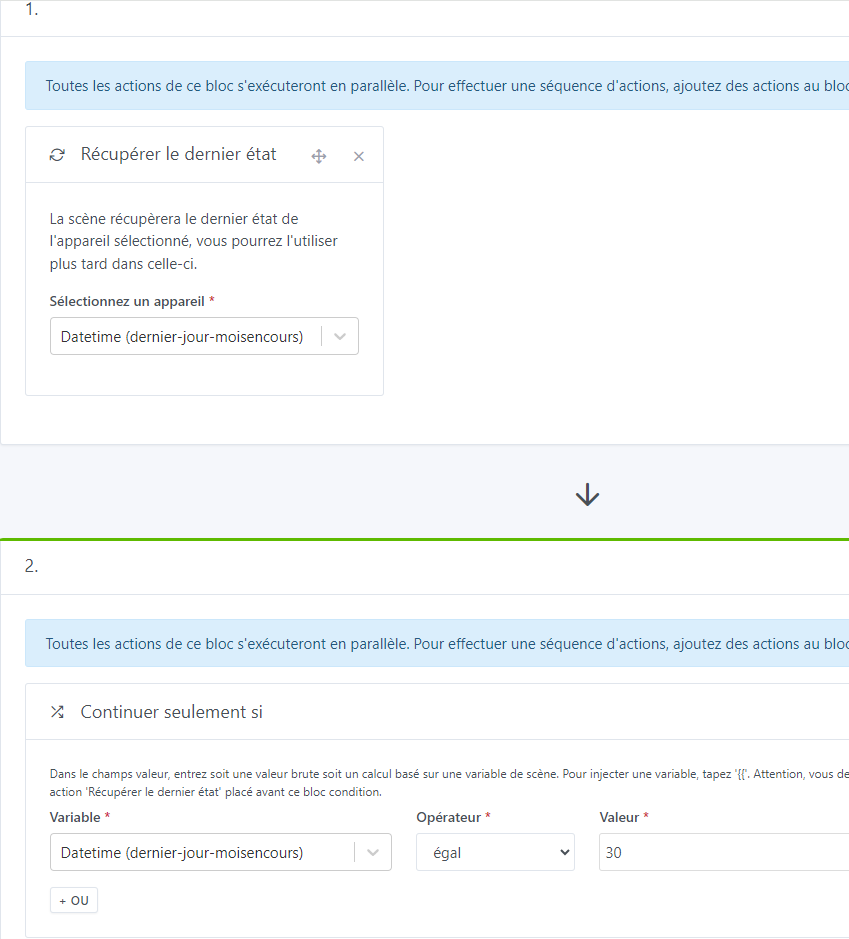
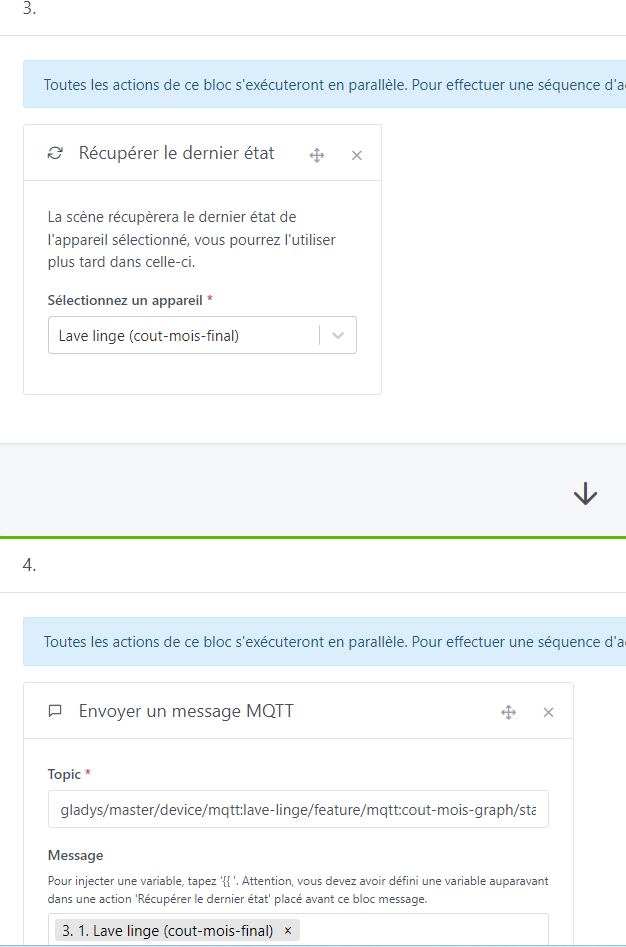
12. Creating the scene for the monthly cost graph if the end of the month is the 30th:
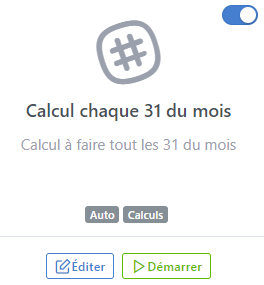
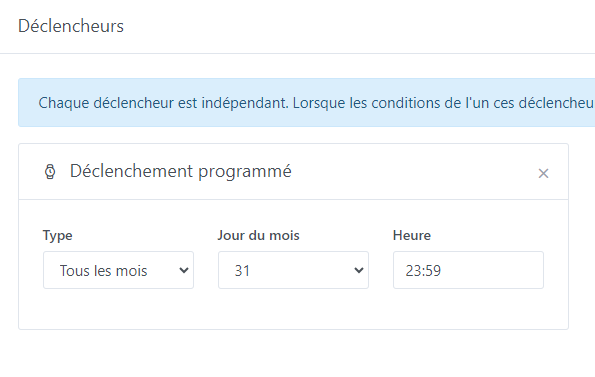
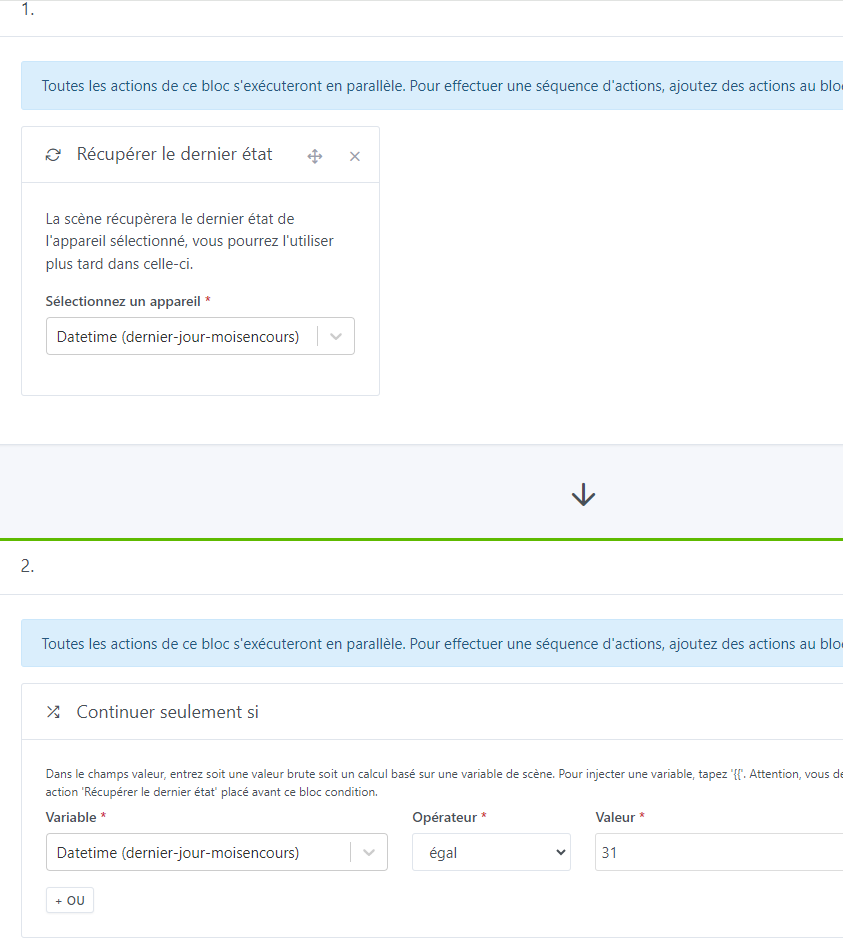
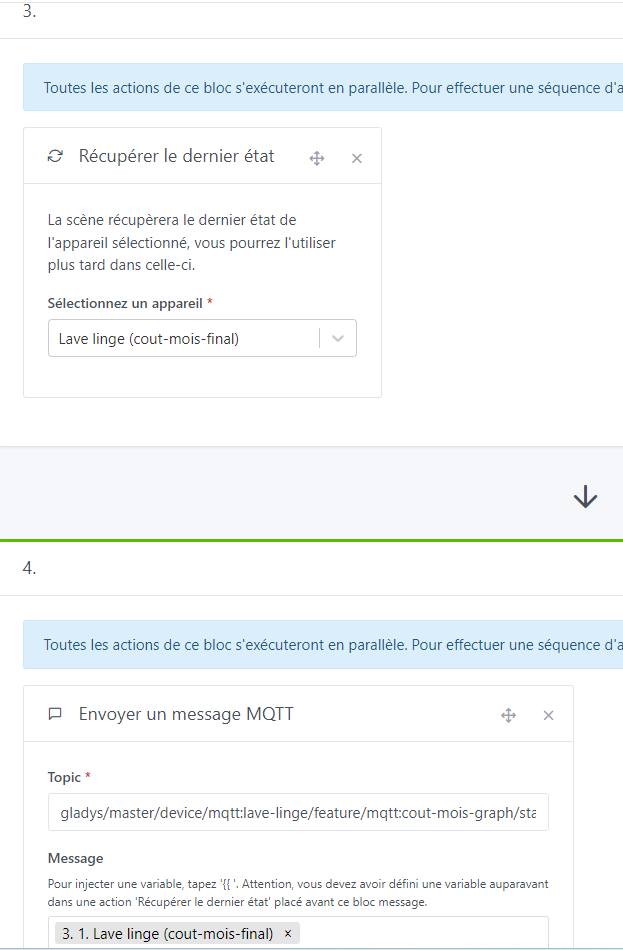
13. Creating the scene for the monthly cost graph if the end of the month is the 31st:
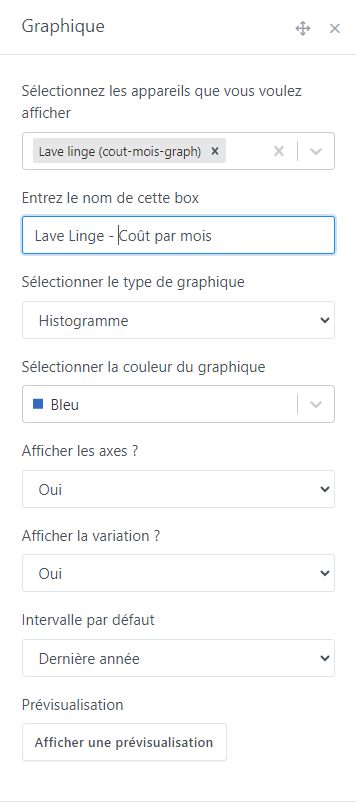
14. Graph on the dashboard to track month by month:
Just a small clarification for the 2-minute wait on the washing machine stopped scene, I had to do this because even at 1 minute with my washing machine, the scene was triggered as it must have been a moment when the washing machine went to 0W and after 1 minute was at 0W, in any case, I explain it like this… ^^
I haven’t had any more problems after changing it to 2 minutes
Changelog to come:
- None (Your comments
 )
)
Edit 10/04/2024:
- Modification of the triggering value (Power taken) to take into account the delayed start
- Addition of the calculation for the cost over 1 month
Edit 12/04/2024:
- Correction of several bugs
Edit 16/04/2024:
- Addition of the link for electricity tariff recovery automation
- Bug detected and currently attempting to resolve concerning the scene « Washing machine stopped » which runs several times especially at the end of the cycle

Edit 21/04/2024:
- Correction of the bug on the washing machine stopped scene that was running several times at the end of the cycle
- Addition of a scene so that the values are always displayed on the Dashboard according to the parameter « Delay before state expiration »
- Implementation of rounding to 2 decimal places on the cost + 3 decimal places on the last wash consumption
- Addition of annual cost
Edit 22/04/2024:
- Mea culpa, the bug was not corrected at all, it’s done now
- Optimization of the scene « Washing machine stopped »
Edit 03/05/2024:
- Addition of a graph to track the cost month by month