An MQTT topic of type 'text' is no longer 'controllable' in a scene

Hello @pierre-gilles (and also @jgcb00 and @alpha-rd who were involved in the original topic…)

I’m following up on the fixes made regarding the topic Bug/Amélioration Température de consigne :

Actually, numeric or boolean topics seem to work fine. However, the text-type topic is no longer usable :wink: Here are the two behaviors in the action ‹ control a device › :

  • if I try to enter a text as a ’ simple ’ value (for example « abc »), the error « An error occurred while saving your scene. Please check that all actions / triggers are filled and correct. » appears when I save the scene
  • if I enter a text as a ’ calculated ’ value (for example also « abc »), the scene saves fine, but the MQTT topic value is not changed when the scene executes (I check this later in the scene with the action ‹ retrieve last state ›…)

Thanks in advance for the fix you can include in a future Gladys release :wink:

1 Like

Well spotted! Can you create a GitHub issue on the Gladys repo?

I can try. Never done it before :wink: Is there a doc/tutorial that explains how to access it and how it is recommended to write it?

1 Like

Okay, I did it, inspired by Tag on scene feature: When all scenes of a tag are only disabled, the tag is deleted · Issue #2000 · GladysAssistant/Gladys · GitHub
I’ll let you tell me if the format/content isn’t quite what you need.

1 Like
1 Like

That looks very good for an issue @StephaneB.

You specified the topic well on the Gladys community, that’s great.

Thanks

1 Like

Thanks @StephaneB :slight_smile: I changed the title for clarity, but what you did was really good :+1:

1 Like

@pierre-gilles I’m just checking in about this little bug, simply because I don’t know whether issues on GitHub are handled on a set schedule or whether there is no particular rule… I’d be happy to see this little bug fixed at some point, if it’s not too complicated to do :wink:

Just to clarify: no pressure! It’s more to anticipate whether a correction might arrive in a few days/weeks, or whether it could take a few months so I can plan to do without it… I can well imagine that with all the aspects to manage in parallel (training, new features, corrections, …) you need to make choices.

Hi @StephaneB,

There are no specific rules, we’re an open-source project, and any contributor on this forum can decide to take it on. If someone drops by and wants to take care of it… :slight_smile:

Ok, thanks for the reply. I’m keeping my fingers crossed that one of you will agree to fix this little issue at some point :wink:

1 Like

Hello

I happened to come across this very interesting thread. In fact, I tried to create a virtual MQTT text to send emails via Node-RED. Indeed, it’s impossible to send a text via MQTT; I’d welcome a solution to this :slight_smile:

2 Likes

Hi @StephaneB @zedyxer, I investigated this this morning — it’s actually not a regression, there was never any development on this subject. I looked at the code, it’s impossible that it worked, it was never coded :stuck_out_tongue: (or I missed something)

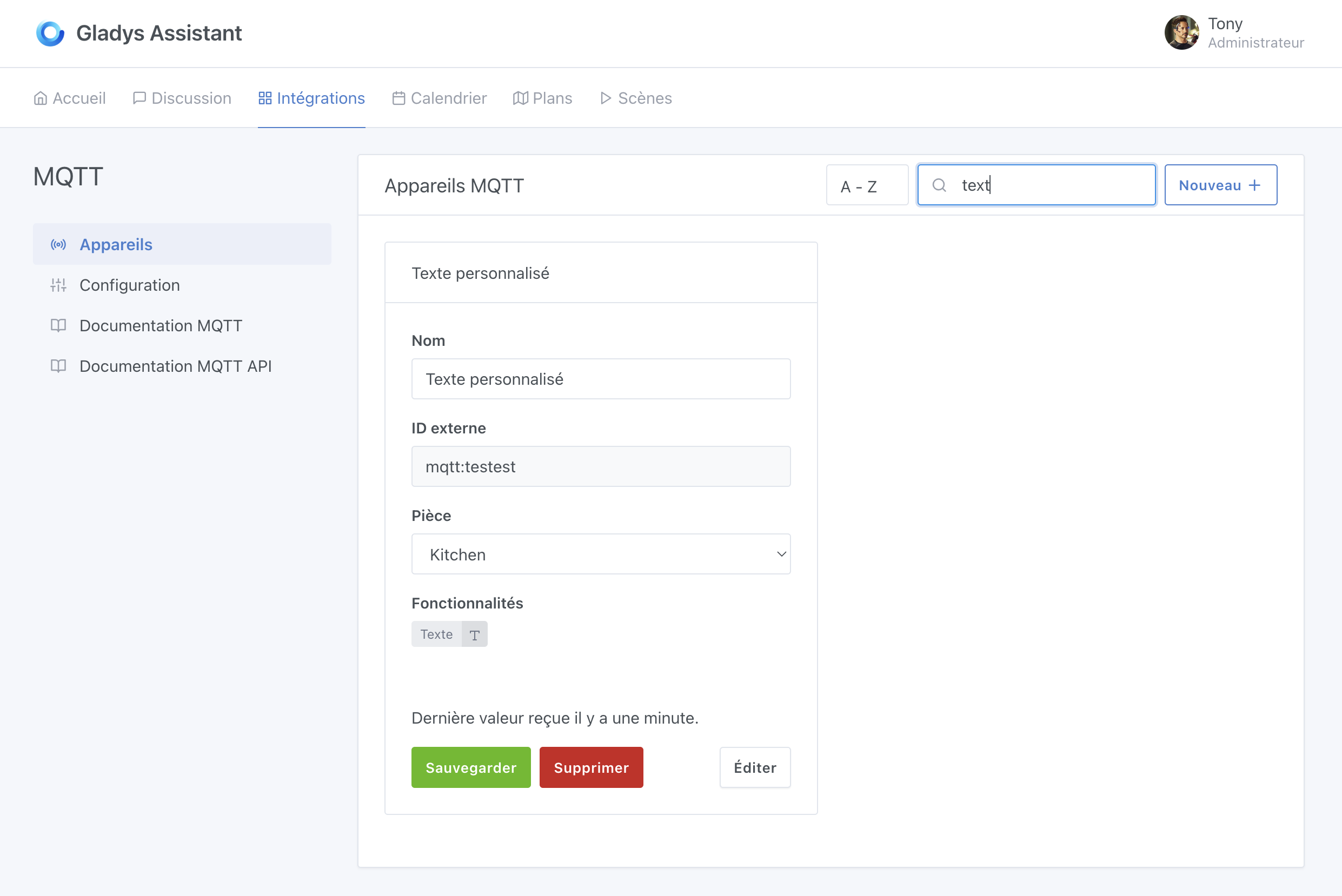
What has been developed is that it is possible to create a « text » type sensor in the MQTT integration:

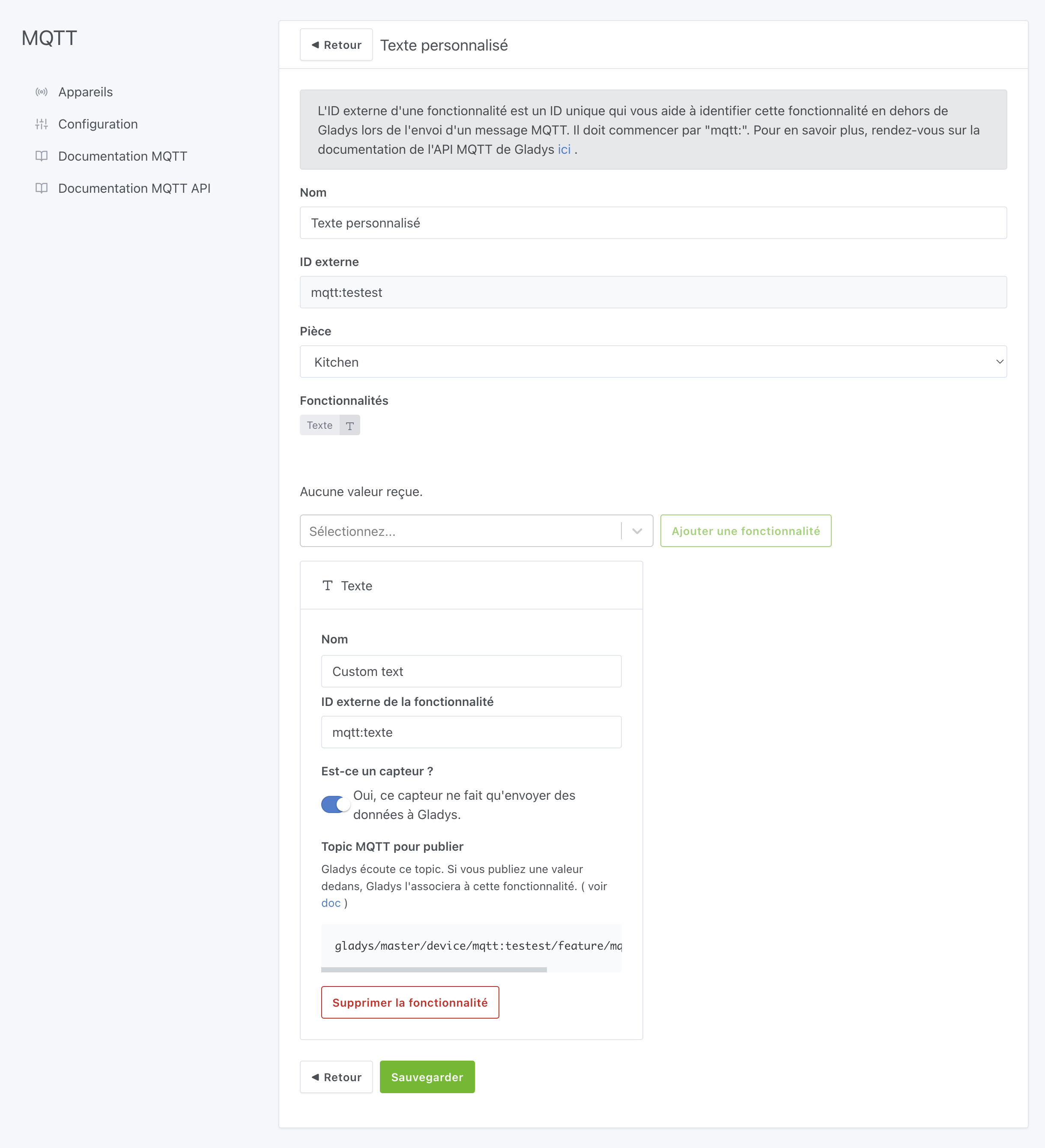
With the following functionality: (be careful, it must be a « sensor »):

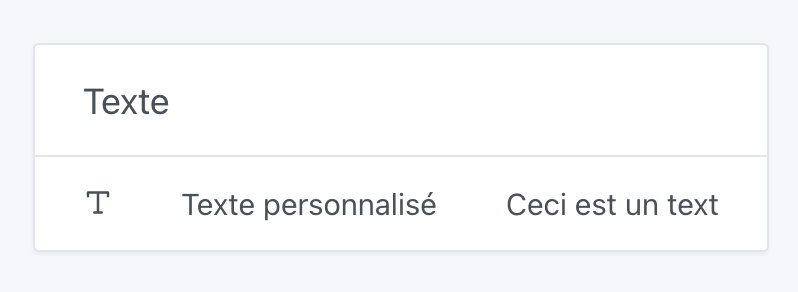
Then, on the dashboard, this « text » sensor can be displayed:

The value of this sensor can be modified via MQTT using our MQTT API:

Topic: gladys/master/device/:device_external_id/feature/:device_feature_external_id/text
Body: Magnificent

Source: Documentation → MQTT API | Gladys Assistant

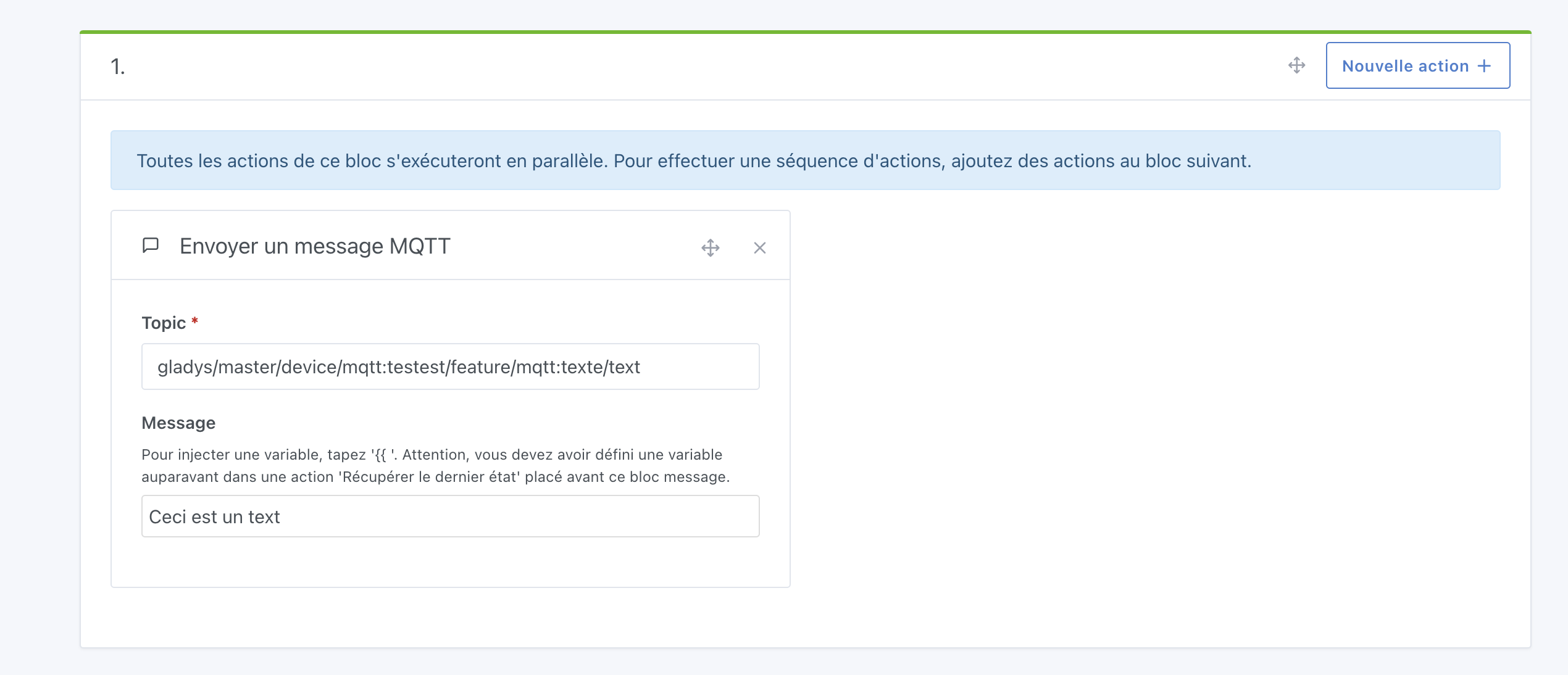
This can also be modified in Gladys via the scene action « send an MQTT message »:

(Or externally via Node-RED or other)

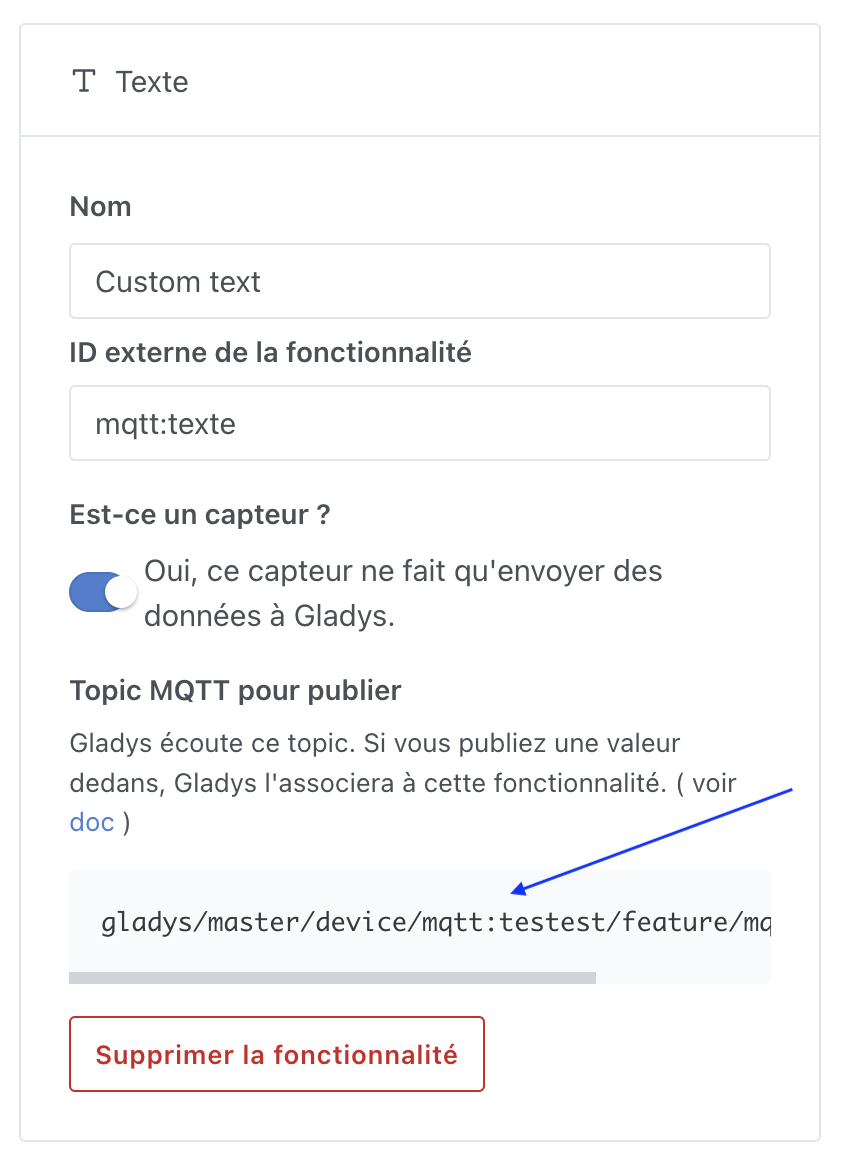
The MQTT topic comes from the feature page in the MQTT integration:

Control via the « Control a device » action has not been developed. That can be changed, but it’s a development effort (not a simple fix).

If you ever want this feature, I invite you to create a feature request, with an explanation of the need so we can better understand what you’re trying to do :slight_smile:

Also, I feel that with what I’ve explained in this post you already have enough to work with :smiley:

2 Likes

Thank you for this analysis. I’ll take a look over the weekend at the suggestions you gave, I’ll send you feedback that you’ll find when you return from vacation :wink:

@pierre

2 Likes