[V4] Zigbee2mqtt Integration

In the documentation, the container creation command already includes volume mapping A privacy-first, open-source home assistant | Gladys Assistant

docker run -d \
--restart=always \
--privileged \
--network=host \
--name gladys \
-e NODE_ENV=production \
-e SERVER_PORT=80 \
-e TZ=Europe/Paris \
-e SQLITE_FILE_PATH=/var/lib/gladysassistant/gladys-production.db \
-v /var/run/docker.sock:/var/run/docker.sock \
-v /var/lib/gladysassistant:/var/lib/gladysassistant \
-v /dev:/dev \
gladysassistant/gladys:4.0.0-beta-arm

-v /dev:/dev or -v /run/udev:/run/udev and especially –privileged

In your script, --privileged is missing


Assuming that WiFi or Ethernet coverage is available. I see the idea, I think the pods will meet this need.

The criticality is the same between router and coordinator, you can say the same thing with the dongle, if it falls you have nothing. Just don’t recommend anything other than what the zigbee2mqtt project defines to increase the range. (A router is nothing more than a coordinator with different firmware).

I plan to test your image tonight, I’ll give you feedback :wink:

We are trying to find a solution that handles all types of networks (bridge/host), it’s not easy :weary:

I am also on Raspbian buster.

Indeed, I hadn’t noticed that you had added this parameter as I used the manual launch :woman_facepalming:
Thank you very much, I will finally be able to test all this :smile:

For me, it works without this option that I try to avoid as much as possible because it gives root access to the entire host machine from the container.
Already sharing /dev in its entirety is borderline…

To get your opinion, I thought it would be necessary to create udev rules that would define the dongles in /dev/zigbee or /dev/zwave depending on the connected dongle and thus we could share only these with the Gladys container.
What do you think?

Cool! :+1:
This will help us move forward.

Did you see that for zigbee2mqtt, I created a network for isolated communication between containers? Then, I connect Gladys to the MQTT container using the container name in the URL.

So, @duvalale, could you test with and without the --privileged option, to confirm my statements?

Yes, I saw that, but it needs to work regardless of the network. (Not everyone uses the Raspbian image or an RPI)

Why is that?
The network corresponds to a privileged link (like a virtual Ethernet cable) for communication between the 2 containers (Gladys and MQTT). It does not depend on the OS or the hardware, it is a Docker layer.
Other services that will need to communicate with the MQTT broker can use the local address of the machine on which it (the broker) runs.

I never said the opposite, I’m not saying your reflection isn’t right either, but we only control this environment on the raspbian image.

I’ll take myself as an example again (you’ll tell me I’m a pain), at my place gladys doesn’t run on an rpi, nor on a network bridge/host.
At your place, you create a network for gladys, but another user might do it differently.
So the dev as such doesn’t work on my environment unless I make modifications on the docker side or on the gladys side.
We have to manage all cases. Maybe we won’t get 100%, but we have to get close and document the rest.

You gave me an idea, we can retrieve the network of the « maitre » container and create the « child » containers on the same network.

This way we can use hostname resolution.

I completely agree with adapting to as many cases as possible. I myself run Gladys on a NAS OMV. :wink:

What I propose remains at the Docker level, so it should work for everyone.
However, let me clarify, Gladys still runs under Docker, right?

That’s what I do, but since Gladys wasn’t started today with a network associated with the container, I had to create one that I then use to communicate with external containers and use Docker name resolution.

Actually, I think we’re saying roughly the same thing, but it’s not always easy to understand via text messages. :wink:

Indeed, I don’t need --privileged either, but we have the same distribution, so it doesn’t necessarily mean it’s the case for everyone…

I’ll test for a few days and provide a small update. I’ve already noted a few issues, but we’ll see if they come from the Zigbee2Mqtt service or not :slight_smile:

Not necessarily, look at Alex’s PR, he first tests that the environment is under Docker.

Actually I can’t, there’s no amd64 image (I’ll do a build tomorrow :sleeping:)

Oh yes, that’s right, I only generated for arm.
I restarted the build and all the images now exist.

Thanks @Reno, I’ll test it during the day

@Reno I just launched the container, are we in agreement that we have to go through your containers? Is there no way to use an existing MQTT server for now?

The log: (I don’t know what it has subscribed to :D)

  vonox  ~  docker logs gladys-zigbee2mqtt

> gladys-server@ start:prod /src/server
> cross-env NODE_ENV=production node index.js

Initialising OpenZWave 1.6.974 binary addon for Node.JS.
        OpenZWave Security API is ENABLED
        ZWave device db    : /etc/openzwave
        User settings path : /src/server/services/zwave/node_modules/openzwave-shared/build/Release/../../
        Option Overrides : --Logging false --ConsoleOutput false --SaveConfiguration true
2020-05-08T12:25:23+0200 <info> index.js:20 (Object.start) Starting Dark Sky service
2020-05-08T12:25:23+0200 <info> index.js:16 (Object.start) Starting zwave service
2020-05-08T12:25:23+0200 <info> index.js:19 (Object.start) Starting telegram service
2020-05-08T12:25:23+0200 <info> index.js:13 (Object.start) Starting usb service
2020-05-08T12:25:23+0200 <info> service.start.js:16 (Service.start) Service darksky is not configured, so it was not started.
2020-05-08T12:25:23+0200 <info> service.start.js:16 (Service.start) Service telegram is not configured, so it was not started.
2020-05-08T12:25:23+0200 <info> service.start.js:16 (Service.start) Service zwave is not configured, so it was not started.
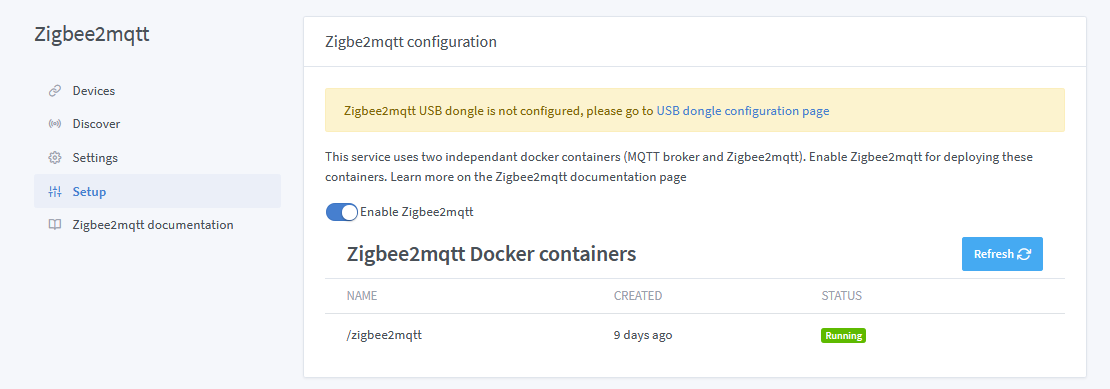
2020-05-08T12:25:23+0200 <info> service.start.js:16 (Service.start) Service zigbee2mqtt is not configured, so it was not started.
2020-05-08T12:25:23+0200 <info> service.start.js:16 (Service.start) Service mqtt is not configured, so it was not started.
2020-05-08T12:25:23+0200 <info> index.js:63 (Server.<anonymous>) Server listening on port 4080
2020-05-08T12:27:06+0200 <info> docker.stopContainer.js:18 (Docker.stopContainer) container zigbee2mqtt stopped
2020-05-08T12:27:07+0200 <info> docker.startContainer.js:18 (Docker.startContainer) container zigbee2mqtt started
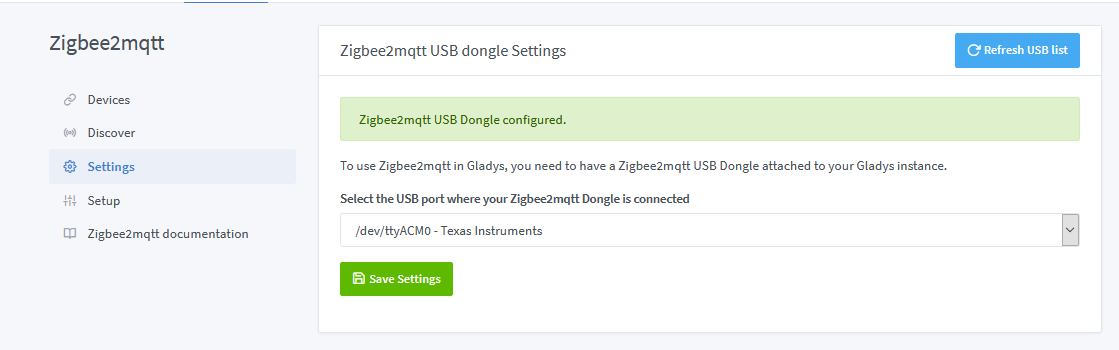
2020-05-08T12:31:55+0200 <info> connect.js:23 (Zigbee2mqttManager.connect) Zigbee2mqtt USB dongle attached to /dev/ttyACM0
2020-05-08T12:31:55+0200 <info> subscribe.js:12 (Zigbee2mqttManager.subscribe) Subscribing to MQTT topic zigbee2mqtt/#

I agree!

@pierre-gilles where could we make the files available, a specific repo or in the documentation repo?

I don’t think we want to limit Gladys container access to the machine.

I remind you that the Raspbian Gladys image must work throughout the user’s Raspberry Pi lifecycle.

Imagine the user installs Gladys in 2020 and changes their Pi in 2030. Over 10 years, if we add features, new integrations are developed in Gladys, the Raspbian image must be evolvable and all dongles plugged in must be managed by Gladys.

If we have to ask the user to reinstall Gladys every other day, then we have failed our mission.

I quote a post I wrote on another topic:

Why do we use Docker?

In Gladys 3, I remind you that we ran Gladys directly on the machine, without Docker, so Gladys had full access to the machine.

In Gladys 4, we use Docker to facilitate packaging, deployment, and updating Gladys instances. Given that we are in embedded systems, we need to access devices (USB, GPIO, Camera Pi via the camera bus, for example), it makes perfect sense to give Gladys full access to the machine, as would be the case if we just ran the program directly on the Raspberry Pi.

We are not at all in the Docker usage of a cloud provider that would want to isolate the execution of untrusted code, limit access to the physical machine, and limit the resource usage of a third-party user.

Here, the user runs on their own machine, alone, an embedded program that makes intensive use of external devices and hardware. On the contrary: we want to take advantage of the super capabilities of the Raspberry Pi, and have the same features as if we ran Gladys directly on the host like most programs do.

Trying to limit the container’s access to the Pi doesn’t make sense and doesn’t add security…

We need to think as long-term as possible, and put the user experience first.

What’s the problem with exposing /dev? Gladys is there to do home automation, not to stay locked in a container ^^

At each reboot you can have a different mount.

We can just propose in the documentation (with rules) and stay on dev as standard. Or we can integrate it into the image build.

From a user’s perspective, it’s simpler

One does not prevent the other.

However, I remain on the complete sharing of all devices (yes there are 2 topics)

I think I didn’t understand what you want to do at all :smiley:

Oh really? I didn’t know that. If you have a solution for that, I’m interested! The only constraint is that it must be done in a generic way in the image, that it works for everyone, and that it is sustainable over time.

I edited it, it’s a big mistake I made :sweat_smile: (for the name of the stick)

The different mount happens to me almost every time with my Z-Wave stick

A udev rule allows you to create, for example, an alias for all Z-Wave keys on /dev/zwave