I’m stuck at the test stage (access via IP_RASPBERRY_PI:8001). Did I miss any prerequisites?
Should I copy the contents of /var/lib/gladysassistant/ to /var/lib/gladysassistant_test_atrovato?
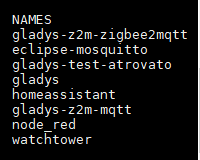
Ah, are you trying to launch a Zigbee2mqtt + MQTT container in addition to your existing classic installation?
I don’t know if that’s possible. @AlexTrovato correct me if I’m wrong, but I think the name of these containers is fixed and therefore it’s one Zigbee2mqtt installation per machine?
I didn’t have the context, I thought you couldn’t launch a test container, but it seems to work!
I’m looking for a USB Zigbee dongle, what do you recommend?
I’m looking for the most « consumer friendly » possible: USB, in a case, no firmware to flash, it must be plug and play. And if possible with an affordable price
Thanks @lmilcent! After that, I’m looking for something more « mainstream ». I want to make a video showing how to use Zigbee in Gladys, and I want to use the most mainstream brand equipment possible so that it’s easy to reproduce and the tutorial is timeless
Not at all After that, it’s the integration that rises the most for me, and we clearly lack resources to explain how to get started with Zigbee in Gladys!
Check only the number of devices it can support in a Zigbee network. Or at least indicate this in the tutorials.
Because on the Zigbee2MQTT project they indicate that some adapters are limited to a maximum of 50 and become unstable. Others, on the other hand, can support 100+.
Hello everyone! I received my Sonoff Zigbee 3.0 USB stick and was able to test the end-to-end integration!
First of all, kudos to everyone who worked on it, generally it works great, and I’m amazed by the Zigbee experience in general: it works, nothing to say
Some feedback on the configuration experience:
It wasn’t very clear to me whether I should first configure the USB port of my Zigbee key or if I should configure the Zigbee2mqtt service first. I did the USB port first, but I could have started with the other and I don’t know if that would have caused a problem, but I think Zigbee2mqtt would have started incorrectly!
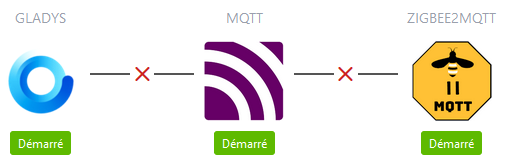
When launching the Zigbee2mqtt service, it’s not very clear that something is happening in the background. No spinner, no message telling me that the installation is in progress. I’m on fiber optics and on a Raspberry Pi 4, and all in all it took about 5-8 minutes. As I know what I’m doing, I monitored the installation progress in htop by watching the processes that were running, but for someone in the UI it’s very long, and as there are red crosses in the UI at the beginning, one might think that there was an error, whereas in fact you just have to wait
I think a message should be added explaining that it can take up to 10 minutes, and that something is happening with a spinner The red crosses can be left, but maybe by clearly explaining that it’s « in progress » and that it will connect gradually.
Once Zigbee2mqtt is configured, I was a bit lost: how to add a device? Place it next to the USB hub? Click on it?
The Zigbee2mqtt documentation helped me, maybe a small message and a link would suffice!
When you click on « enable pairing », it only enables pairing for 250 seconds, but after that time, Gladys still displays that pairing is enabled, whereas on the Zigbee2mqtt side it’s no longer in pairing mode.
The Zigbee2mqtt UI is still freely accessible, not great in terms of security
Apart from that, I have my devices in Gladys, and everything works.
In Gladys, it would be helpful to explain (even in one sentence) that to pair a device, you should refer to its documentation, and possibly add a direct link to the Zigbee2Mqtt documentation within Gladys.
On the Gladys documentation side, in the section where we explain how to pair a device, adding a link to the Zigbee2Mqtt documentation would be a good idea!
On my side, I will try to create content related to the Zigbee2Mqtt integration (YouTube video, and maybe an article on the blog with ).