Hello,
I have an RPI3 B
Gladys V4.28.0
I saw that others had a similar problem but I did not find the solution
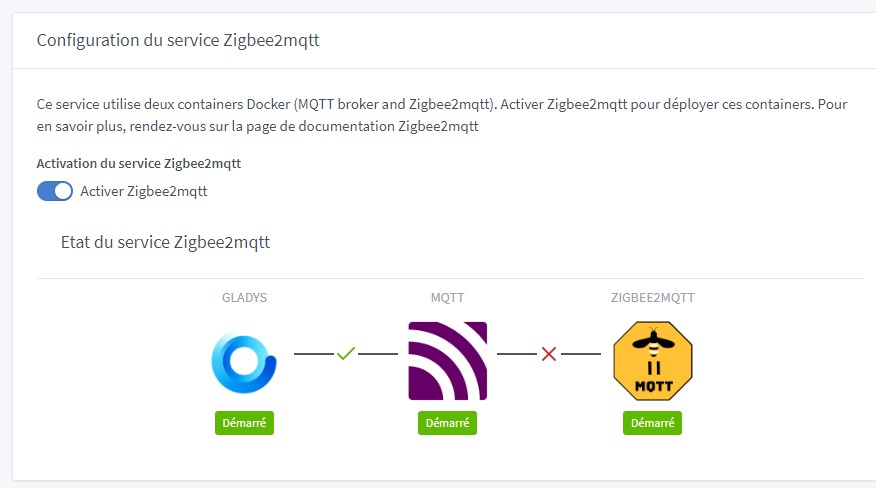
The Zig
Hi @Zerko91 and welcome to Gladys 
Did you select the correct Zigbee USB stick model in Gladys?
What do your logs show in Zigbee2mqtt?
To display the logs:
docker logs gladys-z2m-zigbee2mqtt
Hello @pierre-gilles,
Thanks for your reply.
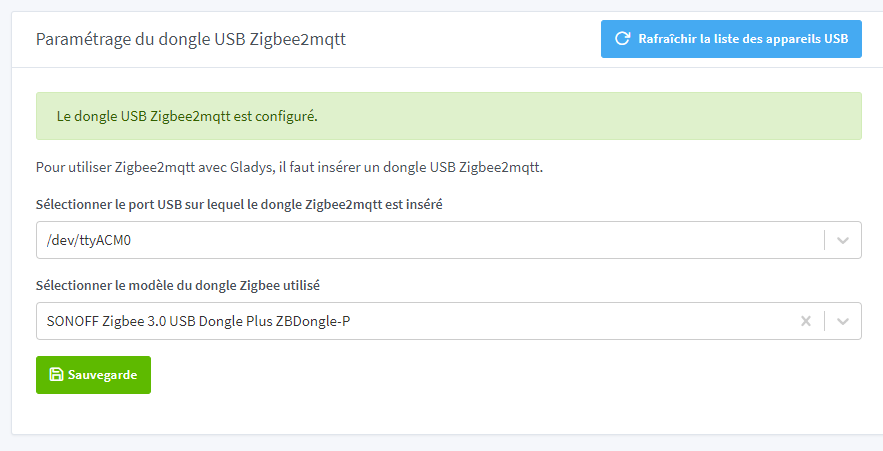
The key is correctly selected:
Here is the log:
Using ‹ /app/data › as data directory
Zigbee2MQTT:info 2023-09-19 06:37:57: Logging to console and directory: ‹ /app/d ata/log/2023-09-19.06-37-57 › filename: log.txt
Zigbee2MQTT:info 2023-09-19 06:37:57: Starting Zigbee2MQTT version 1.33.0 (comm it #7ee207f)
Zigbee2MQTT:info 2023-09-19 06:37:57: Starting zigbee-herdsman (0.18.5)
Zigbee2MQTT:error 2023-09-19 06:38:18: Error while starting zigbee-herdsman
Zigbee2MQTT:error 2023-09-19 06:38:18: Failed to start zigbee
Zigbee2MQTT:error 2023-09-19 06:38:18: Check https://www.zigbee2mqtt.io/guide/in stallation/20_zigbee2mqtt-fails-to-start.html for possible solutions
Zigbee2MQTT:error 2023-09-19 06:38:18: Exiting…
Zigbee2MQTT:error 2023-09-19 06:38:19: Error: Failed to connect to the adapter ( Error: SRSP - SYS - ping after 6000ms)
at ZStackAdapter.start (/app/node_modules/zigbee-herdsman/src/adapter/z-stac k/adapter/zStackAdapter.ts:103:27)
at Controller.start (/app/node_modules/zigbee-herdsman/src/controller/contro ller.ts:132:29)
at Zigbee.start (/app/lib/zigbee.ts:60:27)
at Controller.start (/app/lib/controller.ts:101:27)
Have a good day.
Hello,
To be sure of the correct option to select, you can use the following commands:
usb-devices
should return something like this
T:  Bus=01 Lev=02 Prnt=02 Port=00 Cnt=01 Dev#=  3 Spd=12  MxCh= 0
D:  Ver= 2.00 Cls=00(>ifc ) Sub=00 Prot=00 MxPS=64 #Cfgs=  1
P:  Vendor=10c4 ProdID=ea60 Rev=01.00
S:  Manufacturer=ITead
S:  Product=Sonoff Zigbee 3.0 USB Dongle Plus
S:  SerialNumber=d65fba180f86ec11bfdf571719c2d21c
C:  #Ifs= 1 Cfg#= 1 Atr=80 MxPwr=100mA
I:  If#=0x0 Alt= 0 #EPs= 2 Cls=ff(vend.) Sub=00 Prot=00 Driver=cp210x
What is important here is:
Then, with the command:
dmesg | grep tty
you will have a line like this with the driver (cp210x in my case)
[ 5.688245] usb 1-1.1: cp210x converter now attached to ttyUSB0
with most likely ttyACM0 in your case
You can also try unplugging/replugging your dongle and clicking « Refresh USB device list »
 make sure to select the correct dongle model. The Sonoff V3 has several versions:
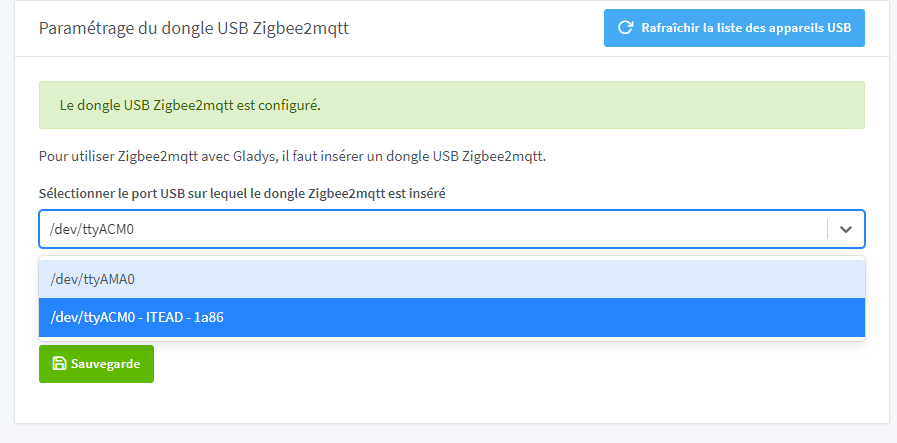
And Vendor 1a86 corresponds to QinHeng, maybe not your Zigbee dongle.
You may need to install drivers on some systems.
@cicoub13 ,
Thanks for your reply, here it is:
pi@gladys:~ $ usb-devices
T: Bus=01 Lev=00 Prnt=00 Port=00 Cnt=00 Dev#= 1 Spd=480 MxCh= 1
D: Ver= 2.00 Cls=09(hub ) Sub=00 Prot=01 MxPS=64 #Cfgs= 1
P: Vendor=1d6b ProdID=0002 Rev=06.01
S: Manufacturer=Linux 6.1.21-v8+ dwc_otg_hcd
S: Product=DWC OTG Controller
S: SerialNumber=3f980000.usb
C: #Ifs= 1 Cfg#= 1 Atr=e0 MxPwr=0mA
I: If#=0x0 Alt= 0 #EPs= 1 Cls=09(hub ) Sub=00 Prot=00 Driver=hub
T: Bus=01 Lev=01 Prnt=01 Port=00 Cnt=01 Dev#= 2 Spd=480 MxCh= 5
D: Ver= 2.00 Cls=09(hub ) Sub=00 Prot=02 MxPS=64 #Cfgs= 1
P: Vendor=0424 ProdID=9514 Rev=02.00
C: #Ifs= 1 Cfg#= 1 Atr=e0 MxPwr=2mA
I: If#=0x0 Alt= 1 #EPs= 1 Cls=09(hub ) Sub=00 Prot=02 Driver=hub
T: Bus=01 Lev=02 Prnt=02 Port=00 Cnt=01 Dev#= 3 Spd=480 MxCh= 0
D: Ver= 2.00 Cls=ff(vend.) Sub=00 Prot=01 MxPS=64 #Cfgs= 1
P: Vendor=0424 ProdID=ec00 Rev=02.00
C: #Ifs= 1 Cfg#= 1 Atr=e0 MxPwr=2mA
I: If#=0x0 Alt= 0 #EPs= 3 Cls=ff(vend.) Sub=00 Prot=ff Driver=smsc95xx
T: Bus=01 Lev=02 Prnt=02 Port=03 Cnt=02 Dev#= 4 Spd=12 MxCh= 0
D: Ver= 1.10 Cls=02(commc) Sub=00 Prot=00 MxPS= 8 #Cfgs= 1
P: Vendor=1a86 ProdID=55d4 Rev=04.42
S: Manufacturer=ITEAD
S: Product=SONOFF Zigbee 3.0 USB Dongle Plus V2
S: SerialNumber=20221202193210
C: #Ifs= 2 Cfg#= 1 Atr=a0 MxPwr=132mA
I’m having trouble understanding; I bought the dongle from Domadoo, and I tried it on Jeedom and Home Assistant without any problems.
Best regards.
So it’s indeed ITEAD Vendor=1a86 but I don’t see any driver being used 
And it’s therefore the SONOFF Zigbee 3.0 USB Dongle Plus V2 version, model E
Can you try selecting
`ITead Sonoff Zigbee 3.0 USB Dongle Plus V
@cicoub13
Many thanks, the checkmark is now correct.
Have a good rest of the day.
Kind regards.

Hi!
I’m trying to set up my configuration on Gladys but I’m encountering the same problem — I have vendor=10c4 Silicon Labs and I can’t get zigbee2mqtt to work even though my zigbee2mqtt config on HACS works perfectly. Do you have any idea, please?
Hi @JulienB
Did you select the correct type of dongle? If you have a Sonoff, be careful: there is the Sonoff type « P » and type « E », they are two different dongles
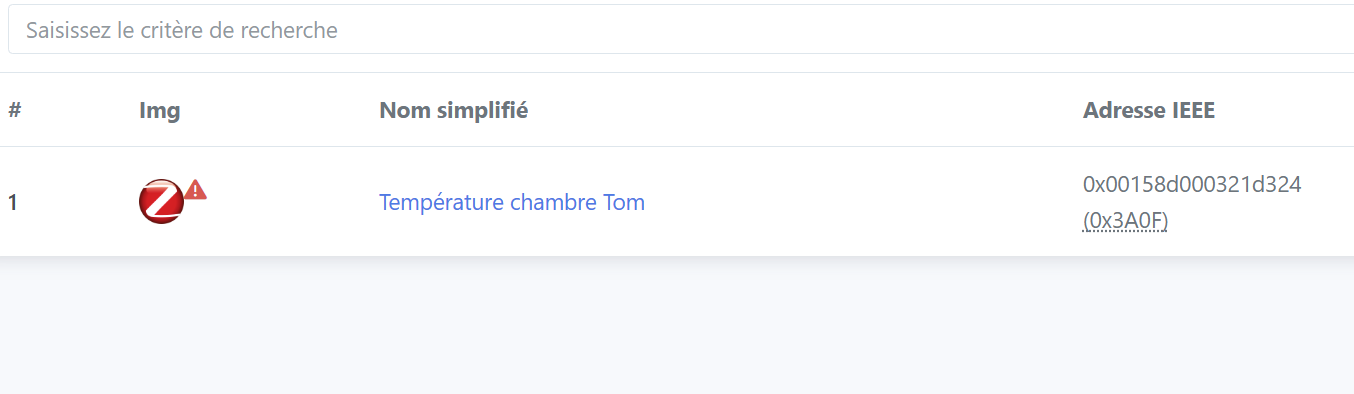
Hello, thanks for your reply, I had given up…But I just rebuilt my « home server » and I really want to get back to Gladys. I did manage to get past one step. The mqtt and zigbee2mqtt services are active and my dongle, apparently, is well recognized. I say « apparently », because I can’t pair my devices. Almost nothing happens in the zigbee2mqtt interface, except one Aqara temperature sensor that appeared last night before I stopped. This isn’t a very technical explanation for now, but if this makes sense to anyone I’m open to ideas. Thanks !
You must pair each device manually by following a different procedure for each (for example, press and hold a button).
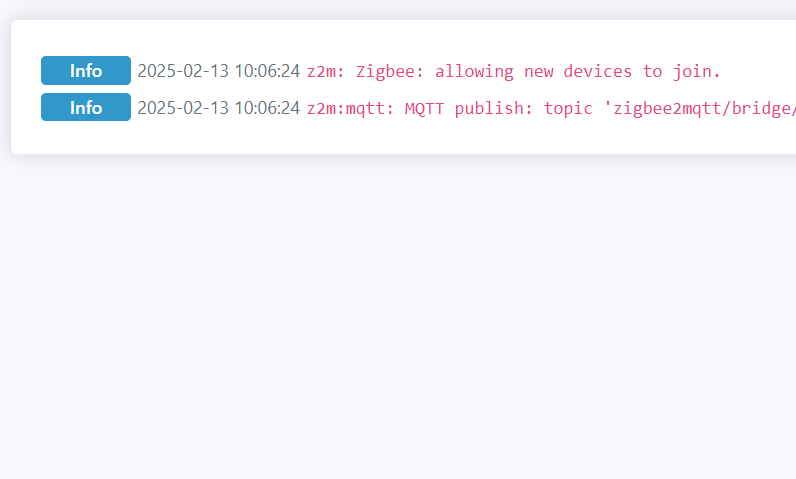
Don’t forget to enable pairing (from Zigbee2Mqtt or Gladys).
Some devices are « finicky » when pairing. My Lidl LED strips must be within 1 meter of the dongle’s antenna.
Yes, no worries, I do have a bit of user experience anyway  However, I must say I hadn’t considered the distance because I was on HAOS before and I never had that issue. But I’ll give it a try
Just to conclude, after restarting everything, everything worked! Thank you for your help.