Hi @gaetanb76
Hi @pierre-gilles,
I made a text file that I uploaded to GitHub, don’t you have access to it?
You posted a link that returns a 404, I can’t see anything on it. Can you repost the correct link to the file? 
Yes, it was private.
https://github.com/Gaetanb76/GladysGB
What I entered in ssh :
cd /var/lib/gladysassistant
sudo mkdir zwavejs-ui
docker run --rm -it -p 8091:8091 -p 3000:3000 --device=/dev/serial/by-id/usb-0658_0200-if00:/dev/zwave \-v $(pwd)/zwavejs-ui:/usr/src/app/zwavejs-ui zwavejs/zwave-js-ui:latest
I see 2 issues in the logs:
- It can’t connect to the MQTT broker
- It can’t connect to your Z-Wave dongle
Are you sure about the USB port?
Are you sure about the MQTT configuration?
Can you show what you do when you access the interface?
Also, I don’t know if that’s the issue, but I don’t see your dongle in the list of dongles recommended by the ZWaveJS library ( The Z-Wave JS documentation has moved... )
The most compatible dongle being the Aeotec ( it’s the one I bought to develop the integration ).
I also have doubts about the USB port, but…
Here’s what lsusb shows me:
Bus 003 Device 018: ID 0658:0200 Sigma Designs, Inc. Aeotec Z-Stick Gen5 (ZW090) - UZB
On sites dealing with Home Assistant, Domoticz.. it says that the name shown is not a problem.
Here’s what the command returns:
sudo udevadm info --query=all --name=ttyACM0
[sudo] Password for gaetan :
P: /devices/pci0000:00/0000:00:14.0/usb3/3-3/3-3:1.0/tty/ttyACM0
N: ttyACM0
L: 0
S: serial/by-path/pci-0000:00:14.0-usb-0:3:1.0
S: serial/by-id/usb-0658_0200-if00
E: DEVPATH=/devices/pci0000:00/0000:00:14.0/usb3/3-3/3-3:1.0/tty/ttyACM0
E: DEVNAME=/dev/ttyACM0
E: MAJOR=166
E: MINOR=0
E: SUBSYSTEM=tty
E: USEC_INITIALIZED=1199208932261
E: ID_BUS=usb
E: ID_VENDOR_ID=0658
E: ID_MODEL_ID=0200
E: ID_PCI_CLASS_FROM_DATABASE=Serial bus controller
E: ID_PCI_SUBCLASS_FROM_DATABASE=USB controller
E: ID_PCI_INTERFACE_FROM_DATABASE=XHCI
E: ID_VENDOR_FROM_DATABASE=Sigma Designs, Inc.
E: ID_MODEL_FROM_DATABASE=Aeotec Z-Stick Gen5 (ZW090) - UZB
E: ID_VENDOR=0658
E: ID_VENDOR_ENC=0658
E: ID_MODEL=0200
E: ID_MODEL_ENC=0200
E: ID_REVISION=0000
E: ID_SERIAL=0658_0200
E: ID_TYPE=generic
E: ID_USB_INTERFACES=:020201:0a0000:
E: ID_USB_INTERFACE_NUM=00
E: ID_USB_DRIVER=cdc_acm
E: ID_USB_CLASS_FROM_DATABASE=Communications
E: ID_PATH=pci-0000:00:14.0-usb-0:3:1.0
E: ID_PATH_TAG=pci-0000_00_14_0-usb-0_3_1_0
E: ID_MM_CANDIDATE=1
E: DEVLINKS=/dev/serial/by-path/pci-0000:00:14.0-usb-0:3:1.0 /dev/serial/by-id/usb-0658_0200-if00
E: TAGS=:systemd:
E: CURRENT_TAGS=:systemd:
I unplugged and replugged the stick, ran
dmesg -s 1024
[1346189.403725] usb 3-3: USB disconnect, device number 18
[1346193.810773] usb 3-3: new full-speed USB device number 19 using xhci_hcd
[1346193.937559] usb 3-3: New USB device found, idVendor=0658, idProduct=0200, bcdDevice= 0.00
[1346193.937567] usb 3-3: New USB device strings: Mfr=0, Product=0, SerialNumber=0
[1346193.940232] cdc_acm 3-3:1.0: ttyACM0: USB ACM device
So, I think the port is fine.
As for the interface, as indicated in my first message, I no longer have access to it:
Connection failed
Firefox cannot establish a connection to the server at 192.168.68.132:8091.
To be able to access the interface again, I re-ran the command
docker run --rm -it -p 8091:8091 -p 3000:3000 --device=/dev/serial/by-id/usb-0658_0200-if00:/dev/zwave \
-v $(pwd)/zwavejs-ui:/usr/src/app/zwavejs-ui zwavejs/zwave-js-ui:latest
Which I don’t think is a solution.
I’ve already done it 3 times and don’t really want to do it again.
I think the way I installed zwavejs-ui is not correct.
On which machine are you running Gladys?
If it’s a Raspberry Pi (Pi), power supply issues are common; on the Zigbee side we’ve had a lot of users with this kind of problem…
When I search for your error « Controller status: Driver: Failed to initialize the driver: ZWaveError: Timeout while waiting for a response from the controller (ZW0200) », I see recommendations regarding the power supply
On the port side, a temporary idea to test would be to use a port at /dev/ttyUSBX , I know it’s not recommended by ZWavejs UI, but it could be a good test just to check that it’s not an issue on that side
Another test: you could try with your Z-Stick Gen 5 to see if it’s your Everspring that’s not compatible
No, I dropped the Raspberry Pi 3 (rpi3) in favor of a Lenovo mini PC.
I mentioned it in my profile.
It’s a shame we don’t have a signature where we can put the hardware.
As for the Z-Stick Gen 5 dongle I thought about it, but since it controls the heating, it’s delicate. We’ve already put it into operation. Normandy… 
I’ll first try changing the port.
docker run --rm -it -p 8091:8091 -p 3000:300
Ok for the backslash
Typo. It’s there, but the rest is on the next line.
The logs
https://github.com/Gaetanb76/GladysGB
I’ll add the screenshots of the ZwaveJS-UI interface shortly
Yes, I’d like a video if you can, that way we understand better what you’re doing
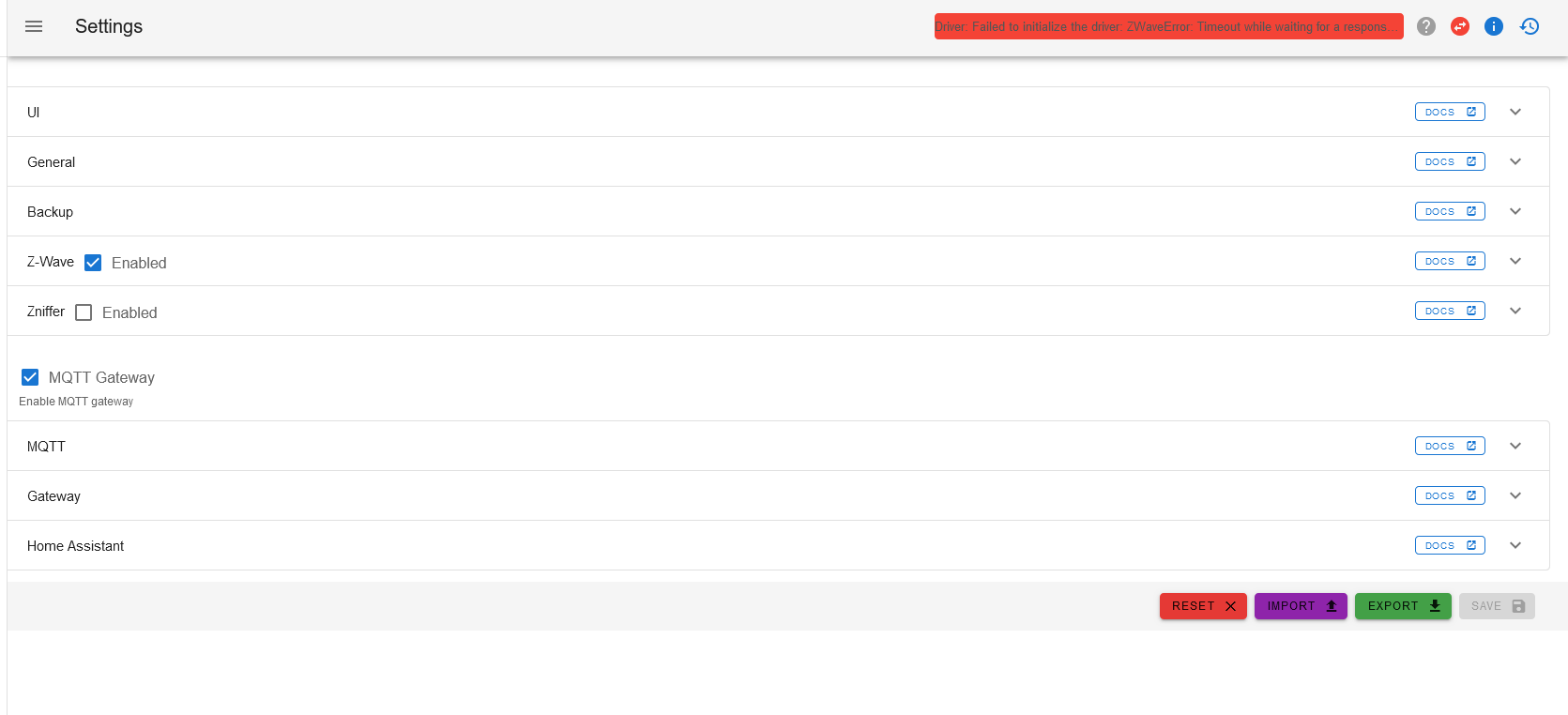
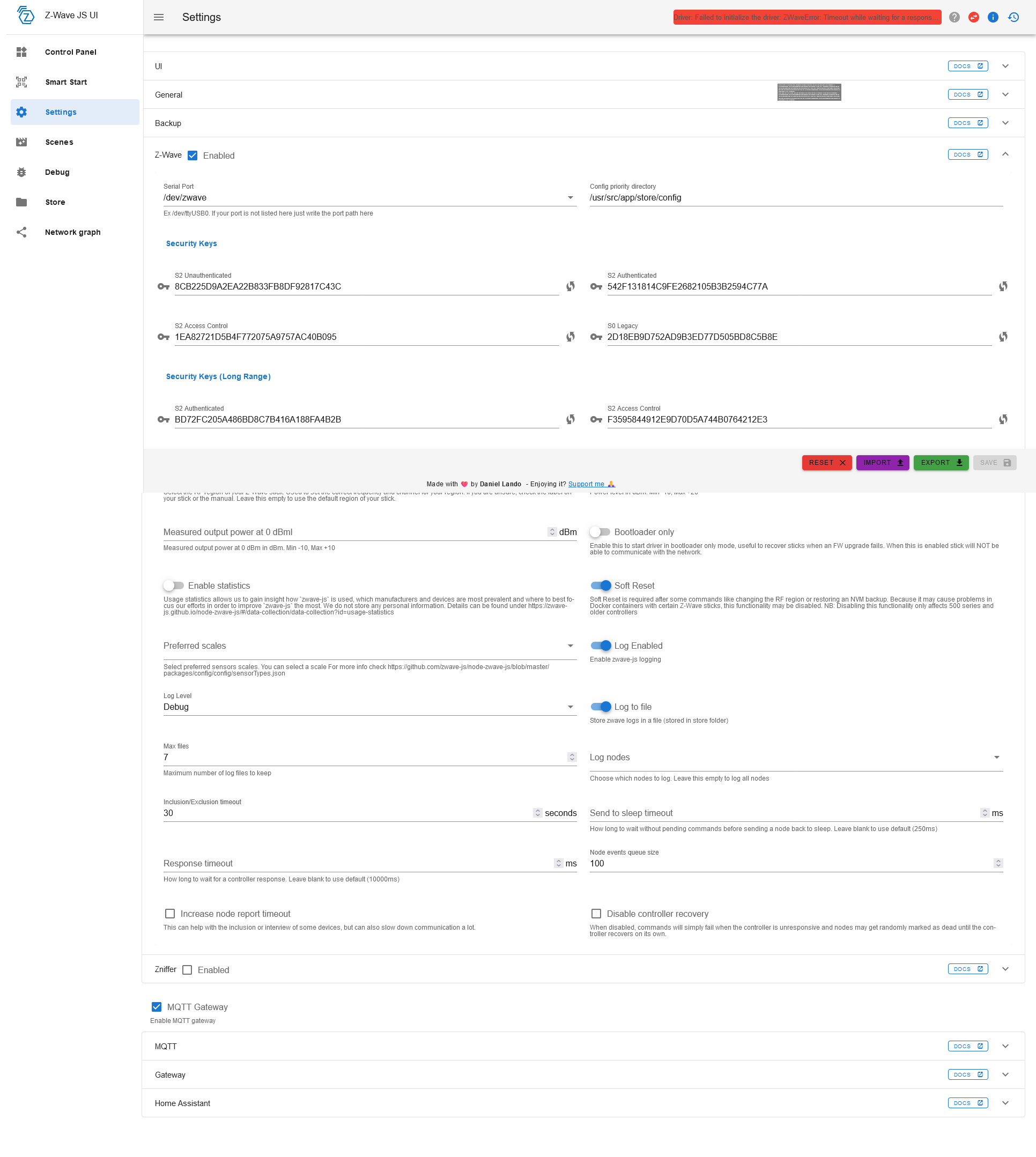
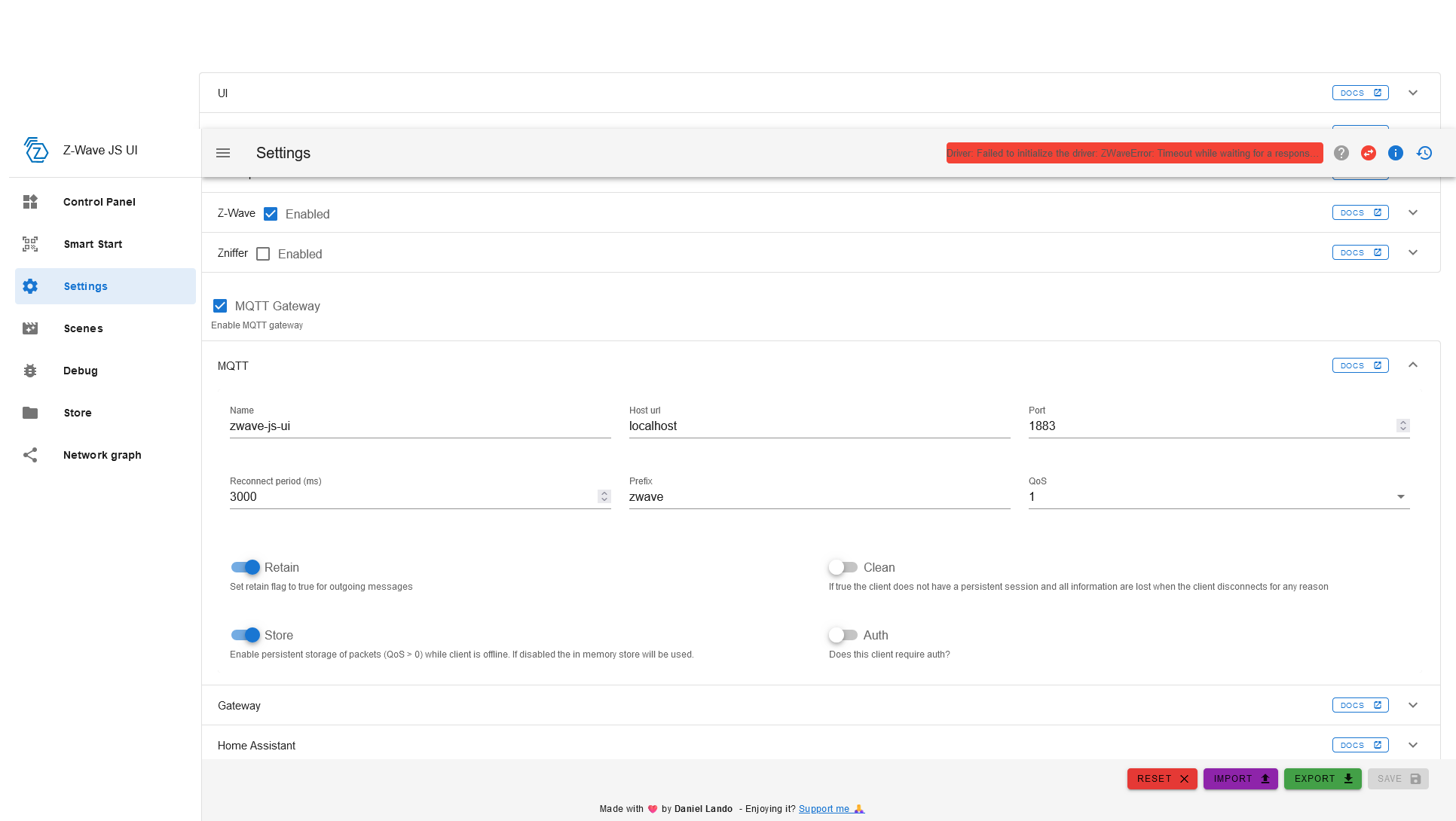
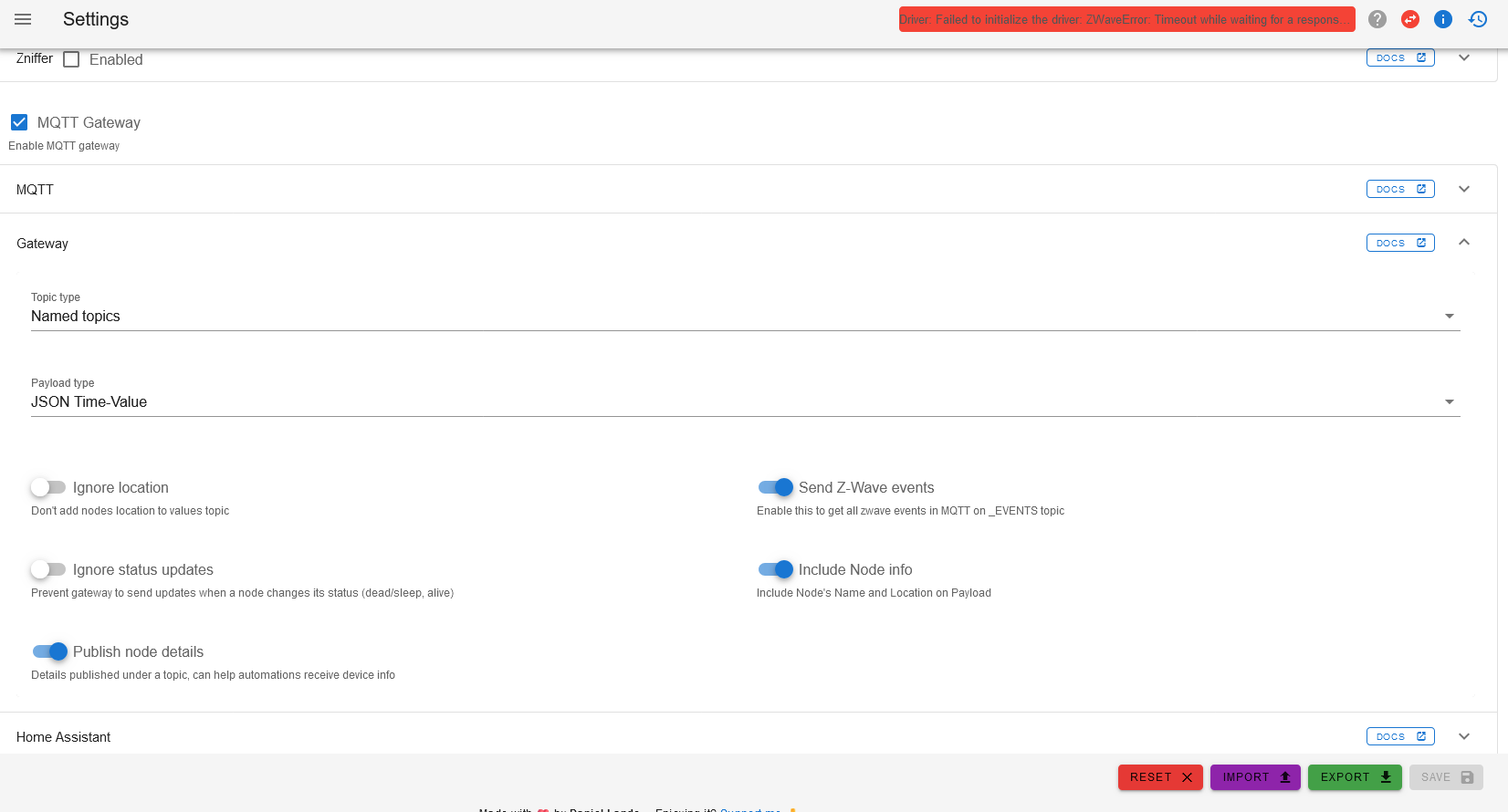
So we agree you haven’t configured the MQTT part yet?
Also, I’m not sure that’s critical or that it’s what’s causing the crash.
I just uploaded the videos made last night before being disconnected from the interface.
The folder /usr/scr/app, in which the drivers should be located, does not exist.
Edit :
I just changed the dongle to the Z-Stick Gen 5 and I have the same problems.
Port : ACM0
and the error message : Driver : Failed to open serial port.
I restarted the mini PC and no change.
Could this be due to an access rights problem on the ACM0 port?
Is the Z-stick gen5 by any chance being used by another program at the same time?
No, it was on my Domoticz setup, a Raspberry Pi 2B
I unplugged it and put it on the mini PC.
Ok, maybe you should look more on the Z-WaveJS UI side — maybe someone on their forum has the same issues as you?
Do you think a udev port redirection rule could help?
SUBSYSTEM=="tty", SUBSYSTEMS=="usb", ATTRS{idVendor}=="0658", ATTRS{idProduct}=="0200", SYMLINK+="ttyUSB20"
Otherwise, could the problem be caused by the directory from which I run the command
cd /var/lib/gladysassistant
sudo mkdir zwavejs-ui
docker run --rm -it -p 8091:8091 -p 3000:3000 --device=/dev/serial/by-id/usb-0658_0200-if00:/dev/zwave \\-v $(pwd)/zwavejs-uiNo idea You’ll have to do some trial & error here. Have you checked the Z-WaveJS UI forum a bit?
No, I don’t think that’s related in this case.