Looking for testers for the ZwaveJS UI integration!

Hello everyone!

As you know, for several months @Romuald_Pochet has been working hard to release a ZWaveJS UI integration in Gladys :slight_smile:

Today he is looking for testers to give feedback on this integration, and if all goes well the integration can be released to production!

How to test?

There is a Docker image available that includes this integration:

rpochet/gladys-zwave-js-ui:dev

How to run this image? => Tutorial: Run a test Docker image

For feedback, you can go to this thread on the forum:

https://community.gladysassistant.com/t/v4-integration-z-wave/6057/230?u=pierre-gilles

Thanks to everyone who takes the time to test this integration :pray:

2 Likes

I will do a test as soon as possible and especially when I can stop my Raspberry Pi in production that uses my Z-Wave dongle

1 Like

First of all, well done @Romuald_Pochet, I have some devices that were just waiting for you :wink:

Don’t take this the wrong way, I’ll try to be as thorough as possible to be constructive and to help integrate your work :slight_smile:


A few remarks:

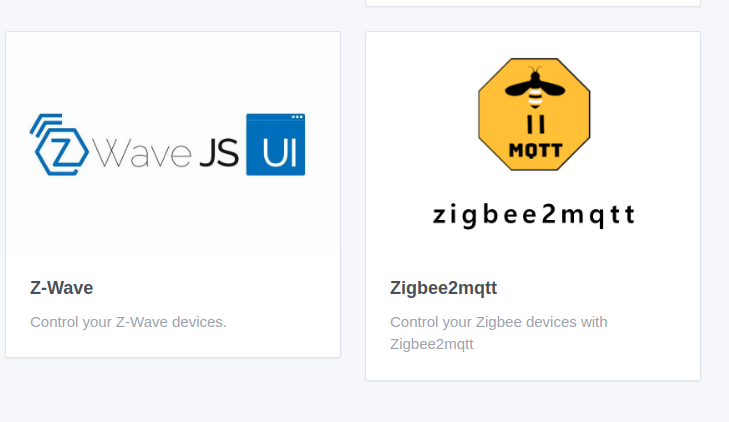
On the integration page, I find that the image is not in the right format:

(note, you need to search for « z-wave » with the dash)


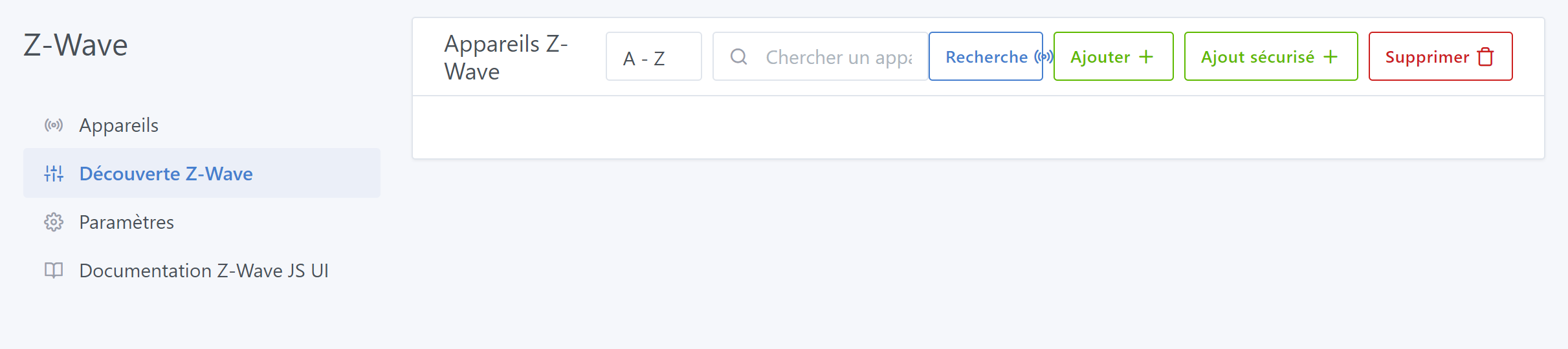
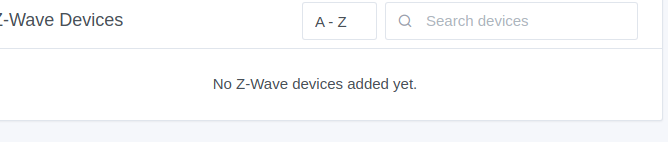
If the devices list is empty, we don’t show a blue « alert » square on the other integrations; instead we usually show a text. It’s not very important, but it breaks consistency with the other services.


Display issue on a medium-sized screen:


Labeling issue with code:


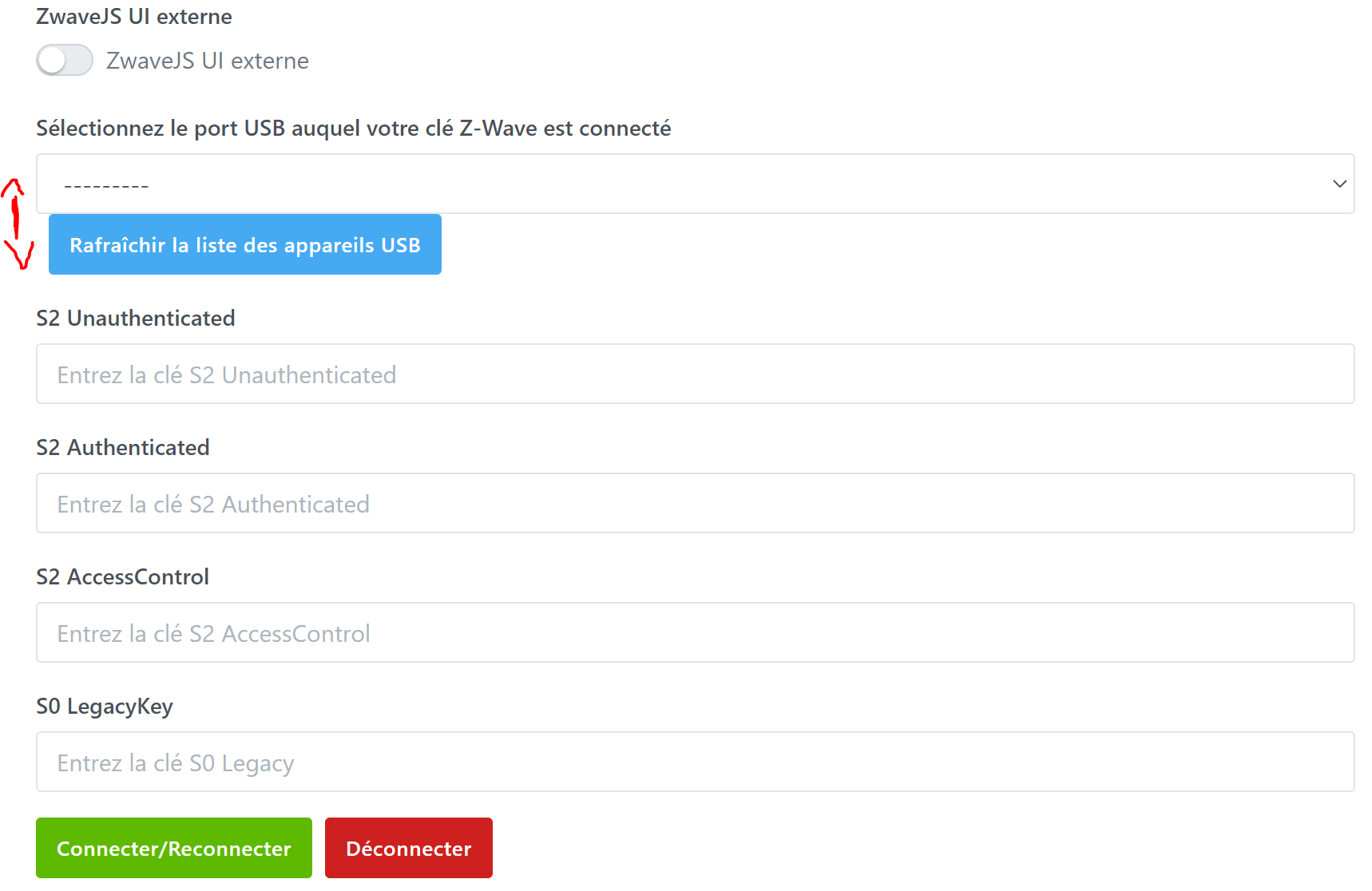
Spacing and understanding issues (I’m not at all a Z-Wave expert, I don’t know whether I should fill in all the fields, or even what they mean, a small explanatory panel would be appreciated

Note, the localhost link doesn’t work because I’m using a remote server (raspberry).


So, I went with the integrated installation at first, and when clicking « Connect/Reconnect », I have some (non-blocking) errors that appear in the logs

2023-03-27T19:16:59+0200 \u003cerror\u003e installMqttContainer.js:57 (ZwaveJSUIManager.installMqttContainer) MQTT broker failed to install as Docker container: Error: (HTTP code 409) unexpected - Conflict. The container name \"/gladys-zwave-js-ui-mqtt\" is already in use by container \"f36daed4ca294ad1555d79172eec835aeacf429c03c6d19bbb0bde8284125d1d\". You have to remove (or rename) that container to be able to reuse that name.
    at /src/server/node_modules/docker-modem/lib/modem.js:336:17
    at getCause (/src/server/node_modules/docker-modem/lib/modem.js:366:7)
    at Modem.buildPayload (/src/server/node_modules/docker-modem/lib/modem.js:335:5)
    at IncomingMessage.\u003canonymous\u003e (/src/server/node_modules/docker-modem/lib/modem.js:303:16)
    at IncomingMessage.emit (node:events:525:35)
    at endReadableNT (node:internal/streams/readable:1359:12)
    at processTicksAndRejections (node:internal/process/task_queues:82:21) {
  reason: undefined,
  statusCode: 409,
  json: {
    message: 'Conflict. The container name \"/gladys-zwave-js-ui-mqtt\" is already in use by container \"f36daed4ca294ad1555d79172eec835aeacf429c03c6d19bbb0bde8284125d1d\". You have to remove (or rename) that container to be able to reuse that name.'
  }
}
2023-03-27T19:16:59+0200 \u003cerror\u003e index.js:15 (process.\u003canonymous\u003e) unhandledRejection catched: Promise {
  \u003crejected\u003e Error: (HTTP code 409) unexpected - Conflict. The container name \"/gladys-zwave-js-ui-mqtt\" is already in use by container \"f36daed4ca294ad1555d79172eec835aeacf429c03c6d19bbb0bde8284125d1d\". You have to remove (or rename) that container to be able to reuse that name.

      at /src/server/node_modules/docker-modem/lib/modem.js:336:17
      at getCause (/src/server/node_modules/docker-modem/lib/modem.js:366:7)
      at Modem.buildPayload (/src/server/node_modules/docker-modem/lib/modem.js:335:5)
      at IncomingMessage.\u003canonymous\u003e (/src/server/node_modules/docker-modem/lib/modem.js:303:16)
      at IncomingMessage.emit (node:events:525:35)
      at endReadableNT (node:internal/streams/readable:1359:12)
      at processTicksAndRejections (node:internal/process/task_queues:82:21) {
    reason: undefined,
    statusCode: 409,
    json: {
      message: 'Conflict. The container name \"/gladys-zwave-js-ui-mqtt\" is already in use by container \"f36daed4ca294ad1555d79172eec835aeacf429c03c6d19bbb0bde8284125d1d\". You have to remove (or rename) that container to be able to reuse that name.'
    }
  }
}
2023-03-27T19:16:59+0200 \u003cerror\u003e index.js:16 (process.\u003canonymous\u003e) Error: (HTTP code 409) unexpected - Conflict. The container name \"/gladys-zwave-js-ui-mqtt\" is already in use by container \"f36daed4ca294ad1555d79172eec835aeacf429c03c6d19bbb0bde8284125d1d\". You have to remove (or rename) that container to be able to reuse that name.
    at /src/server/node_modules/docker-modem/lib/modem.js:336:17
    at getCause (/src/server/node_modules/docker-modem/lib/modem.js:366:7)
    at Modem.buildPayload (/src/server/node_modules/docker-modem/lib/modem.js:335:5)
    at IncomingMessage.\u003canonymous\u003e (/src/server/node_modules/docker-modem/lib/modem.js:303:16)
    at IncomingMessage.emit (node:events:525:35)
    at endReadableNT (node:internal/streams/readable:1359:12)
    at processTicksAndRejections (node:internal/process/task_queues:82:21) {
  reason: undefined,
  statusCode: 409,
  json: {
    message: 'Conflict. The container name \"/gladys-zwave-js-ui-mqtt\" is already in use by container \"f36daed4ca294ad1555d79172eec835aeacf429c03c6d19bbb0bde8284125d1d\". You have to remove (or rename) that container to be able to reuse that name.'
  }
}
2023-03-27T19:17:00+0200 \u003cinfo\u003e scene.checkCalendarTriggers.js:24 (SceneManager.checkCalendarTriggers) Checking calendar triggers at Mon, 27 Mar 2023 17:17:00 GMT
2023-03-27T19:17:03+0200 \u003cinfo\u003e installMqttContainer.js:54 (ZwaveJSUIManager.installMqttContainer) {
  name: '/gladys-zwave-js-ui-mqtt',
  image: 'eclipse-mosquitto:2',
  state: 'created',
  id: 'f36daed4ca294ad1555d79172eec835aeacf429c03c6d19bbb0bde8284125d1d',
  networkMode: 'host',
  created_at: 1679937418
}

Then I went to the « Discovery » page, having not yet connected any device other than the USB dongle, and the search keeps looping.
I’m afraid that this kind of active-search behavior might block other exchanges in other Gladys services.


Just after installing the container, I see this message:

Zwavejs UI version not supported: supported version 8.9.0 but current version is 8.11.1

But I didn’t do anything!!!


And to underline how incompetent I am with Z-Wave, on zwave-ui I have this error message:

Driver: Failed to initialize the driver: ZWaveError: Timeout while waiting for an ACK from the controller (ZW0200)
    at Driver.sendMessage (/usr/src/app/node_modules/zwave-js/src/lib/driver/Driver.ts:4148:23)
    at ZWaveController.identify (/usr/src/app/node_modules/zwave-js/src/lib/controller/Controller.ts:967:33)
    at Driver.initializeControllerAndNodes (/usr/src/app/node_modules/zwave-js/src/lib/driver/Driver.ts:1291:26)
    at Immediate.\u003canonymous\u003e (/usr/src/app/node_modules/zwave-js/src/lib/driver/Driver.ts:1097:16) (ZW0100)

I hope my dongle isn’t too old…


I’ll stop here for tonight; I’ll try to get it working as soon as I have a bit more time.

Otherwise it’s still a great job, and count on us to help you fine-tune the details :wink:

1 Like

Hello!

First, thanks for starting the development of this Z-Wave integration! I tested it tonight but couldn’t get it to work.

My setup:

  • I’m on a Docker infrastructure hosted on a Synology
  • I have Home Assistant running in production with Z-Wave JS UI configured

What I did:

  • I installed the test version rpochet/gladys-zwave-js-ui:dev
  • I configured the integration by checking the box: « External ZwaveJS UI » since I already have one
  • I entered the connection details for my MQTT. I didn’t enter a login/password because there isn’t one.

I thought everything was fine because I got a message saying that Z-Wave JS UI is running and the Gladys, MQTT and ZwaveJS logos all have a green check at the bottom of the configuration screen.

However, when I went to the « Z-Wave Discovery » section it kept loading and then nothing.

In my case, was I right to use External ZwaveJS UI?

For your information, I tried to change the USB device, and I got this error:

2023-04-06T09:52:19+0200 \u003cerror\u003e index.js:16 (process.\u003canonymous\u003e) Error: Command failed: sh ./server/services/zwave-js-ui/docker/gladys-zwave-js-ui-zwave-js-ui-env.sh /var/lib/gladysassistant gladys "8xq40A9xvDtxjsdUmJHZ" /dev/ttyUSB1 "8898addcfd8030d9a98c324fc30d9bf9" "5382adb3164e66f40bf6e56be47bc156" "2538700facb776db830721887a0be8f4" "4d3753aae63087ed7b32680c71f914df"
sh: can't open './server/services/zwave-js-ui/docker/gladys-zwave-js-ui-zwave-js-ui-env.sh': No such file or directory

    at ChildProcess.exithandler (node:child_process:419:12)
    at ChildProcess.emit (node:events:513:28)
    at maybeClose (node:internal/child_process:1091:16)
    at Socket.\u003canonymous\u003e (node:internal/child_process:449:11)
    at Socket.emit (node:events:513:28)
    at Pipe.\u003canonymous\u003e (node:net:322:12) {
  code: 2,
  killed: false,
  signal: null,
  cmd: 'sh ./server/services/zwave-js-ui/docker/gladys-zwave-js-ui-zwave-js-ui-env.sh /var/lib/gladysassistant gladys "8xq40A9xvDtxjsdUmJHZ" /dev/ttyUSB1 "8898addcfd8030d9a98c324fc30d9bf9" "5382adb3164e66f40bf6e56be47bc156" "2538700facb776db830721887a0be8f4" "4d3753aae63087ed7b32680c71f914df"'
}

I took the image as it is on GitHub, is it better like this?

One day I had a compatibility issue after an update of Z-Wave JS UI; maybe we could pin a version of Z-Wave JS UI, or any other idea.

Yes, but it didn’t handle the « no password » case; I fixed it.

Path problem, fixed

1 Like

I continue in the same vein.

I managed to connect my dongle, without too much trouble in the end — it just required choosing the right USB port :smiley:

I can see devices in the Discovery tab, but I’m perplexed:

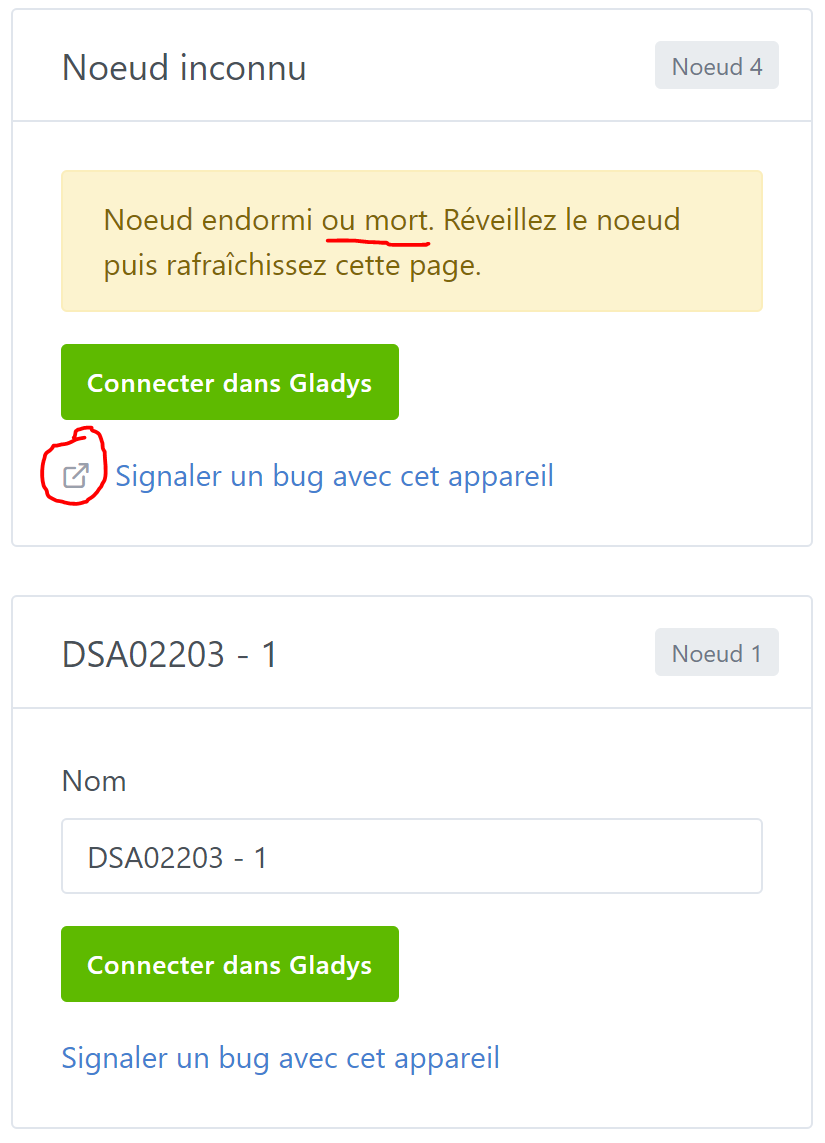
1st case (node 4):

  • I’m not sure that « dead node » is a good wording
  • the name is « dead », but it seems that you can still « connect it in Gladys »
  • on this card, the link looks correct, with the external link indicator

2nd case (node 1):

  • I can correctly add my device in Gladys
  • even though it has no feature
  • so I have a useless device in Gladys
  • if it has already been added, I don’t know it from the Discovery tab
  • on this card, the link is less clean than in the 1st one, the external link indicator is not displayed
EDIT: I can see my dimmer

For information, this device without features is a dimmer switch.
From the code, I would have expected to enter

  // dimmer binary
  {
    CATEGORY: DEVICE_FEATURE_CATEGORIES.SWITCH,
    COMMAND_CLASSES: [COMMAND_CLASSES.COMMAND_CLASS_SWITCH_MULTILEVEL],
    PROPERTIES: [PROPERTIES.TARGET_VALUE],
    TYPE: DEVICE_FEATURE_TYPES.SWITCH.DIMMER,
  },

Here is the value that should match (from my beginner eyes)

{
      "id": "11-38-0-targetValue",
      "nodeId": 11,
      "toUpdate": false,
      "commandClass": 38,
      "commandClassName": "Multilevel Switch",
      "endpoint": 0,
      "property": "targetValue",
      "propertyName": "targetValue",
      "type": "number",
      "readable": true,
      "writeable": true,
      "label": "Target value",
      "stateless": false,
      "commandClassVersion": 1,
      "min": 0,
      "max": 99,
      "list": false,
      "value": 0,
      "lastUpdate": 1680778550437,
      "newValue": 0
    }

(I’m not sure I’m providing the right information for debugging)

« Mort » or « Dead » is the Z-Wave wording; after all it’s a question of timing because if the device is awake, it will be recognized since at least one message is received from Z-Wave JS UI. Also, I reviewed the messages from the old Z-Wave

Thanks. Does the topic prefix work? I’m wondering because if I enter it, leave the page and come back, it disappears.

With the new version, I still can’t see my devices. It’s stuck in a loop. To be continued :wink:

And for information, my MQTT container indicates that a client is connecting.

I’ve deployed a new version; can you update?

I was able to test this evening. The new version fixed the prefix problem. However, I just noticed that I have the same issue with the « Topic with location » button: if I change the state, leave the page and come back the button returns to the initial state.

Discovery keeps looping and I don’t see any device appearing. On the logs side, it’s improved — besides being connected to MQTT I see a message indicating that a scan is in progress. But it doesn’t find anything at the moment.

Good evening,

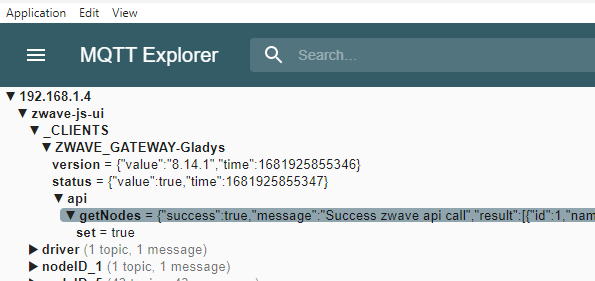
Do you have an MQTT explorer, like MQTT Explorer? You should see a message on the topic: <zwave-js-ui_prefix>/_CLIENTS/ZWAVE_GATEWAY-Gladys/api/getNodes

Otherwise can you send me the logs from your Gladys instance?

Good evening,

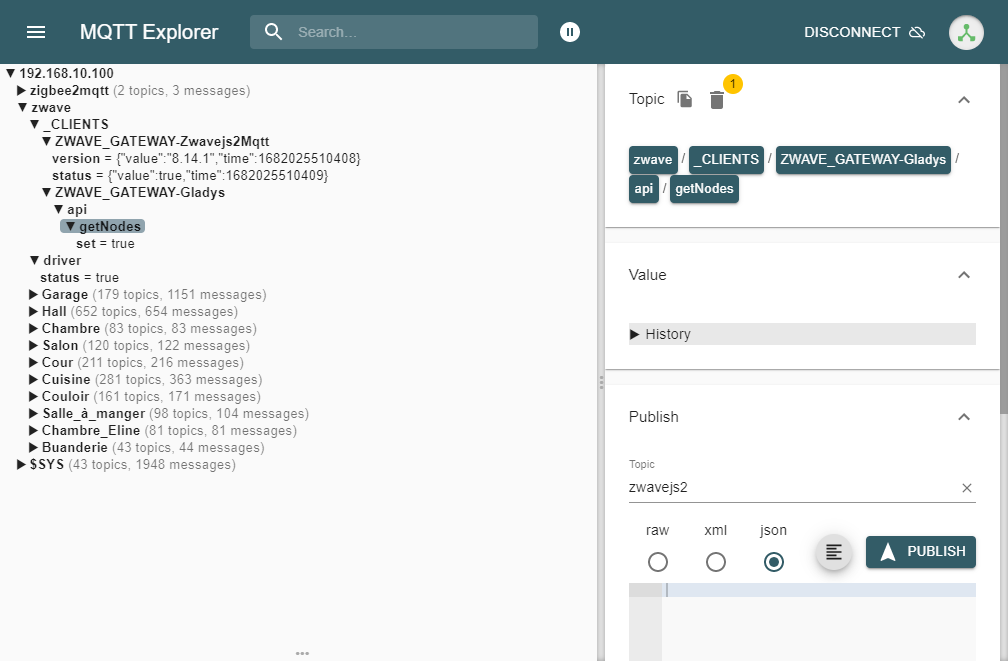
Here is what I have in MQTT Explorer:

No problem giving you the Gladys logs, but you’d need to tell me how I can retrieve them via Docker.

Hello,

You don’t have anything in the getNodes topic? Is that your production Z-Wave JS or was the installation done by Gladys? I had an issue 2 days ago after a Z-Wave JS update; nothing worked for me, I had to redo an update to get everything back to normal…

For the Gladys logs, you can run from the command line (depending on the name of your containers):

$ docker logs glad

This is my production zwavejs. I don’t have anything in the topic you pointed me to.
I’ll send you the logs tonight or at noon if I have a bit of time.

Hi,

I’ve restarted the Glayds container and purged the logs to give you something a bit cleaner:

2023-04-23T20:50:36+0000 enedis.sync.js:57 (EnedisHandler.sync) Enedis: Syncing account
2023-04-23T20:50:36+0000 enedis.sync.js:61 (EnedisHandler.sync) Enedis: Found 0 usage points to sync
2023-04-23T20:51:00+0000 scene.checkCalendarTriggers.js:24 (SceneManager.checkCalendarTriggers) Checking calendar triggers at Sun, 23 Apr 2023 20:51:00 GMT
2023-04-23T20:52:00+0000 scene.checkCalendarTriggers.js:24 (SceneManager.checkCalendarTriggers) Checking calendar triggers at Sun, 23 Apr 2023 20:52:00 GMT
2023-04-23T20:53:00+0000 scene.checkCalendarTriggers.js:24 (SceneManager.checkCalendarTriggers) Checking calendar triggers at Sun, 23 Apr 2023 20:53:00 GMT
2023-04-23T20:53:06+0000 connect.js:33 (ZwaveJSUIManager.connect) ZwaveJS UI USB dongle assumed to be attached
2023-04-23T20:53:06+0000 connect.js:152 (MqttClient.) Connected to MQTT container
2023-04-23T20:53:06+0000 connect.js:154 (MqttClient.) Listening to MQTT topics zwave-js-ui/#
2023-04-23T20:53:06+0000 connect.js:152 (MqttClient.) Connected to MQTT container
2023-04-23T20:53:06+0000 connect.js:154 (MqttClient.) Listening to MQTT topics zwave/#
2023-04-23T20:53:06+0000 handleMqttMessage.js:81 (ZwaveJSUIManager.handleMqttMessage) ZwaveJSUI scan in progress. Bypass message.

We can see that it connects to MQTT and listens on the zwave topic. That’s the topic I specified in the config. However, I have no idea why it’s listening on zwave-js-ui.

The logs loop on the last line, it scans but finds nothing.

On the ZwaveJS UI side, I have so much stuff that it’s very difficult to make use of without knowing exactly what I’m looking for.

It’s already odd that it’s listening on 2 topics, zwave and zwave-js-ui…

However, a message is indeed sent to zwave/_

Hello everyone,
I have been using Z-Wave for 7 years with Domoticz.
Since I started using Gladys, I have been eagerly awaiting this integration.

For 3 days I have been trying to do what is indicated on the site Z-Wave JS UI but I am running into problems:

1 Like