For the USB Zigbee key connection error, I’ve had this case before. If you have an antenna, you can try unscrewing it and then retry by removing the Z2M container. Otherwise, you can try removing the container, unplugging your Zigbee key, and trying again.
My bad, I was mainly looking at the first screenshot, I imagine that the first screenshot does not come from your first attempt, and that you must have tried to stop/restart Zigbee2mqtt several times?
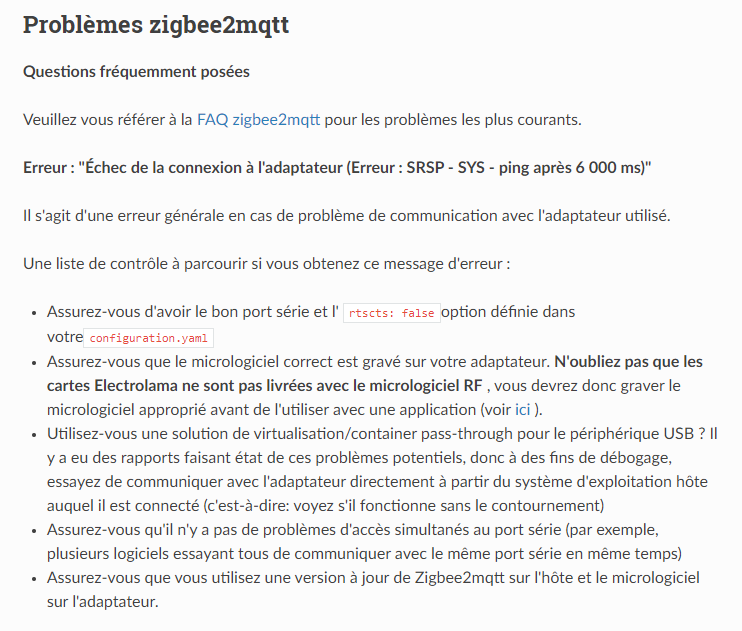
The second screenshot clearly shows an error on the Zigbee2mqtt side
On the other hand, the first screenshot has no link, I think there is a bug when we try to stop/restart Zigbee2mqtt many times in a row, this part does not work well, I had noticed the same thing during my tests of this integration.
Yes, that’s it.
I think my mistake was that I tried to launch the Zigbee2mqtt integration before setting up the Mqtt integration.
So yes, I launched Zigbee2mqtt, then stopped and restarted it afterwards.
If that’s the case, shouldn’t there be a message or even a prohibition to activate the zigbee2mqtt integration before activating Mqtt?
I agree with @VonOx, the two integrations were specifically designed to be independent and run two different Mosquitto brokers to avoid these problems.
I think it’s more of a concurrency issue, like you launch, you stop, you restart, and it gets tangled up.
In any case, that’s not the issue here, the second screenshot is the bug.
In the end, I found the issue (of the first bug, not the Zigbee2mqtt bug). I had already talked about this problem in the Zigbee2mqtt integration code. There is a bug when someone installs/uninstalls/then reinstalls Zigbee2mqtt. A global object is mutated (I don’t know if you remember @VonOx), and this creates this bug.
I was working on this this afternoon regarding Unraid/Synology compatibility, and I observed the issue.
I fixed it at the same time as my PR
I specify that I am talking about the 1st screenshot. The second one has nothing to do with Gladys, and it’s another issue!
@Tlse-vins Are you absolutely sure the problem is coming from Zigbee2mqtt?
I went to investigate a bit today on the Zigbee2mqtt side, and indeed there are GitHub issues with the same problem, but there is no « official » message, nor even a PR in progress to fix this issue.
I’m not sure that the Zigbee2mqtt maintainers consider this issue a bug on their side.
I went to read a bit of the documentation (the links you posted), and indeed:
Maybe the USB key is on the wrong port? (I know you’ve already checked but you never know)
Maybe the USB key just doesn’t work anymore? (I don’t really know how we could test that, with another home automation software that doesn’t use Zigbee2mqtt? ^^)
I’m not 100% sure, and you’ve probably done more research than me.
What I’ve deduced is that after a new installation with this key, there have been several cases reported on the forum (is this all coming from that?) @VonOx Vincent, you have the same key (from memory) a CC2652R ZZh, right?
Are you having problems with your installation? Can you test on a new installation?
I searched for a minute but not more, so clearly I’m far from being an expert on the subject, I’m just here to help but I’m not at all the word of truth ^^
There are other various messages about the integration, but for now I think you are only two to have seen the famous message with the « Ping after 6000ms ». The others are waiting for the logs.
A new installation, I can’t reinstall everything, sorry (I have a special homeassistant configuration, pan_id, network key, custom port, etc.) because I have people. And I’m on the dev image because I’m working on lixee TIC support.
I have this issue on my Ubuntu server, in case of a reboot, the USB ports are not available. I have to stop the containers, unplug/replug my dongles (zwave & zigbee) and then restart the containers.
Another issue, concurrent access, an application that would try to use the USB device.
Couldn’t all this be related to the power supply issue from the Pi? In short, not enough juice for the SSD + dongles?
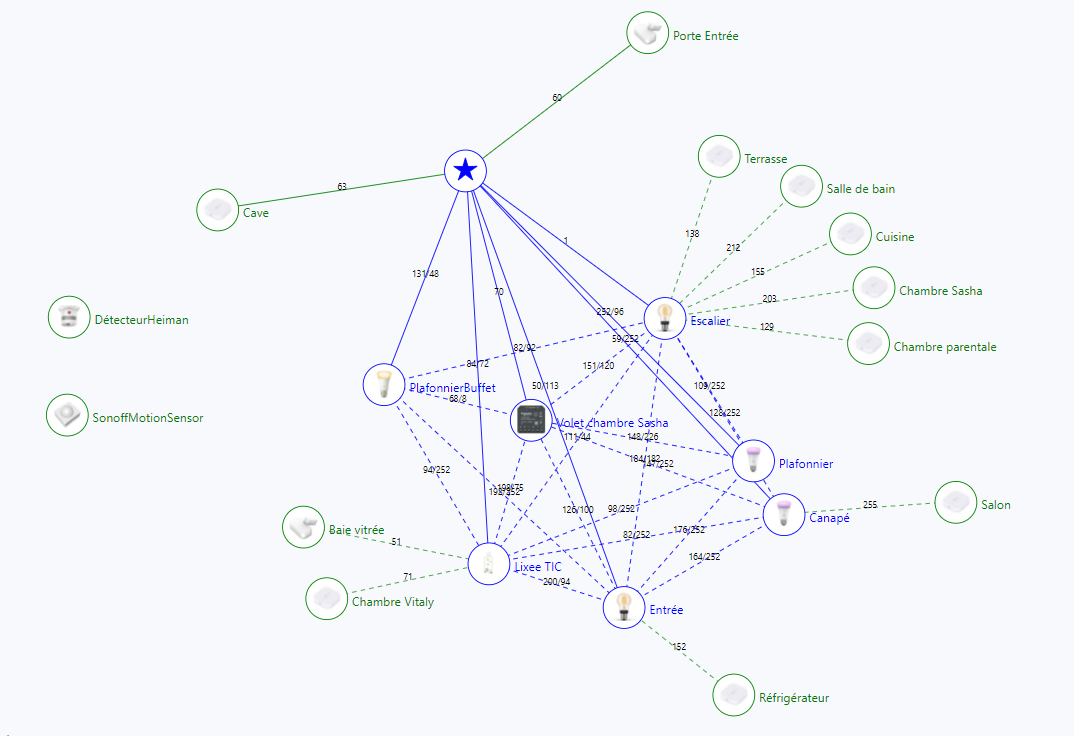
– Sorry everyone, I’m going to go off-topic for a moment – @VonOx I see that on your z2m map you have renamed your devices. I had (a long time ago) read that it was best to avoid because it could cause chaos between z2m and Gladys in terms of renaming.
So I renamed everything in Gladys but not in z2m… which is not practical at all.
Can I also rename in z2m? Should I use exactly the same name or does it not matter?
It’s a production instance… so I wouldn’t want to break everything!

 There is an issue with Docker volumes. No connection to Zigbee2mqtt.