Hello,
ZigBee hasn’t been working for a long time.
I had given up on it and decided to get back to it.
Problem encountered:
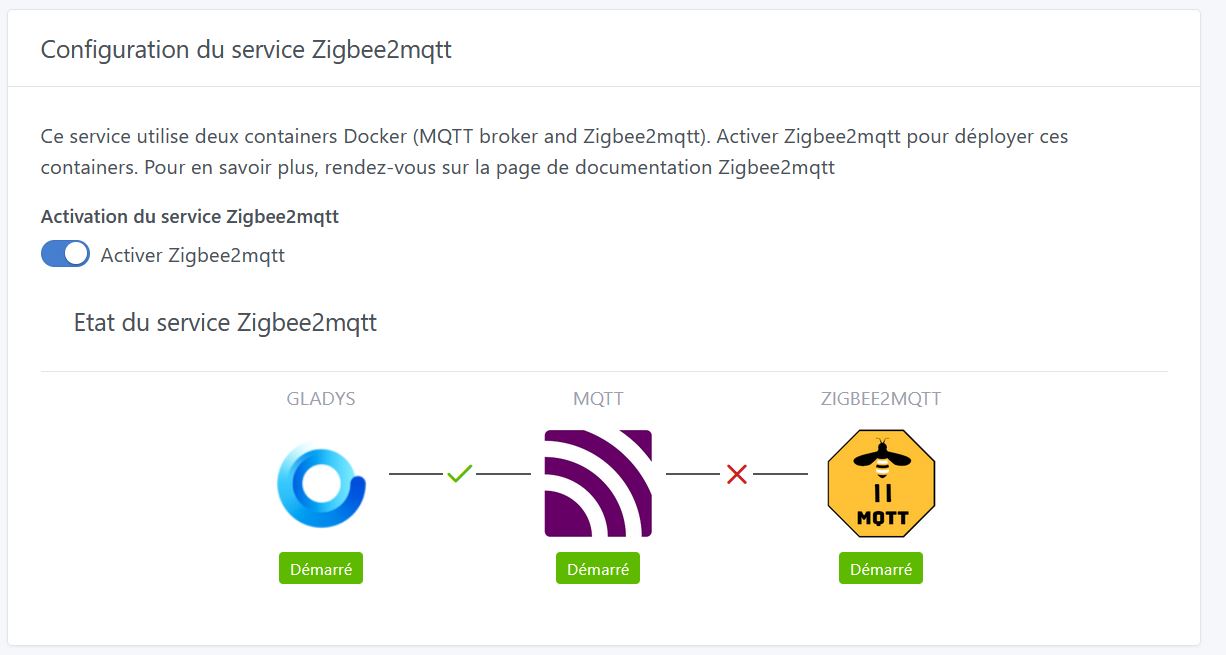
The containers start, but the MQTT - ZIGBEE2MQTT connection does not appear in the interface.
I repeated the following several times without success:
I searched Google for this error message and found this:
Which leads me to this:
There was an issue with Zigbee2mqtt earlier this year for Raspberry Pi users, and you need to perform a workaround to fix it. There’s nothing we can do on Gladys’s side
I just did what the site said , then docker restart gladys-z2m-zigbee2mqtt
Then refreshed the Zigbee2mqtt service config page
and all the checkboxes are green
Has anyone by chance encountered the following error with gladys 4.9.2 and a Sonoff dongle?
Fatal error in , line 0
unreachable code
#FailureMessage Object: 0x7e8d16a4
Using ‹ /app/data › as data directory
I should point out this was the first attempt to connect the dongle.
I followed the method above but with no effect, zibee2mqtt refuses to start.
Have a good day, everyone.
EDIT: I managed to fix the issue by doing a reboot and « docker rm gladys-z2m-zigbee2mqtt » to force a complete configuration. It works now.
EDIT2: Working with the Lidl motion sensor (which reports battery level and motion). Since it uses AAA batteries, it’s a good choice for those who use rechargeable batteries.
I have the same issue, what exactly did you do? my setup: Raspberry Pi 3B+ a Transcend 128 GB TS128GMSA230S mounted on a Suptronics X850 powered by an Aukuru 5V 3A power supply plus the Sonoff dongle (which works on a Beelink BT3 Pro without any problem). From the logs the zigbbe2mqtt container seems to reboot in a loop and ends up freezing the Pi, forcing me to shut down and restart the Pi each time!
@pierre-gilles there’s no button in Gladys to properly stop/restart the Pi and also no way to control the containers (stop, restart, status)… makes production deployment difficult!
Did you only do the part => « # Notes for Raspberry Pi users »?
I didn’t have any problems with the Beelink BT3Pro; I think the Raspberry Pi 3B+ isn’t great or well suited. You have to use an SSD to avoid microSD corruption, but then you end up with a power issue apparently or you have to perform a somewhat unclear procedure — I don’t want to move to a Pi 4 for that!
As stated above, I had installed Gladys on a NUC Beelink BT3 Pro II and did not have this problem, so I conclude that it comes from the power supply (ordered today a 4A for Pi 4 — I’ll see if the problem disappears) or from the Gladys Raspberry architecture!
But I think I’m going to reinstall Gladys on a NUC Beelink BT3 Pro II and sell the Raspberry gear; that way I’ll have 3 Beelink BT3 Pro II units — one for Jeedom, one for HA, one for Gladys — which will allow me to test the three solutions because, for the moment, they all offer complementary possibilities!
I am a beginner and not very comfortable with English; I started by testing Home Assistant with a SONOFF Dongle - Zigbee 3.0 USB key (V2) ZBDongle-E, which succeeded.
I now want to test Gladys with that same dongle, but I have a Zigbee2MQTT connection problem, a red cross between MQTT and Zigbee2MQTT.
I tried to follow some of the advice above here but without success, my Raspberry is reporting: Bullseye, I did not follow the instructions: Docker | Zigbee2MQTT
So I wonder if my dongle is being used by Home Assistant — shouldn’t it be reset? If so, is the solution to reflash it or to use the reset button?
Above all, you need to make sure your dongle isn’t being used at the same time by HA, otherwise it can’t be used by Gladys! Is that the case in your setup?
Otherwise you can check the logs of the Zigbee2mqtt container if you want to understand what’s going wrong!
Thanks for the reply — indeed my dongle is not used by Home Assistant (HA) at the same time; my two instances are on different SD cards that I swap on my Pi.
For the container logs, can I see them on the Gladys interface? Otherwise, could you tell me where to view them and the commands?
For clarity, I installed my Gladys instance by flashing it directly onto the SD, not via Docker from Linux — is it possible to return to a Linux graphical interface?
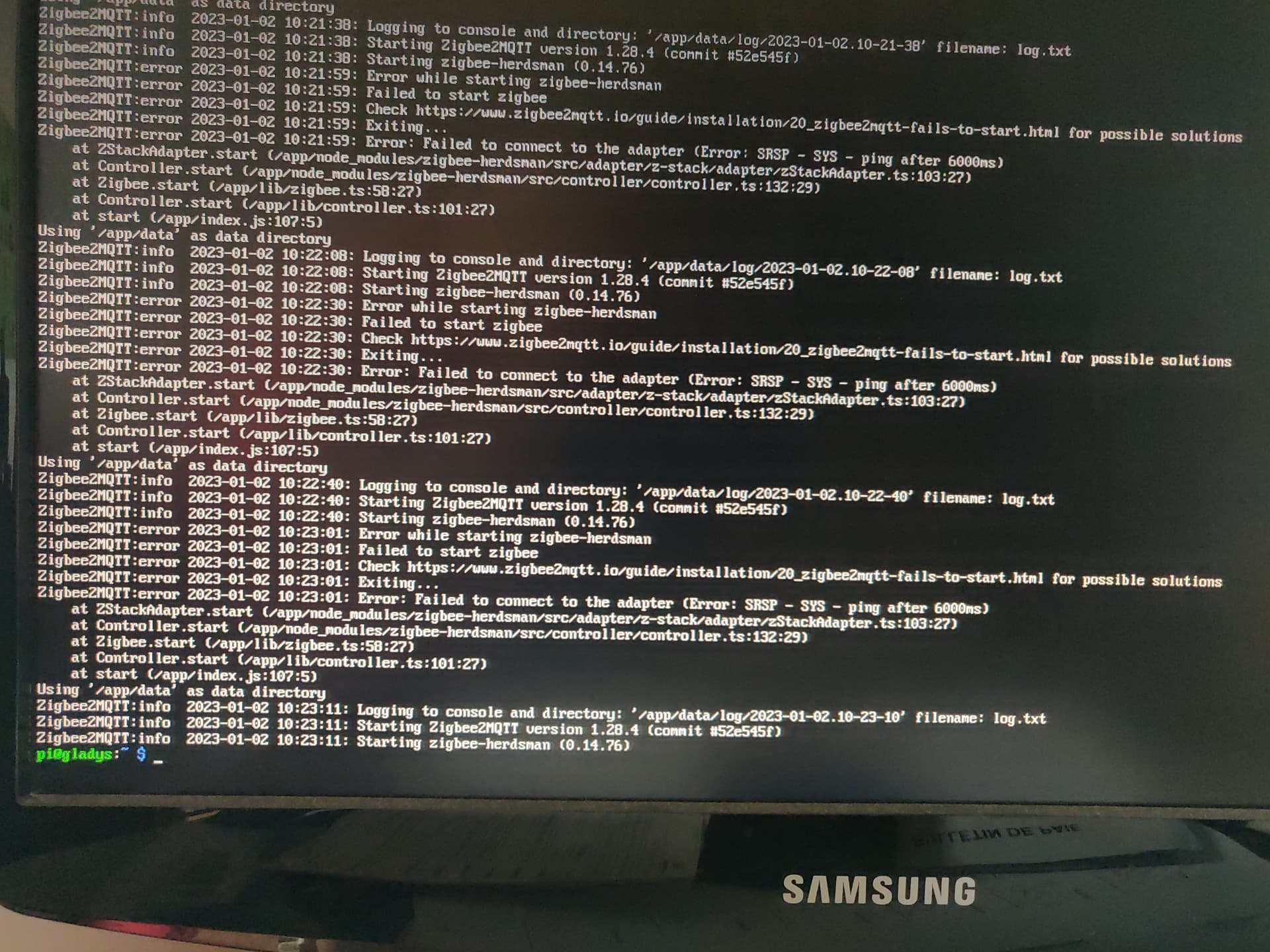
Otherwise, here is what the log command returns to me:
Power issue. Your Pi may not necessarily have enough power to run the dongle plus something else in parallel (e.g., external drive). Check that your Pi is properly powered, and if you have an external drive, try using a powered USB hub
Firmware bug on your Zigbee dongle. It happens, and in that case installing the latest firmware version is a good solution
In any case, you have all the troubleshooting leads on the Zigbee2mqtt website. As a reminder, Zigbee2mqtt is an independent project from Gladys — we only launch the container in Gladys, then everything is managed by that project!

 , then