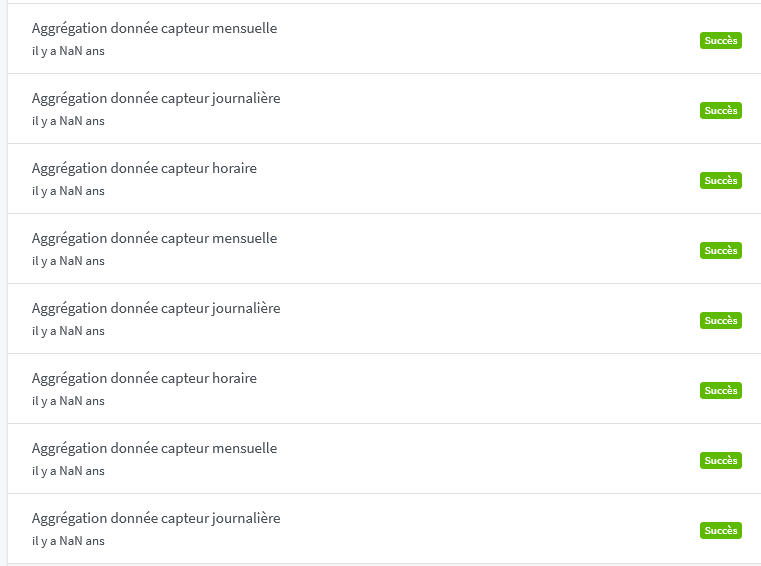
Dates displayed as NaN in the "Background Tasks" tab

Hello,
I’ve had this in the logs for a while.

2022-12-18T11:47:00+0100 \u003cinfo\u003e scene.checkCalendarTriggers.js:24 (SceneManager.checkCalendarTriggers) Checking calendar triggers at Sun, 18 Dec 2022 10:47:00 GMT
2022-12-18T11:48:00+0100 \u003cinfo\u003e scene.checkCalendarTriggers.js:24 (SceneManager.checkCalendarTriggers) Checking calendar triggers at Sun, 18 Dec 2022 10:48:00 GMT
2022-12-18T11:49:00+0100 \u003cinfo\u003e scene.checkCalendarTriggers.js:24 (SceneManager.checkCalendarTriggers) Checking calendar triggers at Sun, 18 Dec 2022 10:49:00 GMT
2022-12-18T11:50:00+0100 \u003cinfo\u003e scene.checkCalendarTriggers.js:24 (SceneManager.checkCalendarTriggers) Checking calendar triggers at Sun, 18 Dec 2022 10:50:00 GMT
2022-12-18T11:51:00+0100 \u003cinfo\u003e scene.checkCalendarTriggers.js:24 (SceneManager.checkCalendarTriggers) Checking calendar triggers at Sun, 18 Dec 2022 10:51:00 GMT

Does anyone know where this could be coming from?
I don’t have any scene running with a calendar and no calendar configured.

Another thing:


I don’t understand why the execution « date » is never shown

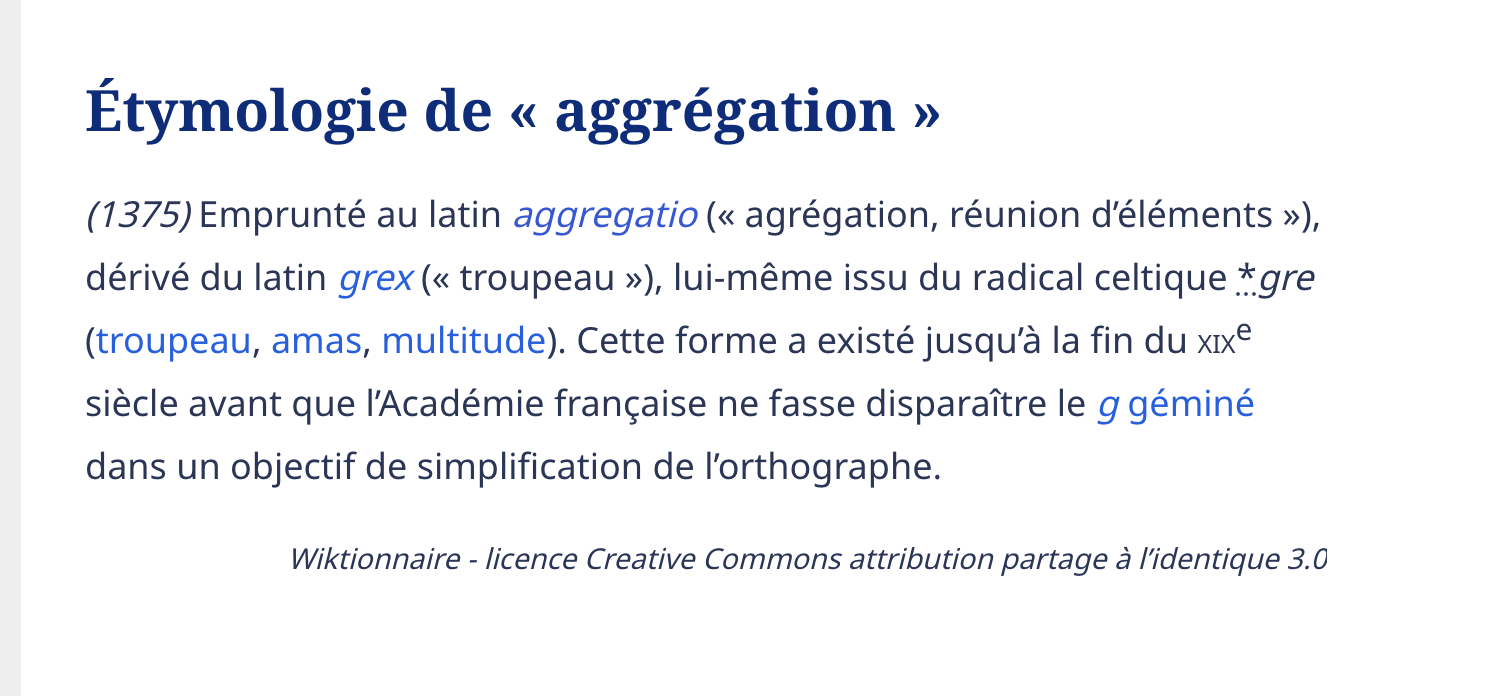
Also, there’s only one « g » in agrégation

This is a normal log; it’s just Gladys checking whether you have any scenes with a calendar.

There’s nothing to do :slight_smile:

That’s crazy; we’ve seen this bug several times with some users but it’s impossible to reproduce.

Could you check your browser logs, the « Network » tab, and show me the result of the API call GET /api/v1/job?take=15&skip=0? :slight_smile:

Indeed, apparently both spellings exist (hence why spellcheckers don’t correct it), but the form with two g’s apparently is no longer used ^^

I learned something!

I’ll fix that

Same issue on my side

1 Like

I think this is it:

[{\"id\":\"2e1faf4f-83c4-4ea8-a2e4-807bf84617fa\",\"type\":\"monthly-device-state-aggregate\",\"status\":\"success\",\"progress\":99,\"data\":{},\"created_at\":\"2022-12-19 15:02:25.401 +00:00\",\"updated_at\":\"2022-12-19 15:02:30.859 +00:00\"},{\"id\":\"d3398f75-218c-4adf-8154-25ba019bfcb7\",\"type\":\"daily-device-state-aggregate\",\"status\":\"success\",\"progress\":99,\"data\":{},\"created_at\":\"2022-12-19 15:02:19.655 +00:00\",\"updated_at\":\"2022-12-19 15:02:25.392 +00:00\"},{\"id\":\"d70fbd61-f4f7-43e8-abe2-16d4fdd522c3\",\"type\":\"hourly-device-state-aggregate\",\"status\":\"success\",\"progress\":99,\"data\":{},\"created_at\":\"2022-12-19 15:02:12.794 +00:00\",\"updated_at\":\"2022-12-19 15:02:19.645 +00:00\"},{\"id\":\"ae56e6a0-b9ba-40eb-906f-67ae4c862106\",\"type\":\"monthly-device-state-aggregate\",\"status\":\"success\",\"progress\":99,\"data\":{},\"created_at\":\"2022-12-19 14:02:26.049 +00:00\",\"updated_at\":\"2022-12-19 14:02:32.108 +00:00\"},{\"id\":\"4197d1c2-e3d7-4205-96e1-e914316f15b3\",\"type\":\"daily-device-state-aggregate\",\"status\":\"success\",\"progress\":99,\"data\":{},\"created_at\":\"2022-12-19 14:02:20.121 +00:00\",\"updated_at\":\"2022-12-19 14:02:26.040 +00:00\"},{\"id\":\"b3d84ceb-2b95-43af-ac7e-f82d823a5767\",\"type\":\"hourly-device-state-aggregate\",\"status\":\"success\",\"progress\":99,\"data\":{},\"created_at\":\"2022-12-19 14:02:12.793 +00:00\",\"updated_at\":\"2022-12-19 14:02:20.112 +00:00\"},{\"id\":\"632fca35-d94d-4986-a70c-82413d29b874\",\"type\":\"monthly-device-state-aggregate\",\"status\":\"success\",\"progress\":99,\"data\":{},\"created_at\":\"2022-12-19 13:02:24.973 +00:00\",\"updated_at\":\"2022-12-19 13:02:30.384 +00:00\"},{\"id\":\"1dc49208-ab7e-4435-9b10-42e1c8a64b01\",\"type\":\"daily-device-state-aggregate\",\"status\":\"success\",\"progress\":99,\"data\":{},\"created_at\":\"2022-12-19 13:02:19.720 +00:00\",\"updated_at\":\"2022-12-19 13:02:24.964 +00:00\"},{\"id\":\"ae611a59-a255-4382-b21a-3cf9474b28b9\",\"type\":\"hourly-device-state-aggregate\",\"status\":\"success\",\"progress\":99,\"data\":{},\"created_at\":\"2022-12-19 13:02:12.792 +00:00\",\"updated_at\":\"2022-12-19 13:02:19.711 +00:00\"},{\"id\":\"b165e458-5c34-4ac6-bcd7-9c15c53177b8\",\"type\":\"monthly-device-state-aggregate\",\"status\":\"success\",\"progress\":99,\"data\":{},\"created_at\":\"2022-12-19 12:02:22.755 +00:00\",\"updated_at\":\"2022-12-19 12:02:28.409 +00:00\"},{\"id\":\"8b198299-0298-4d8c-8f32-db7009e4b0b4\",\"type\":\"daily-device-state-aggregate\",\"status\":\"success\",\"progress\":99,\"data\":{},\"created_at\":\"2022-12-19 12:02:17.848 +00:00\",\"updated_at\":\"2022-12-19 12:02:22.747 +00:00\"},{\"id\":\"218b89e7-a17e-4b69-95fa-a9a51d46628e\",\"type\":\"hourly-device-state-aggregate\",\"status\":\"success\",\"progress\":99,\"data\":{},\"created_at\":\"2022-12-19 12:02:12.791 +00:00\",\"updated_at\":\"2022-12-19 12:02:17.833 +00:00\"},{\"id\":\"368e2e9b-2891-4c92-8dfc-9758cef7aff6\",\"type\":\"monthly-device-state-aggregate\",\"status\":\"success\",\"progress\":99,\"data\":{},\"created_at\":\"2022-12-19 11:02:23.096 +00:00\",\"updated_at\":\"2022-12-19 11:02:28.552 +00:00\"},{\"id\":\"7d7cd4f4-1bc0-4820-85f0-679df43ed539\",\"type\":\"daily-device-state-aggregate\",\"status\":\"success\",\"progress\":99,\"data\":{},\"created_at\":\"2022-12-19 11:02:18.213 +00:00\",\"updated_at\":\"2022-12-19 11:02:23.087 +00:00\"},{\"id\":\"519a7c51-752b-4bb1-8acc-ad506e50ed14\",\"type\":\"hourly-device-state-aggregate\",\"status\":\"success\",\"progress\":99,\"data\":{},\"created_at\":\"2022-12-19 11:02:12.789 +00:00\",\"updated_at\":\"2022-12-19 11:02:18.204 +00:00\"}]
Thank you for your logs :folded_hands:

I’ll let you know when I work on it.

1 Like

Thanks for the snippet, I just tested on my side and I can’t reproduce it! :confused:

I looked at the code, and I really don’t see what could cause this bug…

A few questions:

  • Are you on the latest Gladys version, and not a forked version? (Gladys Assistant >= v4.13.2)
  • On a supported browser (Firefox, Chrome, Safari)?
  • Gladys local or Gladys Plus?
  • Have you tested in private/incognito mode (just to check if it’s not a cache bug from an older version of the front-end)?
  • Does the bug appear 100% of the time, or randomly?

We’ll find it!

Yes (updated this morning)

Firefox and Safari not working
Chrome/Brave OK

Gladys local (from several devices at home: mobile/mac/iPad)

Yes, same behavior

Hard to say. I’d say 100% of the time on the same browser/device.
I thought it might be a browser language issue, but I tested without success.

I’ll do some debugging in the Front-end JS in dev mode and I’ll update.
Don’t worry about it, it’s a minor bug for me.

[

I can also confirm that for me it’s OK in Chrome and not in Firefox.

I can reproduce it too, I figured out the bug :grin: the parsing of this date format works in Chrome but not in Safari or Firefox

You need to switch to a more standard format readable by all browsers, this can be done on the front end ^^

@cicoub13 if you want to make a small PR, otherwise I’ll do it :grinning_face_with_smiling_eyes:

So I took a look and I need an opinion before fixing.

According to the dayjs documentation, the library only accepts date parsing in the ISO 8601 format 2018-04-13 19:18:17.040+02:00

But the job dates are stored with this format YYYY-MM-DD HH:mm:ss.SSS Z (like 2023-01-20 20:39:46.089 +00:00) with a space.

I have no idea why Chrome and Safari work and not Firefox :man_shrugging:

There are several solutions:

  • Modify how we store dates in the database to comply with the ISO 8601 format. Heavy and the impacts elsewhere are uncertain
  • Transform the data when retrieving job objects in settings-background-jobs/index.js
  • Modify the RelativeTime component to specify the Custom format during parsing

let relativeTime = dayjs(datetime, 'YYYY-MM-DD HH:mm:ss.SSS Z');

This last proposal is what I’m pushing in a PR here
It works for the Jobs page, but :warning: the component is also used for devices of type Sensor.

Chrome’s date parser is more permissive :slight_smile: dayjs is just a wrapper around new Date(), if you compare across browsers, Chrome accepts formats that the others don’t.

I’d be in favor of that option!

The RelativeTime component is used in quite a few places, and I don’t think it’s desirable for the default behavior of this component to be that it only accepts dates in a non-standard string format.

Currently, the advantage of this component is that it also accepts JavaScript Date objects as parameters

2 Likes
1 Like

Thanks for the PR @cicoub13 :pray:

I’m good with the conversion, but be careful your PR doesn’t handle all cases, notably adding/updating jobs over WebSockets :slight_smile:

OK I’ll go over that again, I’m rusty :blush: