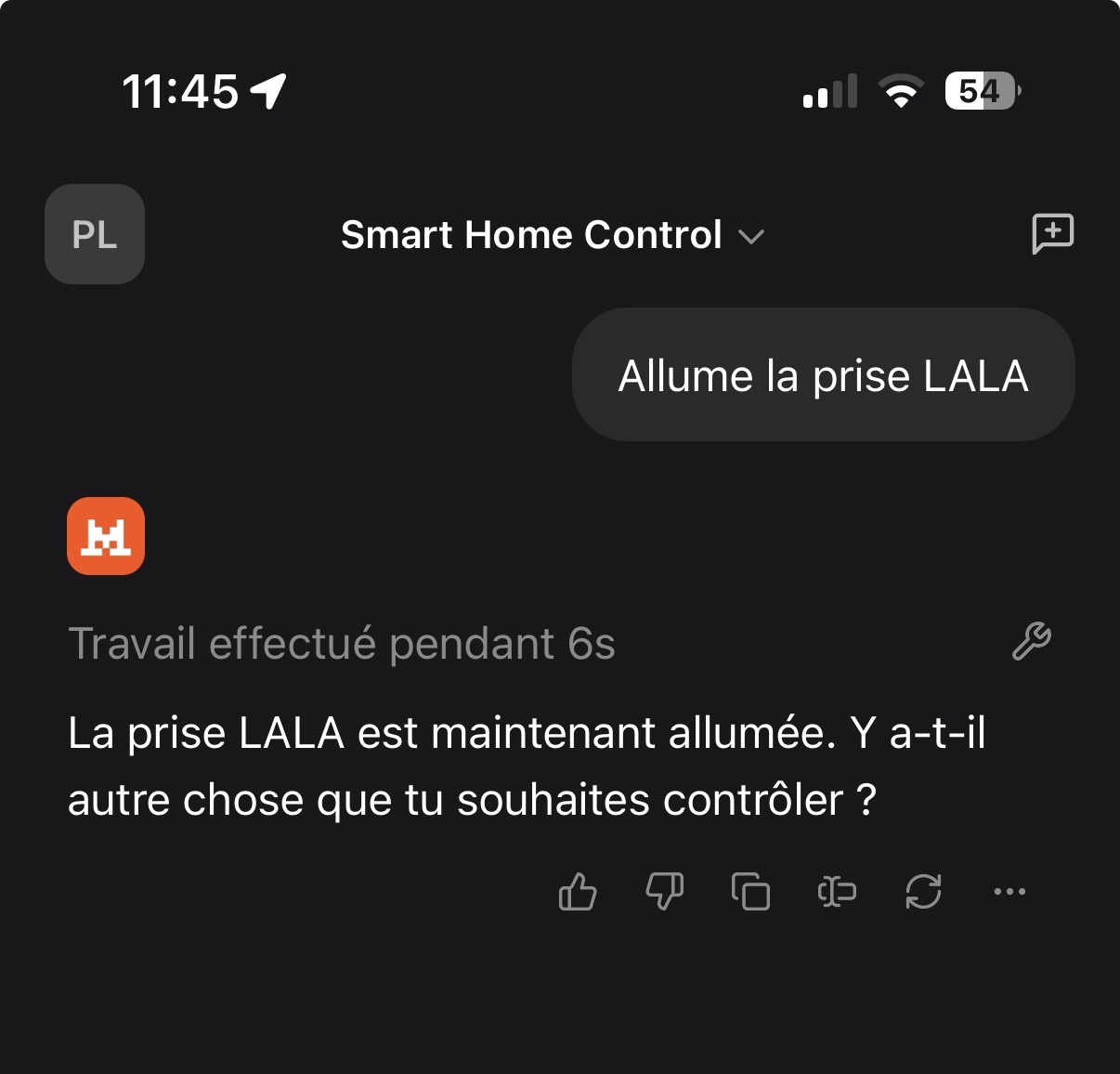
I just pushed local authentication; the image is being built. To access the MCP you now need to generate an API key from the integration interface and then configure your MCP client to send an Authorization header with the generated key as its value.
For example, to use it via GitHub Copilot in VS Code, here is the configuration
Then enter this URL in your MCP client https://api.gladysgateway.com/v1/api/mcp/\u003cOPEN_API_KEY\u003e replacing \u003cOPEN_API_KEY\u003e with the newly generated key.
For example, on Le Chat de Mistral, go to Intelligence → Connectors
Indeed it may not happen immediately; there are two things to take into account. First, on the Gladys side the schema is generated at service startup — we can add a « Restart » button like we did for HomeKit to regenerate the schema if the user has just added a new device. For the client side, it depends on the implementation. Generally what I’ve noticed is that the client checks the schema at startup and if you modify the MCP configuration in your client and save.
Normally I think I’ve included all sensor types, but a few may be missing.
I’ll clarify that: it’s all sensors plus compatible controllable devices (currently light, switch).
Could you give me the category and the type of feature associated with this functionality please? I’ll check
Recently I’ve been learning on YouTube how to create an AI agent with N8N. If I understood the MCP’s operation correctly, this server would allow me to connect Gladys to my AI agent and talk with it to launch scenes, retrieve sensor information and control my plugs and lights without going through Google Home or Alexa, which are very limited?
I pushed the requested changes. For info, I also made a small update to find the correct device requested by the user — if the exact name doesn’t exist we perform a check for similar names using the Levenshtein distance. In most cases this shouldn’t be necessary since the whole schema is based on enums, but some MCP clients don’t seem to take them into account. After a quick test with 11ai that you mentioned above, it doesn’t seem to handle enums correctly, and these small changes, although not perfect, should help a bit (an improvement on 11ai’s side would be much more effective).
I just updated my Gladys, and the service is experiencing a startup error on my production environment. Apparently due to a device that may not have a room (I suppose).
compose-gladys-1      | 2025-11-03T16:18:35+0100 \u003cinfo\u003e index.js:27 (Object.start) Starting MCP service
compose-gladys-1      | 2025-11-03T16:18:35+0100 \u003cwarn\u003e service.start.js:44 (Service.start) Unable to start service mcp TypeError: Cannot read properties of null (reading 'selector')
compose-gladys-1      |     at /src/server/services/mcp/lib/buildSchemas.js:41:28
compose-gladys-1      |     at Array.forEach (\u003canonymous\u003e)
compose-gladys-1      |     at MCPHandler.getAllResources (/src/server/services/mcp/lib/buildSchemas.js:28:17)
compose-gladys-1      |     at MCPHandler.createServer (/src/server/services/mcp/lib/createServer.js:26:4)
compose-gladys-1      |     at Object.start (/src/server/services/mcp/index.js:29:5)
compose-gladys-1      |     at Service.start (/src/server/lib/service/service.start.js:33:7)
compose-gladys-1      |     at start (/src/server/api/controllers/service.controller.js:22:21)
However, I still can’t find the device in question, I’ll check the DB to see if I can find it
Edit:
It’s the device linked to the Enedis service that’s causing the problem, I’ll delete it for now I don’t use it
2025-11-03T15:04:03+0100 \u003cwarn\u003e service.start.js:44 (Service.start) Unable to start service mcp TypeError: Cannot read properties of null (reading 'selector')
    at /src/server/services/mcp/lib/buildSchemas.js:41:28
    at Array.forEach (\u003canonymous\u003e)
    at MCPHandler.getAllResources (/src/server/services/mcp/lib/buildSchemas.js:28:17)
    at MCPHandler.createServer (/src/server/services/mcp/lib/createServer.js:26:4)
    at Object.start (/src/server/services/mcp/index.js:29:5)
    at Service.start (/src/server/lib/service/service.start.js:33:7)


 Retrieve device states (temperature, humidity, open/closed, light…)