Graphics improvements

Hey !!

Actually I’m in the process of following up after v4.45 ^^.
I reopened the 1st PR 15 minutes ago (I’ll start with the binaries if that works for you), I’m catching up with DuckDB and seeing the new behavior and I’ll get back to you afterwards !!

As for this PR exactly … this minor thing actually took me an insane amount of time … I’ll be honest … I didn’t manage to … Note I’m not referring to your point specifically. To me the code around it doesn’t seem right. But I need to dive back into it and we’ll talk about it afterwards if that works for you.

Do you prefer that I prioritize this one or the binaries?

What can’t you manage to do?

Up to you, but for me that one is really, really cool for very little work, it’s super simple ^^

1 Like

Oki !! (even if the binaries, I think there was nothing left except a display issue on mobile as far as I remember ^^) but that works for me ^^

I’m checking it out ^^ But from what I remember it was about handling the display of dropdown menus appearing above/below in mobile mode due to the change in handling for dynamic columns… but I just ran the tests with my June changes and I don’t have the issue…
A positioning/overflow issue…

It’s complicated to let too much time pass!!^^

1 Like

Ok it’s fine I found it again.

When I made the change you asked me for (nothing major to begin with ^^), I ran some more complete tests and I ran into this issue:

  • I was using overflow: hidden; on the column styles to keep the columns properly sized when the screen is reduced.

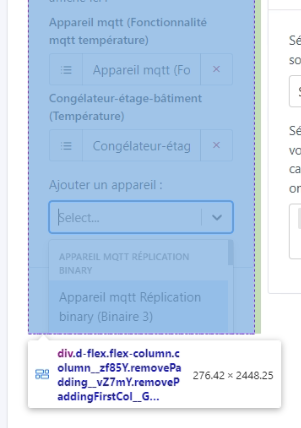
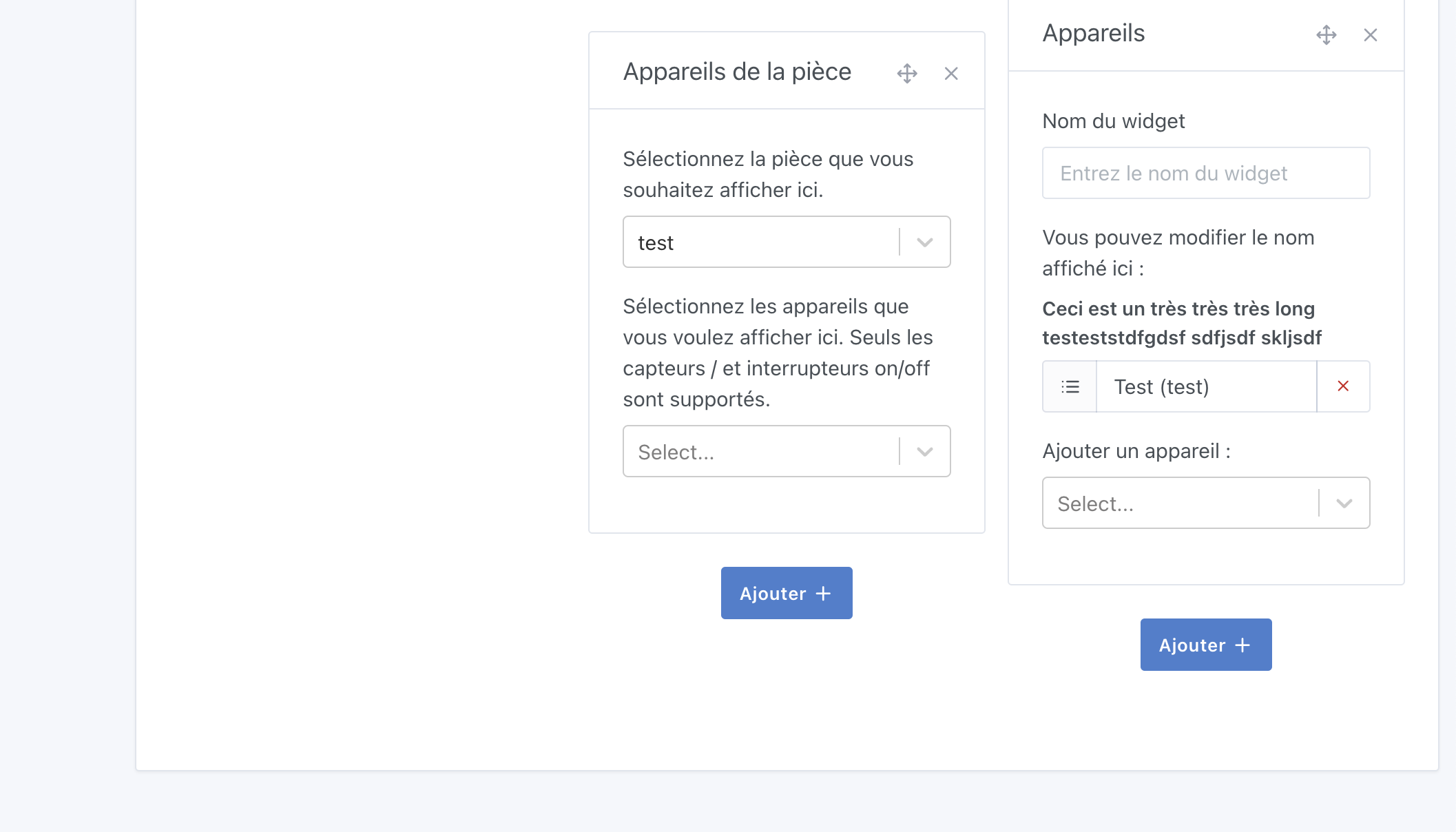
    However this produces this on the « Room devices » and « Devices » widgets:

    (the widget exceeds the column height and the hidden therefore hides what overflows.

I try to remove it but then the column sizing is no longer correct when the screen is reduced…
addcolumnbug-ezgif.com-optimize

I pushed the code like that and updated to 4.45, tell me what you think? ^^ …

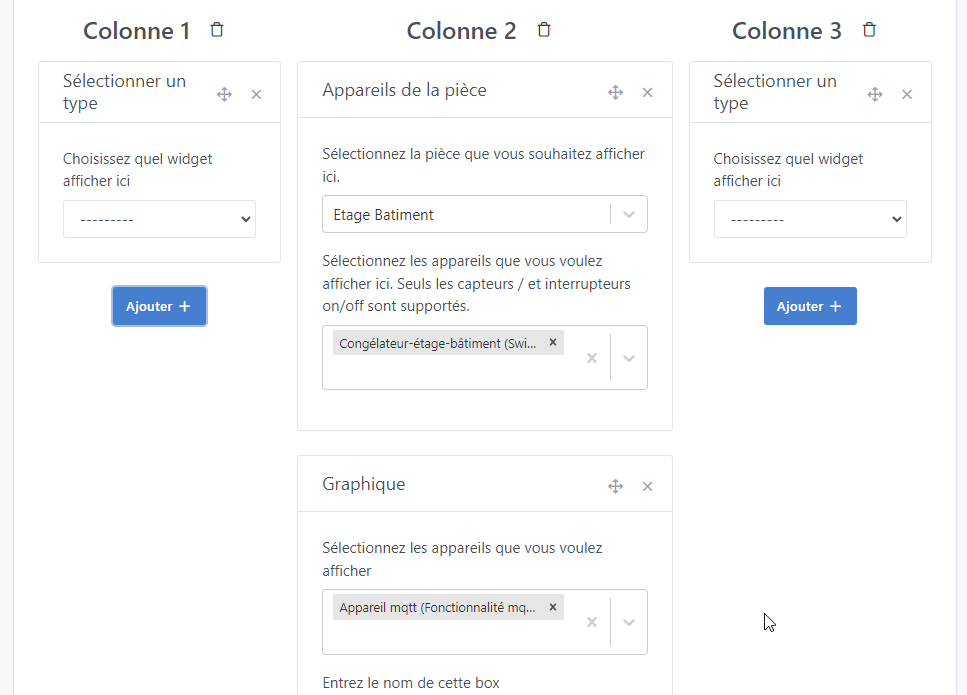
@Terdious I pulled your branch, I think the button to add widgets is missing :

I don’t really see the point of overflow:hidden, isn’t that what we’re supposed to use to manage the column widths? :thinking:

Argh!! Indeed, a change that I hadn’t reapplied!! It’s been pushed, they’re back! Sorry

I’m trying to reproduce it but even when removing the overflow:hidden, it works

I honestly admit I didn’t understand either!!

The problem doesn’t appear (without overflow:hidden) on a new empty dashboard.

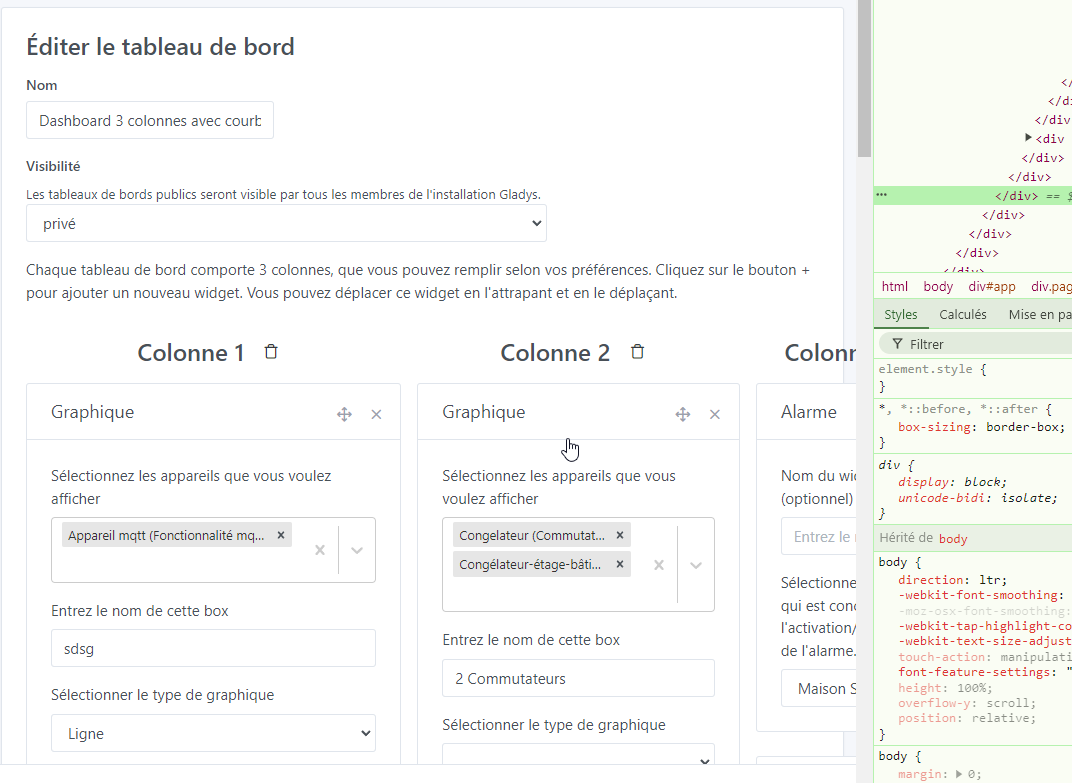
But when filling the columns, for example with a graph box that slightly increases the size of the column, you start to see that the 3rd column becomes smaller than the other 2:

and if we continue:

When I put the CSS overflow:hidden (clearly an idea from ChatGPT since my searches yielded nothing), it does solve this problem, but creates the problem at the bottom of the page ^^

Put lots of boxes ^^ and fill them ^^

Sorry, I’ve filled it to the max, it works perfectly ^^ Do you have another tip to reproduce it?

I’m on Chrome

Ok, I understand, the bug only happens in French

I was in English

1 Like

Raaaa ^^ but yes, the longer sentences

I just did some more tests, I think it’s all the boxes that use React tools!! (At first glance it seems to be import Select from 'react-select';)

I have the issue with the boxes:

  • Devices
  • Devices in the room
  • Charts

And that’s it

I think that anyway the breakpoint is too low — 992px is tiny to switch to vertical, you can’t see anything at all in 3 columns, it’s unusable anyway.

I tested by changing to:

@media (max-width: 1280px) {

And that resolves the issue in French :slight_smile:

So, it switches to vertical display at 1280px, which I find much more realistic

2 Likes

For this kind of issue, I find ChatGPT pretty dumb — it gives hacky, slapped-together solutions, whereas usually you just need to sit down and rethink the thing :slight_smile:

(I should point out that 1280px wasn’t chosen at random, it’s in the theme we use, it’s the XL breakpoint)

1 Like

Totally agree!!

However with the 3 boxes mentioned, I still have the issue… :

It must be because the feature title « MQTT device (MQTT temperature feature) » is extremely long

You need to check that this kind of title wraps correctly to the next line when it is too long


Weird, I’m not having the issue, actually:

I removed it but no ^^

It really happens as soon as you put one of the 3 mentioned boxes in one column and not in another and you have devices selected. But if I remove them (just the selected features that I take out of the box, basically), it evens out…

It’s hard to reproduce, but I’ve done several reproductions here with different configurations!!
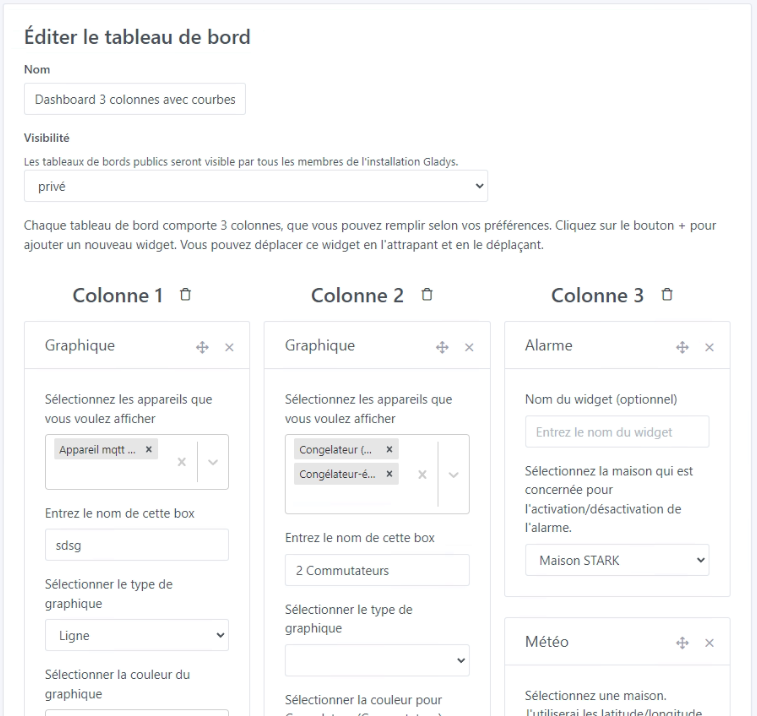
Sorry but it doesn’t happen for me ^^ everything works!