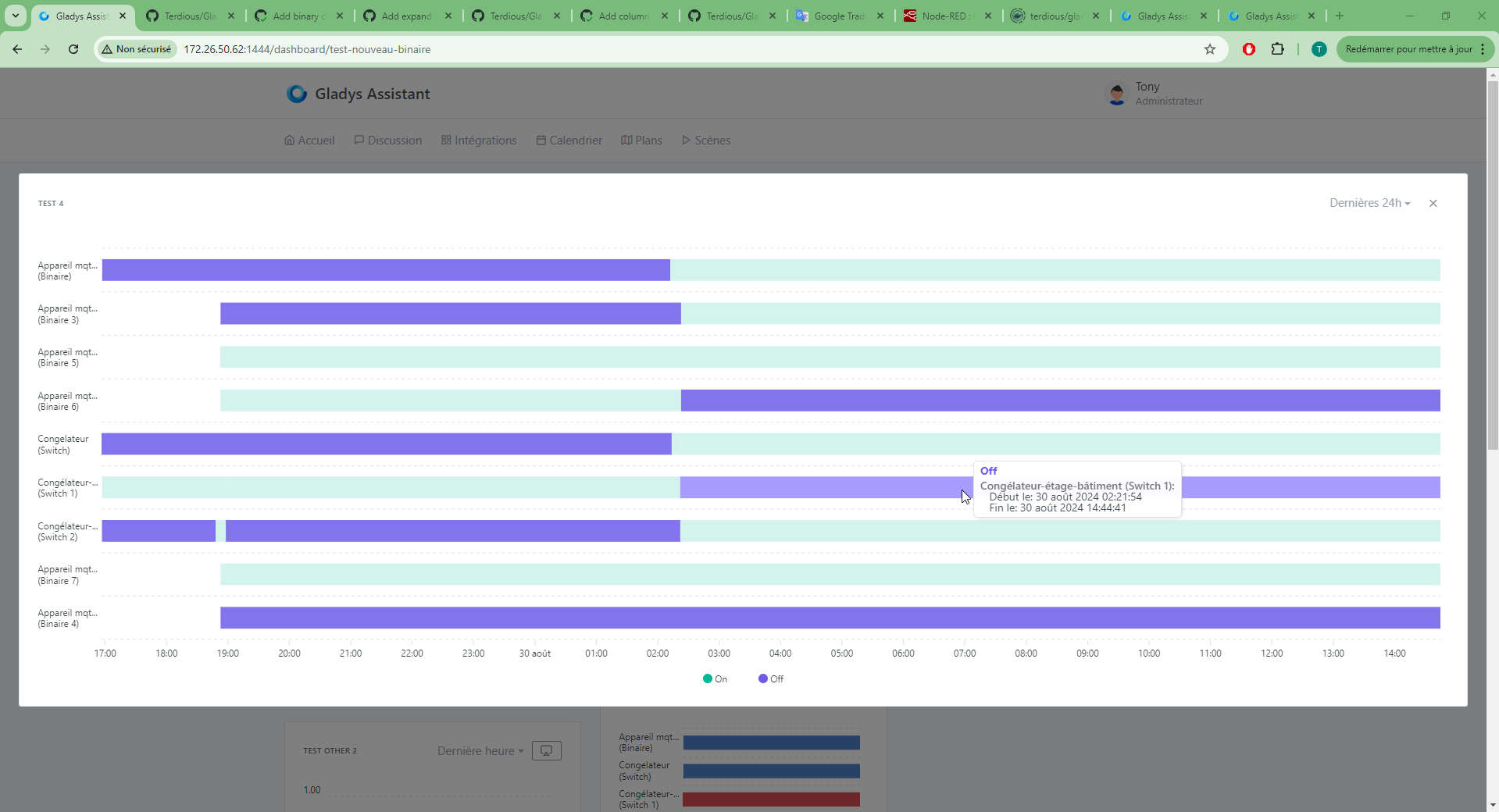
Graphics improvements

Very surprising ^^ after that I amuse myself by zooming in/out + with the inspector window enlarging/shrinking more finely to test all cases. I don’t know if you do the same!

It still bothers me that at some point it might break depending on a dimension…

In any case I’ll push the 1280 change and you can tell me.
Do we need to make this change for the dashboard as well? Even if there’s no issue there?

Yes I do the same in every direction and no problem. There must be something with your data that makes it break

I’d really like us to find it anyway, because if it breaks for you, it’ll break for others.. ^^

Don’t you have anything else to share with me so I can reproduce it?

No!

1 Like

Totally agree ^^

You want my DB? ^^ Easy to send then ^^

Yes, perfect!

1 Like

Sent to hello@gladysassistant.com

Sorry for the delay, I hadn’t done the cleanup, so 500 MB was tricky to send by email ^^
I’ve put the account and the password in the email

Ok thanks, I can indeed reproduce it.

The problem comes from the react-select components when there are titles that are too long inside them

A quick search gives me this:

By adding :

  min-width: 0px;

to the column class, that resolves the issue :slight_smile:

2 Likes

So I’m sorry!!

I had found the same articles!! But unlike you, I’m less organized… and I’m convinced I tested it, but it’s very likely that I had other changes in progress that were breaking things.

Or was I putting it in the wrong place …?

Don’t worry! :smiley: The main thing is that it works now!

1 Like

I’ll finish my coffee and make the change.

1 Like

I can’t waaaaait :smiley:

1 Like

Heads up — this PR doesn’t include the live data view when zoomed if the displayed curve is 24h or longer.
I’m saying this just in case ^^ because it seemed

Yes, I understood that, but I’m still impatient nonetheless. Actually, I think the chart display section mainly needed the ability to show them larger, and now it’s perfect for me!

Between that and the binary sensors, I’m delighted with these latest developers!! :wink:

2 Likes

It’s pushed!!
Thank you very much for your help.

@pierre-gilles,
I’m starting to pick this one up in parallel :

I’ll put here the summary of our previous exchanges :

So we’re going for

  • a new page ?
    • on a new tab ?
    • a new route on the same page like :
import ChartExpandDashboard from '../routes/dashboard/chart-expand';
[...]
        \u003cChartExpandDashboard path=\"/dashboard/:dashboardSelector/chart-expand\" /\u003e
  • or a modal ? I really like it because it makes sense to me since in my view it’s a temporary view. Come on I’ll put a little preview again ^^ :

Here is, in my opinion, the comparison of the two solutions:

Page Modal
Respects browser or mobile navigation (back button works) Keeps the context when leaving the chart to return to the dashboard
Can be bookmarked, or shared via link
More pleasant for large charts, no risk of leaving the chart by clicking outside the modal
More pleasant on mobile? (Modal rarely used on mobile)

I looked at two pieces of software that do this kind of thing: Metabase and Grafana. Neither seems to use a modal; they navigate to a new page on click.

Wouldn’t a new page be in line with where we want to go? This page would allow adding all the improvements you mention (CSV export, etc…)

What do you think?

1 Like

An example on Metabase, a product I really like!

You can build your own dashboard with your charts, and you can click on a chart to open it in a larger view on a page and perform more complex operations:

I think this is close to what we want for Gladys in the future.

What do you think?

3 Likes

Perfect !! I’m convinced ^^ Thanks for these very good examples !!

Absolutely !!

A real idea to think about later? Or just a possible point? Because that would mean an id for each chart box …

Ah no, for me it’s a consideration for now ^^

I think we already have an ID for each widget, it would be « id-dashboard/column_number/row_number »?

1 Like

So the URL could be:

/dashboard/dashboard-selector/expand/COLUMN_NUMBER/ROW_NUMBER

Example:

/dashboard/my-dashboard/expand/0/1

Yes !

What happens if I favorite it, move the graph somewhere else, and a « Devices » box ends up in its place?
404 error?