[Bluetooth] Problem with Nut devices

Hello,

I’m on vacation and therefore have quite a bit of time to test some modules.
Today I wanted to test Bluetooth and add the nut key fob which was great!
I can see it appear after the scan


Great! I can also see my iPhone and a speaker…
I therefore want to add the nut (I have the same behavior for all of them)
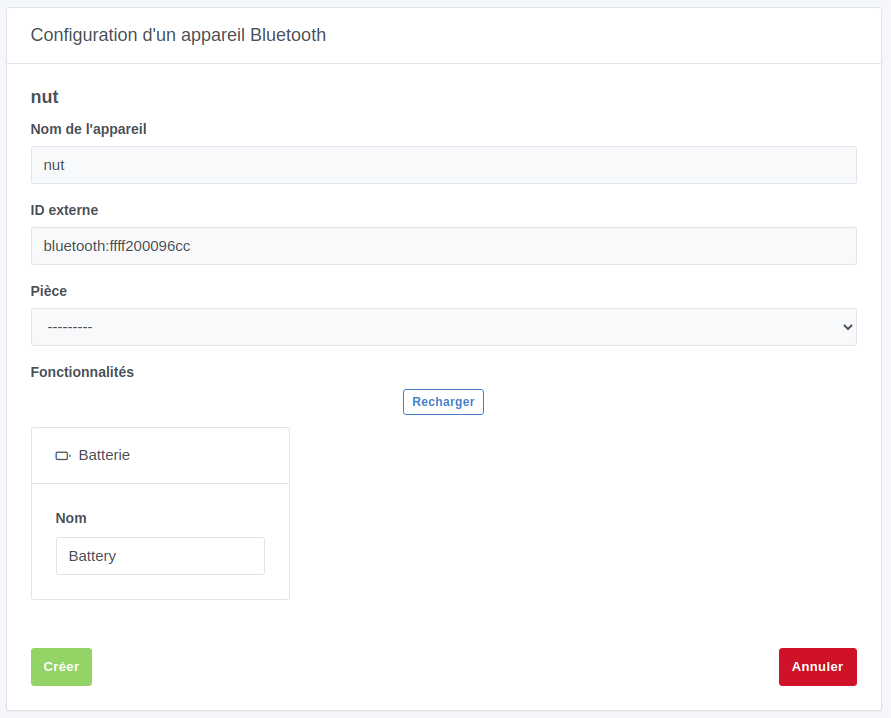
But I can’t do anything, all buttons or drop-down menus are disabled. In this case, apart from scanning, I can’t « play » with it.

Do you have any idea of the issue, or is this normal behavior for now?

Thanks in advance

Hello, I had the same issue when trying to add my temperature/humidity devices and my flower care to Gladys. As it stands, yes I think the bluetooth service is like that, but @AlexTrovato has created software to include various bluetooth devices.

Don’t hesitate to install it and then post your detection results on the nut here.
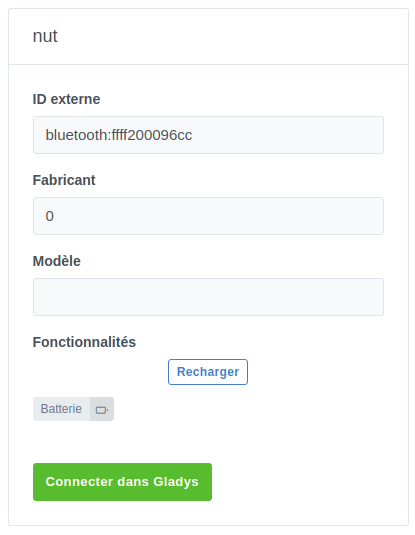
Thanks @Jean34
Installed and here is the result. I hope this can help…

-→ Peripheral:
   -→ Address type: public
   -→ Connectable: true
   -→ Advertisement:
     -→ Local name: nut
     -→ Manufacturer data: !%%
     -→ Services: 1803
     -→ Service data (1):
       [0] 180a / undefined / ffff200096cc / undefined
   -→ Services (3):
     -→ 1800 (Generic Access)
       -→ Characteristics (2):
         -→ 2a00 (Device Name): read,notify
         -→ 2a01 (Appearance): read
     -→ 180f (Battery Service)
       -→ Characteristics (1):
         -→ 2a19 (Battery Level): read,notify
     -→ 1802 (Immediate Alert)
       -→ Characteristics (1):
         -→ 2a06 (Alert Level): writeWithoutResponse,write,notify