I’m not trying to fix it, I know why it’s not working. I’ll rebuild it tonight and fix the issue. (I have some errands to run before it gets dark  )
)
Thanks for the feedback.
I’m not trying to fix it, I know why it’s not working. I’ll rebuild it tonight and fix the issue. (I have some errands to run before it gets dark )
Thanks for the feedback.
I improved the CI
New build => Release v1.0.3 · VonOx/gladys-pi-gen · GitHub
Not tested in real either
First boot
SD card partition expanded
Reboot
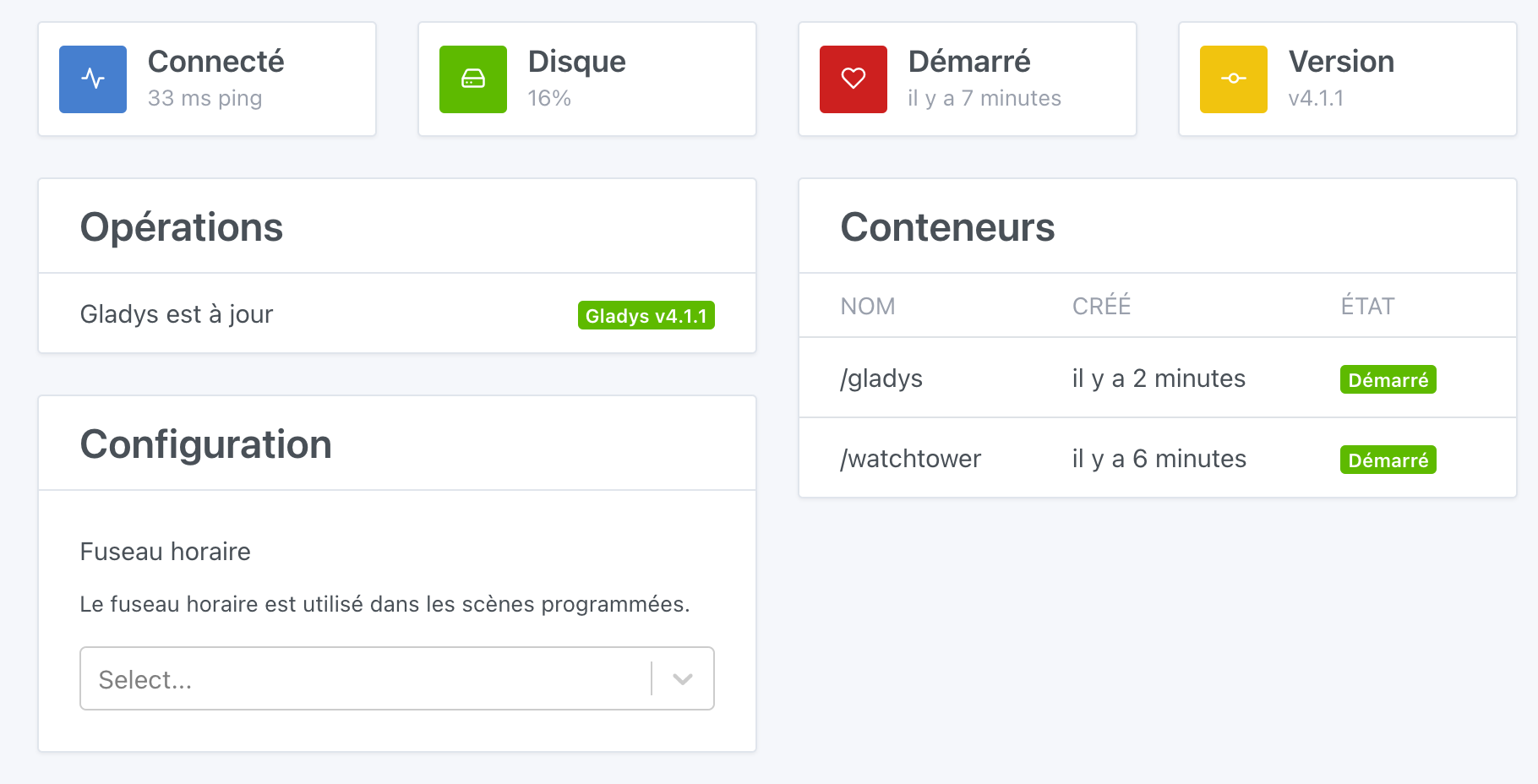
Creation of the setup container then Watchtower and Gladys
Note:
When first connecting via SSH you will need to change the password (default is gladys/raspberry)
During the container creation phase, a waiting page is available at http://PI.IP or http://gladys
I’m up for a bit if anyone has time to test and provide feedback. I’m doing everything a bit blindly since I don’t have a PI to test.
Thanks in advance 
@VonOx I don’t know if you’re familiar with:
https://github.com/lukechilds/dockerpi
This will allow you to test your images 
Otherwise, there are Raspberry Pi devices that can be rented online:
These are Raspberry Pi cloud servers, at €4.99/month. You can pop one up to test, I don’t know if it’s possible to pay by the minute, if so it’s really plug-and-play for testing like that ^^
Otherwise, there’s also: Raspberry Pi - Mythic Beasts
Hello. I tested this morning with an RPI3A+ and it worked on the first try 
About 1 minute before the page is displayed:
Then 4-5 minutes to download Gladys and install it (directly in the latest version  )
)
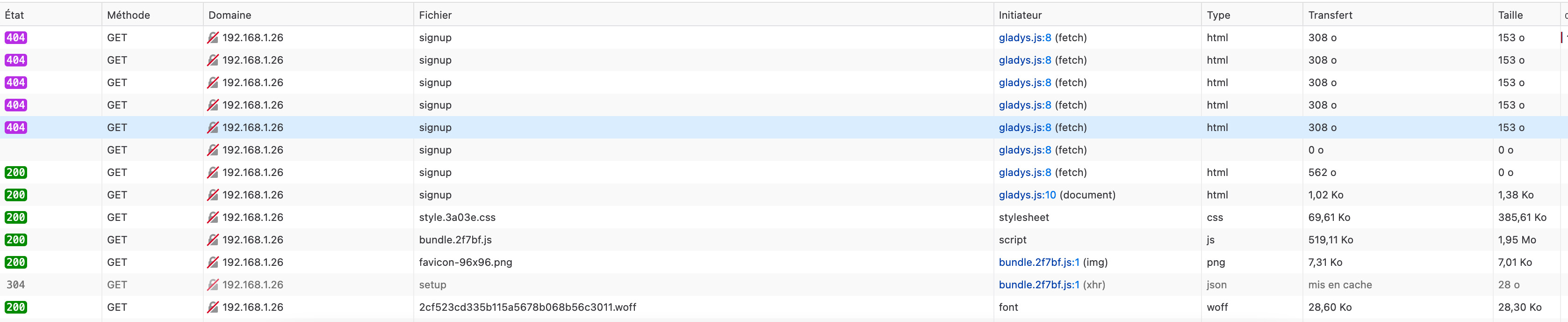
Just a small detail, I have the impression that the waiting page refreshes itself, but there is a moment (I think when the Gladys image starts) where the page displays an error. You then need to manually refresh. I think it’s going to be hard to do better.
Yes, I set an auto-refresh so that it lands on Gladys when the container is destroyed (60 seconds), maybe I should increase that. You must have hit the exact moment when the waiting container is destroyed and Gladys isn’t fully up (play the lottery because it’s a matter of seconds ^^)
Thanks for the feedback @cicoub13
That’s good news, it will avoid waiting 24 hours.
Wouldn’t you want to make a GET request in JS without refresh to avoid the user ending up on a « broken » page?
For example, you poll the Gladys endpoint every 10 seconds to see if it is up and you refresh when it is no longer 404
The thing is that gladys won’t start if port (80) is already in use.
That’s why I set up an auto-refresh on the browser side, but it’s a bit like Russian roulette as a method.
When @cicoub13 had the error, the setup container no longer exists
I’ll outline the image flow a bit more:
There’s probably a way to do better or smarter. I’m open to any suggestions.
Yes yes, but if the frontend is already running, it will stay in the user’s browser, even after the container is stopped.
I’m talking about making a silent GET in JS (keeping the page without refresh) to detect exactly this lifecycle.
OK, I think you’ve got the idea
I’ll keep the current flow with the containers, I’ll remove the refresh.
In the setup page, a bit of JS that refreshes when the endpoint is available
Yes that’s it  but otherwise GG for the rest, it will make the installation much more understandable for everyone!
It’s done, I’ve built a new docker image for the setup container, no need to build a new raspberry image
The js I added (thanks stackoverflow :D)
setInterval(detectGladysContainer, 30000);

var currentHostname = window.location.hostname;
var gladysUrl = 'http://' + currentHostname + '/signup';

function detectGladysContainer() {
    var myRequest = new Request(gladysUrl);
    fetch(myRequest).then(function (response) {
        if (response.status == '200') {
            window.location.replace(gladysUrl);
        }
    });
};

detectGladysContainer();
Great, that’s nice
We’ll have to look into the transfer of responsibilities @pierre-gilles and for me to rebuild the raspberry image to pull the correct image.
You can do faster than 30 seconds in my opinion, 5 seconds seems better to me! A small request won’t hurt 
For the repository transfer, as you wish, what needs to be done? Just copy the repository?
After that, we will need to set up the CI (or have you already done that?)
Other questions:
Other than that, great job, I can’t wait to put this in production! I will try to do a test tomorrow to see how it goes
Yes, I had set 5 seconds but it seemed a bit aggressive 
Either you get it as is (all manual and loss of history), or I do an owner transfer on GitHub (currently I cannot transfer to the org because you need to have the right to create a repository).
The CI is ready but configured with my DockerHub for testing, etc… but it is functional.
Both for the RPI image and the Docker setup image
Yes
The default user (gladys)
Need to change the pass on the first SSH connection
UDEV rules (not used today)
I need to get what you have defined in terms of security update
We won’t lose the history if I push the repo, not just the files git clone + git push to another origin
Do we really want to change that?
I liked the idea of keeping the same credentials as the official Raspberry Pi OS image to make it easy to understand that it’s just the same Raspberry Pi image as the official one, and that the credentials are the same.
Yes, that’s crucial. You just have to install a package, it’s not hard
Another remark, do you know if we could expose to the Docker image the rights to be able to change the Linux user’s password?
For me, we really need to think of the Raspberry Pi OS image we are going to provide as a product that we distribute in large-scale distribution, for a public that just wants to use Gladys, they plug in the pi and don’t touch it anymore. 90% of users will never connect to Gladys via SSH.
Therefore, if we want it to be secure for everyone by default, we should limit Gladys to changing the Linux password as soon as the first boot, and expose this password to the user in the UI (the user could also change the password in the UI). So Gladys container would need the rights for that.
What do you think?
Or else, the rasp image should change the password itself and expose the new password to Gladys on startup. I don’t know