Hello,
I tried to add a new Netatmo camera to Gladys, but I can’t get it to work.
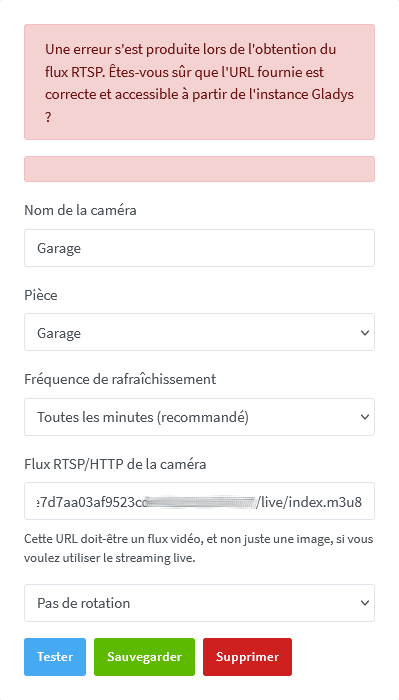
« An error occurred while retrieving the RTSP stream. Are you sure the provided URL is correct and accessible from the Gladys instance? »
I’m doing exactly the same procedure as for the other Netatmo cameras and, for this one, nothing works.
The stream appears fine in VLC on my PC and on my phone.
I’ve checked many times that what I put into Gladys was correct.
http://192.168.xxx.xxx/fde7d7aa03af9523cd6exxxxxxxx/live/index.m3u8
I copied/pasted it into VLC on my phone and the stream in VLC works.
Tested on Firefox and Chrome, both are up to date, and the same error.
The camera is on Wi‑Fi, like the other Netatmo cameras.
I changed its name because it started the same as another camera’s, and changed its room because it’s in the same room as another.
I don’t understand what’s going on.
Can you go to the camera integration and click the « Test » button and show us the error message?
Hi,
I included the error message in my previous message.
Here is the screenshot:
and the Gladys logs:
2025-08-18T17:45:53+0200 \u003cwarn\u003e poll.js:14 (RtspCameraHandler.poll) Unable to poll camera
2025-08-18T17:46:05+0200 \u003cwarn\u003e getImage.js:79 () Error: Command failed: ffmpeg -i http://192.168.xxx.xxx/fde7d7aa03af9523cdxxxxxxxx/live/index.m3u8 -f image2 -vframes 1 -qscale:v 15 -vf scale=1280:-1 /tmp/gladysassistant/camera-ff329739-fc21-42f5-8f47-6855be2d8174-905-1-46-17.jpg
ffmpeg version 5.1.6-0+deb12u1 Copyright (c) 2000-2024 the FFmpeg developers
  built with gcc 12 (Debian 12.2.0-14)
  configuration: --prefix=/usr --extra-version=0+deb12u1 --toolchain=hardened --libdir=/usr/lib/x86_64-linux-gnu --incdir=/usr/include/x86_64-linux-gnu --arch=amd64 --enable-gpl --disable-stripping --enable-gnutls --enable-ladspa --enable-libaom --enable-libass --enable-libbluray --enable-libbs2b --enable-libcaca --enable-libcdio --enable-libcodec2 --enable-libdav1d --enable-libflite --enable-libfontconfig --enable-libfreetype --enable-libfribidi --enable-libglslang --enable-libgme --enable-libgsm --enable-libjack --enable-libmp3lame --enable-libmysofa --enable-libopenjpeg --enable-libopenmpt --enable-libopus --enable-libpulse --enable-librabbitmq --enable-librist --enable-librubberband --enable-libshine --enable-libsnappy --enable-libsoxr --enable-libspeex --enable-libsrt --enable-libssh --enable-libsvtav1 --enable-libtheora --enable-libtwolame --enable-libvidstab --enable-libvorbis --enable-libvpx --enable-libwebp --enable-libx265 --enable-libxml2 --enable-libxvid --enable-libzimg --enable-libzmq --enable-libzvbi --enable-lv2 --enable-omx --enable-openal --enable-opencl --enable-opengl --enable-sdl2 --disable-sndio --enable-libjxl --enable-pocketsphinx --enable-librsvg --enable-libmfx --enable-libdc1394 --enable-libdrm --enable-libiec61883 --enable-chromaprint --enable-frei0r --enable-libx264 --enable-libplacebo --enable-librav1e --enable-shared
  libavutil      57. 28.100 / 57. 28.100
  libavcodec     59. 37.100 / 59. 37.100
  libavformat    59. 27.100 / 59. 27.100
  libavdevice    59.  7.100 / 59.  7.100
  libavfilter     8. 44.100 /  8. 44.100
  libswscale      6.  7.100 /  6.  7.100
  libswresample   4.  7.100 /  4.  7.100
  libpostproc    56.  6.100 / 56.  6.100
[tcp @ 0x573969448fc0] Connection to tcp://192.168.xxx.xxx:80 failed: No route to host
http://192.168.xxx.xxx/fde7d7aa03af9523cdxxxxxxx/live/index.m3u8: No route to host

    at genericNodeError (node:internal/errors:983:15)
    at wrappedFn (node:internal/errors:537:14)
    at ChildProcess.exithandler (node:child_process:415:12)
    at ChildProcess.emit (node:events:518:28)
    at maybeClose (node:internal/child_process:1101:16)
    at Process.ChildProcess._handle.onexit (node:internal/child_process:304:5) {
  code: 1,
  killed: false,
  signal: null,
  cmd: 'ffmpeg -i http://192.168.xxx.xxx/fde7d7aa03af9523cdxxxxxxx/live/index.m3u8 -f image2 -vframes 1 -qscale:v 15 -vf scale=1280:-1 /tmp/gladysassistant/camera-ff329739-fc21-42f5-8f47-6855be2d8174-905-1-46-17.jpg'
}
They show « No route to host. » Yet, it works in VLC??
In the network inspector, there is a 500 error when I run the test
The error indicates that Gladys cannot access the private IP 
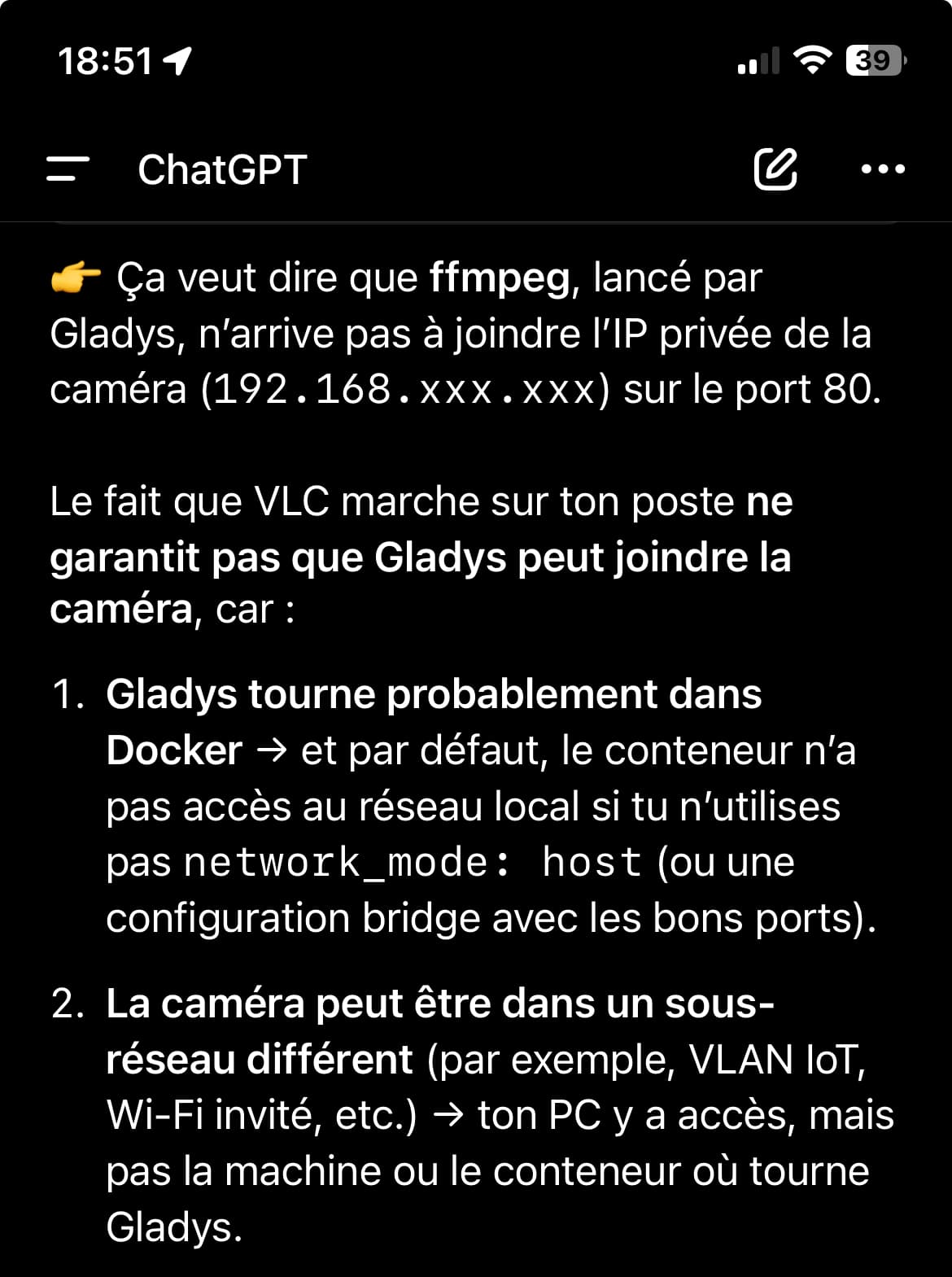
You should check that Gladys can actually access the private IP. This may be an issue related to how you started Gladys (did you start Gladys with network=host?), or a network problem on your side.
PS: by pasting your message into ChatGPT, it gives very relevant answers and suggests tests to see at which step it’s failing for you! 
I thought it was a network issue.
The cameras are on an IoT Wi‑Fi network with a password without special characters.
Gladys is on Ethernet.
The other cameras work in Gladys.
I just unplugged and replugged the camera and, miraculously, it appears in Gladys.
Mystery!