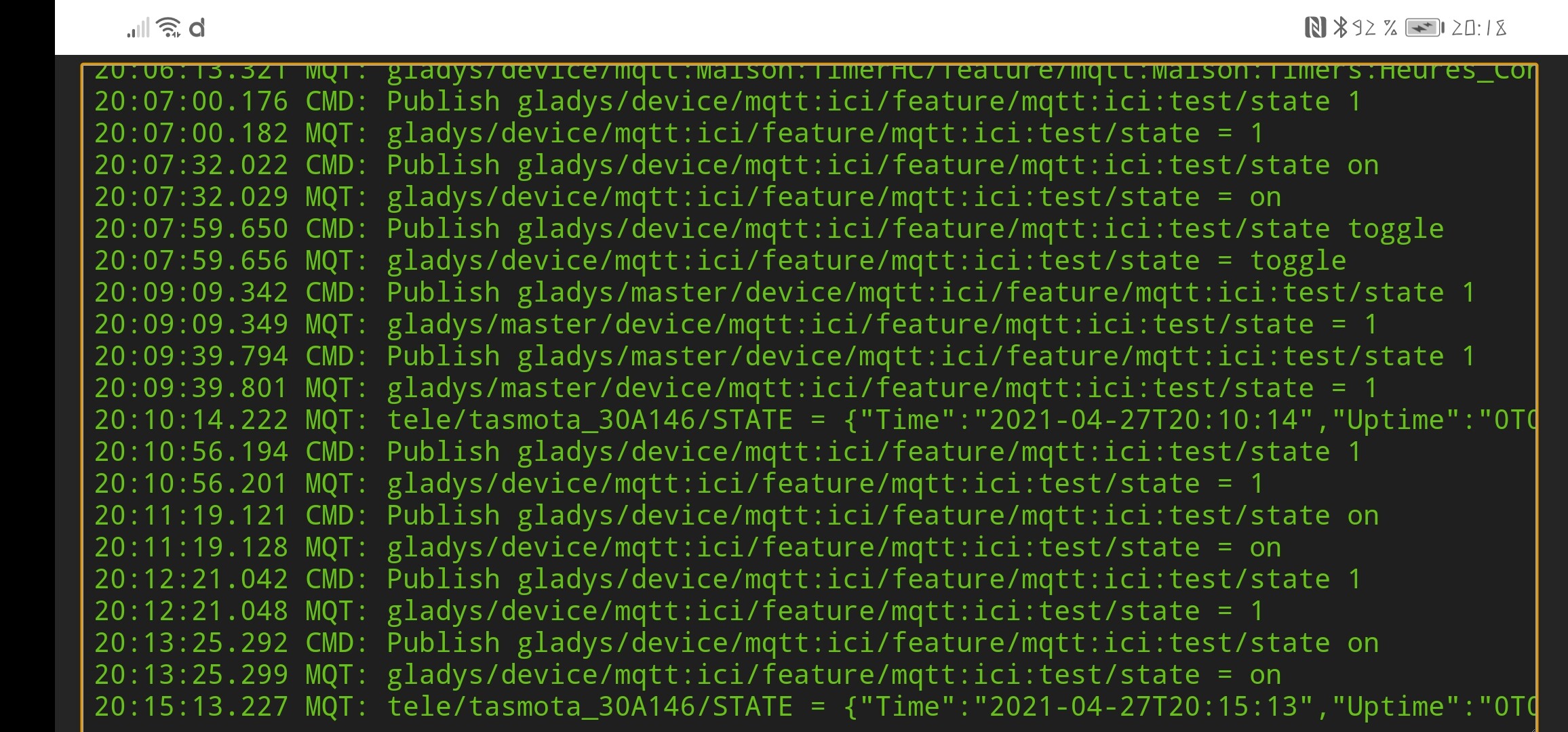
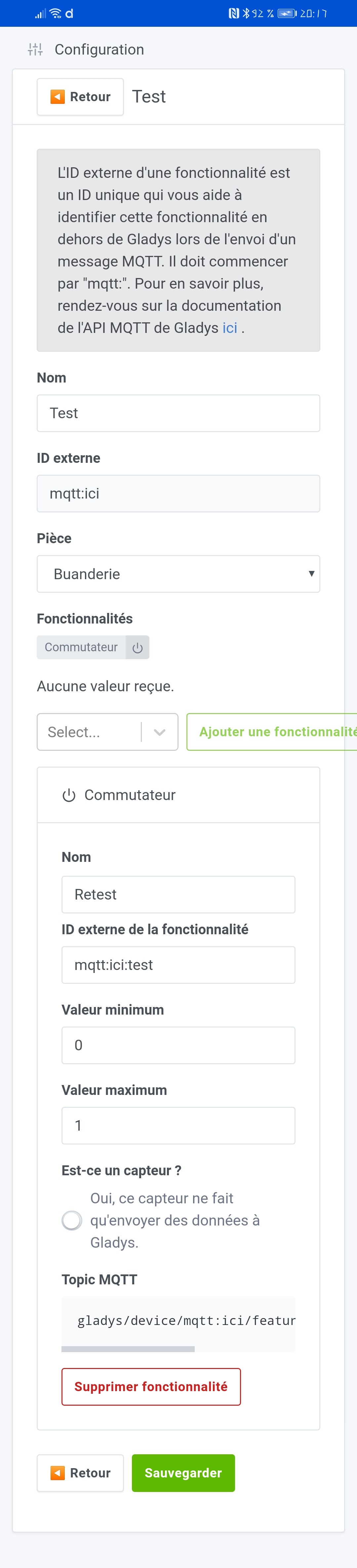
However, if I activate (or deactivate) it via the dashboard, the command appears correctly in MQTT.
I have tried posting « ON » and « 1 ». Should I try something else?
What am I doing wrong?
I know, that’s two questions…
If I reactivate the option « this device only sends data », it works but then I can’t control my switch from the dashboard.
In fact, I realize that it’s not very clear…
I’m playing with Tasmota. The latter is able to detect a single, double… pentuple press on a button.
I want that when I press the button one/two… times, a scene is executed.
So far, so good.
I created a fake « switch » device in mqtt. If I ask my Tasmota device to publish a « 1 » (or « 0 ») on the dedicated topic when there is a single/double press, the scene is executed because the device state changes.
Where it gets stuck is if I don’t activate the box « this device only sends information to Gladys » (with the aim of being able to activate the switch from Gladys’s Dashboard and execute the scene without having to push the physical button), I can’t act on it! No activation/deactivation/toggle (I do take into account the fact that the topic changes when you deactivate the box « this device only sends… »).
I was wondering if I was doing something wrong or if it wasn’t possible (I doubt it since a switch can send its state and you can act on it via the dashboard).
It doesn’t detect my standalone switch (which is actually a Sonoff RE5VC from which I’ve separated the switch from the relay).
Generally, the Tasmota integration doesn’t like adding unsupported features and doesn’t support some DIY devices. For example, I have a Wemos D1 mini coupled with an RC522 (RFID scanner). Tasmota handles this on its own, but the integration into Gladys must be done manually via rules and MQTT posts. The same goes for 433 MHz, infrared…
So the Tasmota service needs to evolve to support what is native and supported. I’m just trying to understand why you should tinker with MQTT on a Tasmota device.
That would indeed be ideal and probably not too difficult given that everything is clearly stated in the Tasmota posts.
An update to the service will certainly arrive
In the meantime, I use the rules to publish Tasmota in MQTT and it works very well (except for the small difficulty I encounter)
In fact, what you need to consider is that the MQTT integration has 2 modes:
Either your device is a sensor, which sends values via MQTT, so in the « sensor → Gladys » direction
Or you have an actuator, which waits for MQTT commands from Gladys. In the « Gladys → actuator » direction
Having a device that does both doesn’t make sense. Here, what you want to do is basically a little trick to be able to virtually trigger a physical device without the physical device having been triggered. Like a kind of « override » of the real value.
What would make sense for you, in fact, would be to have a box on the dashboard « trigger a scene » right?
In the meantime, since you want to cheat, I think there is a way to do it anyway, it’s not crazy but in my opinion it works.
Set your device to « this device only sends information to Gladys ». Copy and paste the topic that is displayed and use it in your tasmota
Uncheck the box so that your device is declared as an actuator, which should display another MQTT topic, but don’t take it into account.
That’s it, it should work As the device is declared as an actuator, you should be able to control it from the UI. The topic you retrieved in step 1 should still work
I think it works but I haven’t tested it.
The only « issue » with this hack is that Gladys will publish an MQTT message every time you manually trigger the scene, but well it doesn’t matter.
Edit: Otherwise, I have another possible option: create 2 different features: one that will be the « virtual » trigger, and one that will be the « physical » trigger.
Then you put in your scene 2 possible triggers, one on the virtual and one on the physical
It works then! (I post on the given topic when you check « send only » but I keep this box unchecked)
This was necessary for my heating (again!) in case I want to override (in good Franglish) the programming. Indeed, if I leave or come back earlier, there is no point in activating the boiler switch because the programming comes back behind! It was therefore necessary for this to be a fake device that is activated with a test in a scene…