Yesterday during the video call I mentioned my issue creating a scene to activate/deactivate the house alarm mode.
I decided to go for a very simplistic version of it… but I think I’m encountering a bug.
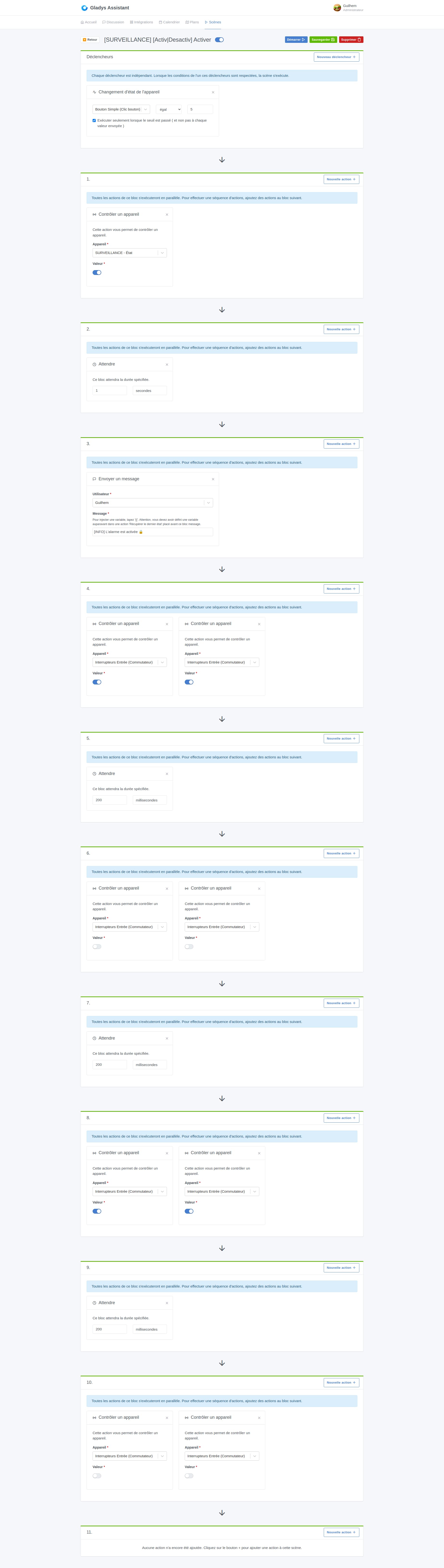
When I activate the SURVEILLANCE mode, with a long press on a button, then:
my fake MQTT device that determines the surveillance state (OFF / ON, or rather 0 / 1) switches to the value 1 > I then simply see the toggle on my dashboard turn blue.
I also get a blink of my lights to visually confirm the action at home.
I receive a Telegram message
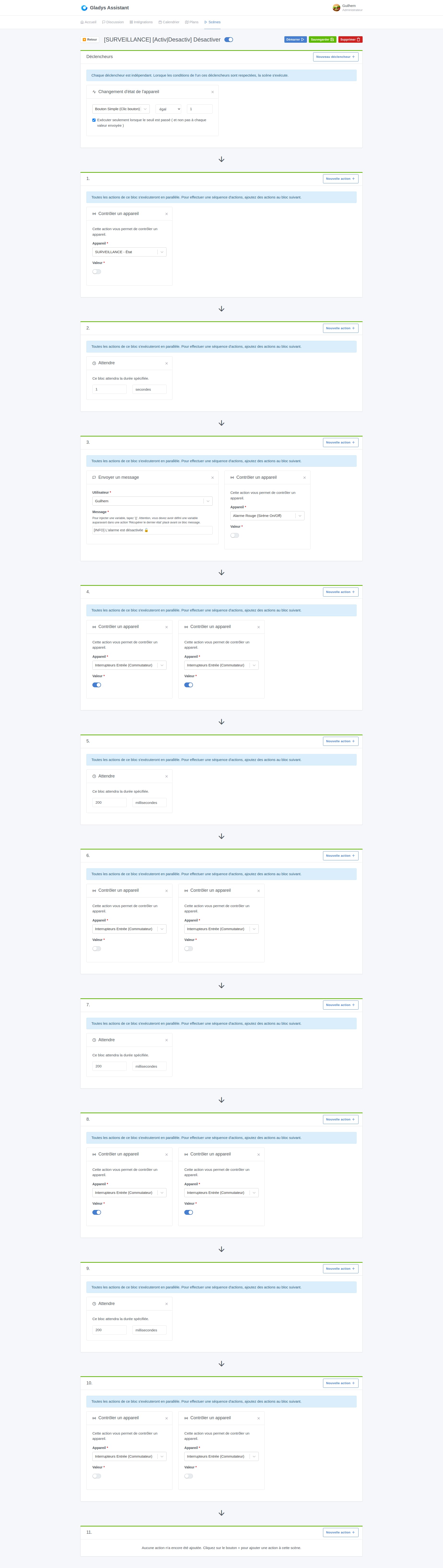
However, when I deactivate the SURVEILLANCE mode with a short press on the button:
the Telegram message is sent
the lights blink
BUT the fake MQTT device does not switch to zero (status OFF) in any case it does not change state on my dashboard.
If anyone has an idea how to debug this…
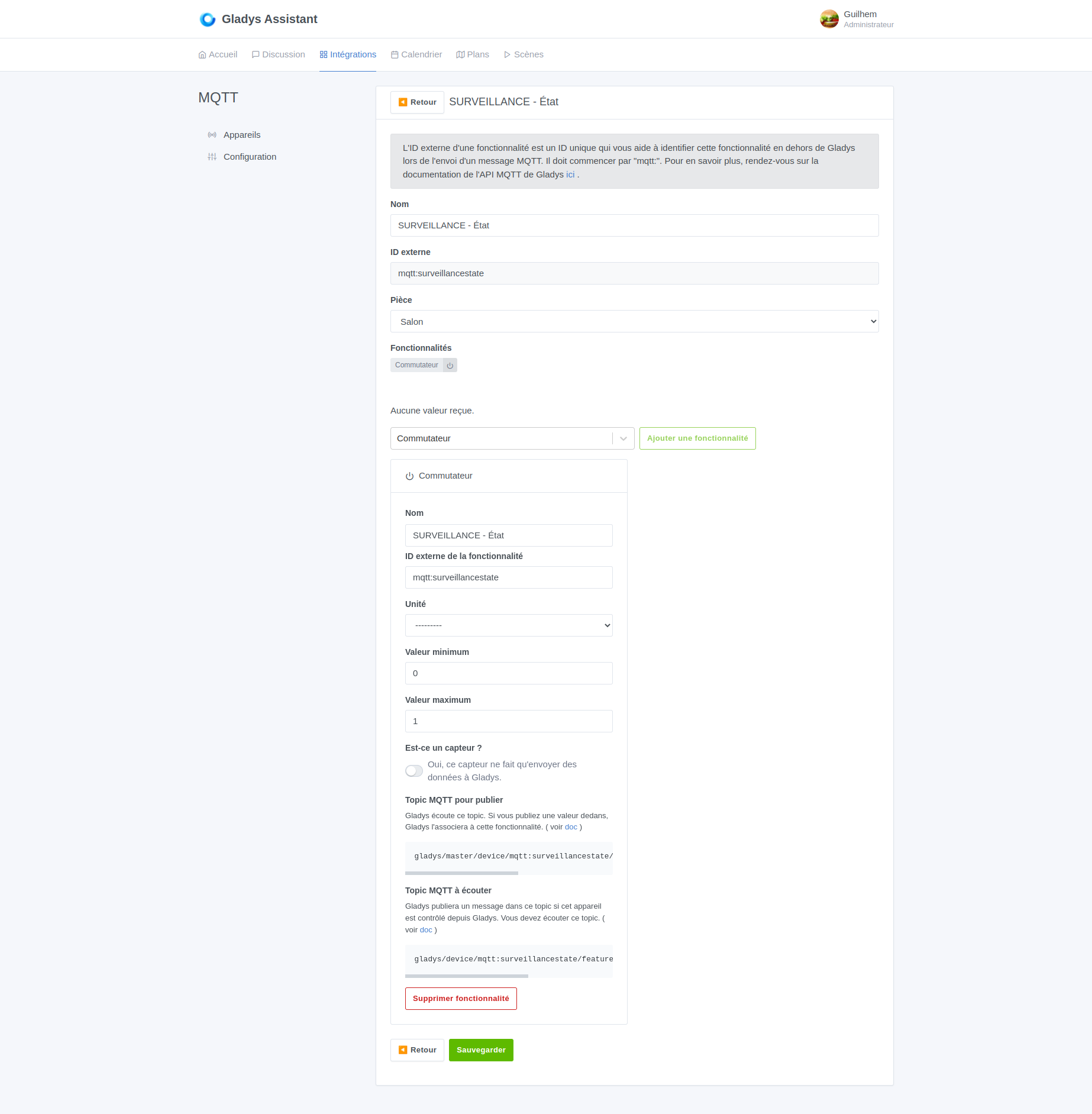
Here are screenshots of my scenes and my MQTT device:
Yes sorry I was mistaken, I meant that instead of using « control a device », use « turn on the light ».
I use a scene similar to yours that displays a virtual device when I click a Sonoff button to arm my alarm (which sends me a message when a door or a window opens and when I turn off the alarm, I no longer receive a message when it opens). So I use a virtual device that is triggered by « turn on the light » which shows as active or inactive on the dashboard, but I use 2 scenes, one that turns the alarm on and one that turns it off
Also my virtual device is a sensor — I checked the box in the MQTT declaration and you apparently didn’t
That’s a good idea!
In fact I hadn’t checked « sensor » for my fake device because otherwise I couldn’t trigger it manually (which I originally wanted to do).
I’ll test that starting tomorrow and see how it goes!
On the other hand, it would be good to understand why this switch won’t change to the OFF state.
I must have a problem somewhere: I changed my fake device to turn it into a light…
But the problem persists: during the alarm stop scene, the device remains ON
Darn, I hadn’t seen your message when I posted mine.
So there is indeed a bug in this kind of scene… however I’m not able to debug it… @pierre-gilles maybe you could take a look at it? Should I open an issue on GitHub, maybe?
In the meantime I’ll work around it via Node-RED like you showed me @Psoy