Work in progress
How to create a fake device and control it with a scene
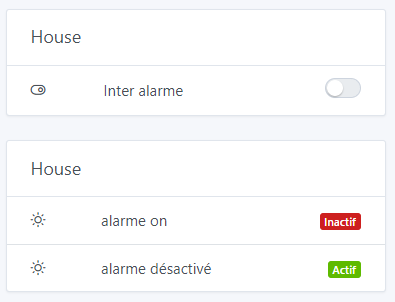
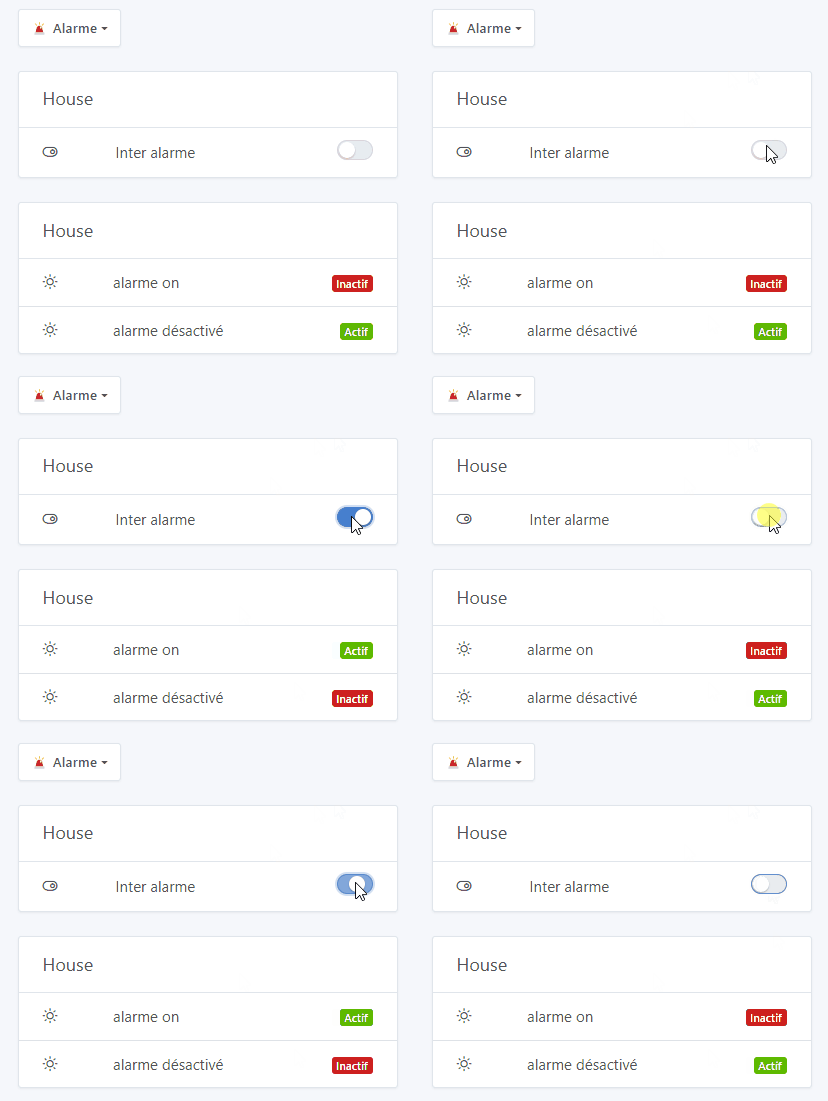
In my example the visual information is redundant because the on/off button would be enough.
But the display with the color code « active » in green and « inactive » in red is more quickly visible.
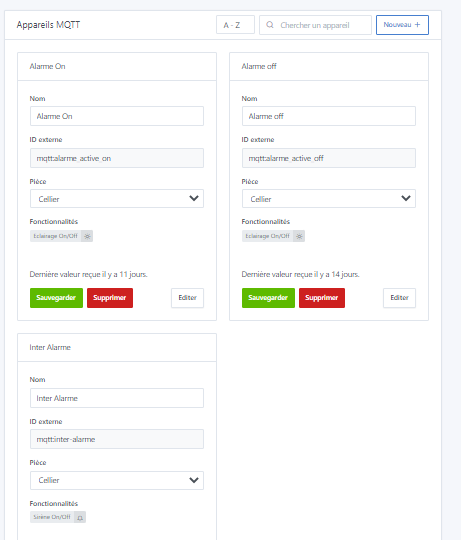
To start we’ll create 3 MQTT fake devices.
- an on/off switch (here for the alarm)
- an indicator to inform us that the alarm is ON
- an indicator to inform us that the alarm is deactivated
To create a fake device we’ll use the MQTT integration.
The « Name », « External Id » and « Room » information are not the most important; you can put whatever you want but be careful, they must be unique
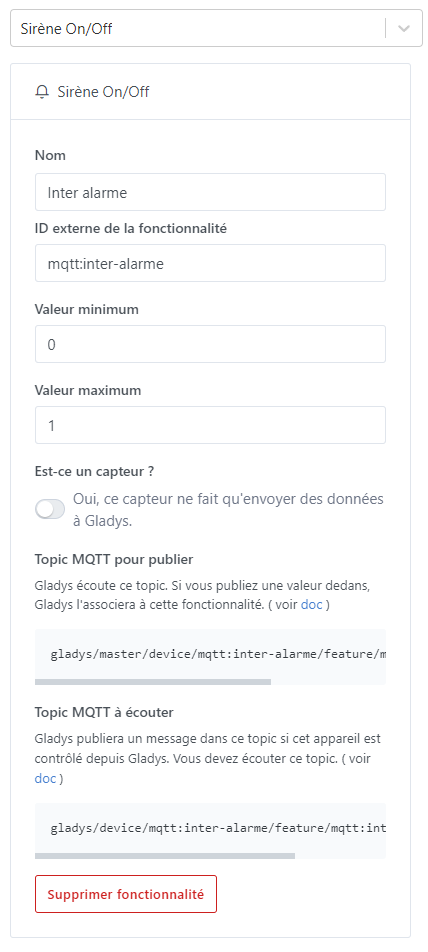
For the on/off switch:
select the « siren on/off » function and remember to uncheck the « Is this a sensor? » button
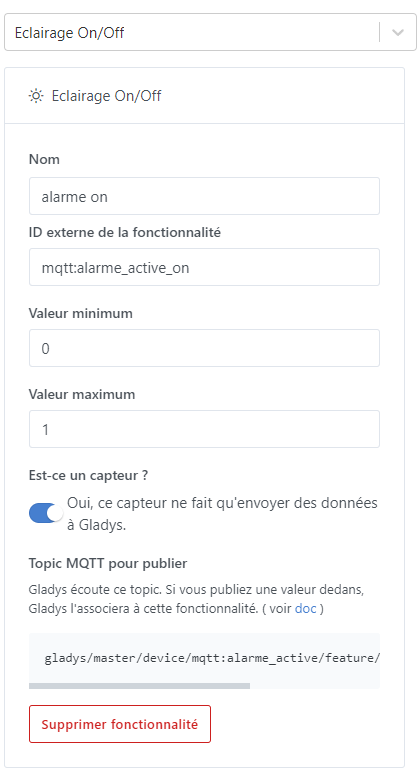
For the « active » and « inactive » display: (one fake device for active and one fake device for inactive)
select the « lighting on/off » function
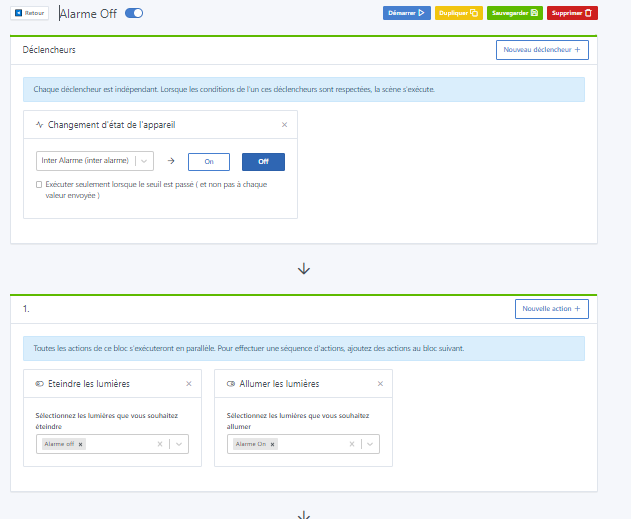
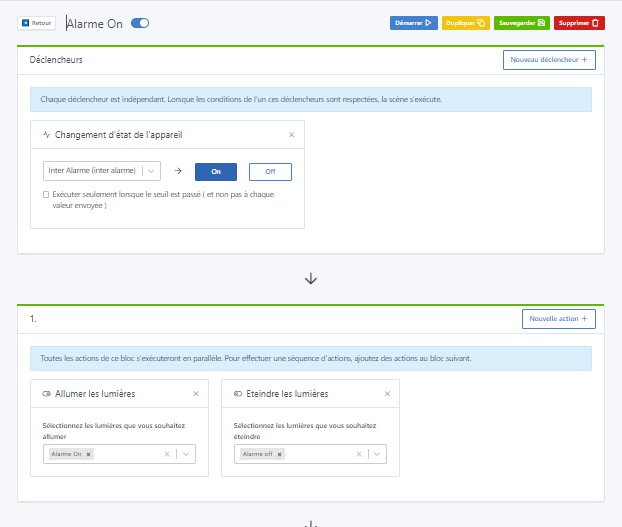
Now in the scene:
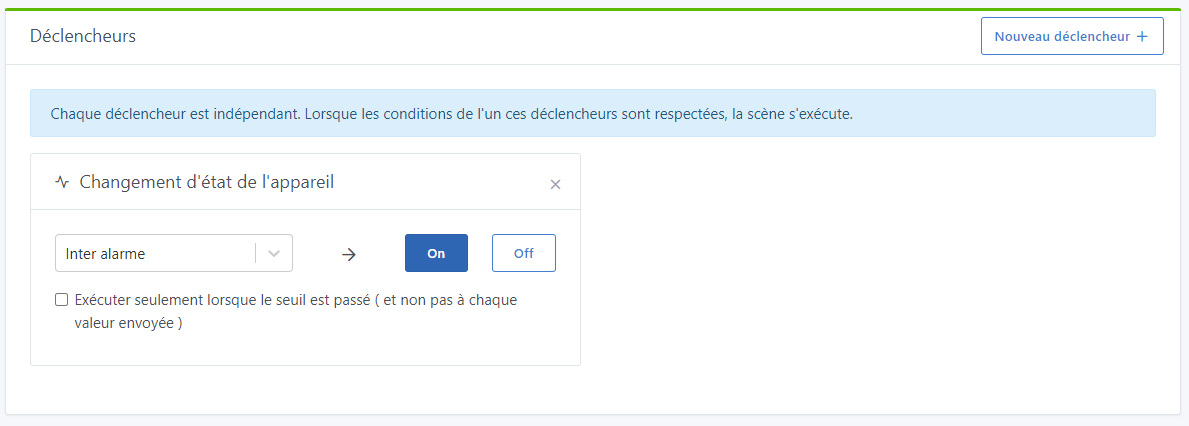
We’ll add a trigger « device state change »
here ON:
We’ll set the actions to:
« turn on the light » ON and choose your fake device for ON
and
« turn off the light » OFF and choose your fake device for OFF
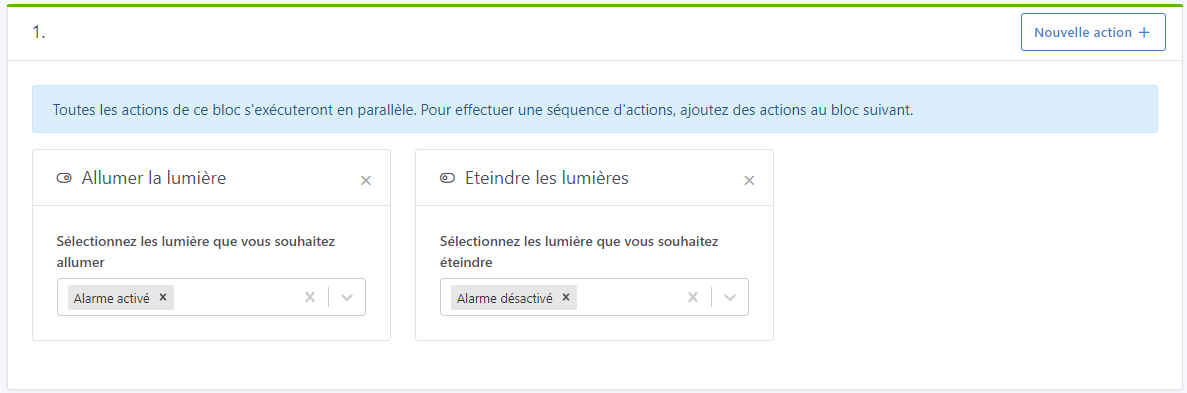
You can add in another block, for example, sending a message « alarm activation ».
Repeat creating the scene for OFF by swapping the on and off actions.