Good evening, community,
I’m asking for help with a problem with the « Invert Lights » block:
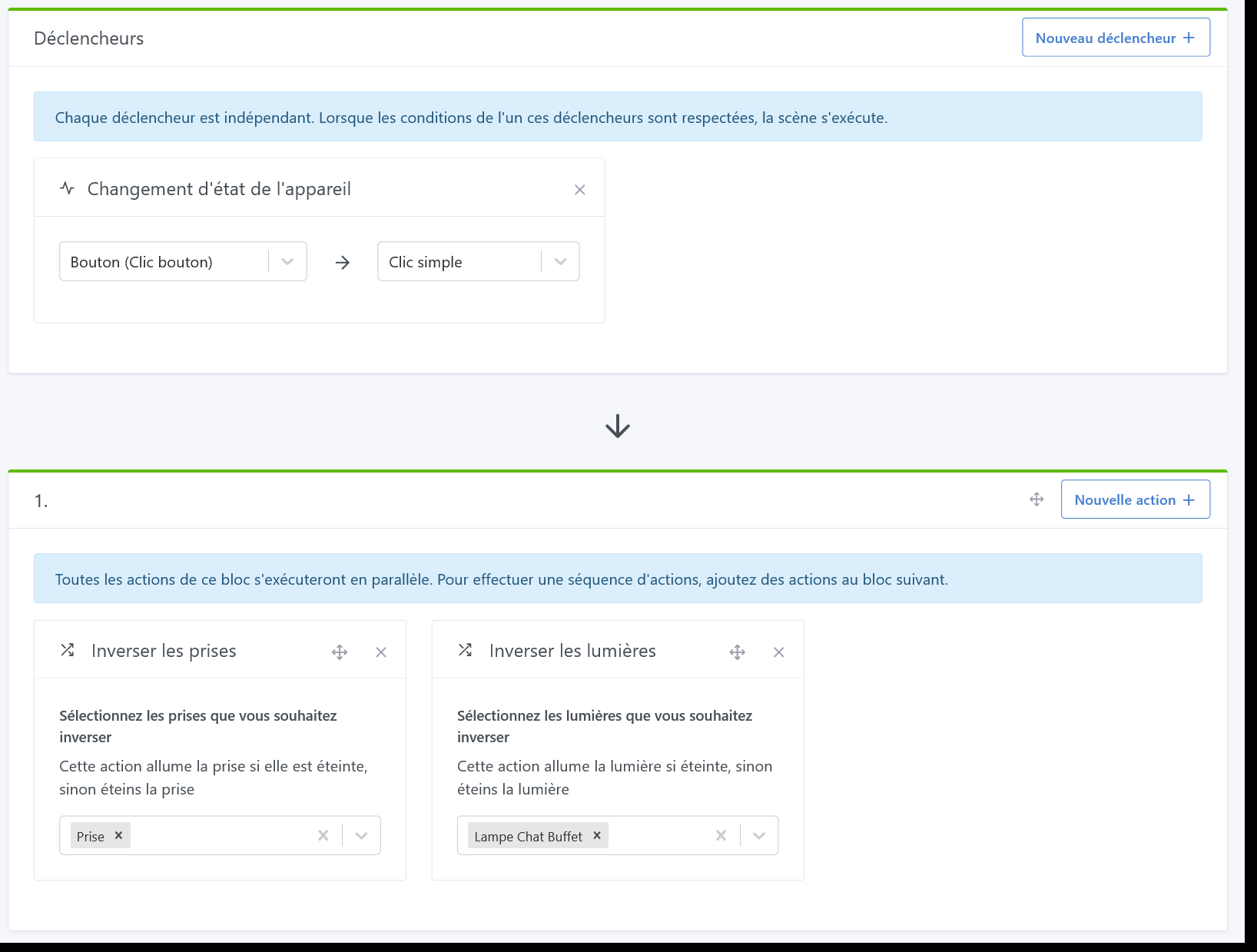
I’m starting to test buttons for my lights, so I made a very simple scene (see below) to test, but the light doesn’t turn on if it’s off; however it does turn off if it’s on. I added the outlet which works fine. For your information, I have the same behavior when triggering the scene manually.
Are you also having problems with this block?
Good evening,
Do you have Gladys’s logs? What are the types of the 2 devices?
Could you provide the DB data for the 2 devices before and after the execution of the scene?
@Romuald_Pochet for the logs and the DBs I’ll need to dig back in to
Tuya, I suppose?
For info, I have a device of that type with a scene and an action ‹ Swap the sockets › and fully functional…
We’ll first check the logs
PS: I personally use Portainer (Install Portainer CE | Portainer Documentation) to manage my Docker
@gaelbillon No need, I just tested it here and I can reproduce the bug, it’s not on your end 
I created a GitHub issue:
I’ll get back to you when it’s identified and fixed
@pierre-gilles thank you for this feedback
Hi @gaelbillon !
I worked on this issue this morning, and unfortunately I can no longer reproduce it. I think the other day it was just a problem with my test instance and not a bug.
I just did a real test this morning with an IKEA Tradfri bulb connected to Zigbee2mqtt and Gladys, and it works perfectly. The toggle works fine in both directions.
I wonder if it might be a bug related to the data sent by your bulb when it is On/Off, which might not match what we usually receive.
Could you send me a screenshot of the « state » view in Zigbee2mqtt for your 2 devices (bulbs and plugs) :
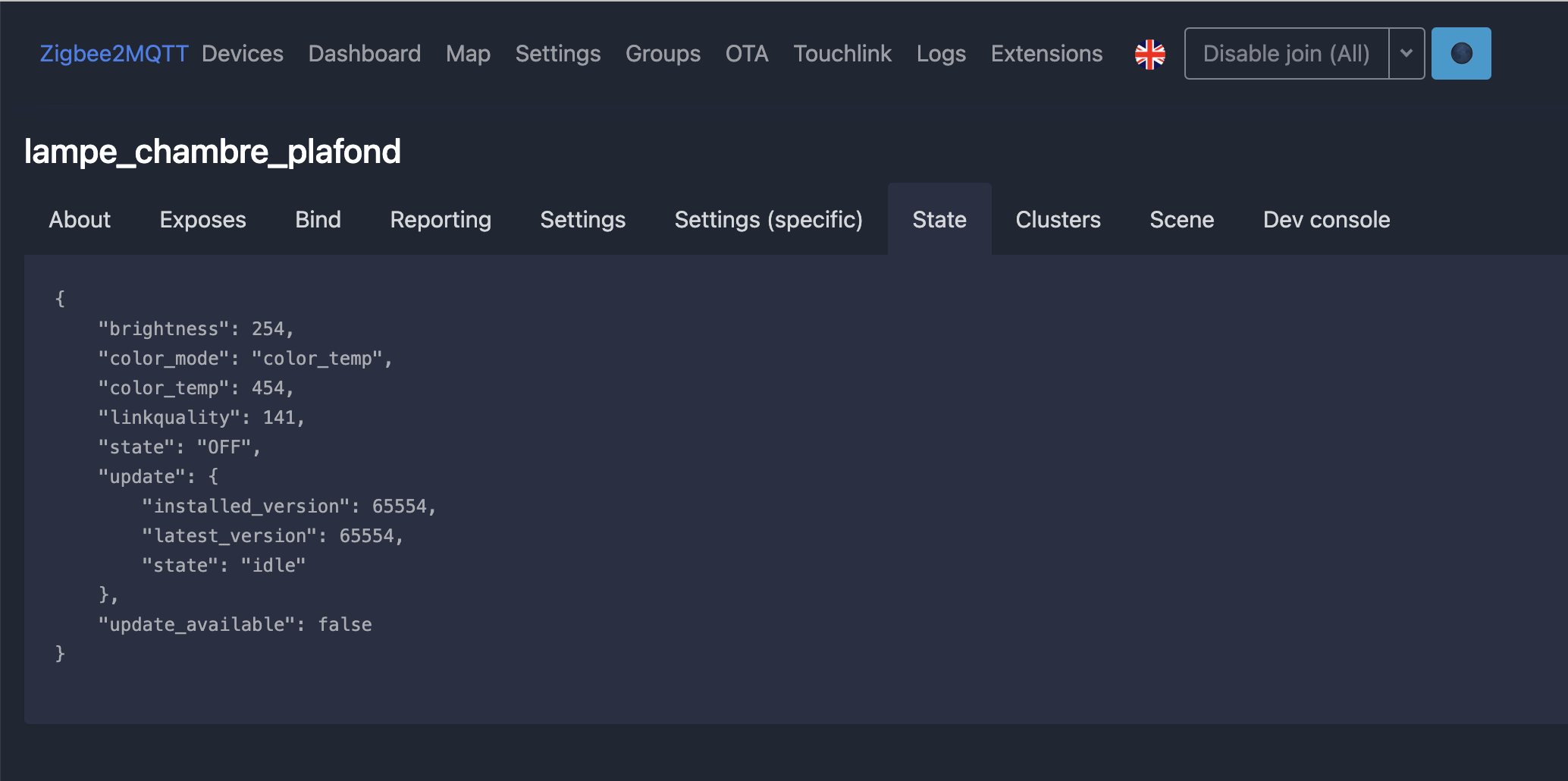
Hello @pierre-gilles!
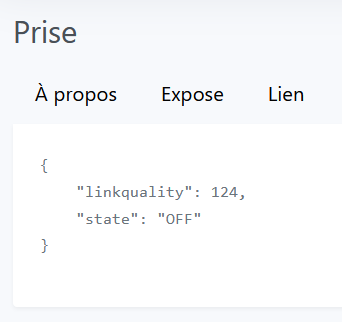
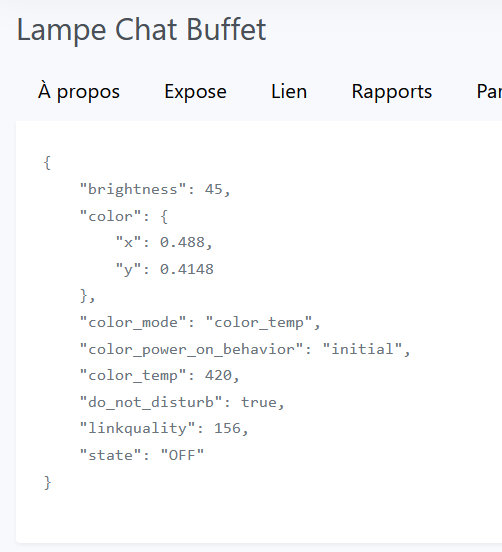
Below are the images for the socket and the bulb.
FYI, when I got home I retested and it also works at my place!
Ah, so the problem’s solved then? 
I guess so!!  I’ll be able to continue my tests
To be continued…
Could that have been related to Z2MQTT? I saw they did another update. Unless on the Gladys side the version is still pinned.
By the way, how did you do it @pierre-gilles? Because with Watchtower it normally updates everything?
@lmilcent @pierre-gilles ,
For your information I already noticed with another plug, which controls my pool pump, that it is no longer controllable in the event of a Gladys outage and also after a restart of the « gladys-z2m-zigbee2mqtt » container
It is a Nous plug
https://www.domadoo.fr/fr/peripheriques/6165-nous-prise-intelligente-zigbee-30-mesure-de-consommation-5907772033517.html
I have exactly the same model; I bought a pack of four and a pack of two plugs, and yet this has never happened to me.
You can try pairing the plug again and see what happens. In some cases, this can resolve the issues (as with Xiaomi / Aqara devices).
 Ok I will test it thanks
I’ve never pinned the Zigbee2mqtt version, only Mosquitto.
For that I just run a container from an image with a specific tag (v2.0.15 here), which will therefore stay at the same version forever unless I manually install a new tag.
Of course, silly me 
The worst part is that I’ve been using Docker on my dedicated server for years and I do this regularly! Anyway, thanks for the reminder, I must not have been awake yet 
Good evening,
I am seeing the same issue with Zwave JS UI — during restarts « sometimes » the feature state values are not initialized, and so you have to perform certain actions (on/off for example) for the « invert » action to work correctly
R.