Hello,
Have you already connected this slzb-06M? Is it worth getting one?
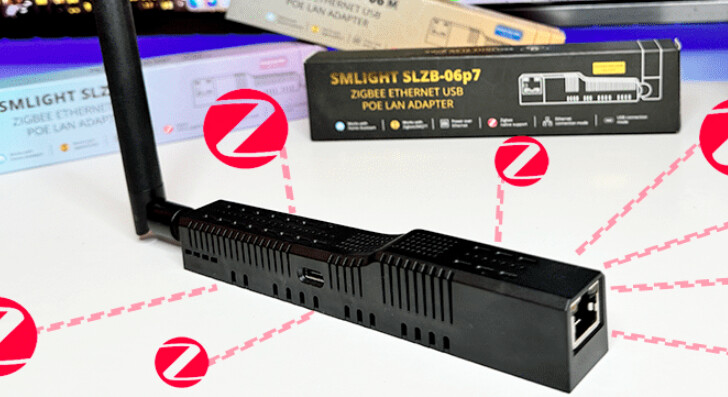
I’ve never tried it because I already have a well-meshed Zigbee network, but I saw this product and it seems to work like a charm.
However, you should check YouTube to pick the right one because there are several variants 
Hi @Jluc
Have you installed this controller at home? I just bought it but I’m having trouble connecting it to Gladys.
Good evening @l.dolle,
I was interested based on the specifications, but since I switched from the Pi to a mini PC, I put the purchase off for now.
I hope you’ll manage to install it.
Good luck
[quote=« l.dolle, post:3, topic:9077 »]
Have you installed this controller at your place? I just bought it but it’s a pain to connect it
that’s exactly what I did at home, knowing that I connected the slzb-06m via PoE and not by USB.
Small tip: update the core to the latest firmware BUT not the Zigbee controller one otherwise it’s
Thanks for the reply @mutmut ,
I’ll test that.
@mutmut
I can’t create the z2m docker with Gladys. Since it doesn’t detect any Zigbee devices, it only creates the MQTT docker.
Do I need to register the device first so that Gladys creates the appropriate docker? Or is there another method?
Thanks in advance for your reply.
that’s normal, you need to create a docker « standalone » for z2m and then connect Gladys to an existing z2m as @_Will_71 indicated here.
But before connecting, you need to:
- create an MQTT docker (you can retrieve the credentials generated by gladys → user+pwd) and test with an MQTT Explorer (for example on macOS) that you can successfully connect to your MQTT instance
- create a z2m docker, then connect it to the previously created MQTT docker (with user+pwd)
- connect the z2m to SMLIGHT (be careful about the small tweaks to make in the z2m params that SMLIGHT gives you) → you should see 1 client connected in the smlight interface if all goes well
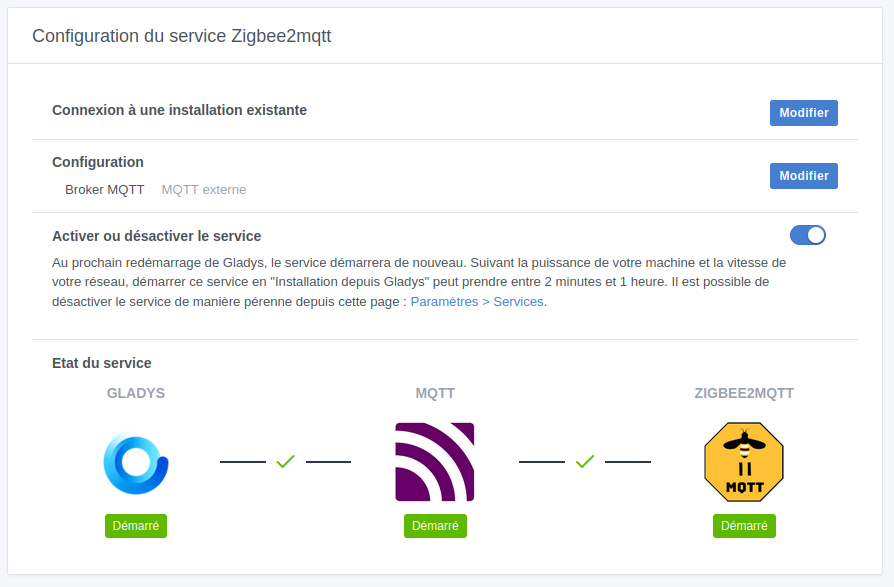
- finally go to Gladys to connect to the existing z2m
- BONUS: you can also go into the MQTT integration of gladys and connect to the MQTT created earlier.
Don’t move on to the next step until the light is green, otherwise you risk getting lost and not knowing what’s blocking you.
And I’ll repeat (too much?  ), try to make your 2 dockers with Docker Compose (watch the mosquitto version to install because gladys uses 2.0.15. On my side I’m on 2.0.20 and it works … for now
  )
)
I probably should have started with that, but what hardware do you have to run Gladys? Raspberry Pi, Synology NAS, dedicated PC, etc.
Gladys is installed on a VM running Debian 12. I used the official Docker Compose.
I can’t find a Zigbee2MQTT (z2m) server on Docker Hub. Is there an « official » address for Gladys users?
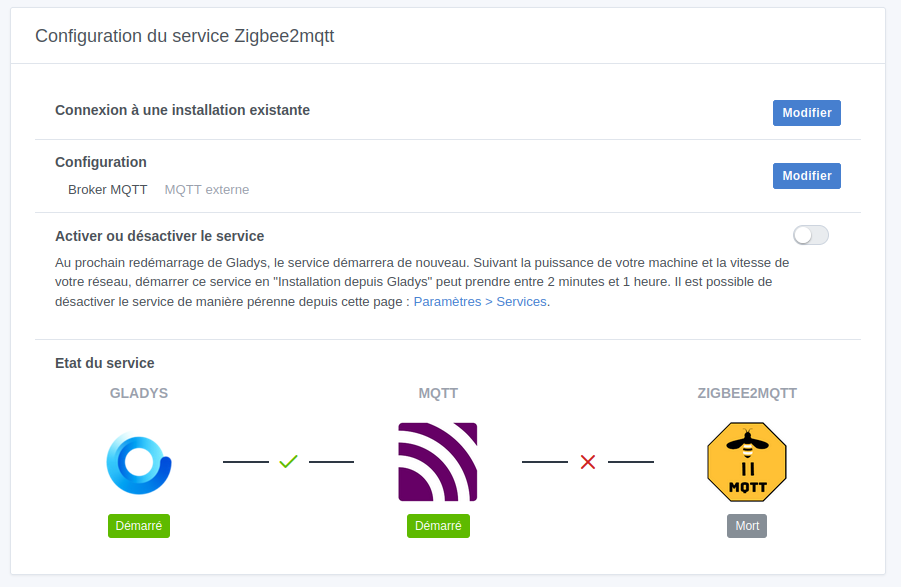
for z2M: https://registry.hub.docker.com/r/koenkk/zigbee2mqtt/
For Compose, there’s no need to specify a device since you will redefine it in z2m’s parameters.
YES!!!
It’s connected.
Thank you very much @mutmut for your advice.
I had a bit of trouble finding the right settings, but it’s connected.
Hello @pierre-gilles
I’d like to make a tutorial about setting up this device.
Where do we put them?
Thanks.
Hi!
You have a dedicated ‹ Tutorials › section on the forum…
Hello,
Indeed, there’s one hidden in every category, but I hadn’t clicked on it yet. 
Thanks for the info.
Hi @l.dolle
I wanted to know if you’ve had any issues lately with your SLZB-06M?
I just saw this morning that mine was out of order, the ping was OK but the web server had a hell of a time loading and not fully. However, the Zigbee commands weren’t going through at all. Yesterday everything worked.
I restarted it (which did it a world of good) and noticed a new official firmware was available. So I went from 2.5.6 to 2.7.0.
I’ll keep an eye on it to see if it runs well.
In any case I don’t know if it’s the arrival of this new firmware that caused my SLZB-06M to crash or something else because once restarted, the logs disappear 
EDIT: apparently I have another issue because some modules or on/off plugs no longer respond to requests via Gladys or z2m directly but report the on or off state if I press physically (on a NOUS plug for example)… Now I don’t understand anything 
EDIT 2 (5min after EDIT): and now all the actuators are working again without me doing anything… I love IT 
Yes, I did a firmware update search in z2m, it must have sensed something was wrong 
Hi @mutmut
No, I didn’t have any problems this morning. I haven’t changed my firmware. It’s still on 2.3.6. Not very recent. But I think I read that you should be cautious with updates. I might have to update it anyway.
In any case, if everything is back to normal for you, that’s good.