That would be amazing! Great find!
Top!
That would be amazing! Great find!
Top!
I’m not far from having a first version of the automatic upload.
However, I still have a small bug. I’m trying to flash the card with my .hex file, but it doesn’t work.
avrgirl.flash(require.resolve(`arduino-code.ino.standard.hex`, function (error) {
  if (error) {
    logger.warn(error);
  } else {
    logger.warn('Flashing done!');
  }
});
Apparently, the relative path is not accepted.
2020-05-15T14:35:32+0200 <warn> setup.js:22 () { Error: ENOENT: no such file or directory, open 'mega/arduino-code.ino.hex'
at Object.openSync (fs.js:443:3)
at Object.readFileSync (fs.js:343:35)
at Object.tools._parseHex (/home/pi/Gladys/server/services/arduino/node_modules/avrgirl-arduino/lib/tools.js:13:17)
at Stk500v2._upload (/home/pi/Gladys/server/services/arduino/node_modules/avrgirl-arduino/lib/stk500v2.js:28:19)
at /home/pi/Gladys/server/services/arduino/node_modules/avrgirl-arduino/avrgirl-arduino.js:109:24
at /home/pi/Gladys/server/services/arduino/node_modules/avrgirl-arduino/lib/connection.js:26:18
at Connection._setUpSerial (/home/pi/Gladys/server/services/arduino/node_modules/avrgirl-arduino/lib/connection.js:49:10)
at /home/pi/Gladys/server/services/arduino/node_modules/avrgirl-arduino/lib/connection.js:25:15
at /home/pi/Gladys/server/services/arduino/node_modules/avrgirl-arduino/lib/connection.js:70:12
at /home/pi/Gladys/server/services/arduino/node_modules/avrgirl-arduino/lib/connection.js:191:26
at process._tickCallback (internal/process/next_tick.js:68:7)
errno: -2,
syscall: 'open',
code: 'ENOENT',
path: 'mega/arduino-code.ino.hex' }
Apparently, only an absolute path is accepted. Would you have a solution to this problem?
Edit:
Well, it wasn’t that complicated, it’s fixed 
So, the automatic upload is now handled for the Arduino Uno and Mega! The .hex files for other boards will come soon 
Hey Hey!
Great progress and fantastic work!
My Gladys 3 installation is still active and I have a lot of other « tinkering » projects going on, but as soon as I can, I’ll test all of this!
Bravo, it’s very, very promising!
Thank you so much, it’s nice to hear that
For now, there are still quite a few things to fix, but we are getting to a fairly complete solution.
I am working on the reception part. I have therefore created a small script that runs with a POST request. The results are promising, I get the data from a sensor that I installed at home yesterday:
2020-05-17T20:28:05+0200 <warn> recv.js:23 (SerialPort.<anonymous>) Received 999027 / 32bit Protocol
2020-05-17T20:28:05+0200 <warn> recv.js:23 (SerialPort.<anonymous>) : 1

2020-05-17T20:28:05+0200 <warn> recv.js:23 (SerialPort.<anonymous>) Received 888052 / 32bit Protocol
2020-05-17T20:28:05+0200 <warn> recv.js:23 (SerialPort.<anonymous>) : 1

2020-05-17T20:28:06+0200 <warn> recv.js:23 (SerialPort.<anonymous>) Received 888052 / 32bit Protocol
2020-05-17T20:28:06+0200 <warn> recv.js:23 (SerialPort.<anonymous>) : 1

2020-05-17T20:28:06+0200 <warn> recv.js:23 (SerialPort.<anonymous>) Received 888052 / 32bit Protocol
2020-05-17T20:28:06+0200 <warn> recv.js:23 (SerialPort.<anonymous>) : 1

2020-05-17T20:28:06+0200 <warn> recv.js:23 (SerialPort.<anonymous>) Received 888052 / 32bit Protocol
2020-05-17T20:28:06+0200 <warn> recv.js:23 (SerialPort.<anonymous>) : 1

2020-05-17T20:28:15+0200 <warn> recv.js:23 (SerialPort.<anonymous>) Received 999026 / 32bit Protocol
2020-05-17T20:28:15+0200 <warn> recv.js:23 (SerialPort.<anonymous>) : 1
The idea now is to modify the generic Arduino code, so as to have a standardized JSON format that is understandable by Gladys.
Moreover, for the practical side, I was wondering if it would not be more practical to separate the transmissions and receptions at the level of the Arduinos directly? In other words, a code for an Arduino that will transmit data, and a code for an Arduino that will serve as a sensor and receiver. This would allow that if we have a delay to impose for the receptions, it does not impact Gladys when we ask to emit a signal.
For now, these are still just ideas, but as soon as everything is clear, this « final » phase of development should be quite quick 
I think it’s easier to have a kind of all-in-one.
In terms of deadlines, it’s still quite fast and I don’t think it impacts Gladys, right?
Look at the code we had in Gladys 3, it managed the transmission and reception in one program and it worked very well! 
Great job otherwise!
Wow, great job 
I can’t wait to try this out, I do a lot of programming on Arduino and this is fantastic news.
Great job.
@pierre-gilles @loic_btz Thank you very much
Perfect, I’ve worked a bit on all that. A new version of the Arduino code has been uploaded, and now it is possible to create 433 sensors. For now, the Arduino’s serial outputs appear only in the logs, and the last output is stored in the device’s ‹ CODE › parameter.
I’m still struggling to figure out how to present the devices in the interface, but we are finally achieving two-way communication
If you have suggestions on how the devices could be displayed, I’m all ears
By the way @pierre-gilles, I tried to define the sensor as a temperature sensor in the database, but it does not appear on the dashboard when I do my device-in-room box… Are there specifications for it to appear?
Hi @billona,
After a few days of testing and some struggles, here’s my feedback. I’ll first present here the upload + 433 transmission tests only (I don’t have any Chacon outlets for now - I ordered 4, it will always be useful ^^). Then, in a second step, I’ll post the reception tests.
For information, the difference we have on ArduinoJSON comes from the fact that you are using version 5 while on my side I have been using version 6 for a good year now which handles deserialization errors in particular. It might be a good idea to switch to this one as soon as possible because as I told you, the calls change. It’s up to you, if you need it I’ll guide you. Not much to change.
On the program side, no required actions were necessary for it to be functional:
Test platform:
#include <RCSwitch.h>

RCSwitch mySwitch = RCSwitch();

void setup() {
Serial.begin(9600);
mySwitch.enableReceive(0);  // Receiver on interrupt 0 => that is pin #2
}

void loop() {
if (mySwitch.available()) {

  Serial.print("Received ");
  Serial.print( mySwitch.getReceivedValue() );
  Serial.print(" / ");
  Serial.print( mySwitch.getReceivedBitlength() );
  Serial.print("bit ");
  Serial.print("Protocol: ");
  Serial.println( mySwitch.getReceivedProtocol() );

  mySwitch.resetAvailable();
}
}
Tests :
setup.js:27 () Flashing done!<warn> send.js:18 (SerialPort.<anonymous>) Arduino: port opened
<warn> send.js:19 (SerialPort.<anonymous>) {"function_name":"emit_433","parameters":{"data_pin":"3","code":"1381717","bit_length":"24"}}%
10:06:31.598 -> {"action":"received","value":517}
10:06:31.869 -> {"action":"received","value":517}
10:06:42.006 -> {"action":"received","value":1381717}
10:06:42.282 -> {"action":"received","value":1381717}
setup.js:27 () Flashing done!15:39:02.464 -> {"action":"received","value":517}
15:39:02.737 -> {"action":"received","value":517}
15:39:07.016 -> {"action":"received","value":1381717}
15:39:07.290 -> {"action":"received","value":1381717}
setup.js:27 () Flashing done!2020-05-20T21:04:58+0200 <warn> send.js:18 (SerialPort.<anonymous>) Arduino: port opened
2020-05-20T21:04:58+0200 <warn> send.js:19 (SerialPort.<anonymous>) {"function_name":"emit_433","parameters":{"data_pin":"4","code":"1381717","bit_length":"24"}}%
21:05:09.001 -> {"action":"received","value":517}
21:05:09.275 -> {"action":"received","value":517}
21:05:11.949 -> {"action":"received","value":1381717}
21:05:12.223 -> {"action":"received","value":1381717}
setup.js:27 () Flashing done!2020-05-20T20:59:56+0200 <warn> send.js:18 (SerialPort.<anonymous>) Arduino: port opened
2020-05-20T20:59:56+0200 <warn> send.js:19 (SerialPort.<anonymous>) {"function_name":"emit_433","parameters":{"data_pin":"4","code":"1381717","bit_length":"24"}}%
21:00:06.321 -> {"action":"received","value":517}
21:00:06.591 -> {"action":"received","value":517}
21:00:10.053 -> {"action":"received","value":1381717}
21:00:10.323 -> {"action":"received","value":1381717}
2020-05-20T20:49:34+0200 <warn> setup.js:25 () Error: no Arduino 'duemilanove168' found.
at /home/pi/GladysV4-ArduinoUSB/Gladys/server/services/arduino/node_modules/avrgirl-arduino/lib/connection.js:30:25
at /home/pi/GladysV4-ArduinoUSB/Gladys/server/services/arduino/node_modules/avrgirl-arduino/lib/connection.js:70:12
at /home/pi/GladysV4-ArduinoUSB/Gladys/server/services/arduino/node_modules/avrgirl-arduino/lib/connection.js:191:26
at runMicrotasks (<anonymous>)
at processTicksAndRejections (internal/process/task_queues.js:94:5)
- Arduino Due in my possession, not Duemilanov
- USB Port Details:
[26206.334098] usb 1-1.2: new full-speed USB device number 23 using xhci_hcd
[26206.477587] usb 1-1.2: New USB device found, idVendor=2341, idProduct=003d,
bcdDevice= 0.01
[26206.477595] usb 1-1.2: New USB device strings: Mfr=1, Product=2, SerialNumber=220
[26206.477600] usb 1-1.2: Product: Arduino Due Prog. Port
[26206.477605] usb 1-1.2: Manufacturer: Arduino (www.arduino.cc)
[26206.477610] usb 1-1.2: SerialNumber: 5583931343835151F1F0
[26206.480259] cdc_acm 1-1.2:1.0: ttyACM11: USB ACM device
Same as previous point 5
setup.js:27 () Flashing done!<warn> send.js:18 (SerialPort.<anonymous>) Arduino: port opened
<warn> send.js:19 (SerialPort.<anonymous>) {"function_name":"emit_433","parameters":{"data_pin":"3","code":"1381717","bit_length":"24"}}%
12:08:40.360 -> {"action":"received","value":517}
12:08:40.633 -> {"action":"received","value":517}
12:08:54.081 -> {"action":"received","value":1381717}
12:08:54.319 -> {"action":"received","value":1381717}
2020-05-20T15:50:01+0200 <warn> setup.js:25 () Error: no Arduino 'leonardo' found.
at /home/pi/GladysV4-ArduinoUSB/Gladys/server/services/arduino/node_modules/avrgirl-arduino/lib/connection.js:30:25
at /home/pi/GladysV4-ArduinoUSB/Gladys/server/services/arduino/node_modules/avrgirl-arduino/lib/connection.js:70:12
at /home/pi/GladysV4-ArduinoUSB/Gladys/server/services/arduino/node_modules/avrgirl-arduino/lib/connection.js:191:26
at runMicrotasks (<anonymous>)
at processTicksAndRejections (internal/process/task_queues.js:94:5)
- Arduino Leonardo ETH in my possession, not Leonardo plain
- Recognized as « Unknown » in the configurations
- USB Port Details:
[25878.209177] usb 1-1.2: new full-speed USB device number 22 using xhci_hcd
[25878.349042] usb 1-1.2: New USB device found, idVendor=2a03, idProduct=8040, bcdDevice= 1.00
[25878.349049] usb 1-1.2: New USB device strings: Mfr=1, Product=2, SerialNumber=3
[25878.349054] usb 1-1.2: Product: Arduino Leonardo ETH
[25878.349059] usb 1-1.2: Manufacturer: Unknown
[25878.351702] cdc_acm 1-1.2:1.0: ttyACM11: USB ACM device
[/details][details=« 9. Board Arduino YUN - Made in Taiwan - Blue color - Model:DHQAR-W03 - Not working… no reception »]
setup.js:27 () Flashing done!<warn> send.js:18 (SerialPort.<anonymous>) Arduino: port opened
<warn> send.js:19 (SerialPort.<anonymous>) {"function_name":"emit_433","parameters":{"data_pin":"3","code":"1381717","bit_length":"24"}}%
- Code reception - None:
2020-05-20T21:10:47+0200 <warn> setup.js:25 () Error: stk500 timeout. 200ms
at Timeout.<anonymous> (/home/pi/GladysV4-ArduinoUSB/Gladys/server/services/arduino/node_modules/stk500-v2/lib/parser-v2.js:114:21)
at listOnTimeout (internal/timers.js:531:17)
at processTimers (internal/timers.js:475:7) {
code: 'E_TIMEOUT'
}
- USB Port Details:
[44768.245296] usb 1-1.3: new full-speed USB device number 26 using xhci_hcd
[44768.381652] usb 1-1.3: New USB device found, idVendor=1a86, idProduct=7523, bcdDevice= 2.54
[44768.381668] usb 1-1.3: New USB device strings: Mfr=0, Product=2, SerialNumber=0
[44768.381682] usb 1-1.3: Product: USB2.0-Serial
[44768.391535] ch341 1-1.3:1.0: ch341-uart converter detected
[44768.395073] usb 1-1.3: ch341-uart converter now attached to ttyUSB0
setup.js:27 () Flashing done!<warn> send.js:18 (SerialPort.<anonymous>) Arduino: port opened
<warn> send.js:19 (SerialPort.<anonymous>) {"function_name":"emit_433","parameters":{"data_pin":"4","code":"1381717","bit_length":"24"}}%
11:57:06.842 -> {"action":"received","value":517}
11:57:07.082 -> {"action":"received","value":517}
11:57:29.392 -> {"action":"received","value":1381717}
Not available
Axes of improvements noted that you might have in mind:
Switch and Light features? Usefulness of the Button feature?). But on the « 433 emission » side, the same thing applies to these first two features. Shouldn’t we offer 2 lines ON code + Code Length / OFF code + Code Length or even a common Code Length since we will generally use the same Length.The reception part to come. Some tests have already been done.
Thanks for your tests @Terdious
I see! Yes if you have the possibility to guide me I am not against it, that way it will be done ^^
That’s strange, on my side both adding and deleting work very well…
I modified the display to make it a bit more coherent, the first version was mostly a test while waiting to improve the rest.. If you could give me your feedback on this new version it would be great 
The messages are created. I may need to rework this later, but it should be in place.
This is also strange… On my side, even in DEV I can do everything without having to refresh…
I just remodified the USB API to add these parameters when retrieving the USB ports. If I didn’t make any mistakes in the code then it should be fine. I haven’t been able to test it yet because during my tests I didn’t have any path changes, but if it happens to you I would like to have your feedback ^^
Hi @Xeanorts! You understood the service’s operation well ^^
To be honest, the service is more focused on USB communication with the Arduino. Having never used a nano IOT or Uno Wifi I don’t know how they work. But this could be the subject of a future update to the service to take them into account.
For now, the priority for me is to have a reliable and finished USB communication service.
The generic code currently allows managing IR emission
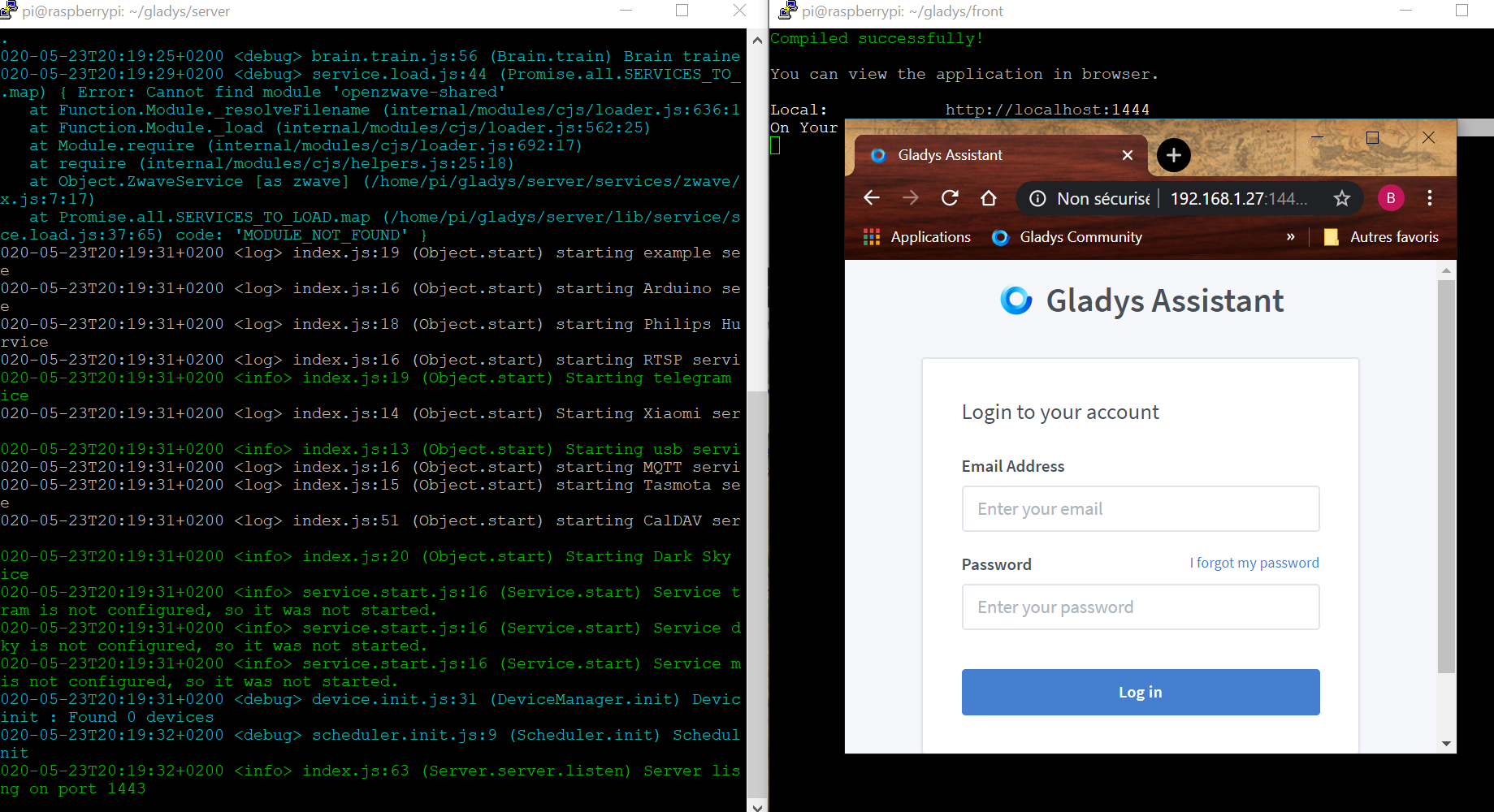
If you see this on the home page, it means Gladys is using an existing database that contains identifiers.
If you don’t describe the steps you have taken to get there, it’s difficult for us to help you.
What is your goal? To test the Arduino service?
The issue is probably with the CORS requests that don’t go through in this configuration… It happens to me too…
What I do is, after migrating my database (in the server folder: npm run db-migrate:dev), I do a nano front/config.js, and I replace « localhost » with the IP address of the machine running Gladys.
@benPi, yes, I do the same as @billona, the front fetches the database from the browser’s localhost. So if, like me, you have a DB running on localhost, it connects to it. Strange ^^
With pleasure ^^
StaticJsonBuffer<400> jsonBuffer;
JsonObject& v = jsonBuffer.parseObject(json_data);
with the following lines:
StaticJsonDocument<400> jsonBuffer;
DeserializationError error = deserializeJson(jsonBuffer, json_data);
if (error) {
  Serial.println(error.c_str());
  return;
}
JsonObject v = jsonBuffer.as<JsonObject>();
It works well for me, I did the tests with your version and the modified one (the second with an upload from my Windows PC).
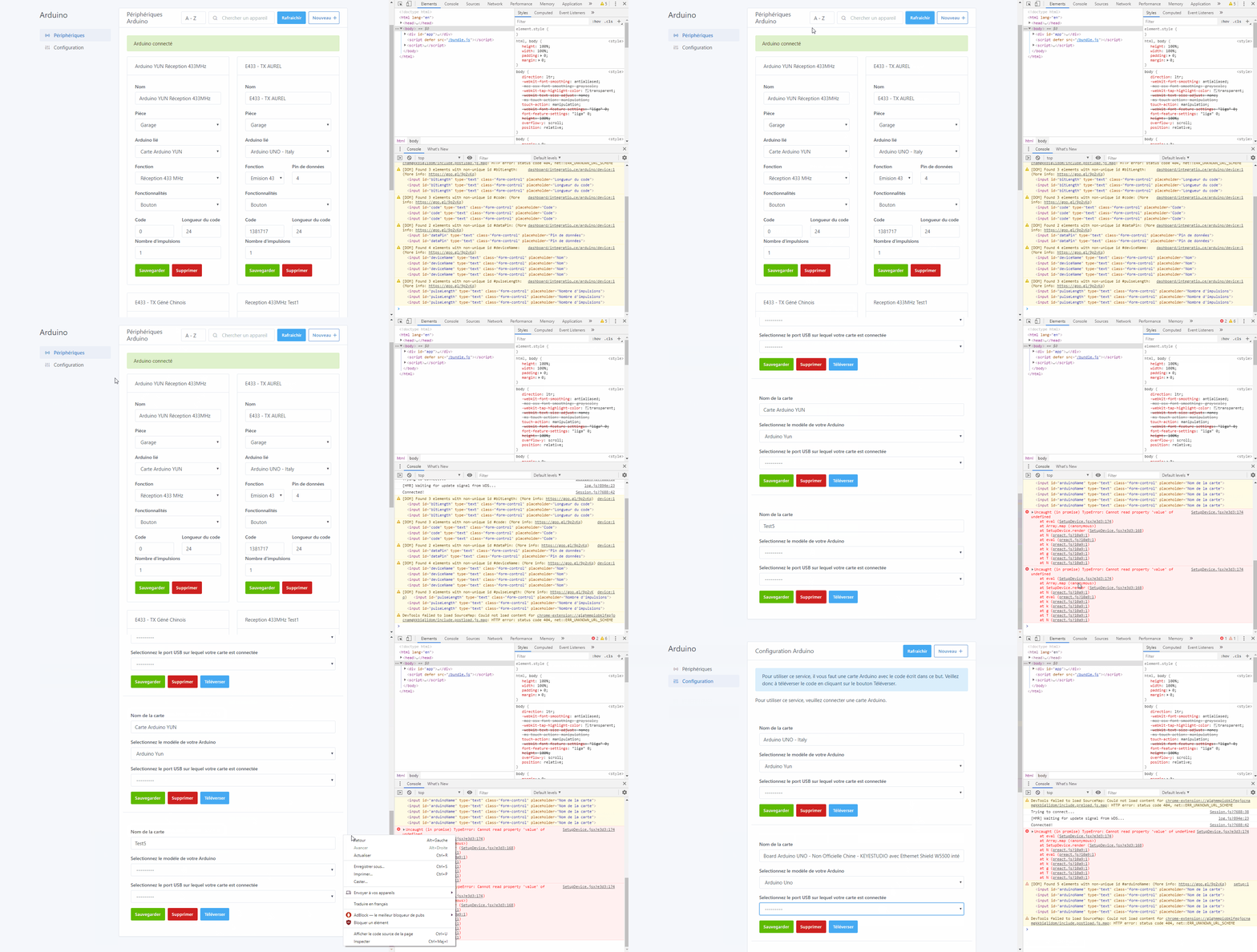
It’s an error of « length ». For information, I do all the tests with your project under 2 platforms, VScode on Windows and on a Raspberry Pi 4 as well. The behaviors are always the same, I will specify if there are ever any differences. Also, I always use 2 browsers, Chrome and Firefox to be « sure » that it’s not an issue on that side. In short, I try as much as I can to do all the tests with 2 supports (PC/RPi, Windows/Linux, Chrome/Firefox, 2 Arduino of the same type for each type, 2 x E433Mhz Generic / 2 x E433Mhz brand name, same for the R433MHz - even 3)
Also, I can no longer do tests since the update following your post, it no longer recognizes the cards that are well seen by the command dmesg -s 1024, and changing the card type makes Google or Firefox completely crash (tested on both). I have to kick via the task manager or wait for Google to offer to interrupt the page:
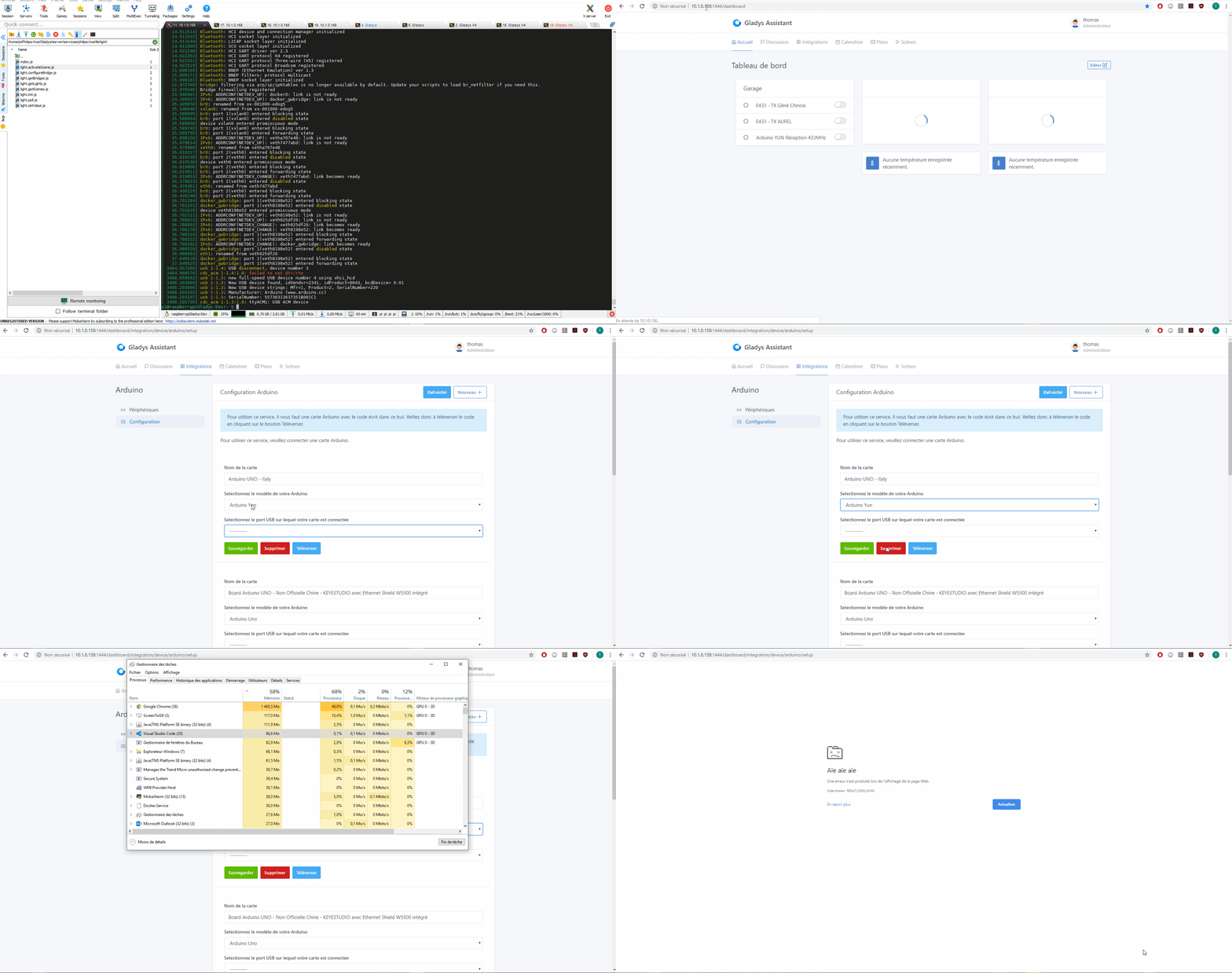
Also, I see that the reception PIN is no longer offered. I had noticed during the previous tests that in fact you had to put PIN 0 and connect the receiver to PIN 2, which is normal, since it is processed by interrupt (« Interrupt 0 = PIN 2 » on most Arduinos, « PIN 3 » on YUN and Leonardo at least). Thus, it worked well with your program on my tests under the Arduino IDE. On the other hand, I did not succeed in doing it under the RPI, I cannot read the serial port when it is occupied by Gladys.
That’s it, for the moment I don’t know how to help you anymore, I tried a complete reinstall of the PI, but nothing more ^^ Unfortunately I don’t have an Apple support available ^^
Yes, I have a Raspbian-buster-desktop distribution and I have done all the developer installation steps by replacing the Gladys PG path with that of @billona.
So this morning, I changed the local host line,
localApiUrl: process.env.LOCAL_API_URL || ‹ http://IP_DU_RPI:1443 ›,
webSocketUrl: process.env.WEBSOCKET_URL || ‹ ws://IP_DU_RPI:1443 ›,
And it works!
I did /gladys/server $ npm start
I got an error:
npm WARN npm npm does not support Node.js v10.19.0
npm WARN npm You should probably upgrade to a newer version of node as we
npm WARN npm can't make any promises that npm will work with this version.
npm WARN npm Supported releases of Node.js are the latest release of 4, 6, 7, 8, 9.
npm WARN npm You can find the latest version at https://nodejs.org/

> gladys-server@ start /home/pi/gladys/server
> cross-env NODE_ENV=development nodemon index.js

[nodemon] 1.19.4
[nodemon] to restart at any time, enter `rs`
[nodemon] watching dir(s): *.*
[nodemon] watching extensions: js,mjs,json
[nodemon] starting `node index.js`
2020-05-24T10:41:45+0200 <info> system.init.js:31 (System.init) System.init: This system doesn't have a docker dameon available.
2020-05-24T10:41:46+0200 <debug> brain.train.js:54 (Brain.train) Training brain...
2020-05-24T10:41:46+0200 <debug> brain.train.js:56 (Brain.train) Brain trained!
2020-05-24T10:41:50+0200 <debug> service.load.js:44 (Promise.all.SERVICES_TO_LOAD.map) { Error: Cannot find module 'openzwave-shared'
    at Function.Module._resolveFilename (internal/modules/cjs/loader.js:636:15)
    at Function.Module._load (internal/modules/cjs/loader.js:562:25)
    at Module.require (internal/modules/cjs/loader.js:692:17)
    at require (internal/modules/cjs/helpers.js:25:18)
    at Object.ZwaveService [as zwave] (/home/pi/gladys/server/services/zwave/index.js:7:17)
    at Promise.all.SERVICES_TO_LOAD.map (/home/pi/gladys/server/lib/service/service.load.js:37:65) code: 'MODULE_NOT_FOUND' }
2020-05-24T10:41:50+0200 <log> index.js:19 (Object.start) starting example service
2020-05-24T10:41:50+0200 <log> index.js:16 (Object.start) starting Arduino service
2020-05-24T10:41:50+0200 <log> index.js:51 (Object.start) starting CalDAV service
2020-05-24T10:41:50+0200 <info> index.js:20 (Object.start) Starting Dark Sky service
2020-05-24T10:41:50+0200 <log> index.js:16 (Object.start) starting MQTT service
2020-05-24T10:41:50+0200 <log> index.js:18 (Object.start) starting Philips Hue service
2020-05-24T10:41:50+0200 <log> index.js:16 (Object.start) starting RTSP service
2020-05-24T10:41:50+0200 <info> index.js:19 (Object.start) Starting telegram service
2020-05-24T10:41:50+0200 <info> index.js:13 (Object.start) Starting usb service
2020-05-24T10:41:50+0200 <log> index.js:14 (Object.start) Starting Xiaomi service
2020-05-24T10:41:50+0200 <log> index.js:15 (Object.start) starting Tasmota service
2020-05-24T10:41:50+0200 <info> service.start.js:16 (Service.start) Service darksky is not configured, so it was not started.
2020-05-24T10:41:50+0200 <info> service.start.js:16 (Service.start) Service telegram is not configured, so it was not started.
2020-05-24T10:41:50+0200 <info> service.start.js:16 (Service.start) Service mqtt is not configured, so it was not started.
2020-05-24T10:41:51+0200 <debug> device.init.js:31 (DeviceManager.init) Device : init : Found 0 devices
2020-05-24T10:41:51+0200 <debug> scheduler.init.js:9 (Scheduler.init) Scheduler.init
events.js:174
      throw er; // Unhandled 'error' event
      ^
Error: listen EADDRINUSE: address already in use :::1443
    at Server.setupListenHandle [as _listen2] (net.js:1280:14)
    at listenInCluster (net.js:1328:12)
    at Server.listen (net.js:1415:7)
    at Object.start (/home/pi/gladys/server/api/index.js:62:10)
    at /home/pi/gladys/server/index.js:21:10
Emitted 'error' event at:
    at Server.emit (events.js:198:13)
    at emitErrorNT (net.js:1307:8)
    at process._tickCallback (internal/process/next_tick.js:63:19)
[nodemon] app crashed - waiting for file changes before starting...
Then, gladys/front/npm start
Compiled successfully!
@benPi, this error means that the server is already running. If you want to check the logs, the best thing to do is to restart your RPi and launch everything again in the same way. After an automatic SSH disconnection, the server remains running but not the front end.
Thanks a lot, I understand better!
By the way: can I make a request to the server from my browser if the frontend is not running? I don’t have an example of a request but it’s to better understand.
Anyway, it works!
@billona Here is my first feedback. It’s great! It works on its own!
I have some remarks, but they are more about refining and understanding. For me, what is essential is the ability to customize what will be sent to the Arduino (a customize button like the example below).
I deliberately emphasized my « newbie » side so that as many things as possible are ergonomic and intuitive. Overall, labels when you hover over a button would help to better understand in one sentence what is expected. This helps to better understand.
Setup:
Name of the card: we don’t know if we can put whatever we want or if we need to copy a reference. A phrase to clarify
Select the model of your Arduino: “You can find it here…” if there is a place to find it
Select the USB port where your Arduino is connected: Not knowing, I created 2 Arduinos with 2 different ports. Both work. However, one of the 2 Arduinos should appear “not connected, error, it’s not an Arduino on dev/ttyAMA0”
Upload Code: If I understand correctly, this uploads code to the Arduino? There might be a security feature after, but right now I’m afraid to click on it because I’m afraid of erasing my own Arduino code. A small explanation label would help to reassure or to warn about the operation “warning, you will lose the last code in your Arduino.”
DEVICES:
Name: There are names everywhere (card name, sub-service name, slug, TAG, etc.) I imagine that given the context, I need to put the name of my controlled outlet. But it is a bit confusing.
FUNCTION:
Typically, I want to move a servomotor. It would be great to combine your ready-made code, which is very practical, with the ability to create your own function. For example, my function would be:
SERVO (‘Position’ = ‘180’). The question is, if I send 181 and it’s limited, is there an error message? Or should I opt for 100% = 180°? (like with light intensity)
For an open app, just as I can send a request in the form of IP/?servo=180 or other, we should be able to send our raw command. Moreover, it will be simpler for debugging as I can send the same thing via my Arduino console when I test my .ino code on my computer.
Proposal (the must-have): when you click on customize, it displays the raw code (like the scripts) sent to the Arduino that you can then customize (at the risk that it may not work anymore, of course).
DATAPIN: Beware, some pins do not work with a type of action
Is there a “warning” if a PIN is selected twice “Warning: data pin 7 is used twice, it may be a mistake and cause damage to your device”
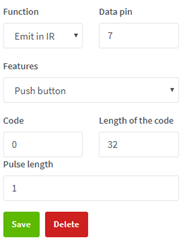
EMIT IR: If I want to modify the “protocol” of the IR emission, I should be able to do it.
Two different lengths can be confusing.
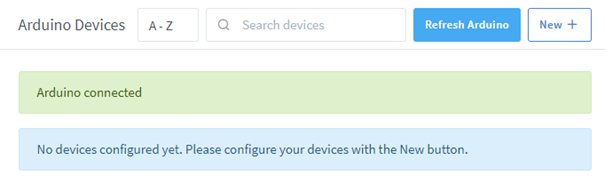
For Arduino Devices: a drop-down list would be interesting to contract the setup of each device once configured.
Perfect if it works
I agree with you, there are still a lot of things to modify in the UI to make everything explicit. First, I want to finish the reception part before dealing with optimization.
Could you send me the Arduino code you use to control your Servo in a private message? I’m gradually adding features to the code. For example, the latest update includes data recovery via DHT11.
That’s a great idea, I’ll add it to my roadmap. As soon as everything is finished, I’ll try to work on it
Yes, for now it’s just sendNEC, but I’ll add the other protocols later.
@Terdious thanks for your help, I modified the Arduino code, I’ll test it this afternoon.
After that, based on what you proposed regarding serialNumber, productID, etc., I modified the USB API, and therefore the card parameters stored in the DB. If you haven’t already, I advise you to start with a new DB. Since I’m still in development, it’s normal for the DB data to change along the way, but if some data is not entered and your browser expects it, it seems logical to have errors.
That’s really strange too. Maybe it’s due to recent changes in the API and the DB?
Yes, I made the choice that for the 433 reception, the pin must necessarily be 0 first. This avoids the user entering a pin that doesn’t work. I’ll work on that later.
In any case, thank you very much for all this feedback
I posted my Arduino code including light sensor, motion sensor, and servo earlier. I had to split the code into service sections in setup and loop, so I commented to clearly mark which code belongs to which service.
You can definitely take inspiration from this, that’s what it’s for.
PS I had a small bug with the proposed ports. If you can, instead of displaying ttyUSB0, could you display the port name. (for me quinheng, which appears when doing lsusb)
There’s an example here (I think )