This update includes a set of improvements and fixes developed in late 2024 / early 2025, notably:
Fix for an MQTT disconnection bug: Thanks to @Terdious for their investigation which helped identify and resolve the unexpected MQTT disconnection issues experienced by some of you. The problem came from custom MQTT topics.
ZWaveJS: @Sescandell added support for remote controls, including the noDon Octan Remote CRC-3100 remote.
Zigbee2mqtt:
@_Will_71 added support for the Heiman smart doorbell.
@_Will_71 also developed the integration for the Aqara WXKG15LM double switch.
Lixee TIC: @_Will_71 performed a migration of selectors and external_id to fix issues related to a late-2024 migration.
Scenes: Updated the axios library by @bertrandda to support chunked responses in “HTTP Request” actions.
A huge thank you to all the developers for these valuable contributions!
Hello,
I noticed this morning that the Lixee, which had been working without any issues for over a year, is no longer displaying any graphs. Could the update be the cause of this problem?
There is no update available for Zigbee2MQTT, and if I remove the Lixee from the device integrations list, I’m sure I’ll lose all the history
Sorry but we have no choice, the migration breaks the dashboards, however the data is preserved.
So you’ll have to redo your dashboards and your scenes, sorry but we couldn’t do both. It was either the data or the dashboards. We chose to keep the data.
The update itself in the z2m integration will bring new features. But of course you should apply the update only after Gladys has been updated to the latest version.
Everything’s perfect at my place as well.
Thanks again to @_Will_71 for this great integration.
FYI, for those who might have doubts, my Linky meter is located outside my house about 30 meters away, with a lixee TIC and its external antenna, and I have no problems with Zigbee reception.
I applied the proposed update in the zigbee2mqtt integration, and I still have all my data. I adjusted my scenes and dashboard without any issues.
Thanks @_Will_71
Is it possible that the update installed itself ?
I had been careful not to install it while waiting to have a bit of time and my graphical errors have just confirmed that it is indeed installed ..
Or I’m starting to lose it
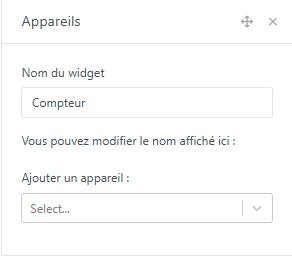
By the way, when you add a block without specifying devices, all devices appear .. It’s a bit cluttered !
Hello,
I had a power outage on Sunday.
The MQTT broker restarted fine.
However, the one for ZWave JS UI seemed OK (Connected to the MQTT broker successfully!) but no devices were working.
I could see the MQTT devices working, but not the ZWave ones.
By clicking save the configuration everything started working.