Hi everyone!
Gladys Assistant 5.3.3 is out 
Don’t let the version number fool you: this release is almost entirely about one project, Gladys on your phone. Many of you check your dashboard on your smartphone, but as soon as you wanted to change a widget or a scene, you were facing a desktop form squeezed onto a small screen. So we rebuilt dashboard and scene editing starting from the phone. On a computer, your habits don’t change.
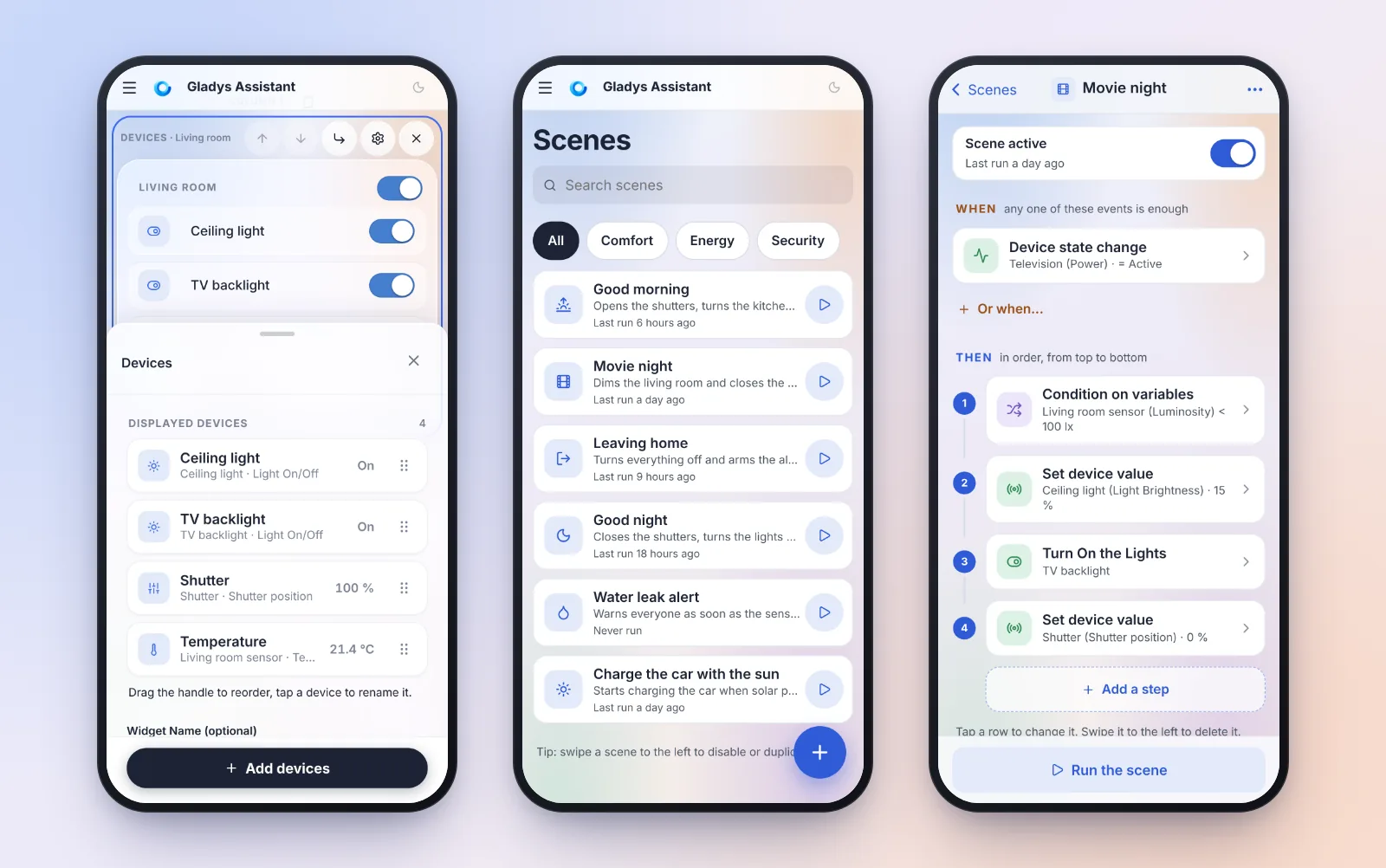
 Edit the dashboard with your thumb
- the “Devices” widget is rebuilt from scratch: a clear list with the value of each device, and a picker that groups devices by room;
- the edit panel opens halfway, so the widget you are editing stays visible above it;
- “Move to…” moves a widget to another column without drag and drop, and the “Reorganize” mode collapses every widget to rearrange the page in a few taps;
- no more lost changes: leaving the editor with unsaved changes asks for confirmation.
 Scenes, designed for the phone
- the scene list gets a search, tag chips, and a swipe to disable or duplicate a scene;
- the editor reads as a numbered timeline, and each step opens in a panel that slides up from the bottom of the screen;
- swipe a step to delete it, long press to move it;
- unsaved changes are kept as a draft in the browser, even if your phone closes the app in the background.
 A condition can read the state of a device
On every screen size, a “Condition on variables” step can now compare the current state of a device directly. No need to add a “Get device value” step first anymore! Thanks to everyone who asked for it in this topic.
And also
- Gladys warns you when the clock of the machine running it is off, and can turn time synchronization back on in one click;
- the side menu collapses on a computer (as requested here);
- Zigbee2MQTT explains why it does not start, and SONOFF ZBDongle-E with an old firmware start on their own;
- pilot-wire heaters regulated by Gladys can rest on Eco or Off instead of frost protection;
- each socket of a power strip can be driven from a scene;
- and a bunch of fixes (calendar, Matter, MQTT, energy price…).
 All the details, with screenshots, are in the blog post: Gladys Assistant 5.3.3: the dashboard and the scenes, designed for your phone | Gladys Assistant
New: tell us what you think!
You’ll find a “Give feedback” link on every integration page and in the profile menu. It opens a new topic here, pre-filled with “What works well” / “What could be improved”. We get very little feedback on what works and what doesn’t, so please use it, it really helps us know where to put our efforts 
As always, Gladys updates automatically within 24 hours if you use Watchtower, otherwise you can do it in one click from the settings.
A big thank you to @cicoub13, @Will_71, @bertrandda and @huangkongsheng for their contributions to this release!
If you try the new editors on your phone, let us know how it goes below 