Hello,
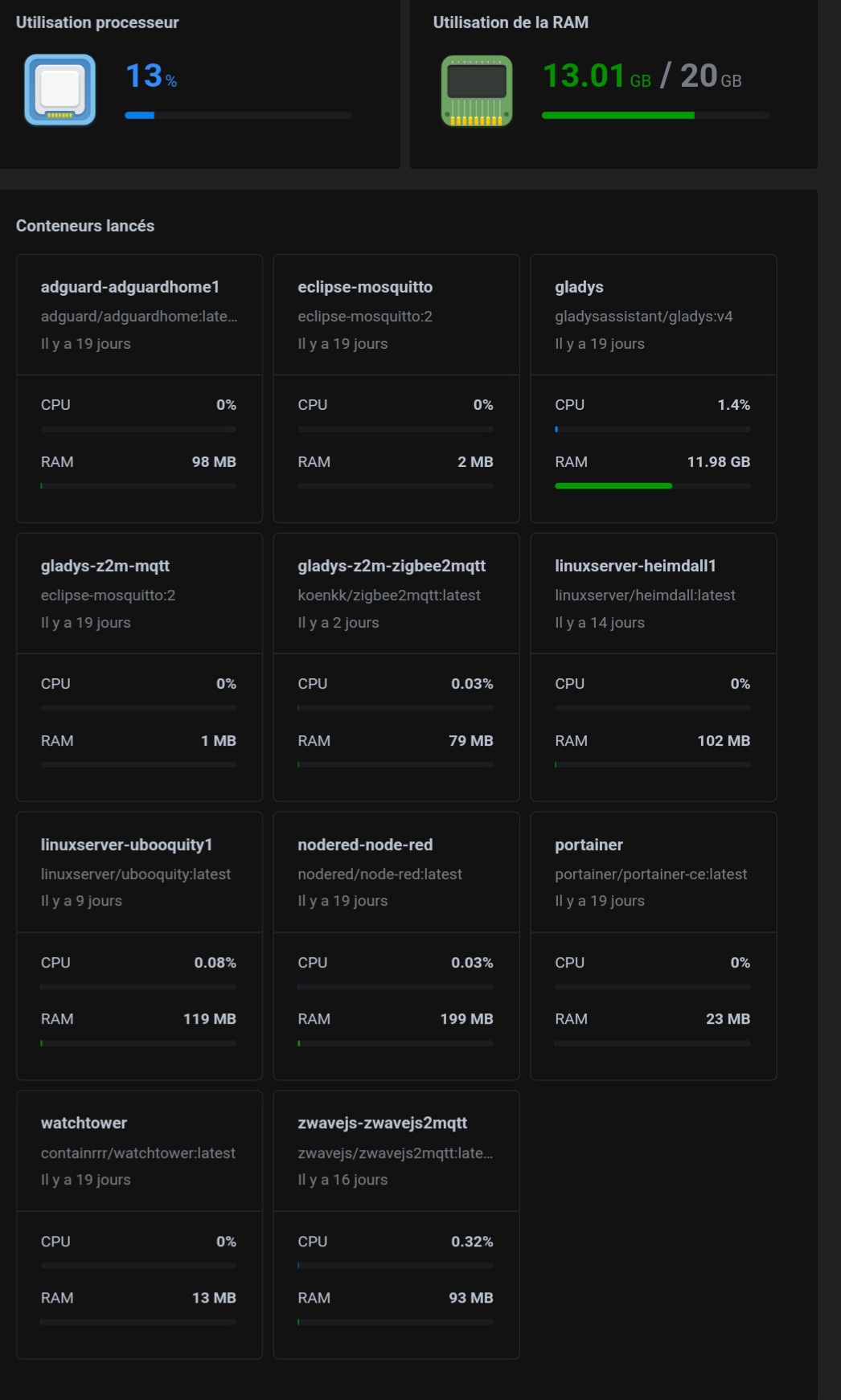
I’ve been watching this for a while but I notice that Gladys is using almost 12 GB of RAM
I wanted to know whether this is normal or if there’s a real problem somewhere?
Gladys runs under Docker on my Synology NAS which has 20 GB of RAM.
Thanks in advance 
do you have the problem too then?
or can you confirm that this isn’t normal 
But that seems totally disproportionate to me! 
On my machine, it doesn’t exceed 1 GiB of RAM.
Agreed — I don’t understand why Gladys is taking so long…
@spenceur @VonOx do you have 200,000 devices or users ?
On va tenter de checker ce qui pourrait provoquer ça.
The top or htop command lets you view running processes and their resource usage.
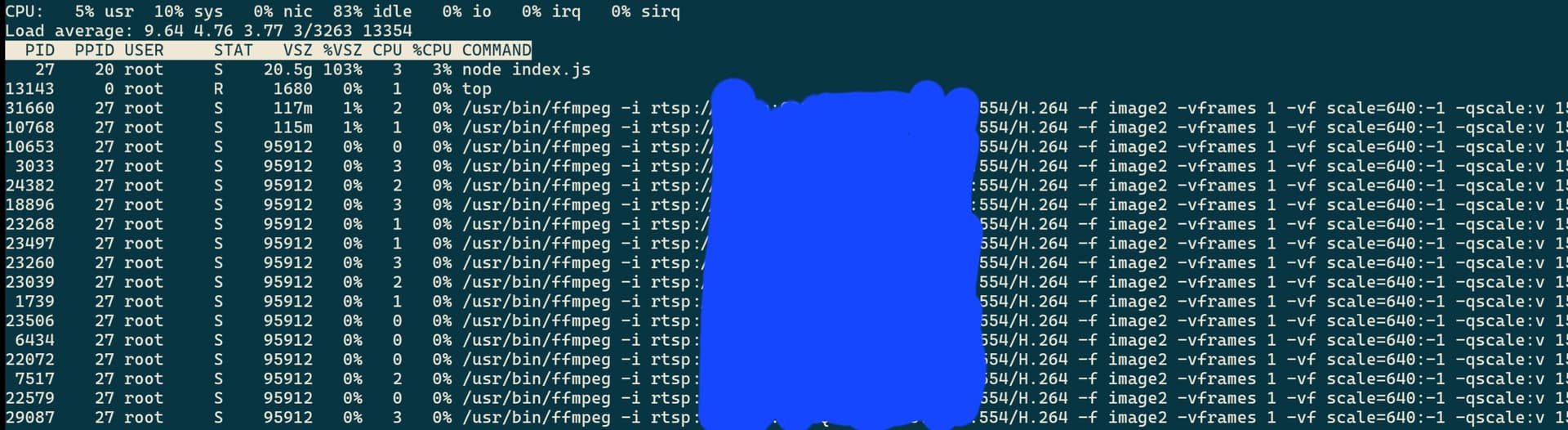
Htop ne montre rien mais top me montre ceci
I should point out that I only have one camera ^^’
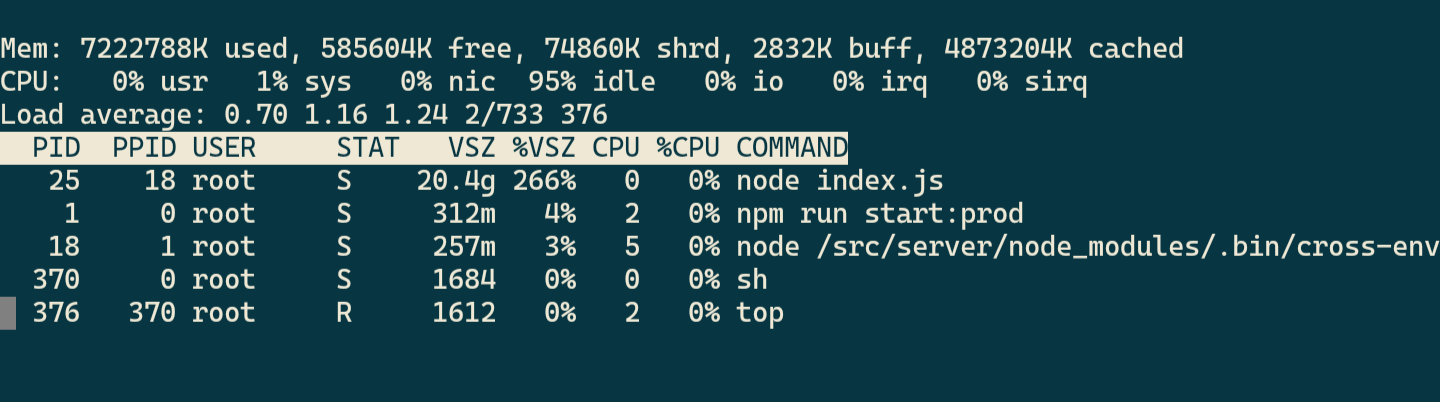
Here’s what it looks like without a camera for me.
Do you have the rest of the lines without ffmpeg?
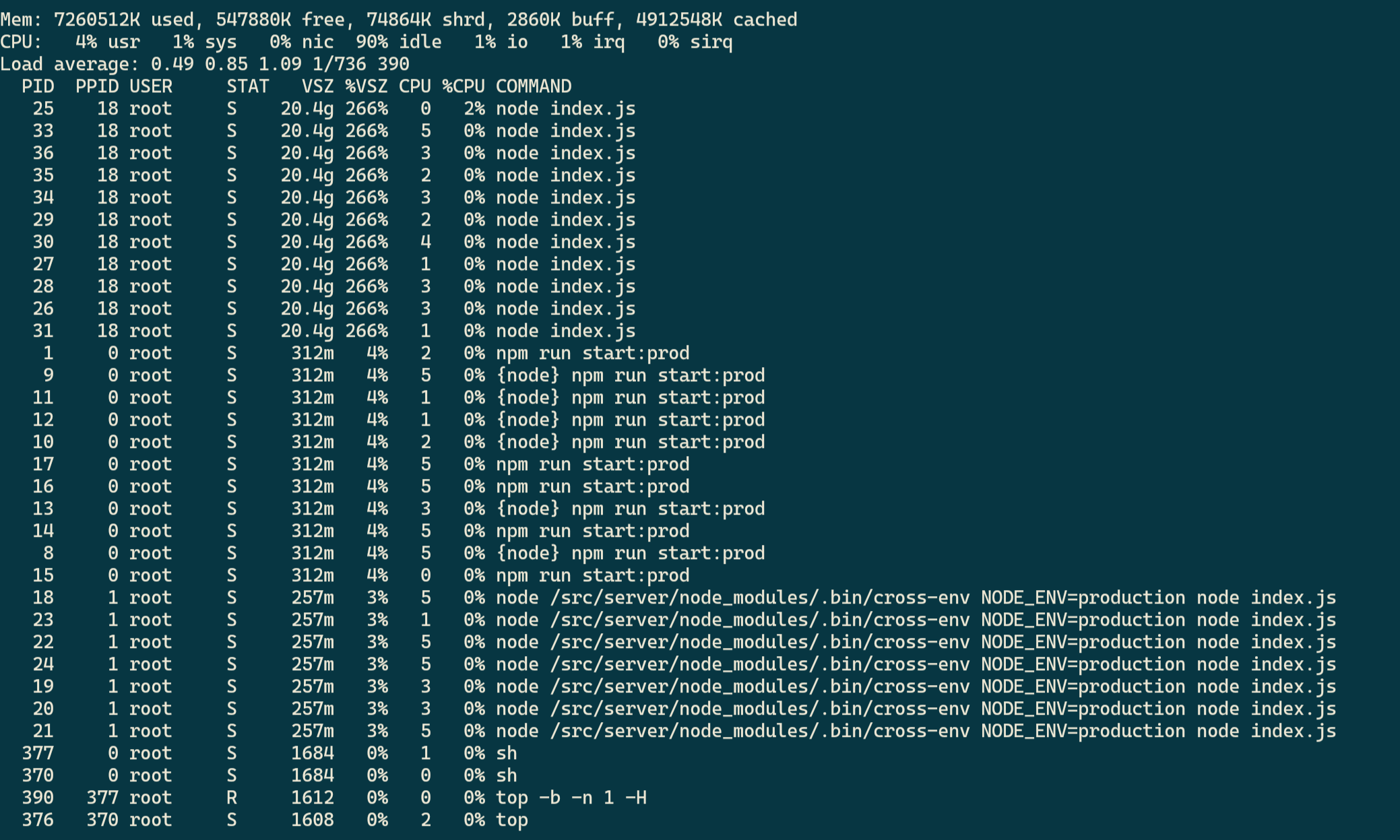
You can run top -b -n 1 -H and copy all the lines.
That runs top in batch mode, just once.
Sorry for the late reply
DiskStation:~$ sudo docker exec -it  d7e940abe7b2 top -b -n 1 -H
Password:
Mem: 20013216K used, 315520K free, 178668K shrd, 267568K buff, 5973012K cached
CPU:   5% usr  11% sys   0% nic  83% idle   0% io   0% irq   0% sirq
Load average: 1.83 3.86 3.78 2/3317 22026
  PID  PPID USER     STAT   VSZ %VSZ CPU %CPU COMMAND
22021     0 root     R     1712   0%   2   8% top -b -n 1 -H
   27    20 root     S    20.5g 103%   1   0% node index.js
   30    20 root     S    20.5g 103%   3   0% node index.js
   32    20 root     S    20.5g 103%   3   0% node index.js
   31    20 root     S    20.5g 103%   0   0% node index.js
   29    20 root     S    20.5g 103%   0   0% node index.js
   36    20 root     S    20.5g 103%   1   0% node index.js
   34    20 root     S    20.5g 103%   0   0% node index.js
   35    20 root     S    20.5g 103%   1   0% node index.js
   37    20 root     S    20.5g 103%   0   0% node index.js
   33    20 root     S    20.5g 103%   1   0% node index.js
   28    20 root     S    20.5g 103%   3   0% node index.js
    1     0 root     S     313m   2%   3   0% npm run start:prod
   14     0 root     S     313m   2%   3   0% {node} npm run start:prod
   11     0 root     S     313m   2%   1   0% {node} npm run start:prod
   12     0 root     S     313m   2%   0   0% {node} npm run start:prod
   13     0 root     S     313m   2%   1   0% {node} npm run start:prod
   19     0 root     S     313m   2%   3   0% npm run start:prod
   18     0 root     S     313m   2%   3   0% npm run start:prod
   15     0 root     S     313m   2%   0   0% {node} npm run start:prod
   16     0 root     S     313m   2%   3   0% npm run start:prod
   10     0 root     S     313m   2%   2   0% {node} npm run start:prod
   17     0 root     S     313m   2%   3   0% npm run start:prod
   20     1 root     S     257m   1%   3   0% node /src/server/node_modules/.bin/cross-env NODE_ENV=production node index.js
   25     1 root     S     257m   1%   3   0% node /src/server/node_modules/.bin/cross-env NODE_ENV=production node index.js
   24     1 root     S     257m   1%   3   0% node /src/server/node_modules/.bin/cross-env NODE_ENV=production node index.js
   26     1 root     S     257m   1%   1   0% node /src/server/node_modules/.bin/cross-env NODE_ENV=production node index.js
   21     1 root     S     257m   1%   1   0% node /src/server/node_modules/.bin/cross-env NODE_ENV=production node index.js
   22     1 root     S     257m   1%   3   0% node /src/server/node_modules/.bin/cross-env NODE_ENV=production node index.js
   23     1 root     S     257m   1%   3   0% node /src/server/node_modules/.bin/cross-env NODE_ENV=production node index.js
I removed the lines related to the camera
Thanks for the command
What bothers me is that this utility seems to display only the virtual memory used.
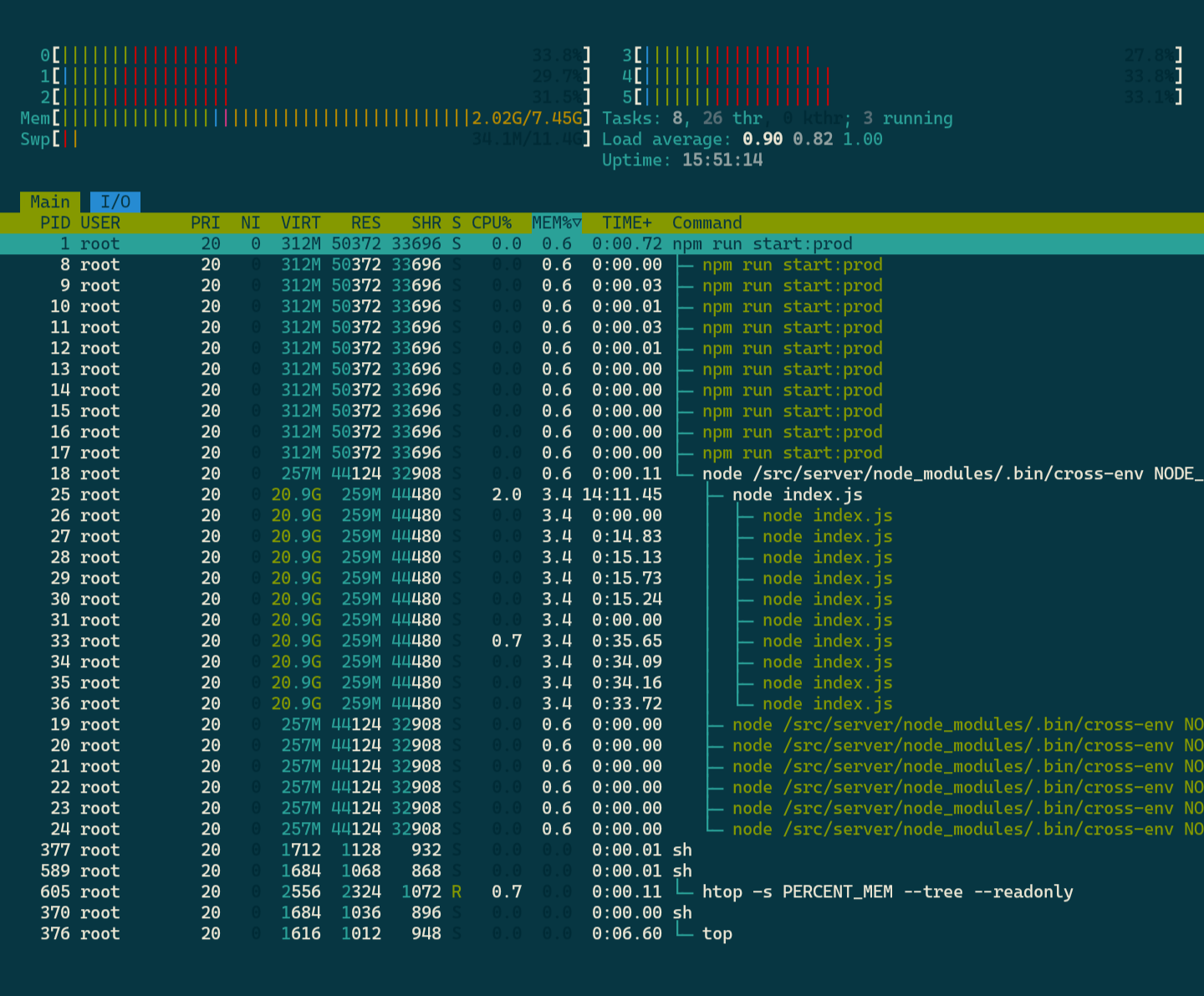
Let’s try something else. This command installs a more graphical and advanced version of top (to be run in your Gladys container).
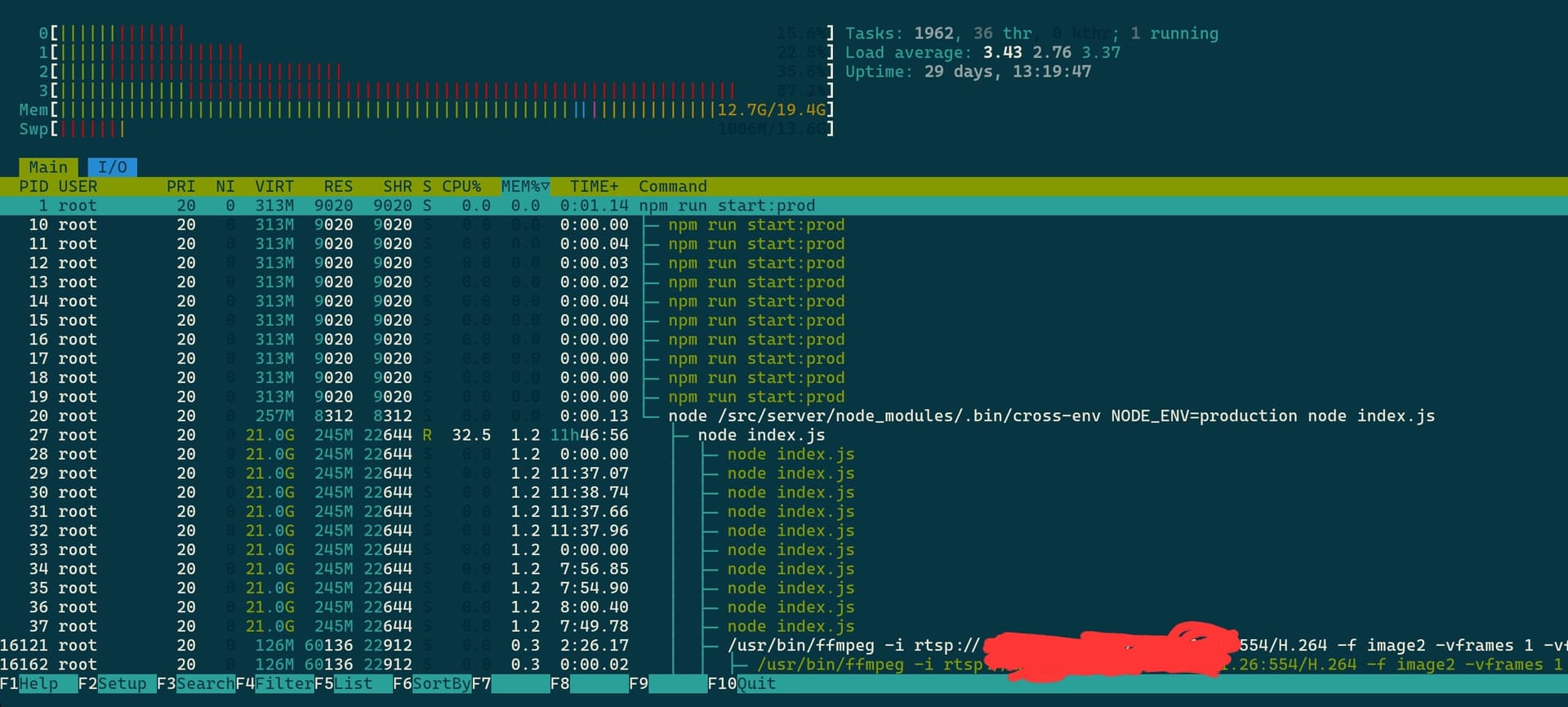
apk add -u htop ; htop -s PERCENT_MEM --tree --readonly
Here’s what it looks like on my system:
I just tested a much clearer command.
- Connect to the Gladys container
- Run
node --expose-gc
- Paste the following code (source)
const formatMemoryUsage = (data) =\u003e `${Math.round(data / 1024 / 1024 * 100) / 100} MB`;

const memoryData = process.memoryUsage();

const memoryUsage = {
  rss: `${formatMemoryUsage(memoryData.rss)} -\u003e Resident Set Size - total memory allocated for the process execution`,
  heapTotal: `${formatMemoryUsage(memoryData.heapTotal)} -\u003e total size of the allocated heap`,
  heapUsed: `${formatMemoryUsage(memoryData.heapUsed)} -\u003e actual memory used during the execution`,
  external: `${formatMemoryUsage(memoryData.external)} -\u003e V8 external memory`,
};

console.log(memoryUsage);
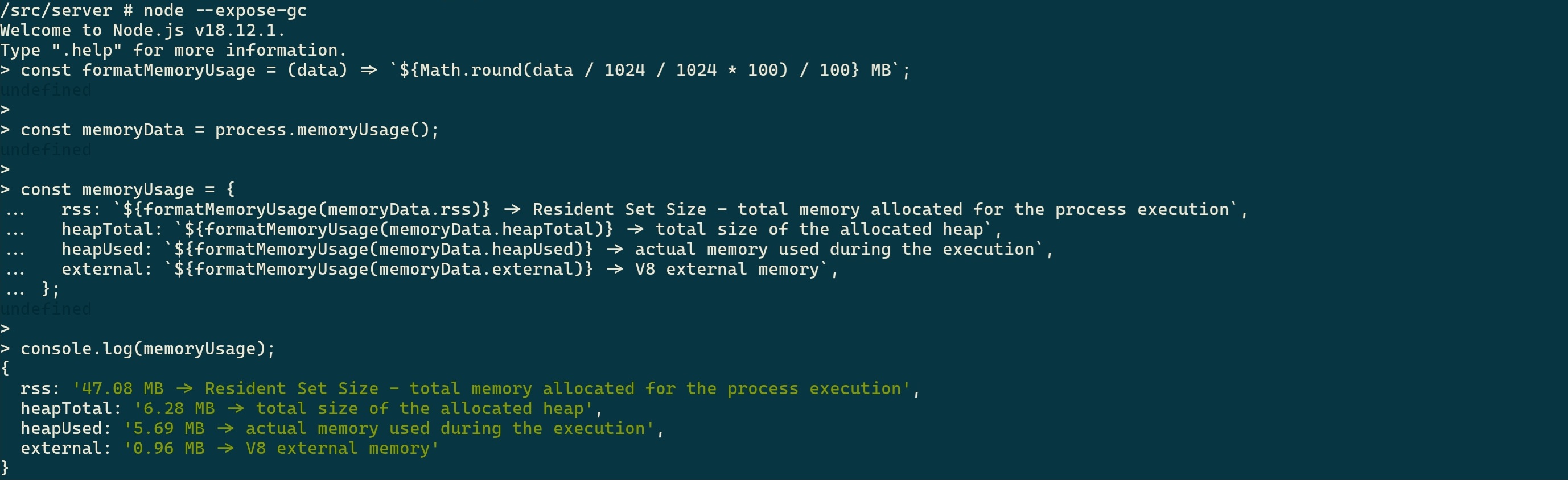
Result :
Now I’m not sure this takes Gladys processes into account, to be confirmed with your feedback.
On htop it doesn’t look like your instance is using more RAM than mine. Are you 100% sure that the RAM is being used mostly by Gladys and not by the services on your NAS?
For info, virtual memory has no link to physical memory according to a comment on Node.js’s GitHub.
What you see in the image above is the information from the Gladys container.
Not from the NAS