Gladys v4.1.0 is available!

Hello everyone!

Today is a big day, as it marks the release of a new version of Gladys: Gladys v4.1.0 :partying_face:

Today, two major new features are available: multi-user support and Bluetooth presence detection in Gladys 4 :slight_smile:

Multi-user in Gladys Assistant 4

In the Gladys settings, it is now possible to manage the users present in the instance.

It is possible to create a new user:
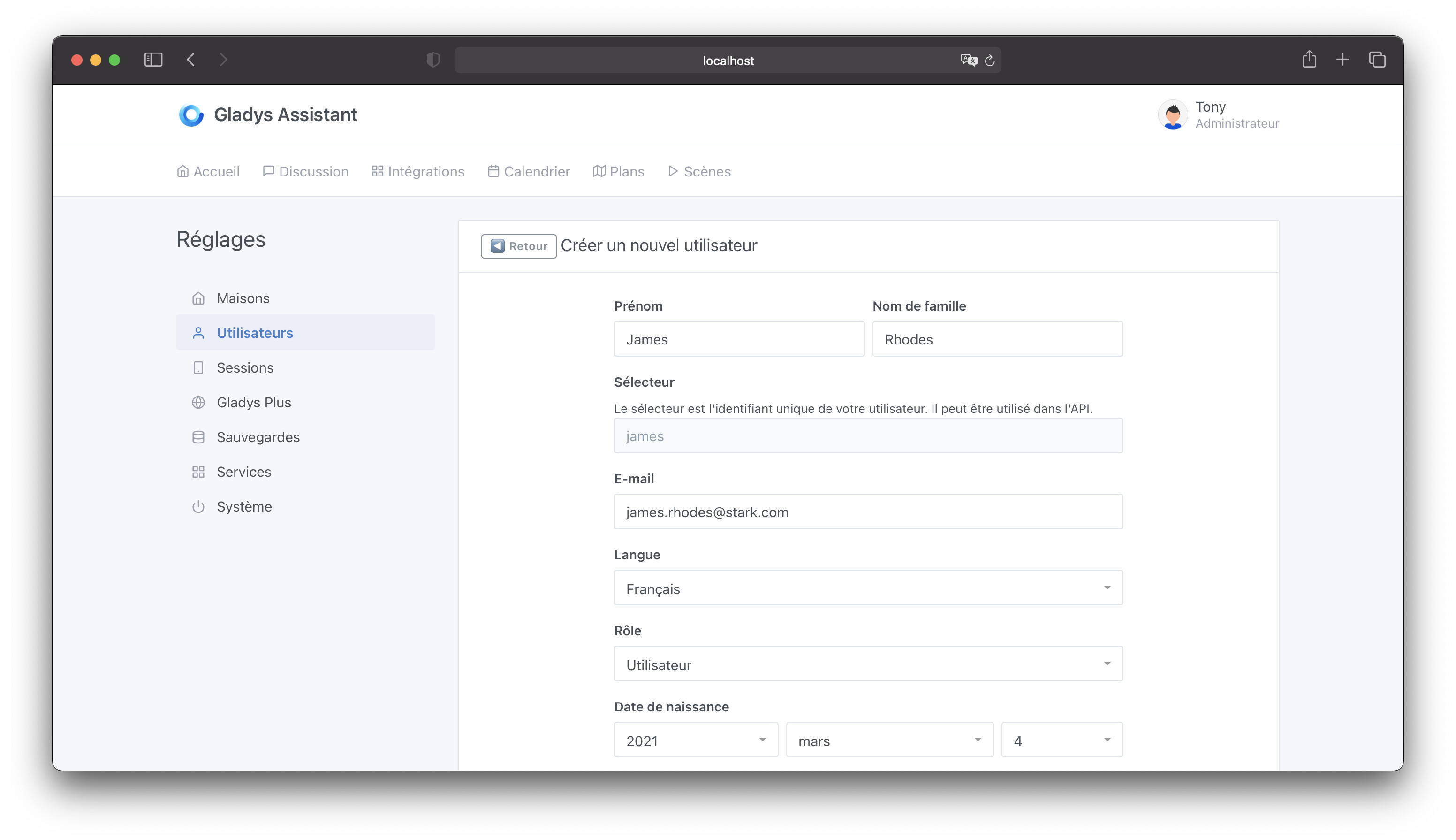
If the user is not an « administrator Â», they do not have access to the Gladys settings:
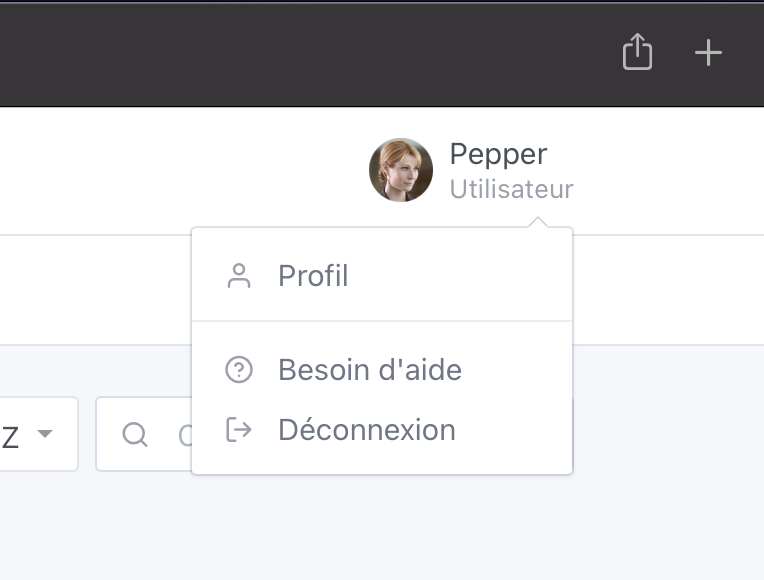
And can only interact with « personal Â» integrations (Telegram & Calendar), they cannot edit integrations that allow adding devices:
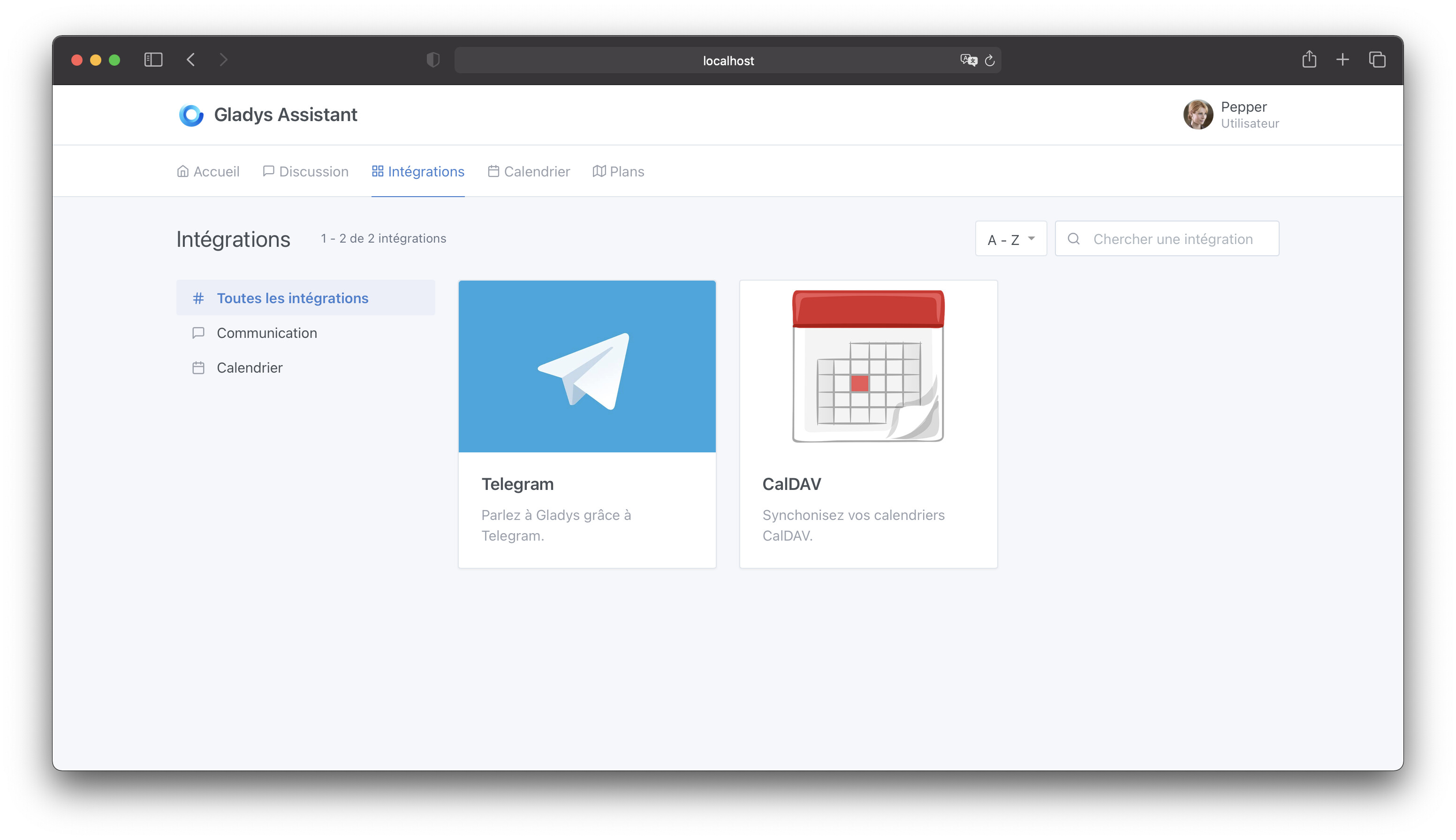
The user has their own dashboard, and their own calendars!

Bluetooth Presence Detection

You have a NUT Bluetooth keychain and you want to use it to detect your presence/departure from home?

Very easy!

First, add your NUT in the Bluetooth integration:
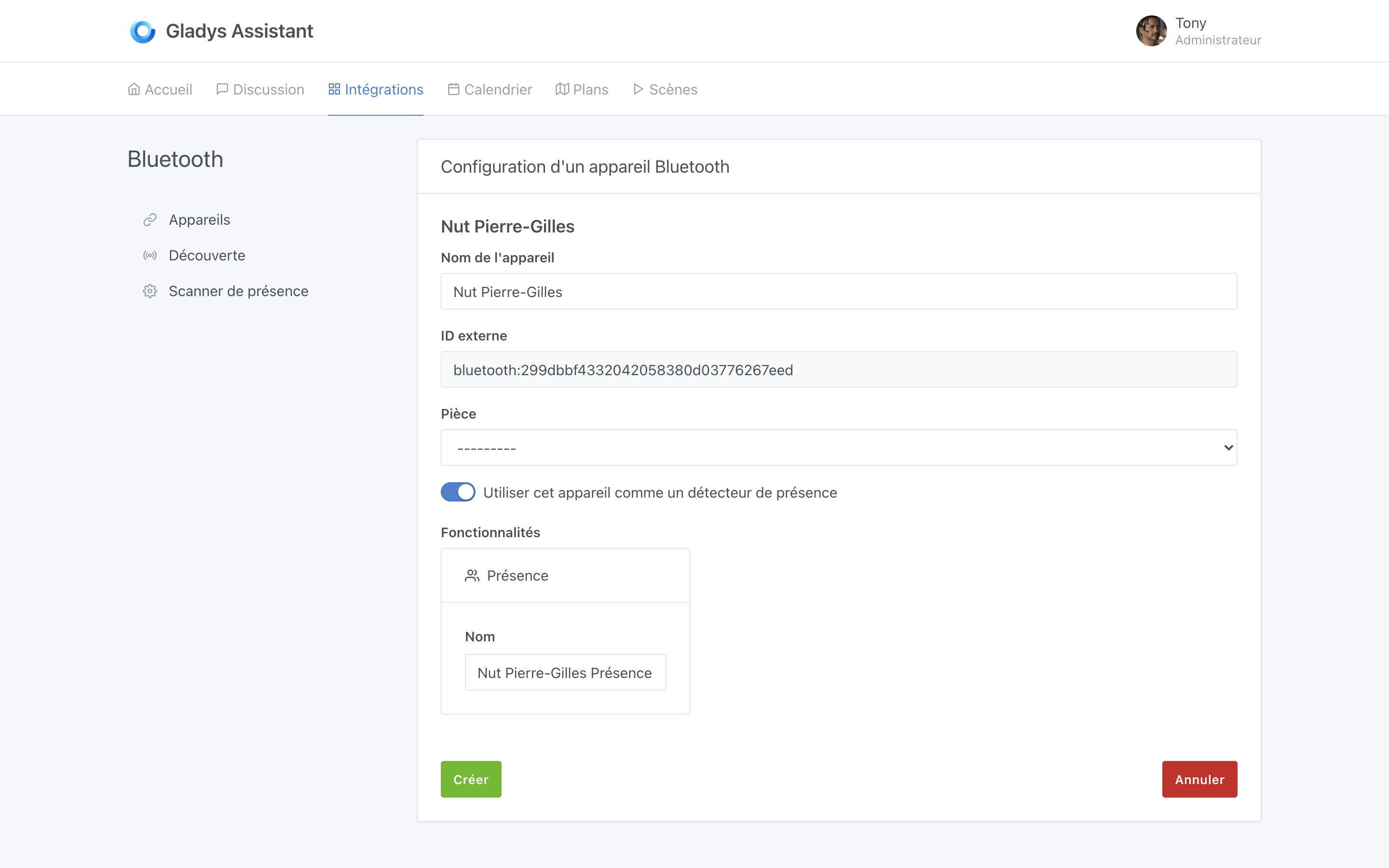
And check « Use this device as a presence detector Â».

Then, go to the « presence scanner Â» tab, to check that the presence scanner is properly configured:
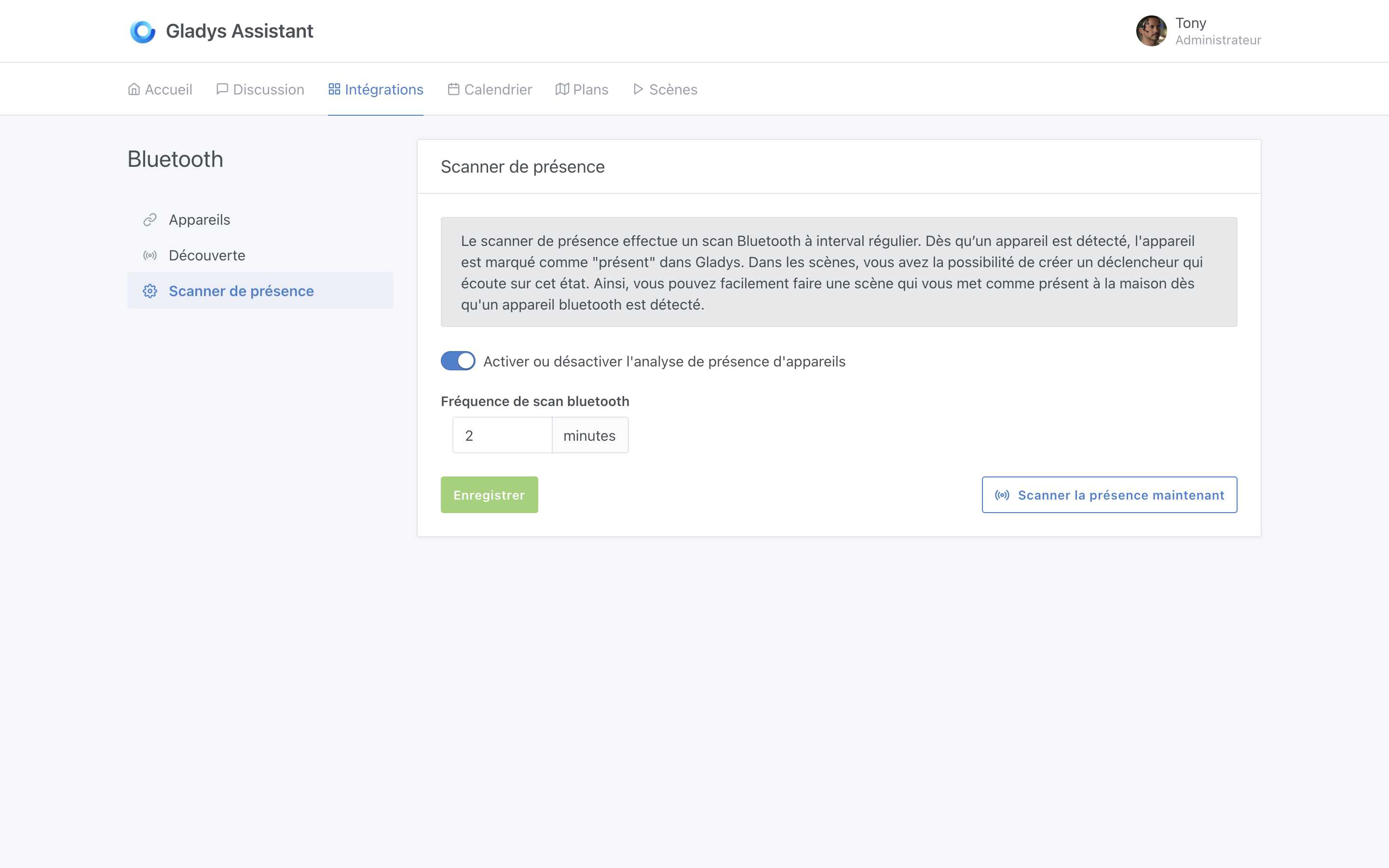
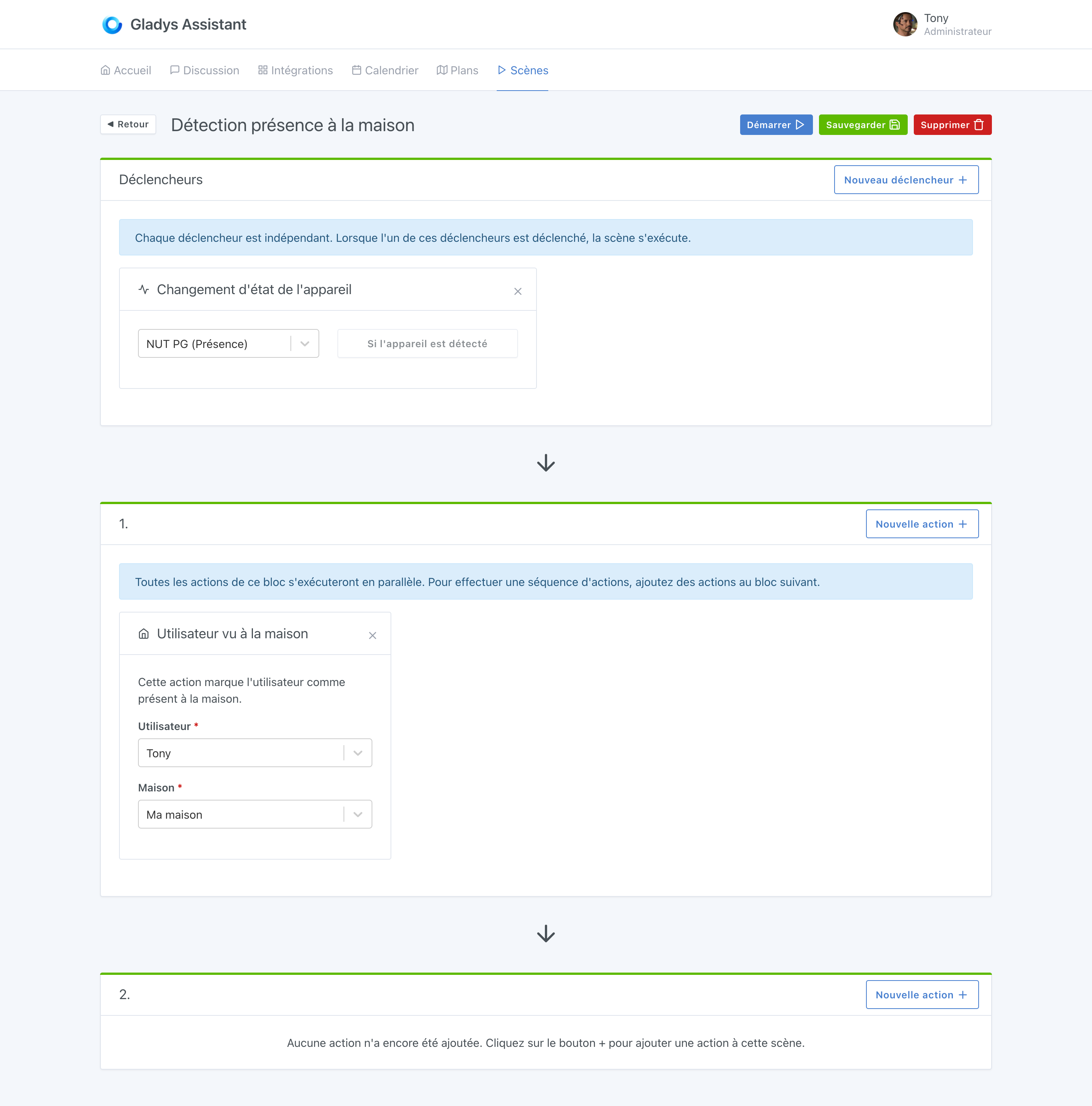
You can now go to the scenes, and start by creating a scene to detect your presence at home. We will simply tell Gladys « When the NUT has been seen, then mark me as present at home Â»:

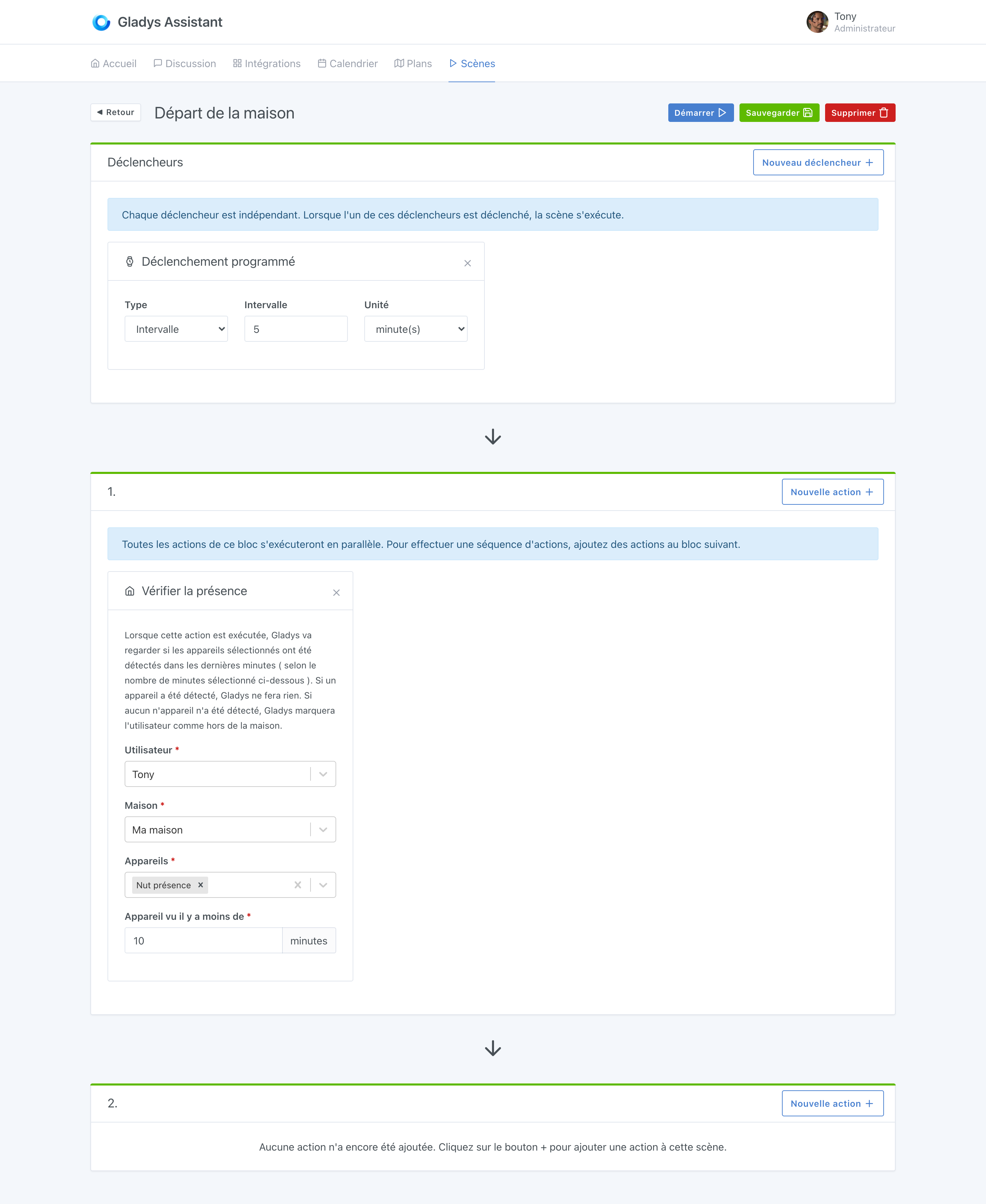
Then, we will make another scene that will trigger every 5 minutes, and check if your NUT sensor has been seen recently, or not. If the NUT has not been seen in the last 10 minutes, we will tell Gladys to mark you as « away Â» :slight_smile:

Thanks to all this, you can display the presence of the different family members on your dashboard:
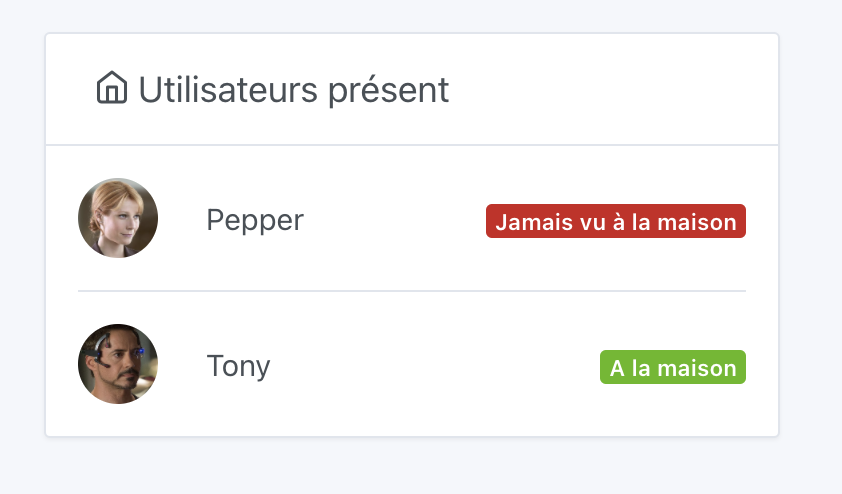
This feature being very new, I am open to any feedback on it. Do not hesitate if you find bugs!

Thanks @AlexTrovato for his work on Bluetooth :slight_smile:

The documentation has been updated:

Fix for the problem with Mosquitto 2.0

This update also brings a fix for the problem with Mosquitto 2.0 that prevented a connection from outside, due to a breaking change in the configuration file under Mosquitto 2.

The containers are automatically updated to fix this version (and thus avoid any other problem in the future), and automatically adds the fix to the existing configuration files.

Thanks @AlexTrovato and @VonOx for the work!

The complete changelog is available on GitHub.

How to update?

If you have installed Gladys with the official Raspbian image, your instances will update automatically in the coming hours. This can take up to 24 hours, no need to panic.

If you have installed Gladys with Docker, check that you are using Watchtower (See the documentation)

Congratulations to everyone who participated in this release!

I love all of this! I’m going to try to test it quickly.

By the way, silly question, I don’t have a NUT sensor. But my phone has BT turned on all the time… Is it possible for Gladys to see it?

Hello, I don’t think so, at least it doesn’t work for me, my two phones and my tablet are not recognized, probably because Bluetooth is not permanently active on these devices without a connection to a device.

On the other hand, it works well with connected watches and similar objects.

I confirm that it doesn’t work too well with « by design Â» phones, for two reasons:

  • to save battery
  • for security reasons. Google and Apple have implemented security measures to prevent your phone from being tracked in shopping malls, for example. They rotate MAC addresses and other things :slight_smile:

After that, yes, bracelets like Fitbit work well, or Bluetooth keychains. Honestly, you can find them for a few euros, I think it’s worth it.

Yes, bracelets like Fitbit work well, or Bluetooth keychains. Honestly, you can find them for a few euros, I think it’s worth it

I really like the idea of using connected watches. Is there a tutorial to test with a Xiaomi Mi Band?

My Xiaomi Mi Band 4 works perfectly, it’s the only Bluetooth device I use for presence, no specific tutorial is needed, the Bluetooth tutorial is sufficient, the watch is detected during the search and you just need to add it :blush:

Yes, so I tried snooping around. Sorry for the useless post. :slight_smile:

Honor band 5 not compatible… I’m really having a bad luck, I can’t do anything with the Bluetooth, neither my watch nor flower care, I’ll wait no problem

I have a Samsung Galaxy Watch, I need to test it.

I had a major bug, I can’t figure out where it’s coming from.

  • To start, the 4.1.0 update didn’t go as smoothly as the previous ones.
  • I tried to log in with my tablet (usually I log in with my phone) but it’s impossible. Incorrect email or password. It’s impossible, it’s saved in the browser. I take my phone back, I’m already logged into Gladys, I can turn my lights on and off.
    I’ll check my profile / session (I think) nothing
    In System, impossible to update.

I restart my Raspberry Pi. And then nothing.
Impossible to connect via SSH.

I don’t have anything exceptional in Gladys but I would like to understand what happened.

Oh dear, it smells like micro-SD corruption!

How long have you had your micro-SD?

If possible, I strongly recommend switching to an SSD instead of a micro-SD:

This will greatly improve your performance and overall instance stability.

Given that there are great SSDs starting at €17 now, you’d be missing out not to get one :wink:

Hello,
This looks similar to what I experienced some time ago. Nothing on Gladys, except for Telegram and a camera.
I was told that it was due to the SD card.
I tested it with a software that found nothing.
I reinstalled Gladys and then, after a few days, another issue arose. I posted screenshots on another forum, Gladys v.0.1 was released.
I left it as is because I didn’t have a new SD card on hand.
Gladys eventually updated itself without me doing anything and has been working for 3 months. I receive a Telegram message every 2 hours and I have access to the camera. The weather as well as my nut key fob.
I’m not saying it’s not from the SD card, but the problem resolved itself
I will still do an installation on SSD later.

@gaetanb76 SD card corruption isn’t an exact science, maybe some critical sectors that Gladys needed were affected last time, and since then you’ve been lucky :slight_smile:

The main thing is that it’s working for you again :slight_smile:

I confirm you might have an issue with the controller, it tells you everything is fine when it’s not :slight_smile: The best solution is to switch to SSD and plan a small backup of the configuration somewhere :slight_smile:

You always talk about SSDs, but is it also possible to use a regular hard drive?

Simple question… Of course, the performance will be lower than with an SSD.