Thanks for the info, I realize now that it’s been quite a while since I last used SQLite 
Command in progress, this should take a few minutes / hours depending on the speed of my SD card.
Thanks for the info, I realize now that it’s been quite a while since I last used SQLite
Command in progress, this should take a few minutes / hours depending on the speed of my SD card.
Before: 2.8G
After: 1.5G
What a difference!!!
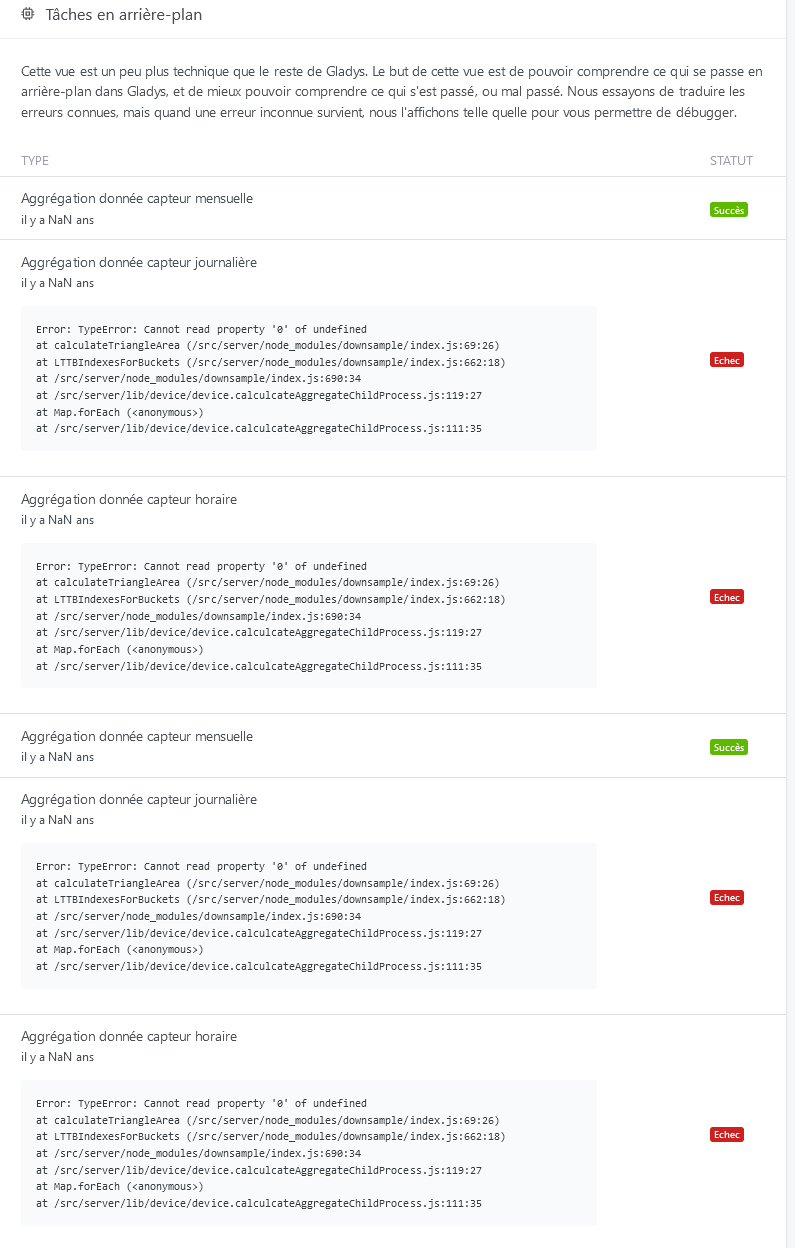
For information, I merged the PR that fixes the NaN issue causing the aggregation to crash and I launched a Docker build tagged dev 
Build: https://github.com/GladysAssistant/Gladys/actions/runs/1649220231
The bug fix for the NaN crash is available in Gladys Assistant v4.7.2!
Super thanks, I found the history of my temperatures  .
.
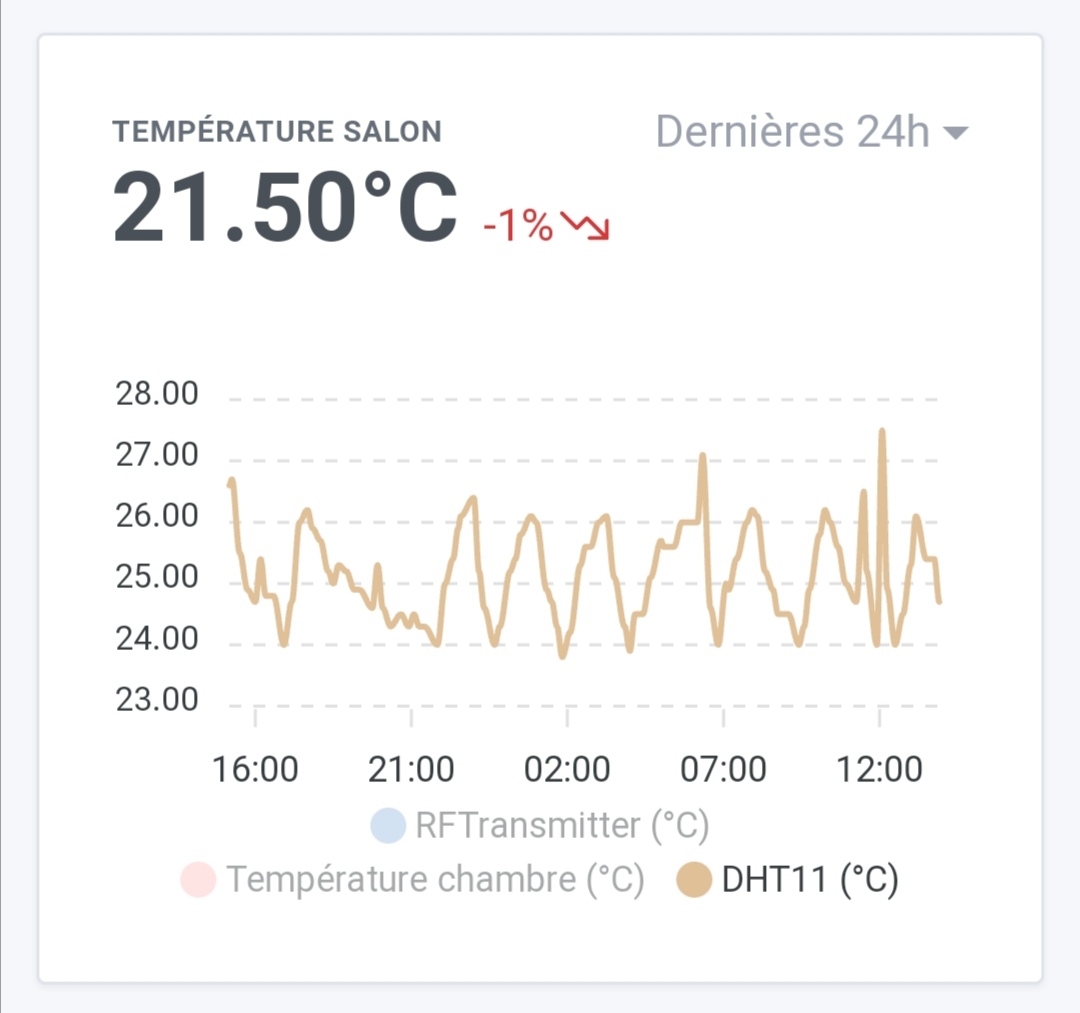
I found a small bug in the display of the graphs that I am reporting here:
So far, so good. Then, we deactivate one or two sensors:
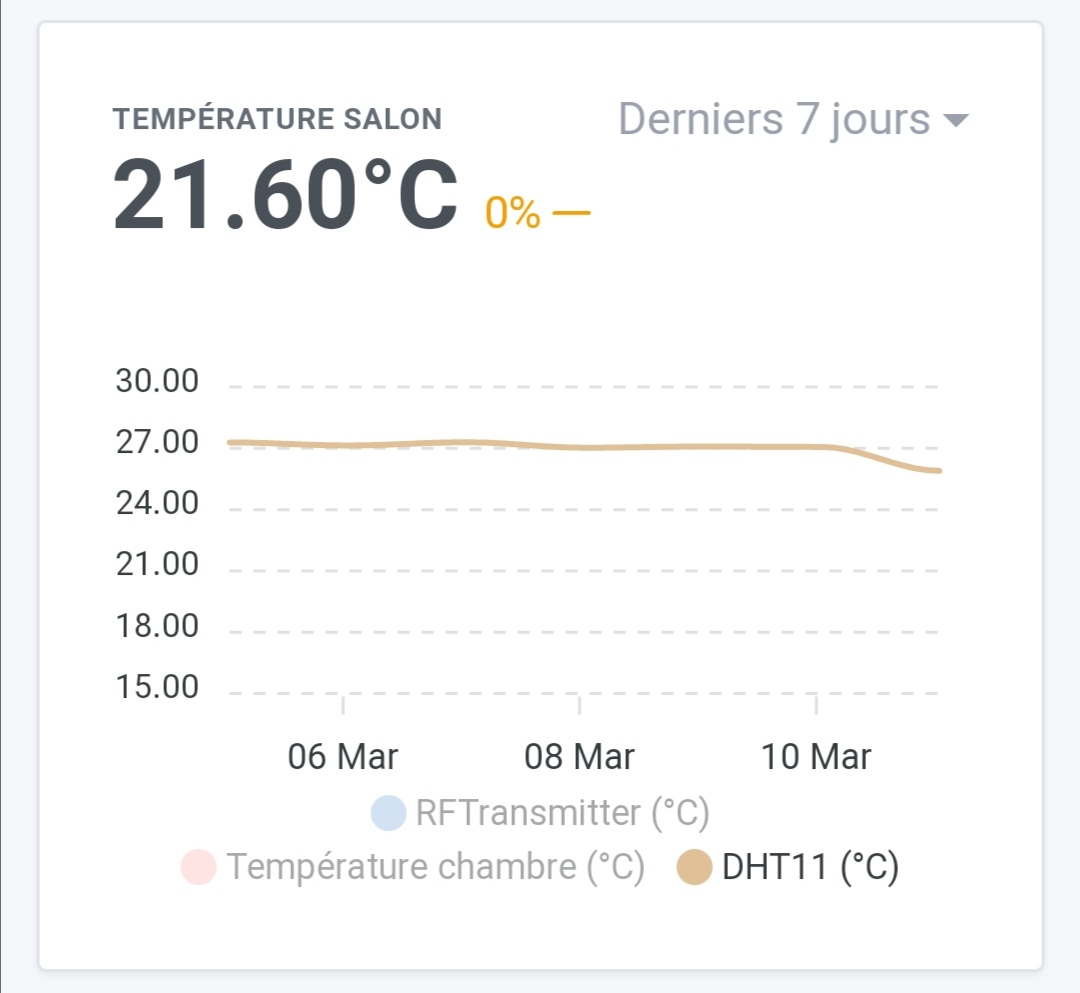
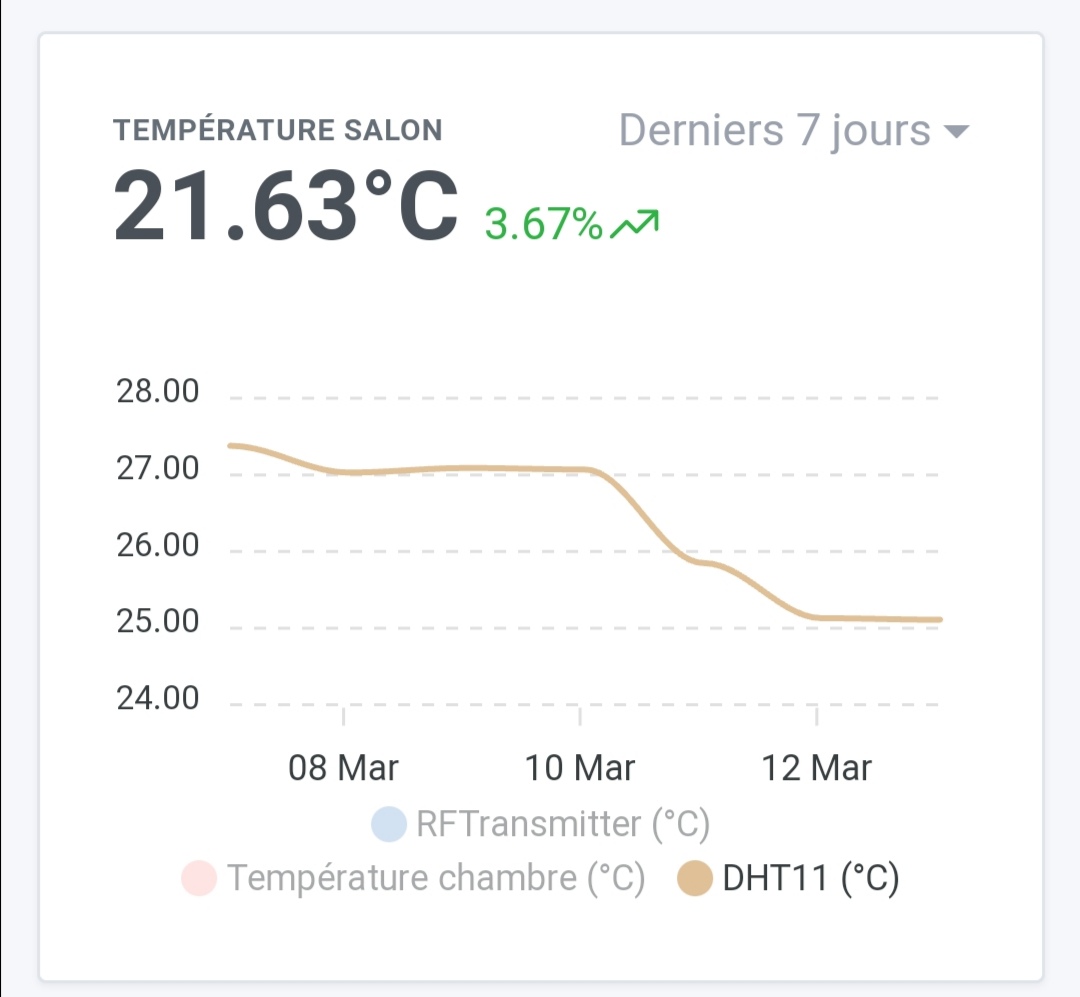
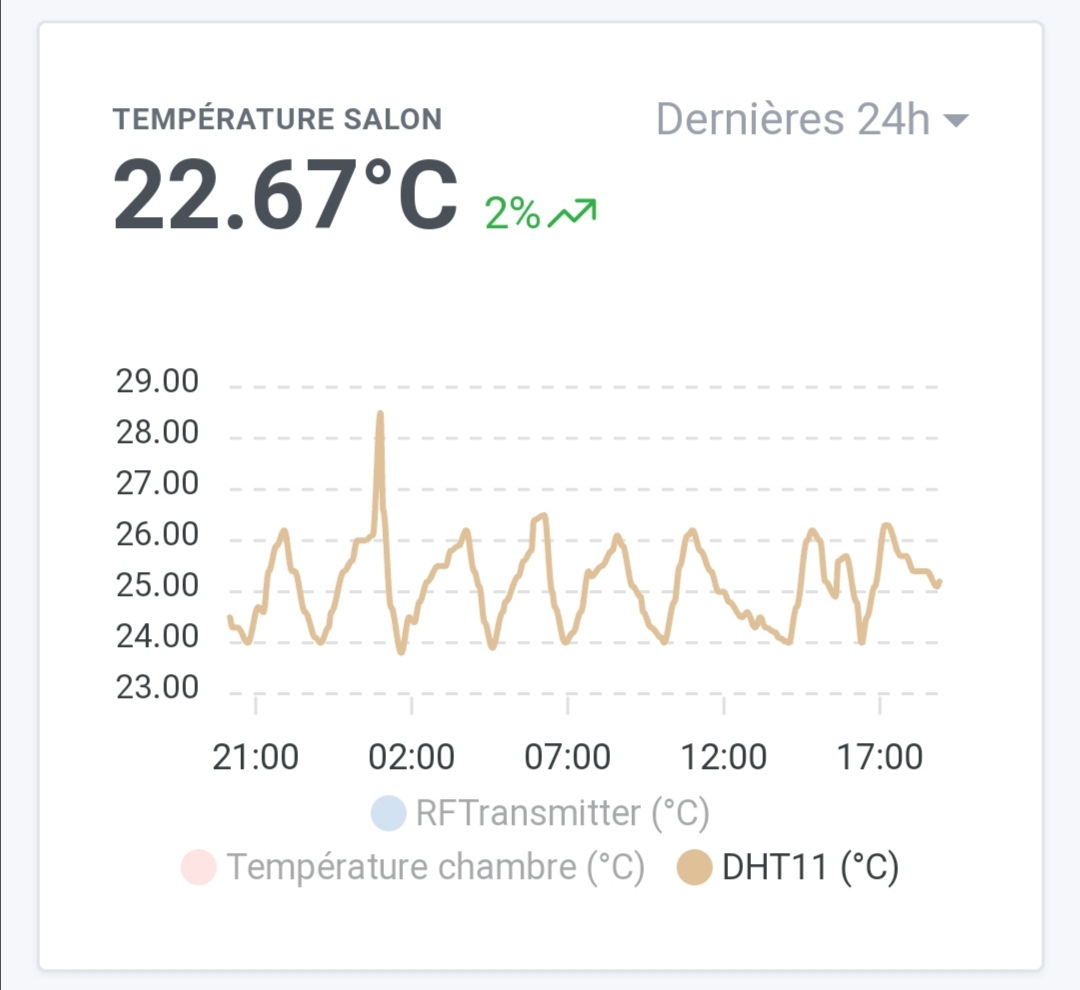
Still fine. We change the view, it works:
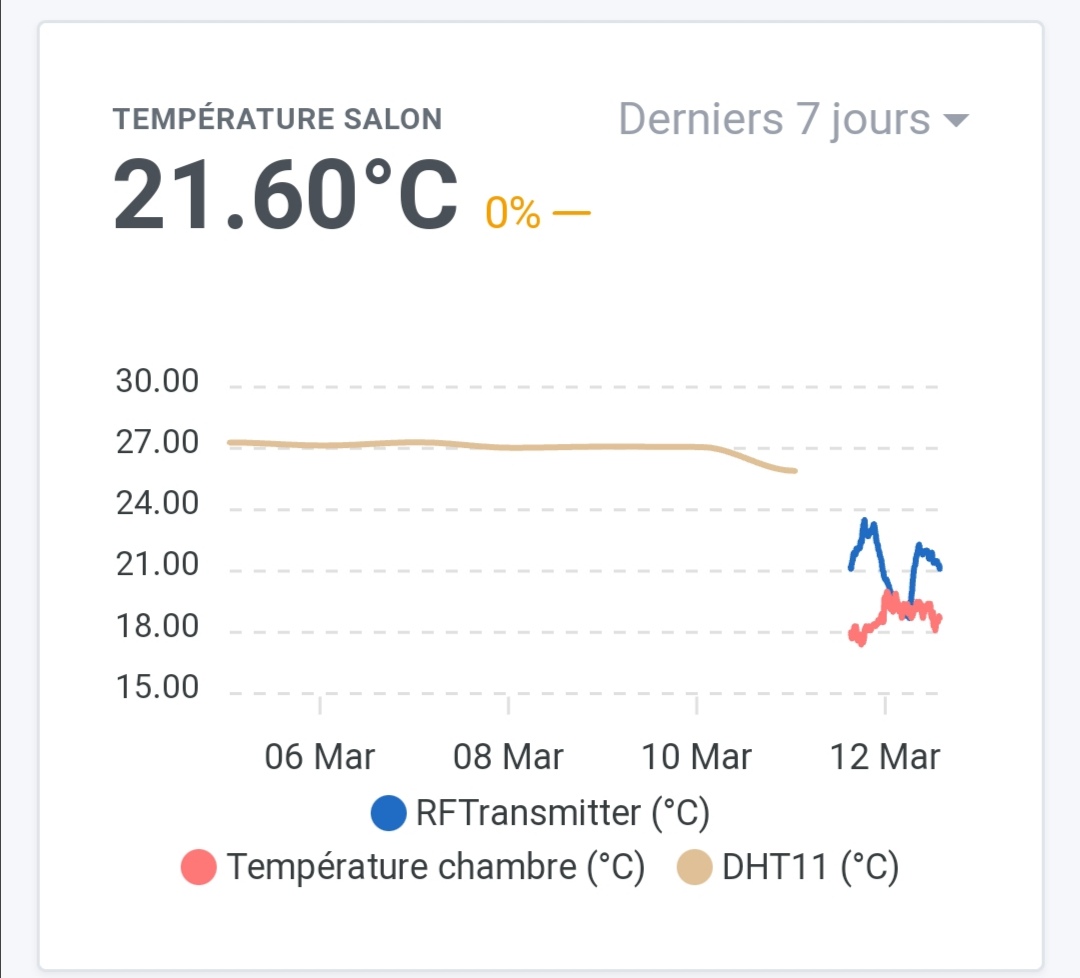
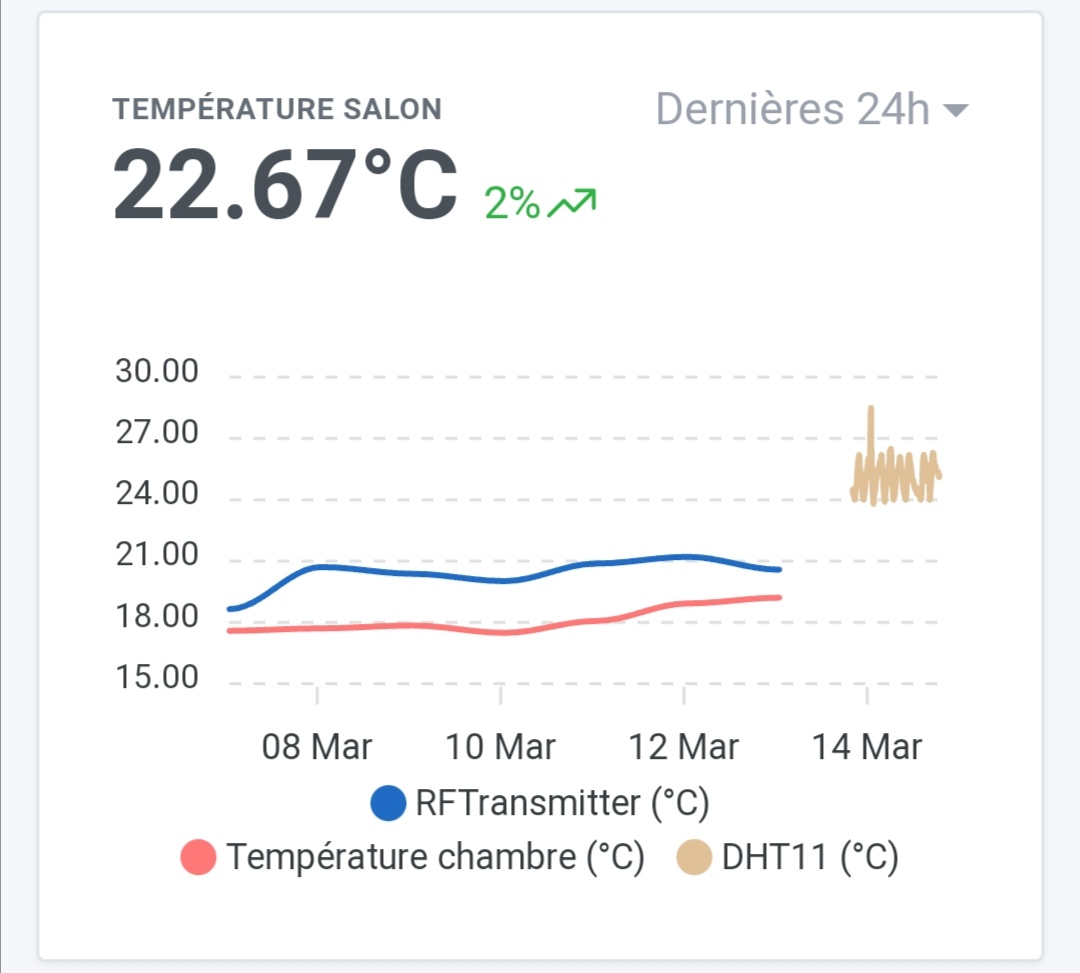
We reactivate the other sensor curves and boom!
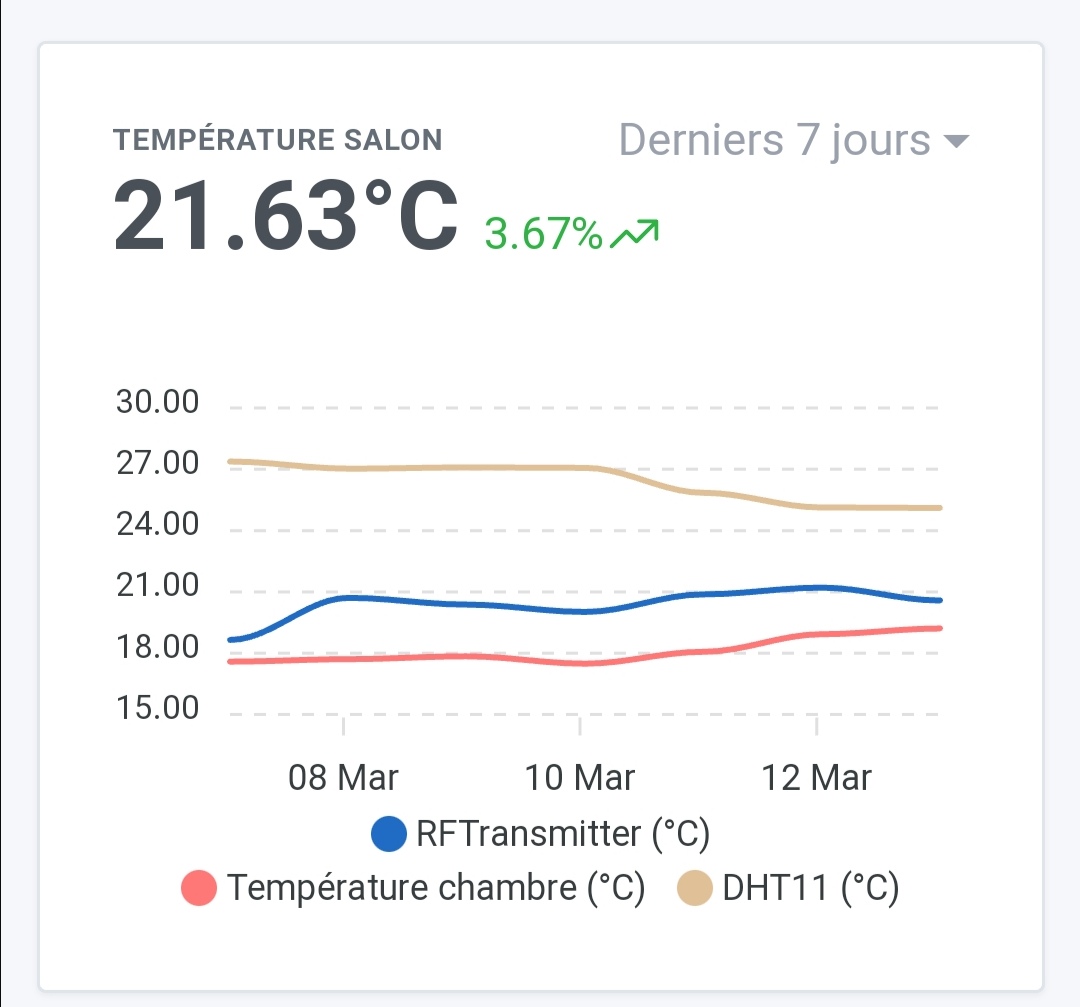
The scale of these has not been adjusted…
Nice, huh?
Edit: with the images in order, it’s even better!
Hello @GBoulvin!
I can’t figure out what’s wrong?
Do your « RDTransmitter » and « Room Temperature » temperature curves have data before March 12?
Indeed a small bug! Can you create a GitHub issue for us with these screenshots and a link to this post?
Hello everyone
I think I have a problem with a graph with a temperature sensor.
I switched my Xiaomi WSDCGQ01LM temperature sensor
Do you have the latest version of Gladys?
Yes yes she passed by last night, but I have switched the sensor for 3 days already
@pierre-gilles had directly checked my database to understand the issue
@Psoy Indeed, it’s strange because we had fixed this issue with @lmilcent, there must be another problem. Yet, it surprises me, we had really solidified this part on the core & Zigbee2mqtt side!
Would it bother you to send me your DB @Psoy? It would allow me to directly see what’s wrong and fix the issue.
I know it’s not very user-friendly to ask for this, but well, with this kind of self-hosted product, we’ll never have too much choice, the data is yours and I don’t have access to it
Hello Pierre-Gilles
can you guide me?
Yes, of course, but it does require a bit of SSH
On your Gladys instance, you can do:
docker stop gladys
To stop your Gladys instance.
Then, you need to retrieve the gladys-production.db file. This file is located in the folder where you installed Gladys. If you haven’t changed anything, this folder is located by default at:
/var/lib/gladysassistant
To retrieve the file, you can use tools like FileZilla or Cyberduck.
Then, you can restart Gladys:
docker restart gladys
I don’t know if this is easy for you or if it’s gibberish to you.
I specify that I am asking you these commands in a « developer » context. If you consider this too complicated for you or if you prefer not to touch anything, you can say no. I offer this to help and find a solution faster than by describing the symptoms of the problem
( I’m saying all this because @Psoy pointed out to me in a private message yesterday that he found Gladys v4 not always as « user-friendly » as one might think, that he had issues he had to resolve with not-so-simple manipulations, and so it bothers me to ask him for this kind of manipulation right after he talks to me about it… It’s very frustrating for me! )
No problem with that, with practice I understand some manipulations.
It’s done, but how do I send it to you?
Either by private message (Dropbox link, Google Drive, or other), or by email (I sent you the details in a private message)