Images 🐳 for testing development services

Hello,

For those who develop a service but are not necessarily comfortable with Docker, I propose to build your images to allow the community to test your integrations!
You just need to give me the info (service, GitHub link) here.

Image updates will be done frequently depending on my availability

Available Images

Integration Author PR Forum :spouting_whale:
RFlink @joeypic here here here
DSP-W215 @PhilippeMA here here here
Arduino @billona :cross_mark: here here
Zigbee2mqtt @Reno here here here
AwoX @AlexTrovato here here here
ColorPicker @AlexTrovato here here here

Best idea ever! Thanks <3

Thanks for the proposal, as we discussed on the phone, this will really help the service developers! :slight_smile:

Hmm
 I can’t edit my first message :thinking: maybe because the message is pinned?
So, new integration available

I edited your first post

Update: Adding Arduino Image

Hello @peb! Could you update the Arduino image with @billona’s PR?

https://github.com/GladysAssistant/Gladys/pull/812

The images are built! :smiley:

However, I have a defect on the armv7 and v8 images, a build error that I will try to fix tomorrow.

:warning: The v7 and v8 images are therefore not up to date despite what dockerhub may display
EDIT: All is good :slight_smile:

Thanks! Keep us updated here :slight_smile:

:white_check_mark: Images Arduino up to date :wink:

Hello,
I am not comfortable with Docker :slight_smile:

I have an older version of gladysarduino running

I did docker pull pebou/gladys:4.0.0-beta-integration-arduino
I restarted, did docker stop just in case it changes something: I am still on the old version (I think) my installation is still configured:

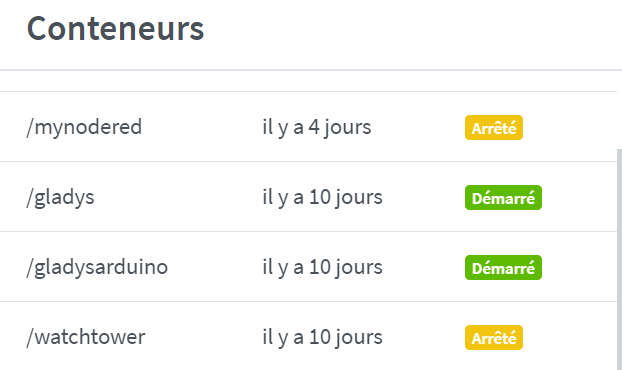
CONTAINER ID IMAGE COMMAND CREATED STATUS PORTS NAMES c72c17fee6c7 bastilimbach/docker-magicmirror "./docker-entrypoint
" 3 days ago Created magic_mirror 8c805baf4369 nodered/node-red "npm start --cache /
" 3 days ago Exited (0) 23 hours ago 0.0.0.0:1880->1880/tcp mynodered 9685d96b61ef gladysassistant/gladys:4.0.0-beta-arm "docker-entrypoint.s
" 9 days ago Up 32 minutes gladys 21854d30a80c 616f5610c614 "docker-entrypoint.s
" 9 days ago Up 8 minutes gladysarduino b097e384cc1e containrrr/watchtower "/watchtower --clean
" 9 days ago Exited (1) 9 days ago watchtower

It’s the watchtower container that performs the update, in your screenshot it is stopped.

If you manually update (docker pull) you need to destroy and then recreate the container. A restart is not sufficient because the image used will always be the same.

Ok thanks, I restarted watchtower, deleted and reinstalled the container.

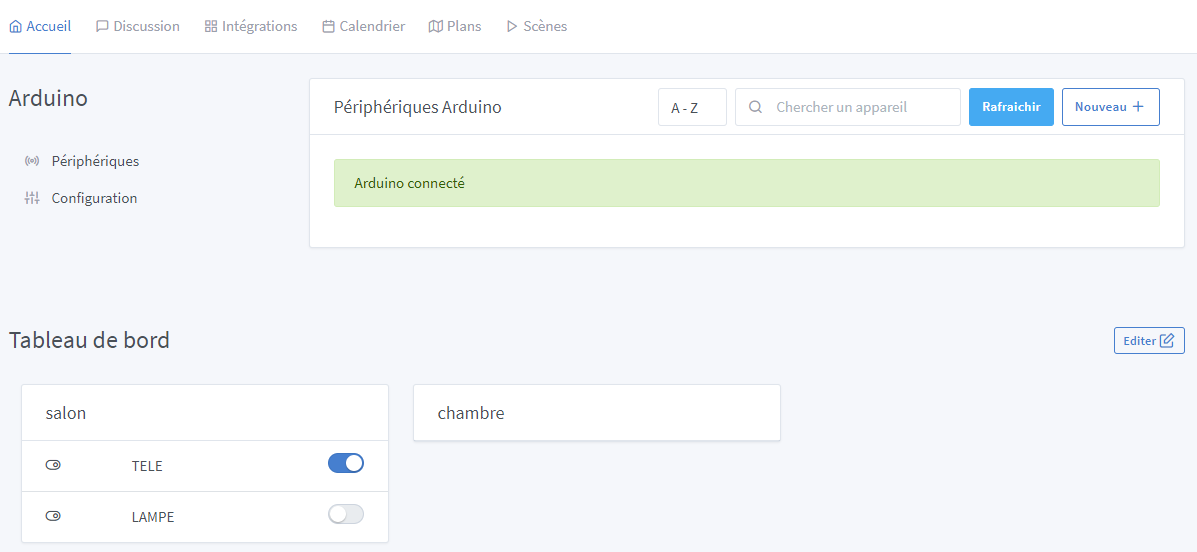
Maybe it’s normal, but I still have my buttons created in the old version on the front end with a reset of the Arduino SETUP part. And bugs everywhere:

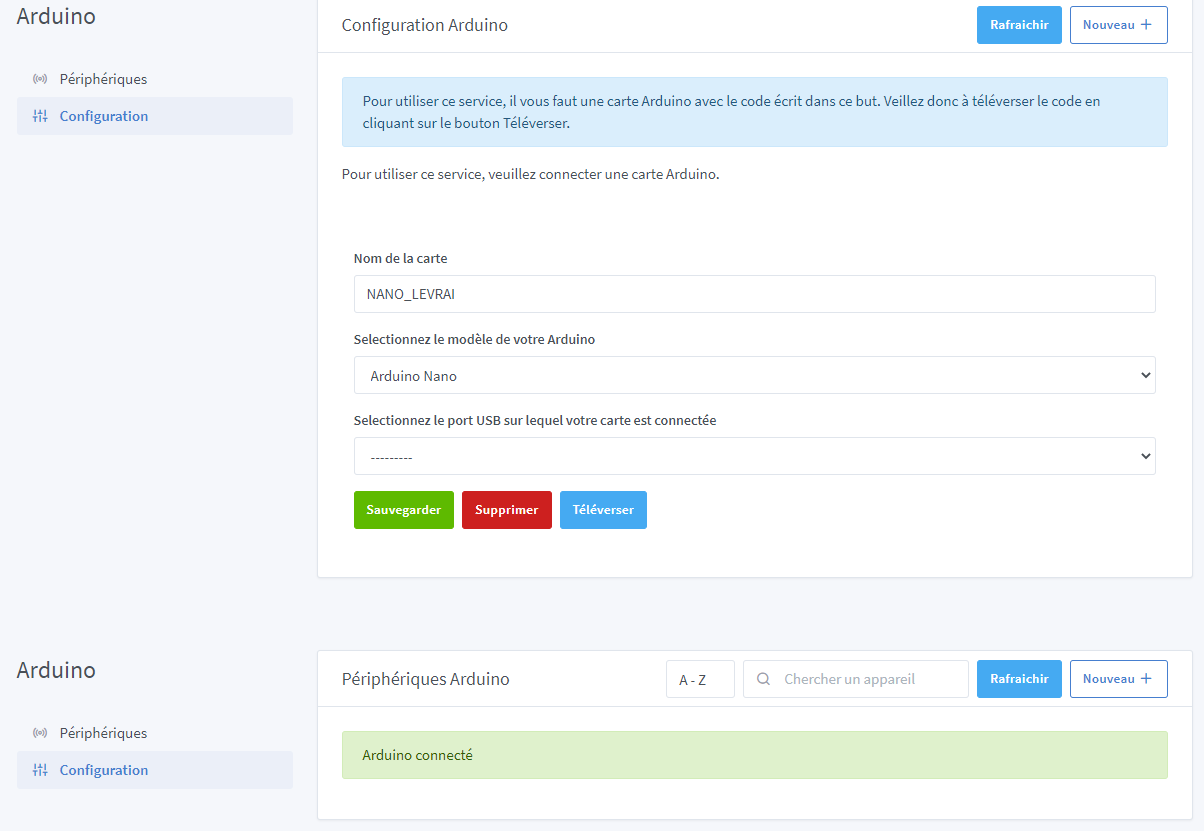
No Arduino detection (no port is displayed)
A « Arduino connected Â» setup page that appears on all other pages (on the dashboard for example). And in Arduino specifically, device creation is impossible and it crashes the page.

Am I in the right container? I don’t know!

I’ve redone everything:

sudo docker rm ebabf2c7747c
docker ps -a

CONTAINER ID        IMAGE                                   COMMAND                  CREATED             STATUS                    PORTS                    NAMES
e036228fe34b        containrrr/watchtower:latest            "/watchtower --clean
"   23 minutes ago      Up 23 minutes             8080/tcp                 watchtower
2c1c670feaed        gladysassistant/gladys:4.0.0-beta-arm   "docker-entrypoint.s
"   23 minutes ago      Up 23 minutes                                      gladys
c72c17fee6c7        bastilimbach/docker-magicmirror         "./docker-entrypoint
"   3 days ago          Created                                            magic_mirror
8c805baf4369        nodered/node-red                        "npm start --cache /
"   4 days ago          Exited (0) 33 hours ago   0.0.0.0:1880->1880/tcp   mynodered

` docker rmi 616f5610c614
Untagged: pebou/gladys@sha256:a493f49deb405fe212d7c47c69cf36f26add1140de249ab86089e7a369bf37a5
Deleted: sha256:616f5610c614c48c5f195d5f44a4720caaf0d2a062fcf63512535192ff66a12c
Deleted: sha256:76af2dad1d98d697ce73c99c8f447e32a86126b1b6c6fb4c2c46b9af8d800feb
Deleted: sha256:9147409a7e8e32f65ae50a14946ba05fed976f86b724f102a8ba33b98d6a4606
Deleted: sha256:5322dfa9ec564d51a74d6e5552d3a230290da0b24d40641a6359cf1f39ed2c2d
Deleted: sha256:9e42addf5f35458896c699e3b0b3eb0c129013ec0a2a348d14ed6e4a88a2b16f
Deleted: sha256:ab7720ee3b0d2476b29860ae96d76cabd7b3a706b87f263fdad4aa5bbfcc2952
Deleted: sha256:6b36611caf3ec82400c68dba9bd46a27e2e7a9598a86ce8ddfc8f18f3a9c64b2
Deleted: sha256:b2cc8b24f39a35c9cd1c4e7050e54b91c73d257665b6ca543093c8b6d744d7f4
Deleted: sha256:77126ef85a03e312d976f3b8454149d04a6b1956584466de660b936a9aabe362
Deleted: sha256:2c9ccb0ac9916fad3222605740145ad87c96dd9f0e3c8420b509a7a376e0e0db

 docker images
REPOSITORY                        TAG                 IMAGE ID            CREATED             SIZE
gladysassistant/gladys            4.0.0-beta-arm      67e73c308a10        2 days ago          439MB
containrrr/watchtower             latest              84378f5d38aa        9 days ago          13.3MB
nodered/node-red                  latest              777225a60b3b        3 weeks ago         374MB
bastilimbach/docker-magicmirror   latest              329771a0fb0d        2 months ago        971MB

 docker pull pebou/gladys:4.0.0-beta-integration-arduino
4.0.0-beta-integration-arduino: Pulling from pebou/gladys
3cfb62949d9d: Already exists
1ef8a3a07026: Pull complete
b0a4348231c5: Pull complete
df326638a053: Pull complete
473593930026: Pull complete
3cd7994af1a5: Pull complete
8e2f51386701: Pull complete
a35f4b5e9d83: Pull complete
b7de55a98bd4: Pull complete
c54655355549: Pull complete
87dccf5f0036: Pull complete
Digest: sha256:e186b79d9d94134c2b2b60486c81ae893a5f88c4df73161f335083ede044d5e7
Status: Downloaded newer image for pebou/gladys:4.0.0-beta-integration-arduino
docker.io/pebou/gladys:4.0.0-beta-integration-arduino

docker run -d \
> --restart=always \
> --privileged \
> --network=host \
> --name gladysarduino \
> -e NODE_ENV=production \
> -e SERVER_PORT=8040 \
> -e TZ=Europe/Paris \
> -e SQLITE_FILE_PATH=/var/lib/gladysassistant/gladys-arduino.db \
> -v /var/run/docker.sock:/var/run/docker.sock \
> -v /var/lib/gladysassistant:/var/lib/gladysassistant \
> -v /dev:/dev \
>  pebou/gladys:4.0.0-beta-integration-arduino
8fb40aba99afd95cf17401a8f34859bf5b1ae904739e9d20f626605fc0c82b3d

From there: same concept: my installation still present (the database has not been destroyed?) and bugs with the Arduino module


Ok I see: this line needs to be changed I think. But with what?

gladys@raspberrypi:/var/lib/gladysassistant $ dir
gladys-arduino.db      gladys-arduino.db-wal  gladys-production.db-shm  gladys-rflink.db
gladys-arduino.db-shm  gladys-production.db   gladys-production.db-wal  init-containers.sh

Well no because we persist the database on the host (otherwise you would have to reconfigure gladys every time)

You must delete /var/lib/gladysassistant/gladys-arduino.db if you want a clean database

With whatever you want, it’s the name of the db file

Thank you, I recreated an account TOujours the bugs but I see that on the gladysarduino topic.

@peb can you share a link to your GitLab? I think your Dockerfile is not up to date and I’d like to see what you’re building :wink:

Thanks!