Hello,
According to reviews the SONOFF devices work well but in 2 years this is the second SNZB-01 switch that no longer responds even after re-pairing.
I have already had the same problem with three SONOFF SNZB-02 sensors.
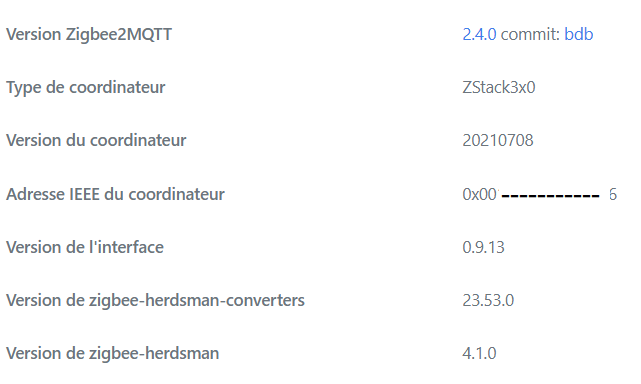
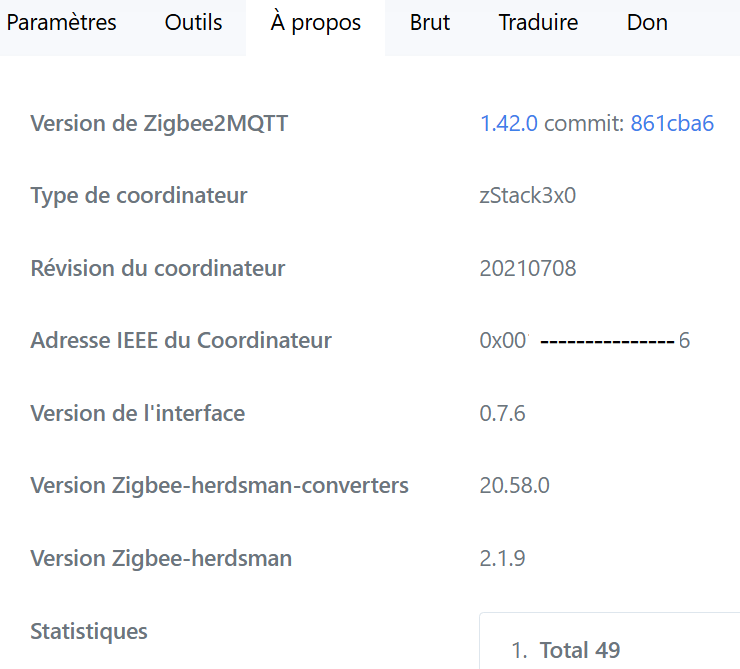
Here is the information I have :
Hello @prohand and thanks for your feedback.
I use the following dongle:
Model: ZBDongle-P
As for the Z2mqtt version, it’s the one integrated into Gladys and updates automatically.
I have Chrome.
Do I need to unplug the dongle to connect it to a computer?
What risks or precautions should I take?
I’m always afraid of messing everything up
I suggest you wait 24 hours; there is a zigbee2mqtt update in the Gladys release available today (if you installed this integration via Gladys). This could solve your problem.
I also have the same issue since the update and I have an SNZB - 02
At one point I got a message that mentioned version pre-01, I don’t remember. And also an issue with Aqara… the outlets seem OK.
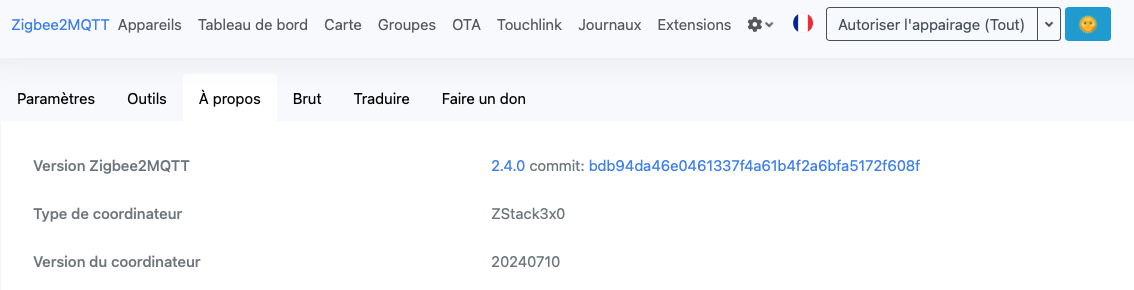
I have the same as you: 2.4.0 for Z2M and the coordinator at 20210708 (i.e., 2021). If I understand correctly, you need to take the dongle and update it via our PC to flash it? What’s the procedure?


 :
:

 )
)