Dark mode arrives in Gladys 4.63 🌔

Hello everyone!

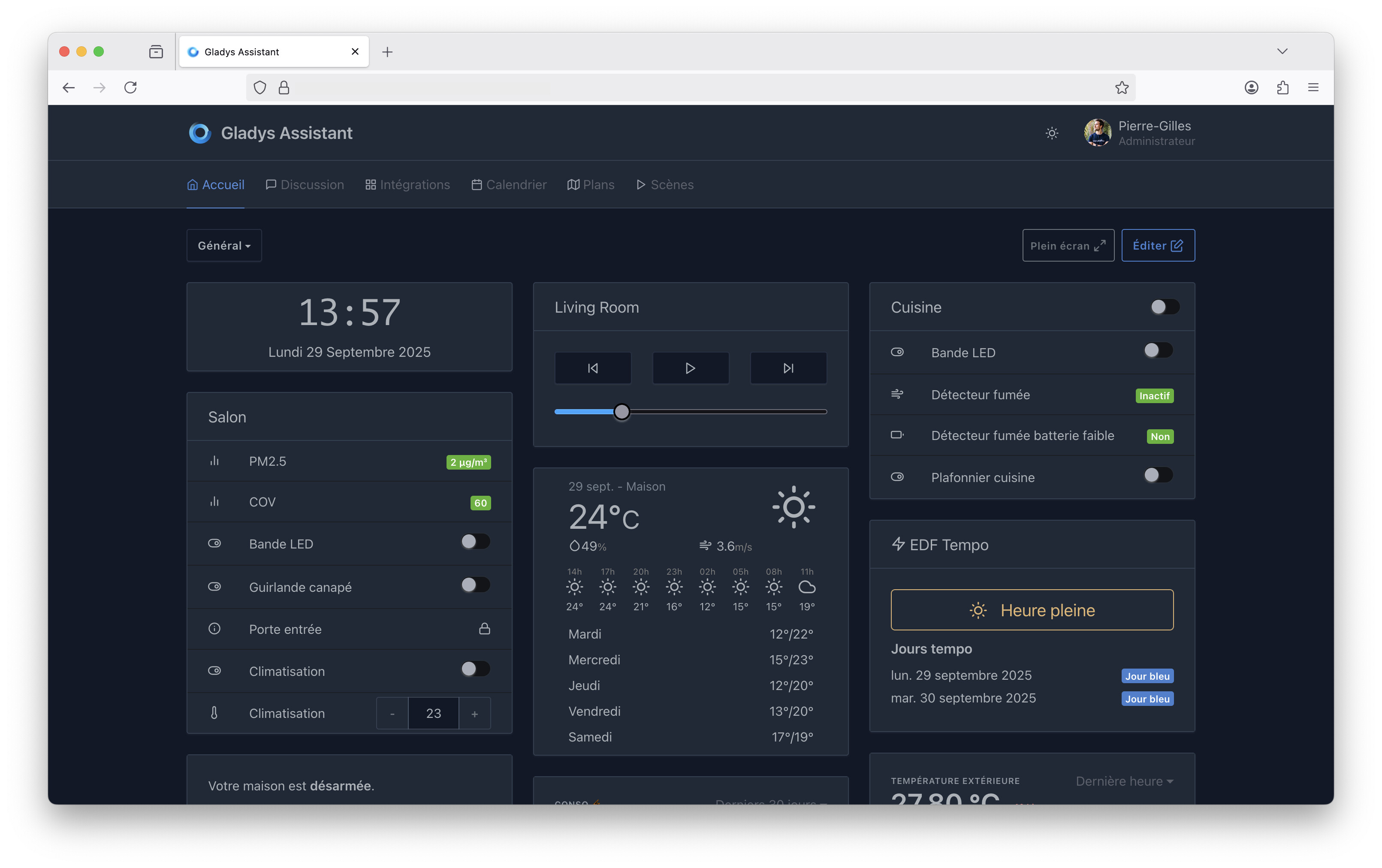
Many of you have been asking for a dark mode in Gladys, and I’m happy to announce that dark mode is now available in Gladys Assistant 4.63 :smiling_face_with_sunglasses:

Dark mode activates automatically based on your system’s mode, and can be enabled manually otherwise, using the button to the left of your profile picture :slight_smile:

Feel free to share any feedback!

Great news, because it was stinging my eyes in the evening.

Bravo

Good evening @pierre-gilles

Gladys just informed me that it has started, and I now have a beautiful dark mode, very well integrated with all of my dashboards, thank you very much :ok_hand:

This dark mode is awesome!
I had never tried it before and I love it, well done!
Just one thing I like less about it:


If you happen to know how to soften this orange/white combo

Thanks again!

Thank you so much for the dark mode! It feels great!

Just:

Thanks for your feedback @GBoulvin @Xenicle, I’ll review all the feedback this week! :slight_smile:

I love this dark mode, thanks. I already have it even though I’m not up to date :thinking:

Great, the dark and light modes are configurable. Thanks @pierre-gilles

Hello @pierre-gilles

I use the roller shutter button feedback to indicate that they are closed or open:

In dark mode they are no longer visible


thanks

I confirm, I have the same issue

You’re on Gladys Plus, which is always on the latest version, even if your local instance isn’t necessarily up to date.

Thanks for your feedback, I’ll note that down, I’ll take a look at the end of the week :slight_smile:

Hi @GBoulvin, I fixed your feedback by changing the yellow, and the text goes from white to black, it looks much better :slight_smile:

@Xenicle, I fixed the bug on the analog clock:

@Psoy, I fixed the shutter button in dark mode:

Fixes in one screenshot:

All these fixes will be released fairly quickly in the next version of Gladys!
Probably by Monday at the latest.

Thanks for your feedback :grinning_face_with_smiling_eyes:

Gladys Assistant v4.63.1 is available with these fixes :slight_smile:

The full CHANGELOG is available here.

That’s great like that, thanks!

Hello, I’m coming back to this topic because for some time (a lot?) I’ve had more than strange behavior with the light/dark mode.

Knowing that I’m not a big fan of dark mode in general (except in a good old terminal with green letters :joy:), my phone (iOS) is always in light mode, no automatic switching enabled.
And yet, when I launch Gladys or GladysPlus, more than half the time I end up with dark mode as the default display, and I must admit that it’s annoying (for me) to switch back to light mode each time.
Important point: this never happens on my Mac with Firefox.

Does anyone else have the same behavior?

It seems iOS has some bugs with this:

On iOS Safari / PWA / Gladys Plus, WebKit is known to emit spurious prefers-color-scheme events (background return, tab change, etc.), sometimes with an incorrect value. This explains:

  • the intermittent behavior („more than half the time‟)
  • the absence of the issue on Firefox macOS (more stable behavior)
  • the fact that the user has to switch back to light mode each time

Other possible factors (in addition)

Loss of localStorage on iOS (memory pressure, 7 days without a visit) → return to „follow system‟ mode

Site settings in Safari: Settings → Safari → Advanced → „Website Appearance‟ can force dark mode for a domain

Gladys Plus in WebView: may have different behavior than classic Safari

A solution would be to force the mode if it is selected without listening to system mode change events!

Well, as usual with AI, the menus are always impossible to find because they’re completely made up :weary_face:

I checked the options and nothing seems related to the mode.

For this scenario, I select it several times a day, so no loss due to timeout.

It looks like this menu was removed in iOS 26!

A bit of a challenge and mischief with Claude, and here’s his diagnosis:


In getDefaultState.js, the theme initialization at startup is:

jsconst savedMode = localStorage.getItem('dark-mode');
const systemPrefersDark = window.matchMedia('(prefers-color-scheme: dark)');
darkMode = savedMode !== null ? savedMode === 'true' : systemPrefersDark.matches;

The logic is: if localStorage contains the key dark-mode, we use it. Otherwise, we read prefers-color-scheme.
The bug is here in updateDarkModeFromSystem:

jsupdateDarkModeFromSystem() {
  const systemPrefersDark = window.matchMedia('(prefers-color-scheme: dark)').matches;
  localStorage.setItem('dark-mode', systemPrefersDark); // ← ISSUE
  ...
}

This function reads prefers-color-scheme at the wrong time (during the launch of the PWA on iOS where the value may be unstable) and saves the result in localStorage. Result: dark-mode = true gets recorded, and on the next launch, Gladys reads the localStorage key and applies dark mode, even if your system is in light mode.
This is a real bug. The right issue to open would be: updateDarkModeFromSystem should not overwrite localStorage when the user already has an explicit choice — or this function should not be called at all if a user preference is already saved.

—-

@pierre-gilles Does that make sense to you?