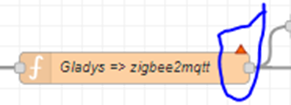
Thanks, that’s now OK on that front.
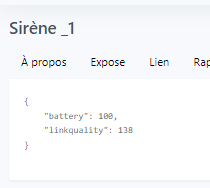
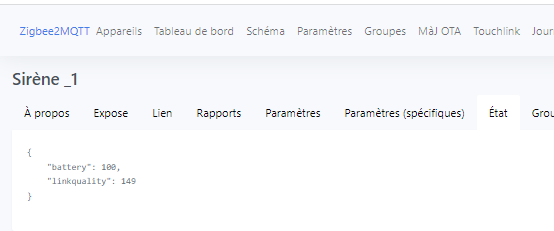
My problem is that my HEIMAN siren only has 2 states « battery » and « linkquality »
I don’t have an « on » and « off » state!?
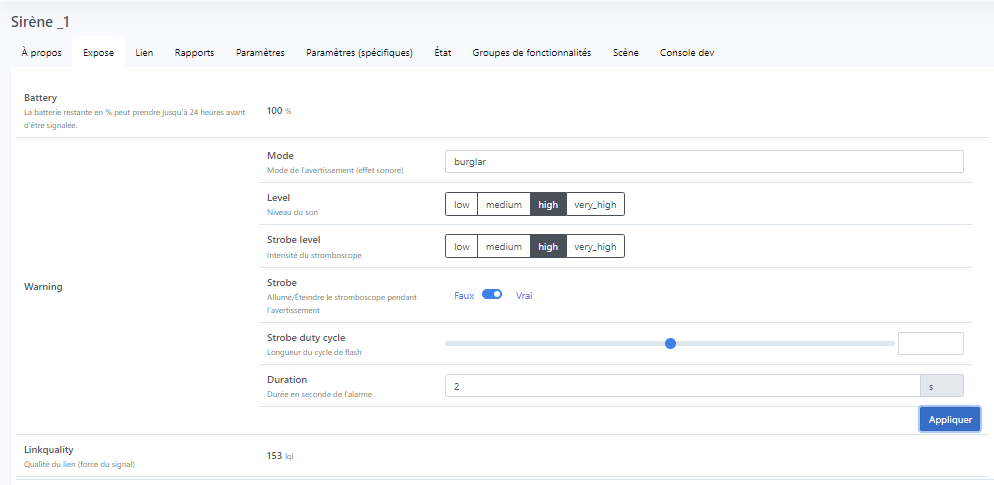
And what’s in the Expose tab?
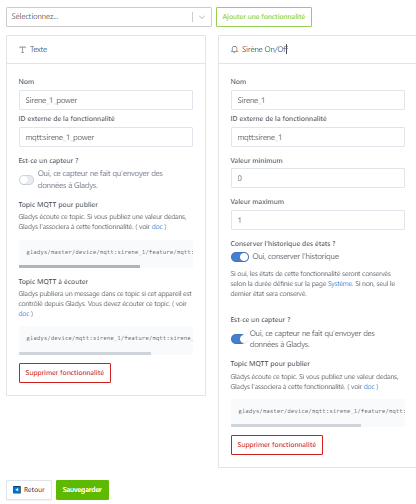
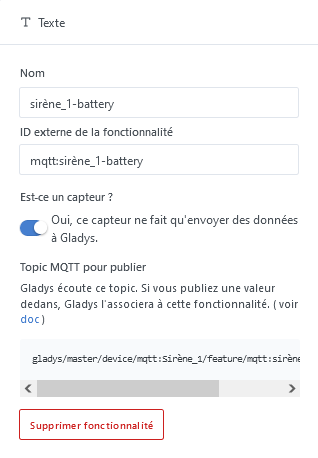
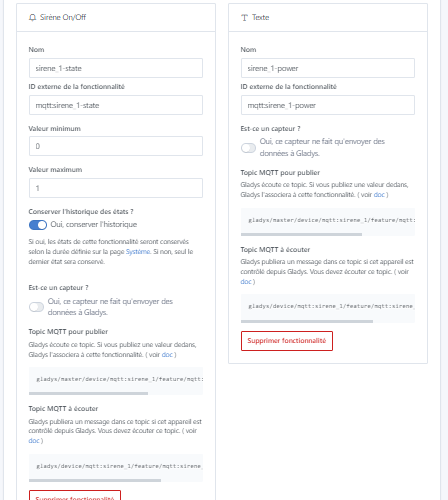
There is a problem — actually you first created the Text feature and then the Siren On/Off feature, and you need to do it the other way around; otherwise you won’t have the toggle in the dashboard to enable/disable the siren, and you disable « is this a sensor » in the « Text » section when it should be done in the « Siren On/Off » section.
Once that’s done, give me the values of the 3 topics and I’ll provide the code to change in the function nodes if you can’t do it.
In the node

Replace the code with this one by changing the code name NOMSIRENE to the one you have on the Zigbee2Mqtt side
var inputTopic = msg.topic;
var inputPayload = msg.payload;

// Logic to change the topic and payload based on both the input topic and payload
if (inputTopic === "gladys/device/mqtt:Sirène_1/feature/mqtt:sirène_1/state" \u0026\u0026 inputPayload === "0") {
  // adapt the topic and payload from Gladys to zigbee2mqtt
  msg.topic = "zigbee2mqtt/NOMSIRENE/set/warning/mode"; msg.payload = "stop";
}

if (inputTopic === "gladys/device/mqtt:Sirène_1/feature/mqtt:sirène_1/state" \u0026\u0026 inputPayload === "1") {
  // adapt the topic and payload from Gladys to zigbee2mqtt
  msg.topic = "zigbee2mqtt/NOMSIRENE/set/warning/mode"; msg.payload = "emergency";
}

return msg;
and tell me if this works
Well no, you can create your features in whatever order you want.
@_Will_71
I didn’t express myself well (that happens to me sometimes  ), actually he can create the features in whatever order he wants indeed but here @Isage didn’t set the right parameters.
« Sirène On/Off » being a toggle

he will be able to turn it on/off but he won’t have state feedback if the siren is activated/deactivated by a remote control for example or a scene in Gladys
the correct parameters for the siren part should be
As is it could work anyway, you just need to adapt the correct code in the node « function »
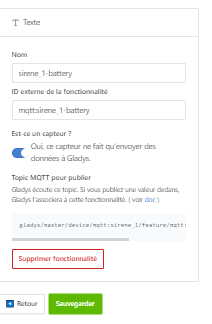
On the other hand the « Text » feature can be used to display « Battery » that the siren publishes
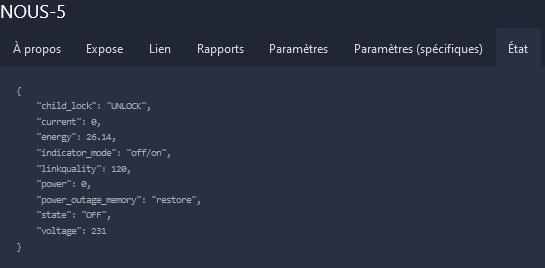
In my case by going to http://IP of your Gladys:8080/#/
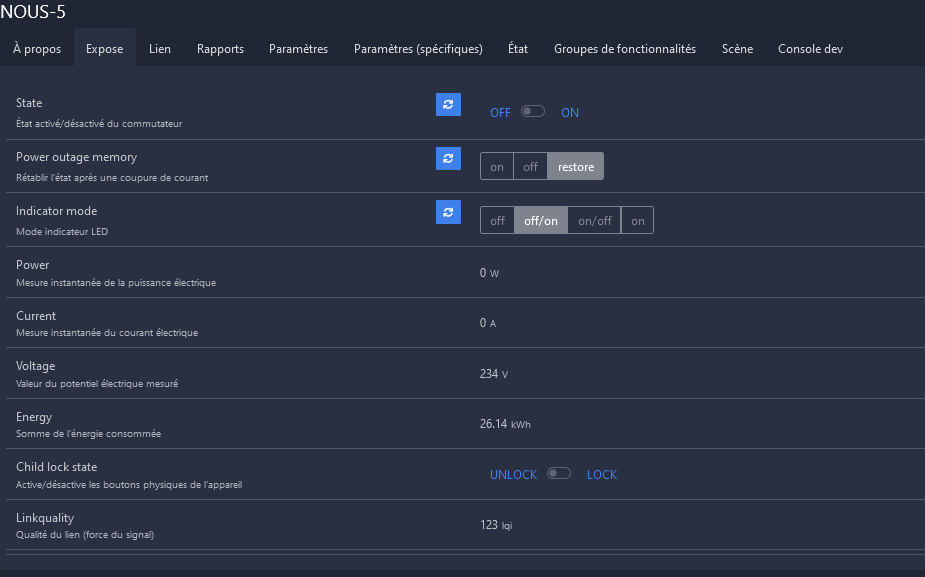
I have this for my outlet NOUS-5

by clicking on NOUS-5
Can you do the same for your siren, it will be easier to help you?
Ok I understand now 
here are the topics
gladys/master/device/mqtt:sirene_1/feature/mqtt:sirene_1/state
gladys/master/device/mqtt:sirene_1/feature/mqtt:sirene_1_power/text
gladys/device/mqtt:sirene_1/feature/mqtt:sirene_1_power/stateIn the node
try replacing the code with this and tell me if it changes anything
var inputTopic = msg.topic;
var inputPayload = msg.payload;

// Logic to change the topic and payload based on both the input topic and payload

if (inputTopic === "gladys/device/mqtt:sirene_1/feature/mqtt:sirene_1/state" \u0026\u0026 inputPayload === "0") {
  // adapting the topic and payload from Gladys to zigbee2mqtt
  msg.topic = "zigbee2mqtt/Sirène_1/set/warning/mode";
  msg.payload = {
    warning: {
      mode: stop,
      level: high,
      strobe_level: high,
      strobe: true,
      strobe_duty_cycle: 10,
      duration: 5
    }
  };
}

if (inputTopic === "gladys/device/mqtt:sirene_1/feature/mqtt:sirene_1/state" \u0026\u0026 inputPayload === "1") {
  // adapting the topic and payload from Gladys to zigbee2mqtt
  msg.topic = "zigbee2mqtt/Sirène_1/set/warning/mode";
  msg.payload = {
    warning: {
      mode: emergency,
      level: high,
      strobe_level: high,
      strobe: true,
      strobe_duty_cycle: 10,
      duration: 5
    }
  };
}

return msg;
Have you tried the new code?
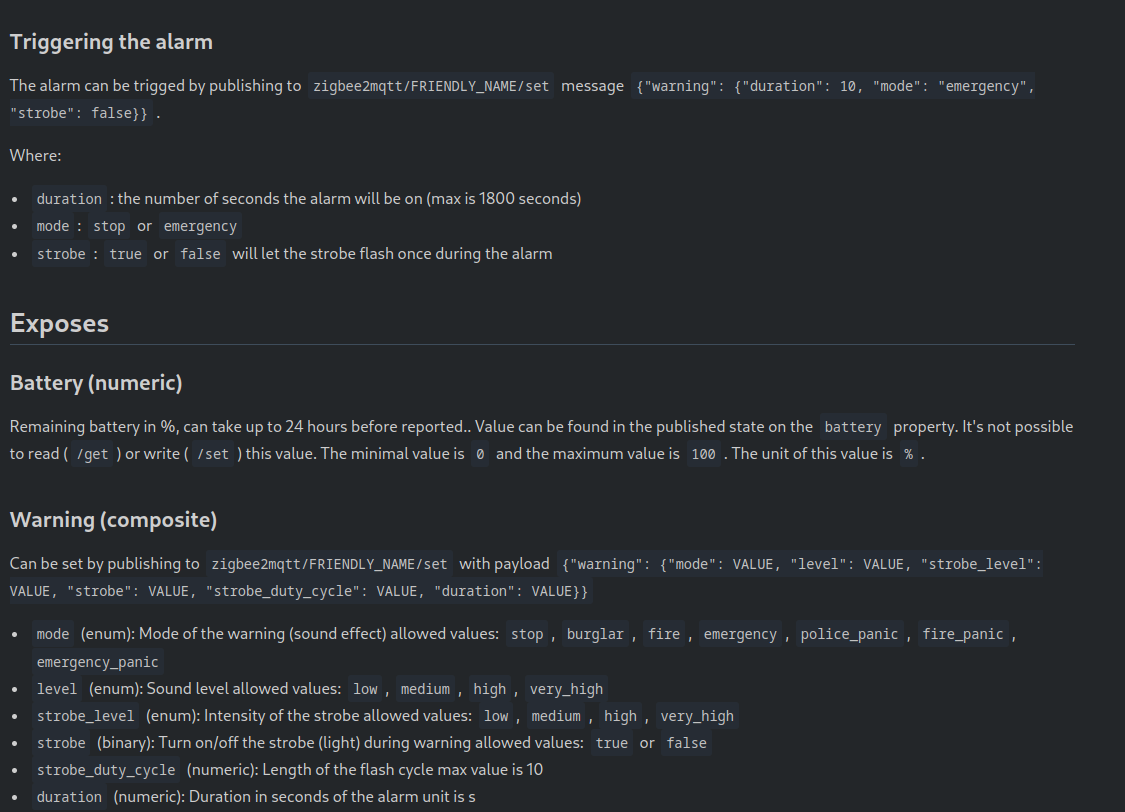
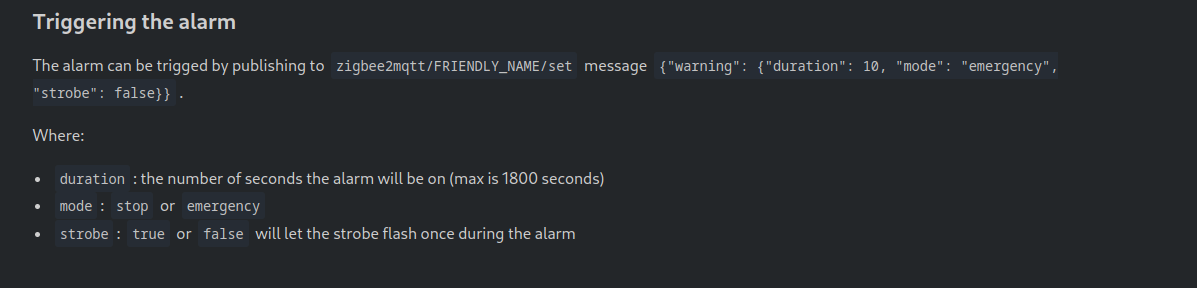
Indeed, this alarm does not expose its values correctly; there is an issue Heiman HS2WD-E siren not really compatible ? · Issue #14424 · Koenkk/zigbee2mqtt · GitHub to report it, but apparently it is possible to control it with the new code.
Confirm, after that we’ll need to check the debug in Node-RED to see what
oops I messed up copying from my other function before filling the fields…oh what an idiot! 
use this code instead 
var inputTopic = msg.topic;
var inputPayload = msg.payload;

// Logic to change the topic and the payload based on both the input topic and payload

// ****************************************************************************************************************************/
if (inputTopic === "gladys/device/mqtt:sirene_1/feature/mqtt:sirene_1/state" \u0026\u0026 inputPayload === "0") {
  // adapting the topic and the payload from Gladys to zigbee2mqtt
  msg.topic = "zigbee2mqtt/Sirène_1/set";
  msg.payload = {
    warning: {
      mode: "emergency",       // mode              : stop, burglar, fire, emergency, police_panic, fire_panic, emergency_panic
      level: "high",           // level             : low, medium, high, very_high
      strobe_level: "high",    // strobe_level      : low, medium, high, very_high
      strobe: "true",          // strobe            : true, false
      strobe_duty_cycle: "5",  // strobe_duty_cycle : 1 to 10
      duration: "10"           // duration          : duration in sec
    }
  };
}
// ****************************************************************************************************************************/

// ****************************************************************************************************************************/
if (inputTopic === "gladys/device/mqtt:sirene_1/feature/mqtt:sirene_1/state" \u0026\u0026 inputPayload === "1") {
  // adapting the topic and the payload from Gladys to zigbee2mqtt
  msg.topic = "zigbee2mqtt/Sirène_1/set";
  msg.payload = {
    warning: {
      mode: "emergency",       // mode              : stop, burglar, fire, emergency, police_panic, fire_panic, emergency_panic
      level: "high",           // level             : low, medium, high, very_high
      strobe_level: "high",    // strobe_level      : low, medium, high, very_high
      strobe: "true",          // strobe            : true, false
      strobe_duty_cycle: "5",  // strobe_duty_cycle : 1 to 10
      duration: "10"           // duration          : duration in sec
    }
  };
}
// ****************************************************************************************************************************/

return msg;