Hello, I have 2 Zigbee modules to manage the pilot wire of my electric radiators.
Legrand 064882
NodOn SIN-4-FP-21
They are well recognized by Gladys but the « pilot wire » function is not exposed.
Is it possible to manage this function via Node-RED? If so, how?
Or is it possible to expose the function from Zigbee2mqtt directly to Gladys?
Me too, I have a radiator with a pilot wire and am planning to buy a Nodon module for management via Gladys, so I’m looking for information on the topic (Gladys natively via Zigbee2MQTT or using Node-RED?)
Hi @Lbocorp72
Is this the first device?
The feature you’re interested in would be « Pilot wire mode »?
That can be added to Gladys
Same for this one:
?
In the meantime, you can indeed use Node-RED:
Ce mini-tuto propose de connecter un appareil reconnu dans zigbee2mqtt mais dont l’intégration n’existerais pas encore dans Gladys en utilisant node-red comme intermédiaire ! Plus d’excuse
Hi Pierre-Gilles,
Yes, those are the two devices; if you could integrate the « Pilot wire mode » feature that would be great.
@cicoub13 @_Will_71 I’m tagging you here, in case you have time to take a look, for now I’m mostly focused on migrating to DuckDB
I can take a look tomorrow.
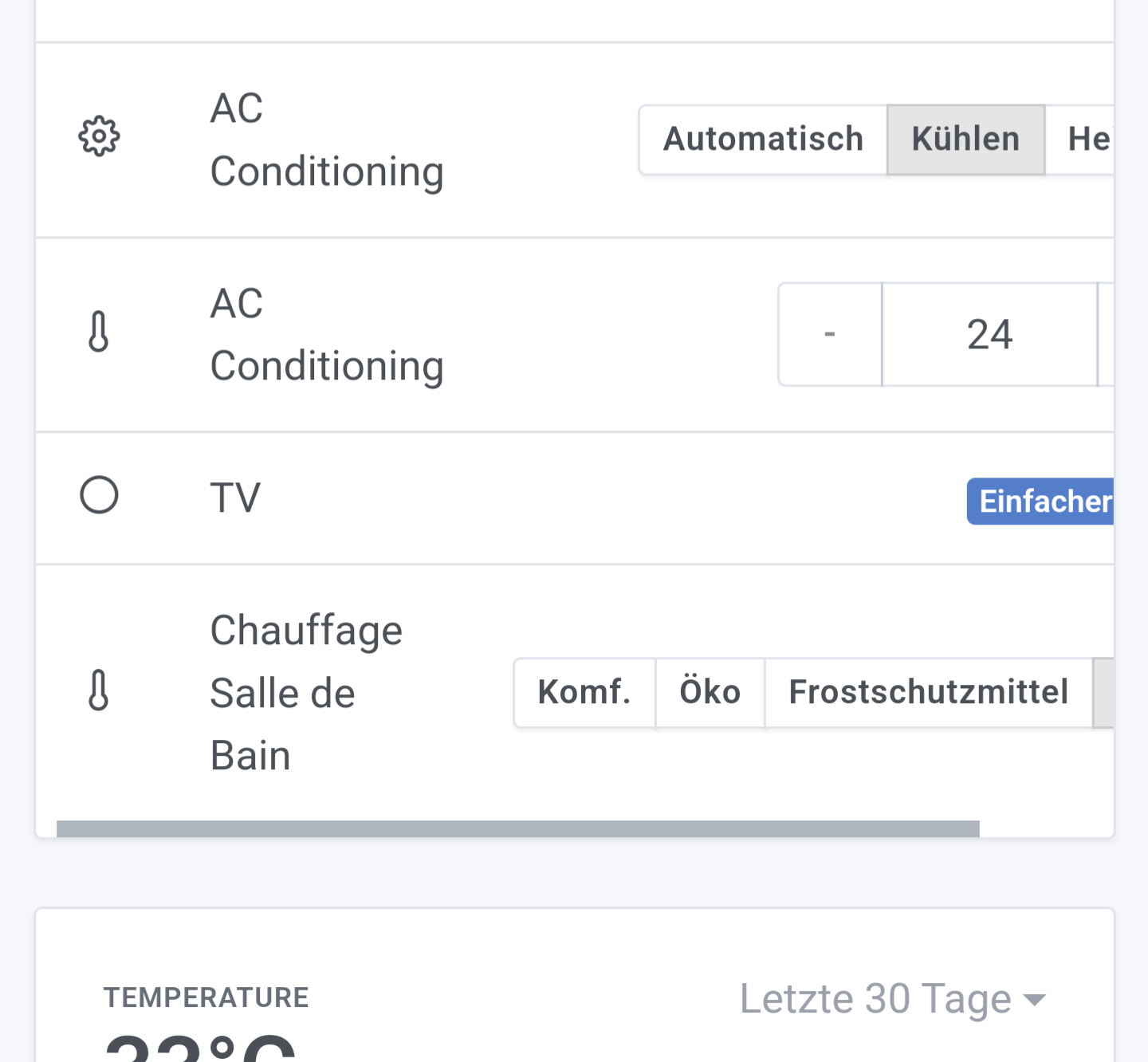
We’re talking about a new type of feature Pilot wire with different possible values (comfort, eco, frost protection, off)?
Is a select box better or like this?
Hello,
An image is available under the name cicoub13/gladys:pilot-wire-mode
I coded the backend blindly, the frontend in demo mode.
To test the image, the tutorial is here Tutoriel: Lancer une image Docker de test
If you can, @Lbocorp72 , send me an example message from the topic zigbee2mqtt/bridge/devices, that could help me with testing
hello,
Thank you for your help, I am not yet familiar with Docker to test your image (sorry I am still a beginner in home automation), I will get a second Raspberry Pi to try.
Can you tell me how I can retrieve the topic?
On my side I started with Node-RED. It works, but I don’t yet have state feedback and the switches are not ideal.
pierre-gilles:
to check on mobile
Indeed, it doesn’t fit on mobile (and even less so in German). I’ll switch to a select box.
Here you go
I’d appreciate a thorough review of the CSS/Bootstrap part, I really struggled
master ← cicoub13:feat-z2m-pilot-wire-mode
ouvert 03:19PM - 07 Aug 24 UTC
### Pull Request check-list
To ensure your Pull Request can be accepted as fa… st as possible, make sure to review and check all of these items:
- [x] If your changes affects code, did your write the tests?
- [x] Are tests passing? (`npm test` on both front/server)
- [x] Is the linter passing? (`npm run eslint` on both front/server)
- [ ] Did you run prettier? (`npm run prettier` on both front/server)
- [ ] If you are adding a new features/services, did you run integration comparator? (`npm run compare-translations` on front)
- [ ] Did you test this pull request in real life? With real devices? If this development is a big feature or a new service, we recommend that you provide a Docker image to the community ([french forum](https://community.gladysassistant.com/)/[english forum](https://en-community.gladysassistant.com/)) for testing before merging.
- [ ] If your changes modify the API (REST or Node.js), did you modify the API documentation? (Documentation is based on comments in code)
- [ ] If you are adding a new features/services which needs explanation, did you modify the user documentation? See [the GitHub repo](https://github.com/GladysAssistant/v4-website) and the [website](https://gladysassistant.com).
- [x] Did you add fake requests data for the demo mode (`front/src/config/demo.js`) so that the demo website is working without a backend? (if needed) See [https://demo.gladysassistant.com](https://demo.gladysassistant.com).
NOTE: these things are not required to open a PR and can be done afterwards / while the PR is open.
### Description of change
Please provide a description of the change here. It's always best with screenshots, so don't hesitate to add some!
You can use software like MQTTx
Here is my configuration (the password is located in /var/lib/gladysassistant/zigbee2mqtt/z2m/configuration.yaml)
Then, you need to subscribe to the topic zigbee2mqtt/bridge/devices and you should find a large message there with all your devices.
After several attempts, I am not authorized to connect to my pilot wire module to retrieve the topics.
So I just launched the image but it doesn’t detect my driver module. I’ll continue my tests on the other topic
ALors c’est bon c’est installer
malheureusement je suis pas sur que cela fonctionne
je sais pas si j’ai rater une etape ou pas
le conteneur a l’air d’etre la
[image]
il trouve bien un truc
[image]
pour info la commande docker pour installer l’image cicoub
docker run -d
–log-driver json-file
–log-opt max-size=10m
–cgroupns=host
–restart=always
–privileged
–network=host
–name gladys-fil-pilote
-e NODE_ENV=production
-e SERVER_PORT=8001
-e TZ=Europe/Paris
-e SQLITE_FI…


 If you’re not familiar with this kind of operation, it’s better to wait until it’s integrated into Gladys