MQTT: connection parameters lost

Hello everyone,

I’m encountering an issue with my MQTT integration: my broker is not in Gladys but in an external Docker container on an Unraid server.
Everything works correctly through Gladys except that each time Gladys restarts (for an update, for example) the integration loses the connection settings,

Hi @zedyxer! That doesn’t seem normal.

Do you have more details about what’s happening?

When

Of course :wink:

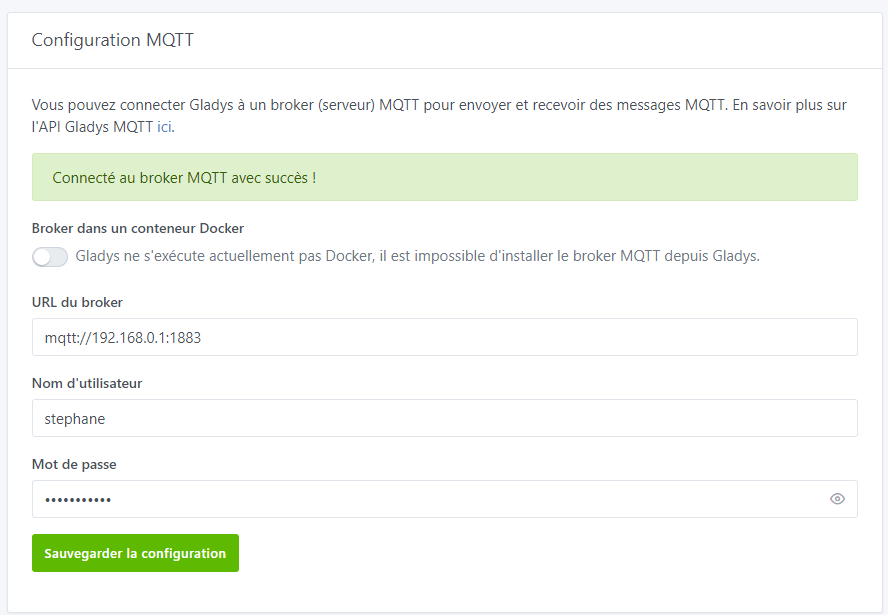
below, before restart: everything works

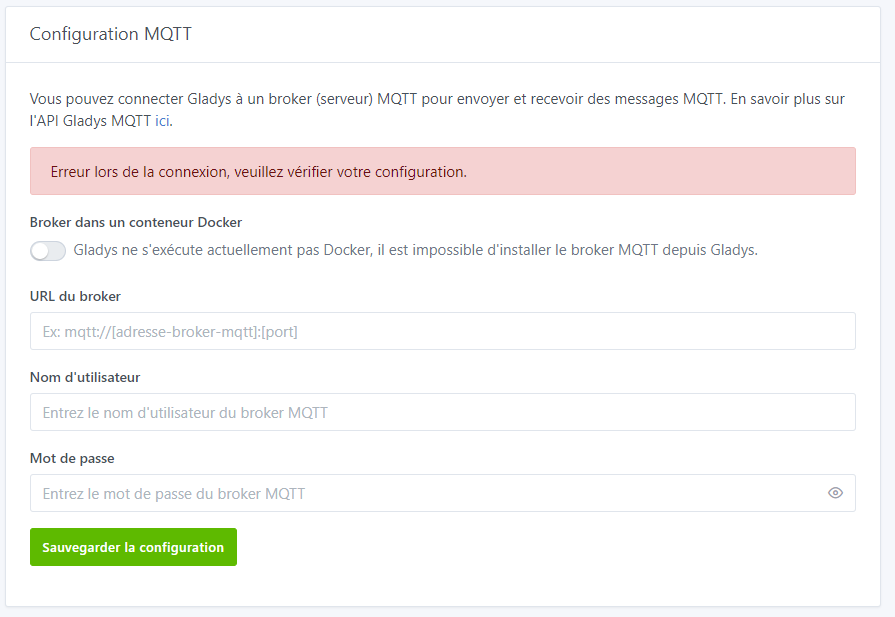
after restart:


no connection and no settings either

Thanks for the screenshot! I’ll try to reproduce it and get back to you :slightly_smiling_face:\n\nI’ve created a GitHub issue to keep track of the bug:\n\nMQTT integration with external broker seems to lose connection details after a reboot · Issue #1863 · GladysAssistant/Gladys · GitHub

Hi @zedyxer, are you sure Gladys has actually restarted when you see this message?

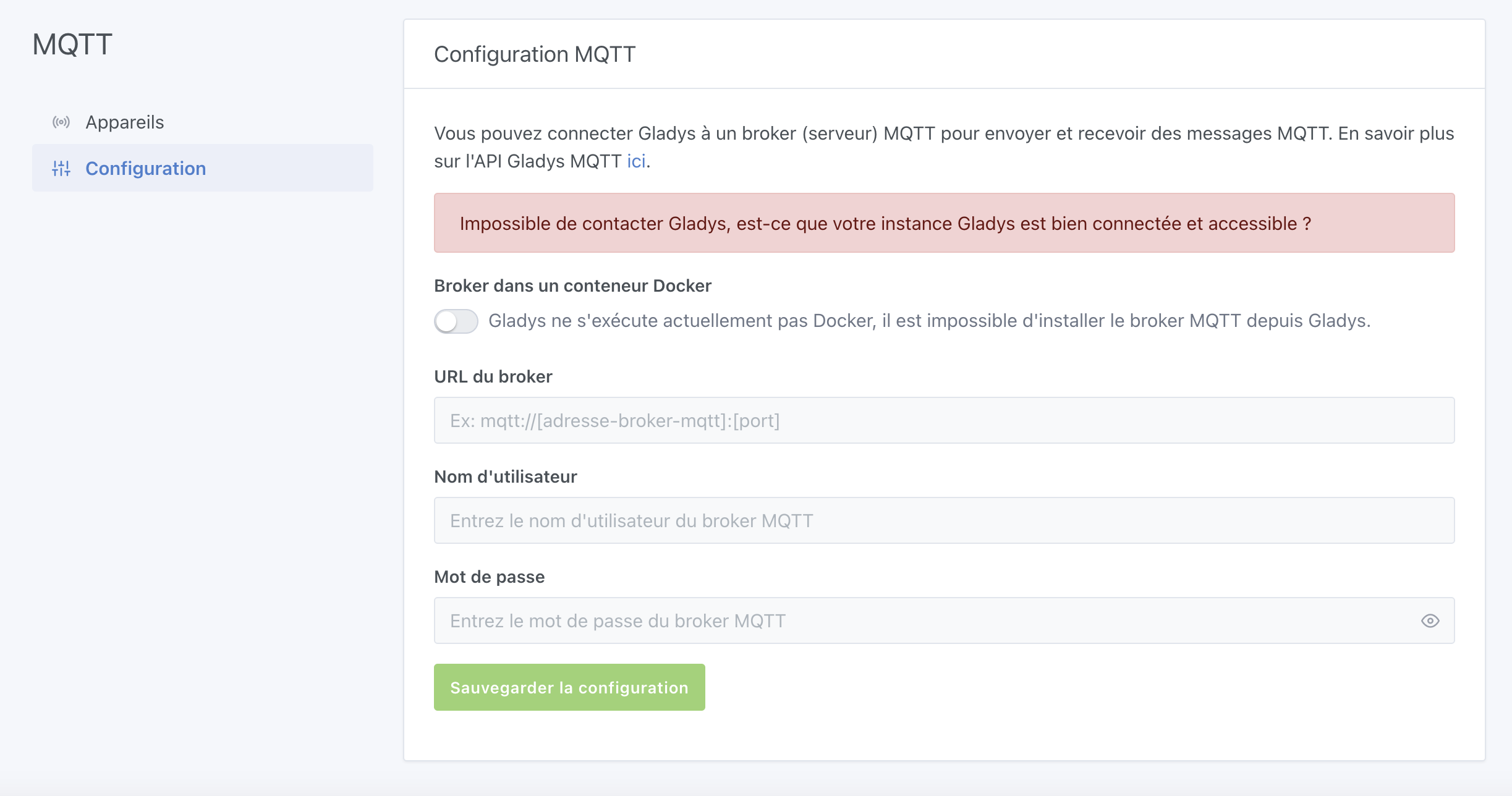
If I refresh the page while Gladys is rebooting, I indeed get the same message as you, however if I wait for Gladys to finish rebooting and refresh again, I do get the message « Connected to the MQTT broker successfully! »

If that’s indeed the case, I’ll add a new error message as well as greyed-out fields when Gladys is just restarting:

I confirm that Gladys has indeed restarted; I have access to everything that is not MQTT.
For your information, my Docker containers are stopped one by one every morning starting at 4:00 AM to be backed up.
Because the MQTT integration is not connecting, my blinds are not opened in the morning — that’s how I noticed it, since my blinds have been associated via MQTT since this weekend :wink:

When this happens, could you check the Gladys logs as well as your browser logs?

For the Gladys logs:

docker logs gladys

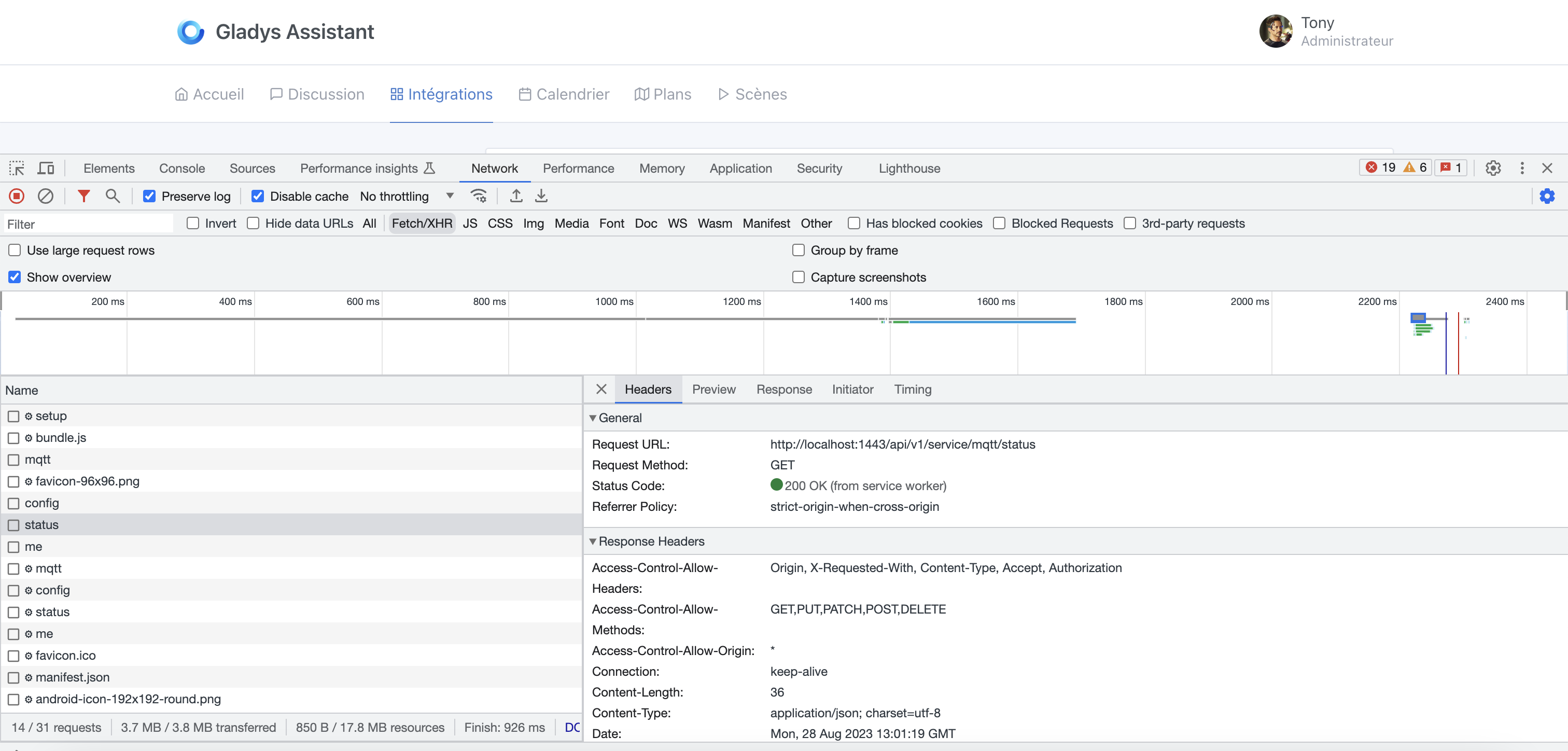
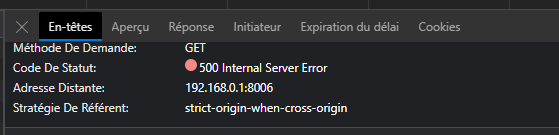
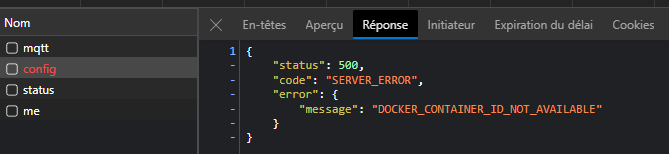
For the browser logs, right-click on the page, « Inspect Element », then open the « Network » tab, and could you give me the results of the requests /api/v1/service/mqtt/config and /api/v1/service/mqtt/status?


You can hide the MQTT password — no need to show it :slight_smile:

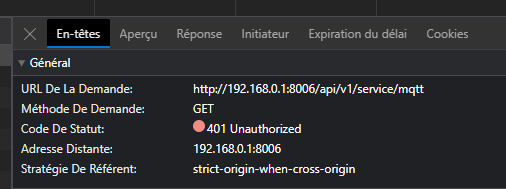
here is the edge log (I hope this is what you wanted ^^)


Gladys logs:

I didn’t see my password, so I’m not sure I gave you what you wanted :wink:

I’d like the 500 error response! :slight_smile:

That helps me! I think I know what’s going on

Out of curiosity, how did you install Gladys? Via the official image, or by a manual Docker installation?

If a manual Docker installation, which parameters did you use in your docker run?

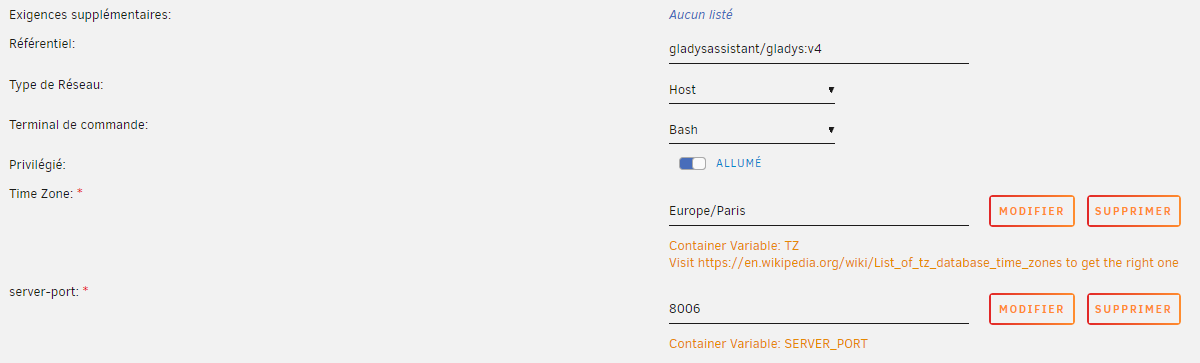
I used the official image with these settings :

Ok I understand better, compared to the official command ( Installation avec Docker | Gladys Assistant ) you’re missing some parameters, notably :

--cgroupns=host \

J’espère que tu as bien mis des volumes d’ailleurs si tu veux garder la persistence :slight_smile:

If it helps, here’s what I use as a template on Unraid when I test certain Gladys images:

I don’t know if you can see everything on the screen, but it’s not enough! In particular, the cgroup namespace is missing.

Yes, we can see everything. To tell you the truth it does the job ^^, though there might be some things I missed!

Out of curiosity, what’s the point of the cgroup namespace?

Well, thanks for all the info :wink:
I recreated a Docker container that does include that line (cgroupns), then restored my backup and, well, it works!
Thanks for the quick response, I can move forward ^^ good evening to you both!

Z.

2 Likes