With the help of @spenceur, I’ll explain how to make your Sonos speakers speak via node-red and a scene.
I won’t explain how to set up NODE-RED, @pierre-gilles has already made a tutorial video for that. https://www.youtube.com/watch?v=bpmHzR8_S5g.
However, you’ll need to call an external API in Node-RED called « node-red–contrib-tts-ultimate ».
To do this @pierre-gilles explains it at 38:55.
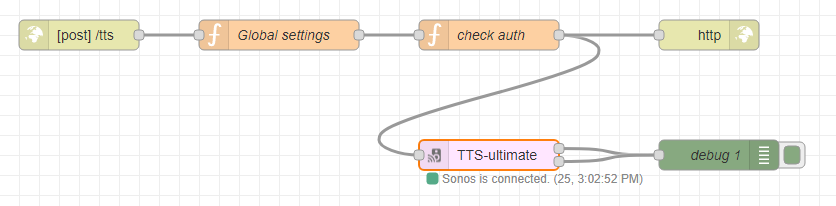
Here is the Node-RED flow:
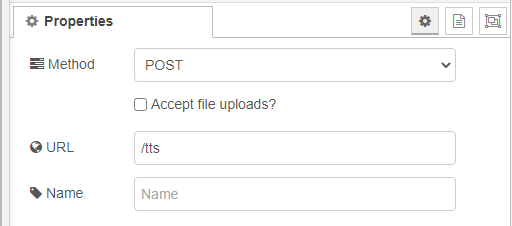
First function: http in
Nothing complicated
Second function: Global settings
 // Global Settings
 global.set("defaultVolume", 30);
 global.set("home", {
     salon: '192.168.1.58'
    chambre: 'ip-chambre'
 })
 return msg;
Third function: check auth
 msg.statusCode = 401;
 if (
     typeof msg.payload.room != 'undefined'
     && msg.payload.user === 'clef uuid' à renseigner
 ) {
     msg.statusCode = 200;
     msg.room = msg.payload.room || 'all';
     msg.volume = msg.payload.volume || global.get("defaultVolume");
     msg.payload = msg.payload.msg;
     msg.test = global.get("home")[msg.room];
     msg.setConfig = {};
     if (msg.room === 'all') {
         msg.setConfig = {
             setMainPlayerIP: global.get("home")['salon'],
             setPlayerGroupArray: [
                 global.get("home")['salon']
             ],
         }
     } else {
         msg.setConfig.setMainPlayerIP = global.get("home")[msg.room];
     }
 }
 return msg;
You will need to generate a UUID key so that only you can broadcast to your speakers via a key generator: uuidgenerator.net.
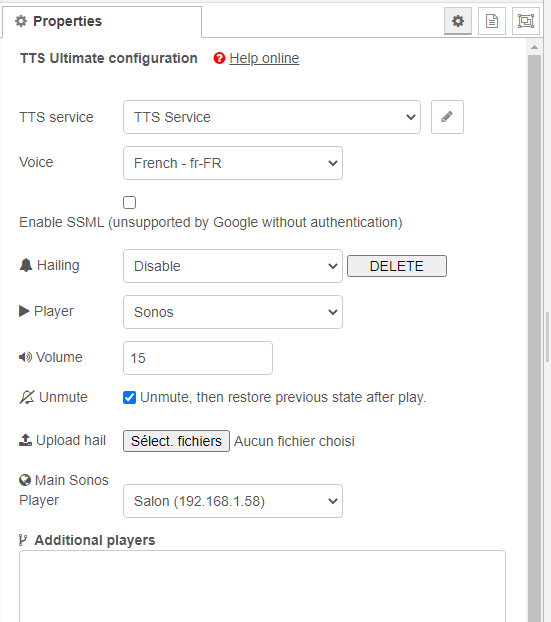
Fourth function: TTS-Ultimate
You can choose the parameters you want in this function.
In « main Sonos Player », select the speaker group.
Fifth function: http response
There’s nothing to put in it.
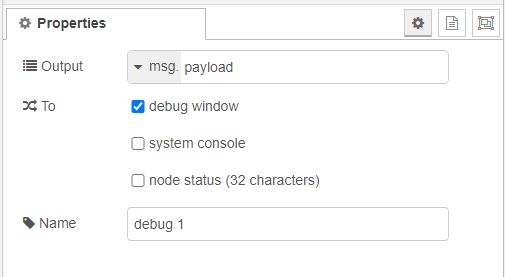
Sixth function: debug
Remember to connect everything properly and deploy your flow.
If everything is fine, below the TTS-Ultimate function you should see Sonos is connected.
Now we’re going to create a scene in Gladys.
Choose a trigger depending on what you want to do.
Then add an action « Make an HTTP request. »
In this request:
- Method: POST
- URL: http://ip_de_votre_instance:1880/tts
- Body:
{
"user":"clef uuid",
"msg":"il faut sortir la poubelle",
"room":"salon",
"volume": 15

}
Now it’s your turn to play with your scenes and broadcast your messages.
As soon as I understand how to add an audio file so it can be played, I’ll add it to the tutorial.
For example an alarm sound during an intrusion.
If you know how to do it, I’m open to any info — I’m far from an expert in node-red.
Thanks to @spenceur for his help.