Hello
I managed to install gladys on ssd and start the pi via usb, however I access the interface but not the rest? integration etc. no longer appear??
Well, it finally runs on SSD, but it’s a bit slower than on SD. After hours of testing and trials, it works. Phew.
Good news!
It’s strange that you feel the system is less responsive, isn’t it? It should be the opposite…
Can you share more about what you had to do to make it work? It could surely help someone who finds themselves in the same situation!
Sure, I’ll make a summary for those who are struggling, but it’s only valid for the Raspberry Pi 3B+, the one I have. I’ll prepare it this weekend.
Maybe your power supply is a bit weak, especially with the SSD…
Well, here you go
First thing, I created an SD card with a light version of Debian, Raspbian Stretch Light.
Before inserting it into the Raspberry Pi, create a file at the root without an extension named « ssh »
Then insert it into the Pi and boot
Once the boot is complete, via Putty or SSH, type the following command, « echo program_usb_boot_mode=1 | sudo tee -a /boot/config.txt »
Reboot the Pi, then in Putty type « vcgencmd otp_dump | grep 17: »
You should have a message return « 17:3020000a » which confirms the activation of the boot on USB, if another message it’s not good.
You can then boot on USB, personally I tried with a mechanical HDD and an SSD it works perfectly as long as the consumption does not exceed 500 mA otherwise use a Y USB with a shared power supply like a phone charger.
Be careful, the boot on USB is a bit longer so be patient a bit like 2 minutes.
That’s it, have fun
Feedback on migrating to SSD
- Gladys on Raspberry Pi 3B
- Personal computer running Linux
- SSD https://www.kubii.fr/support-de-stockage/3058-disque-dur-ssd-verbatim-vi550-3272496311510.html?search_query=SSD&results=21
- Case for Raspberry pi 3 Geekworm Raspberry Pi X820 V3.0 SSD & HDD SATA De Stockage Conseil Correspondant Boîtier Métallique/Boîtier + Commutateur De Commande De Puissance + Ventilateur de Refroidissement Kit : Amazon.fr: Informatique
- Hard Disk Storage Expansion Board Geekworm Raspberry Pi 3 B + / 3B Carte d'extension de Stockage sur Disque Dur/SSD SATA, Module de Disque Dur Mobile X820 V3.0 USB 3.0 Compatible avec Disque Dur SATA 2,5 Pouces/Raspberry Pi : Amazon.fr: Informatique
- 5V 4A power supply/charger https://mafianumerique.com/alimentation-chargeur-5v-4a-embout-5-5-2-1mm-transformateur-adaptateur-secteur.html
1) Create a disk image of the Gladys SD card
Unplug your Raspberry Pi.
Remove the SD card and put it in your personal computer.
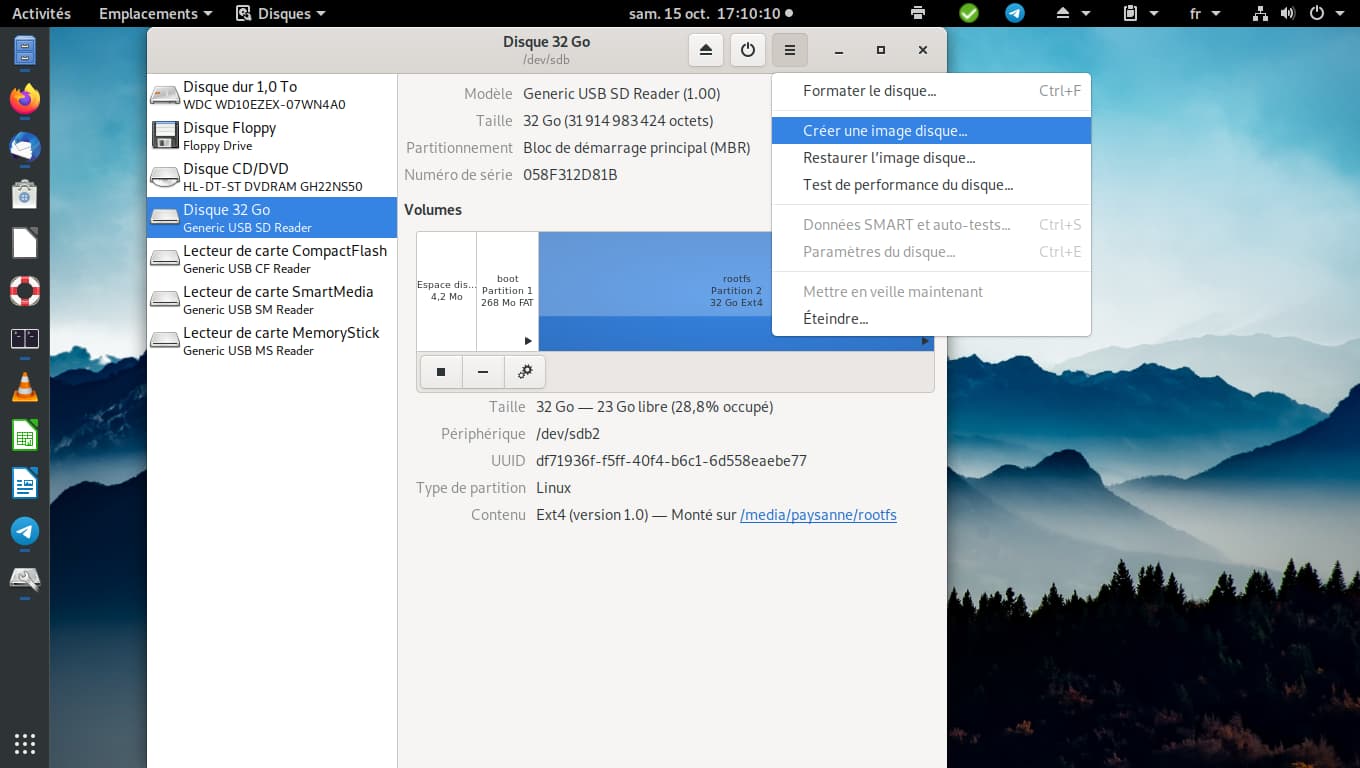
Launch the « Disks » application
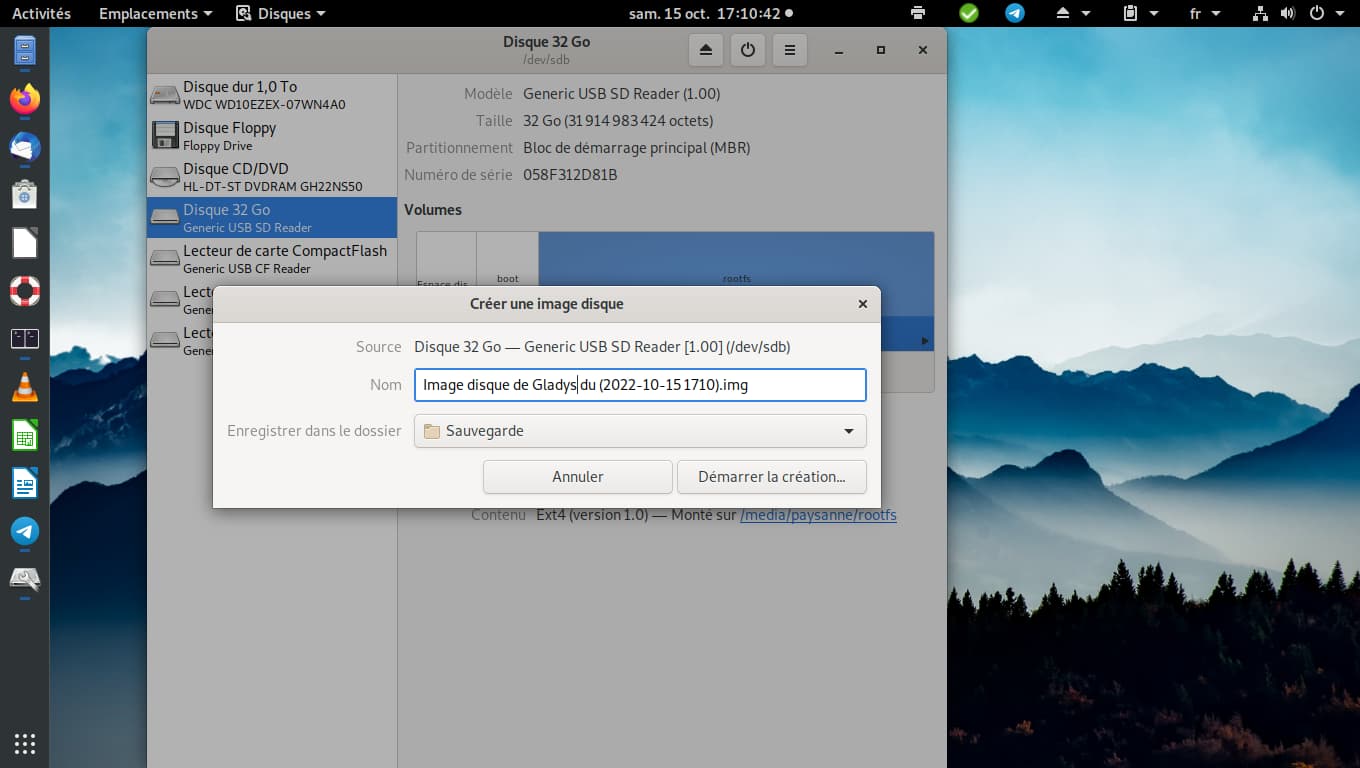
Select your SD card then create a disk image
Save it on your computer.
(In my opinion Raspberry Pi Imager with the right options should also be able to perform this operation)
2) Copy the Gladys disk image to the SSD
After connecting the SSD to the Storage Expansion Board, connect it to your personal computer.
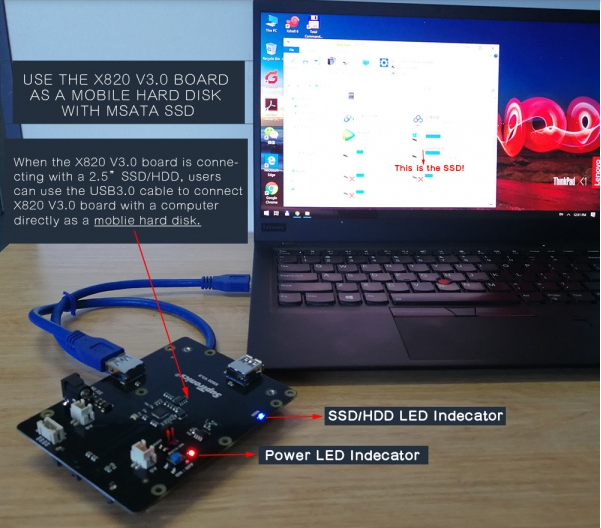
Restart the « Disks » application, select your hard drive then restore the disk image
Select the previously created Gladys image and start the restore.
Assemble your case with the Raspberry Pi and the SSD
3) Install USB boot
As @pascal_sapin said, booting with the SD card does not work.
So, like him, I created an SD with Raspberry Pi OS Lite using Raspberry Pi Imager; I had access to the options by clicking the gear icon. I enabled SSH and entered my password then created the SD card.
I disconnected power from my SSD, inserted the Raspberry Pi OS Lite SD card into the Raspberry Pi then powered it on.
I connect via SSH, enter the previously set password then copy the same commands given by @pascal_sapin or the expansion board documentation.
sudo apt-get update
sudo apt-get upgrade
echo program_usb_boot_mode=1 | sudo tee -a /boot/config.txt
sudo reboot
We check the changes
vcgencmd otp_dump | grep 17:
The response must contain 3020000a
We shut down the Raspberry Pi
sudo shutdown now
We remove the SD card, reconnect the SSD then start the Raspberry Pi
In my case it takes more than 2 minutes for Gladys to become functional.
4) Extend the partition to the entire SSD
Reconnect via SSH and run
sudo raspi-config
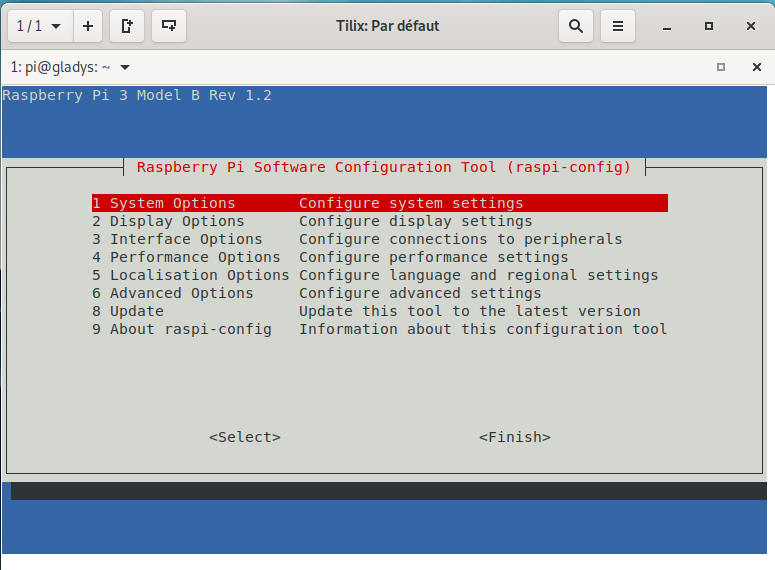
With the down arrow move to 6 Advanced Options
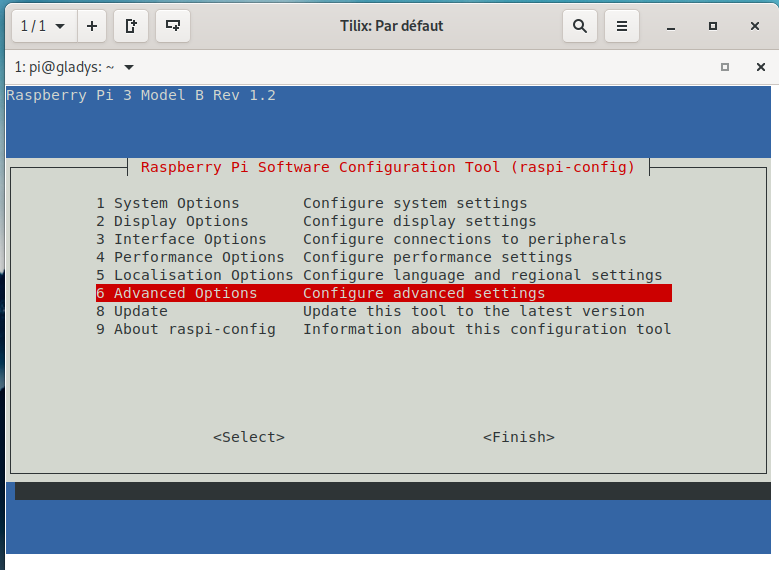
Then Enter
Go to A1 Expand Filesystem
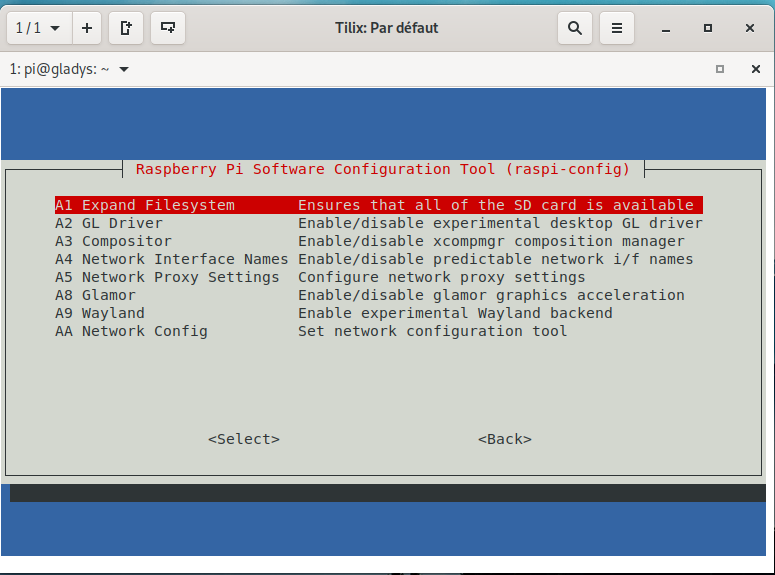
Then Enter
Finally you are informed that the resizing will take effect on next reboot.
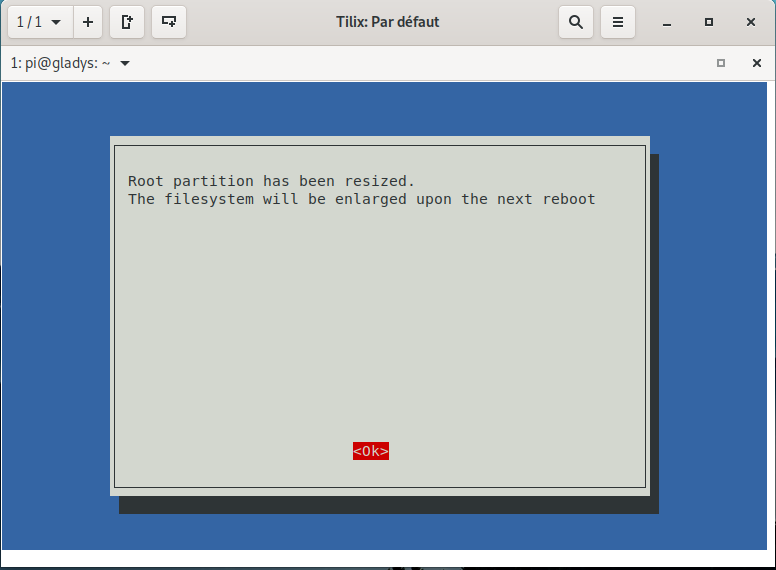
Press Enter
Then use the Tab key to move to Finish
Press Enter
Answer Yes
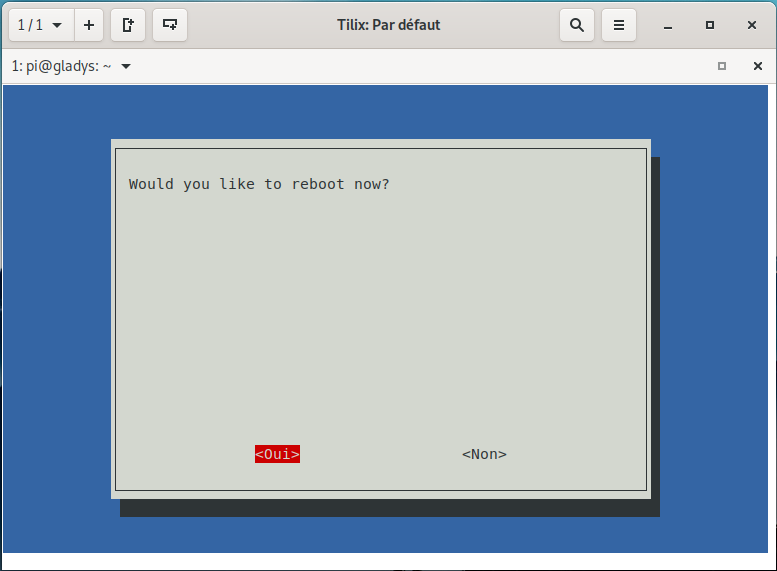
There you go — you have Gladys on your SSD and you didn’t lose any configuration
- Node-red
- Zigbee2MQTT
Everything is working.