Hello,
I saw this warning while running actions on GitHub
Node.js 16 actions are deprecated.
Indeed, Node.js 16 is deprecated for actions and they recommend moving to Node.js LTS 20 (GitHub Actions: Transitioning from Node 16 to Node 20 - GitHub Changelog )
Our plan is to transition all actions to run on Node 20 by Spring 2024
Shall we try to move to Node.js 20.11.0 (npm 10.2.4)?
Actually, we’re using Node 18, but I still opened a PR to upgrade to the latest version of GitHub Actions.
Totally up for upgrading to Node 20 for Gladys + GitHub Actions
Thanks for the PRs, let me know when it’s ready for review!
Alright, for Node 20, we have a « slight » blockage
After 2 days banging my head on endless Docker builds, I came across this issue NPM install stucks with node:20 · Issue #1946 · nodejs/docker-node · GitHub
From what I understand, you can’t use npm in the node-20 images for the linux/arm/v6, linux/arm/v7 platforms and that matches my endless build.
These platforms correspond to older versions of the Raspberry Pi (1, Zero / Zero W/WH and 2 Model A). Are we maintaining the build for these platforms?
Otherwise, a test image cicoub13/gladys:node-20 has been deployed on my RPI4 for a few days, nothing to report.
Thanks for the PRs and all the work done @cicoub13
[quote=« cicoub13, post:4, topic:8691 »]
No, it’s people from other open-source projects who are removing ARM v7 but it’s still not fixed. We can wait a bit
Ok.
As long as it doesn’t have an impact on users (or development), we might as well stay on Node 18, because removing a platform would have a
For info, the bug is still present and also affects Node 22:
ouvert 06:27PM - 04 May 24 UTC
fermé 06:32PM - 07 Jan 25 UTC
## Environment
* **Platform**: GitHub CI
* **Docker Version**: 24.0.9
* **N… ode.js Version**: 22
* **Image Tag**: node:22-alpine
## Expected Behavior
No hanging build on armv6/armv7
## Current Behavior
build is hanging on `npm ci --omit=dev`
## Possible Solution
none
## Steps to Reproduce
run docker deployment on github ci
## Additional Information
Logs:
https://productionresultssa4.blob.core.windows.net/actions-results/c81c7c78-0f17-4d1b-bb6e-eedc5023c285/workflow-job-run-e07742bd-189a-5079-918b-43f8b2f94b89/logs/job/job-logs.txt?rsct=text%2Fplain&se=2024-05-04T18%3A34%3A48Z&sig=kywF%2F31fsM6a0PFRA%2BGMwEYu9RkOcGzkAq1EUZumrx8%3D&sp=r&spr=https&sr=b&st=2024-05-04T18%3A24%3A43Z&sv=2021-12-02
For your information, I had to drop support for arm/v6 when moving to DuckDB, because quite simply the Node.js image no longer supports it in its -slim Debian-based version.
I have the impression, however, that the problem with Node 20 and arm/v7 is still present…
If this continues, we’ll be forced to drop support for arm/v7; it may be a necessary evil because, after all, even Pi 3s are arm64 as far as I understand, so we won’t be losing any major platforms either.
Quick update on this topic!
We’re going to soon be two major versions behind Node.js, because Node 22 will move to LTS during the month.
I’ve decided to drop support for arm/v7, which I don’t recommend anymore anyway.
→ The mini-PCs I recommend are amd64
In my view, we’re not losing any major platforms and this really allows us to move forward.
This will enable two things:
Upgrade to Node 22 as soon as LTS is available
Speed up builds (we’re going from 4h to a few minutes
The PR is here:
master ← remove-old-arm-builds
ouvert 03:06AM - 14 Oct 24 UTC
### Pull Request check-list
To ensure your Pull Request can be accepted as fa… st as possible, make sure to review and check all of these items:
- [x] If your changes affects code, did your write the tests?
- [x] Are tests passing? (`npm test` on both front/server)
- [x] Is the linter passing? (`npm run eslint` on both front/server)
- [x] Did you run prettier? (`npm run prettier` on both front/server)
### Description of change
Remove arm/v7 builds. Needed for upgrading Node 20. It'll make build way faster in for production releases
Edit: A build now takes 42 minutes instead of 4h10
Are the remaining 3 h only to build the armv7 version?!
It’s worse than that, builds are launched in parallel so the total time is the time of the longest build, i.e. 4h10 for ARMv7
Node 22 is now in LTS
I tried to update locally, but it’s not that simple
On the frontend, impossible to start with Node 22:
63: 0x10226dc60 node::StartExecution(node::Environment*, char const*) [/Users/pierre-gillesleymarie/.volta/tools/image/node/22.11.0/bin/node]
64: 0x10226db80 node::StartExecution(node::Environment*, std::__1::function\u003cv8::MaybeLocal\u003cv8::Value\u003e (node::StartExecutionCallbackInfo const\u0026)\u003e) [/Users/pierre-gillesleymarie/.volta/tools/image/node/22.11.0/bin/node]
65: 0x1021d6460 node::LoadEnvironment(node::Environment*, std::__1::function\u003cv8::MaybeLocal\u003cv8::Value\u003e (node::StartExecutionCallbackInfo const\u0026)\u003e, std::__1::function\u003cvoid (node::Environment*, v8::Local\u003cv8::Value\u003e, v8::Local\u003cv8::Value\u003e)\u003e) [/Users/pierre-gillesleymarie/.volta/tools/image/node/22.11.0/bin/node]
66: 0x1022fdc98 node::NodeMainInstance::Run(node::ExitCode*, node::Environment*) [/Users/pierre-gillesleymarie/.volta/tools/image/node/22.11.0/bin/node]
67: 0x1022fda90 node::NodeMainInstance::Run() [/Users/pierre-gillesleymarie/.volta/tools/image/node/22.11.0/bin/node]
68: 0x10227159c node::Start(int, char**) [/Users/pierre-gillesleymarie/.volta/tools/image/node/22.11.0/bin/node]
69: 0x19d314274 start [/usr/lib/dyld]

----- JavaScript stack trace -----

1: /Users/pierre-gillesleymarie/code/gladys/front/node_modules/esm/esm.js:1:34535
2: /Users/pierre-gillesleymarie/code/gladys/front/node_modules/esm/esm.js:1:34176
3: /Users/pierre-gillesleymarie/code/gladys/front/node_modules/esm/esm.js:1:34506
4: /Users/pierre-gillesleymarie/code/gladys/front/node_modules/esm/esm.js:1:173374
5: /Users/pierre-gillesleymarie/code/gladys/front/node_modules/esm/esm.js:1:173420
6: /Users/pierre-gillesleymarie/code/gladys/front/node_modules/esm/esm.js:1:173521
7: /Users/pierre-gillesleymarie/code/gladys/front/node_modules/esm/esm.js:1:258942
8: /Users/pierre-gillesleymarie/code/gladys/front/node_modules/esm/esm.js:1:261569
9: e (/Users/pierre-gillesleymarie/code/gladys/front/node_modules/esm/esm.js:1:262673)
10: get (/Users/pierre-gillesleymarie/code/gladys/front/node_modules/esm/esm.js:1:262740)
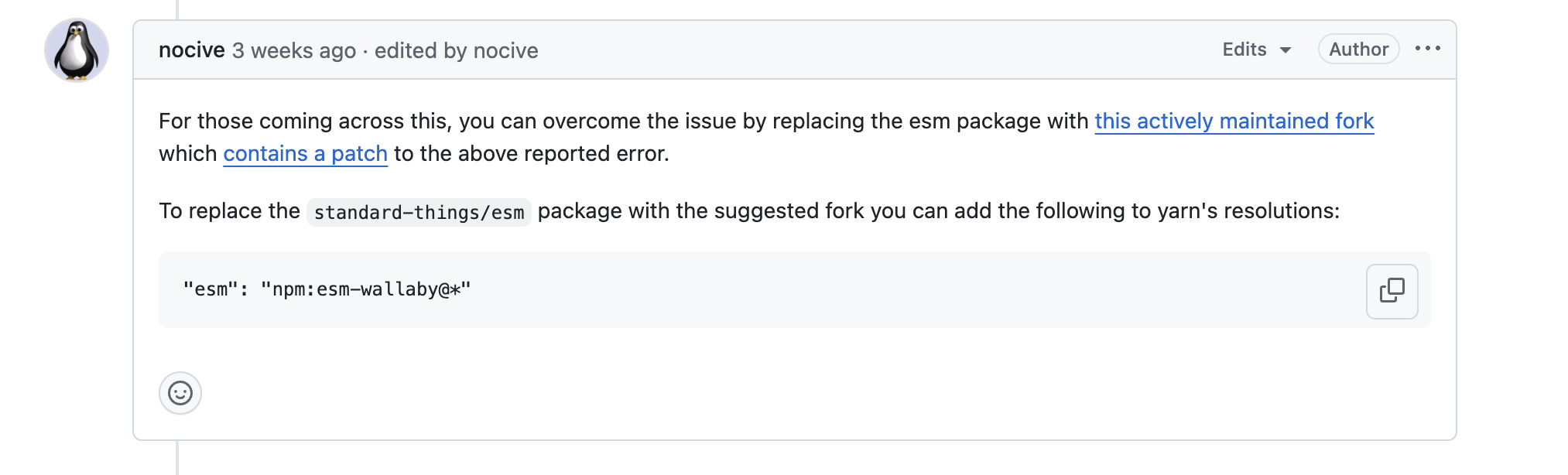
After looking into it a bit, the issue is also present on Node 20:
ouvert 01:57PM - 29 Oct 24 UTC
fermé 02:24PM - 21 Jan 25 UTC
**What is the current behaviour?**
It seems that with the latest node LTS versi… on preact-cli does not work at all.
I understand this is an abandoned project and that users are encouraged to move to something else, but any advice or pointers would still be greatly appreciated.
**Steps to Reproduce**
Steps to reproduce the behavior:
1. Run any preact-cli command on a node 20.10.0 environment
2. Get a fatal error from the node engine:
```
$ node_modules/.bin/preact --help
# node[740]: void node::fs::InternalModuleStat(const v8::FunctionCallbackInfo<v8::Value>&) at ../src/node_file.cc:1037
# Assertion failed: (args.Length()) >= (2)
----- Native stack trace -----
----- JavaScript stack trace -----
1: .../node_modules/esm/esm.js:1:34535
2: .../node_modules/esm/esm.js:1:34176
3: .../node_modules/esm/esm.js:1:34506
4: .../node_modules/esm/esm.js:1:173374
5: ...node_modules/esm/esm.js:1:173420
6: .../node_modules/esm/esm.js:1:173521
7: .../node_modules/esm/esm.js:1:258942
8: .../node_modules/esm/esm.js:1:261569
9: e (.../node_modules/esm/esm.js:1:262673)
10: get (.../node_modules/esm/esm.js:1:262740)
Aborted (core dumped)
```
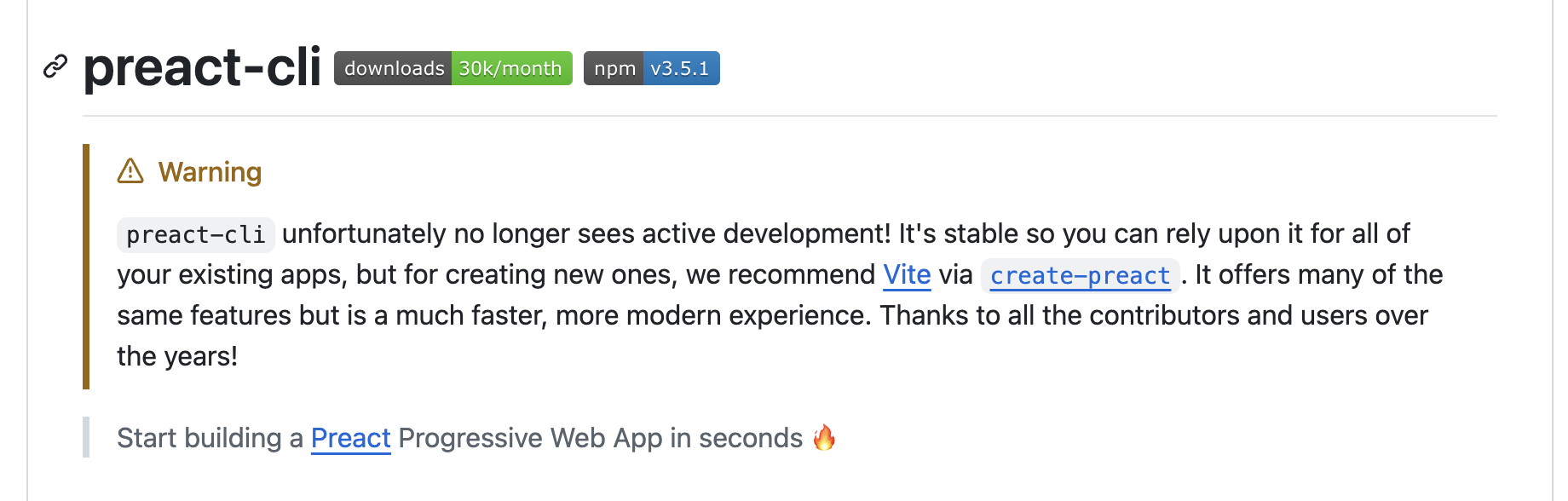
The problem is that preact-cli is no longer maintained; apparently you need to switch to vite:
I just ran a real test with a test Docker image, and it’s a success!
@contributors I just merged into master — please remember to update your environments
mutmut
February 17, 2025, 5:55pm
19
Oh that’s awesome, thanks!! I’ll be able to add modules to Node-RED that couldn’t be installed with Node 18
@mutmut I think you’re confusing two things, here I’m talking about Gladys, not Node-RED!
For Node-RED, it’s discussed here:
Salut @prohand ,
Je relance ce sujet, car effectivement ça serait bien de mettre à jour.
Le souci, c’est que cette mise à jour est à mon avis breaking.
Si jamais on force toutes les instances à mettre à jour Node-RED, ça risque de casser des installations non ? Et ça, je pense qu’on ne veut vraiment pas


 …)
…)