Good evening @l.dolle
I use this to control a shutter in a scene: as the condition I set sunset, then I add a delay depending on how long I want it to wait before closing after sunset. I don’t know if that can help you?
Actually, I’m trying to manage turning lights on and off after sunset. But right now, during my test the next day while the sun is up, the lights still turn on. I’d like to be able to manage a day/night function that handles the lights every time I enter the room and turns them off when I leave during the night (I have a Sonoff motion sensor). This sensor is great because it detects presence even without movement, but it doesn’t have an ambient light sensor.
Hello @l.dolle
With two scenes it can work, you need to create a virtual dawn sensor. (One small extra scene).
And does your Sonoff sensor have a latency between two detections?
I made this scene for the exterior light, but I added a delay to the turn-off.
Try this:
1st scene
condition : if Sonoff sensor = on
action 1
retrieve the last state: of the virtual dawn sensor
action 2
continue only if: virtual dawn sensor = false
action 3
turn on the room light
2nd scene
condition : if Sonoff detects nothing
action : turn off the room lamp
the sensor needs to be reliable, otherwise you’ll have to move a bit to turn the light back on
or you can delay the lamp turn-off in the first scene, but if you stay in the room longer than the delay, you’ll be in the dark.
There you go, good luck testing
Hello @Psoy
Thanks for your reply. But I’m just starting out in the Gladys world.
Can you tell me how to create the virtual sunrise sensor?
I couldn’t find it on the site.
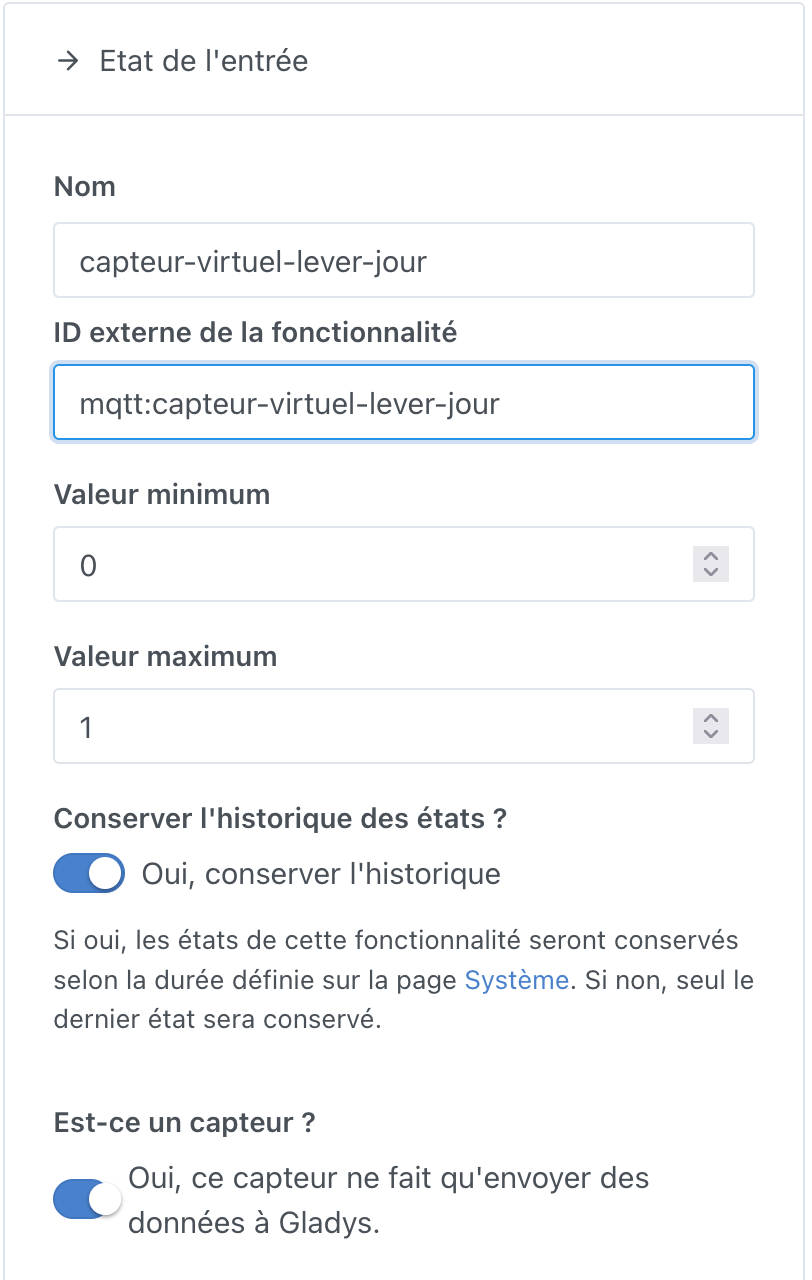
It’s an MQTT sensor that you need to create and name capteur-virtuel-lever-jour (for example) and which will be 0 (false, sun not risen) or 1 (true, sun risen).
Here is an example (but I never know exactly which MQTT functionality to choose):
Good evening,
Thanks @mutmut and @Psoy for your advice.
I followed your instructions and it works well.
I tried with another feature « Input state » without much success.
Is there documentation that lists all the MQTT features?
Have a good evening.
you’ll find documentation on scenes here
(here it’s at the very top of that page in the title Docs, then Scene)
That already gives a good idea, but after that it’s up to your imagination and testing
Good luck
Good evening,
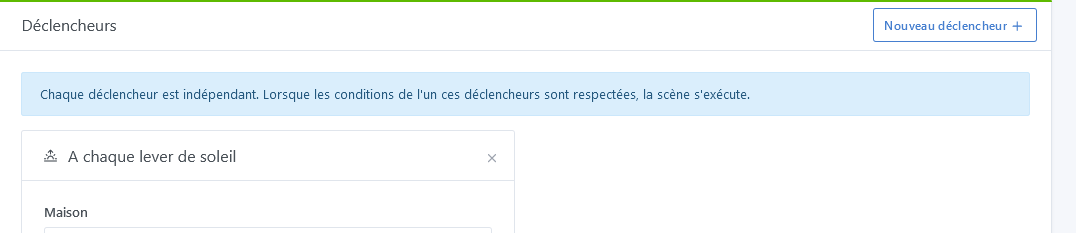
I just improved my sunset scene. Because the lamp only turned on when I was detected by the sensor after sunset.
So I also added the case where I’m already in front of the sensor at the moment of sunset.
This way, I cover both cases: absent or present at sunset.



 .
.

 Here is the result

 ).
). There is no documentation on the

 AI
AI