JmDe, on my side I don’t really understand this concern about WiFi devices. Most of my setup (over 150 devices) is on WiFi and they are much more reliable than my 10 devices (including 4 that act as bridges) on Zigbee. No disconnections.
Regarding consumption, honestly, we’re very often below a watt-hour. I’ll take an actual measurement but it’s still largely negligible today.
It depends on quite a few factors \n\n- The majority of users use an internet box provided by their ISP, which is generally not designed to handle dozens (let alone hundreds) of devices connected over Wi-Fi, especially in urban environments where interference between networks is common.\n- Zigbee and Thread form a mesh network (mesh) that naturally extends coverage throughout the house, without overloading the main Wi-Fi network.\n- For battery-powered devices, Wi-Fi is not a viable option: it consumes too much power. Low-power protocols like Zigbee or Thread are essential in this case. Most consumer smart home devices are battery-powered (motion sensor, door sensor, temperature sensor, switches).\n\nSo yes, a Wi-Fi setup can work perfectly well in certain well-managed contexts, but it’s not a universal solution nor the most suitable for every use case!
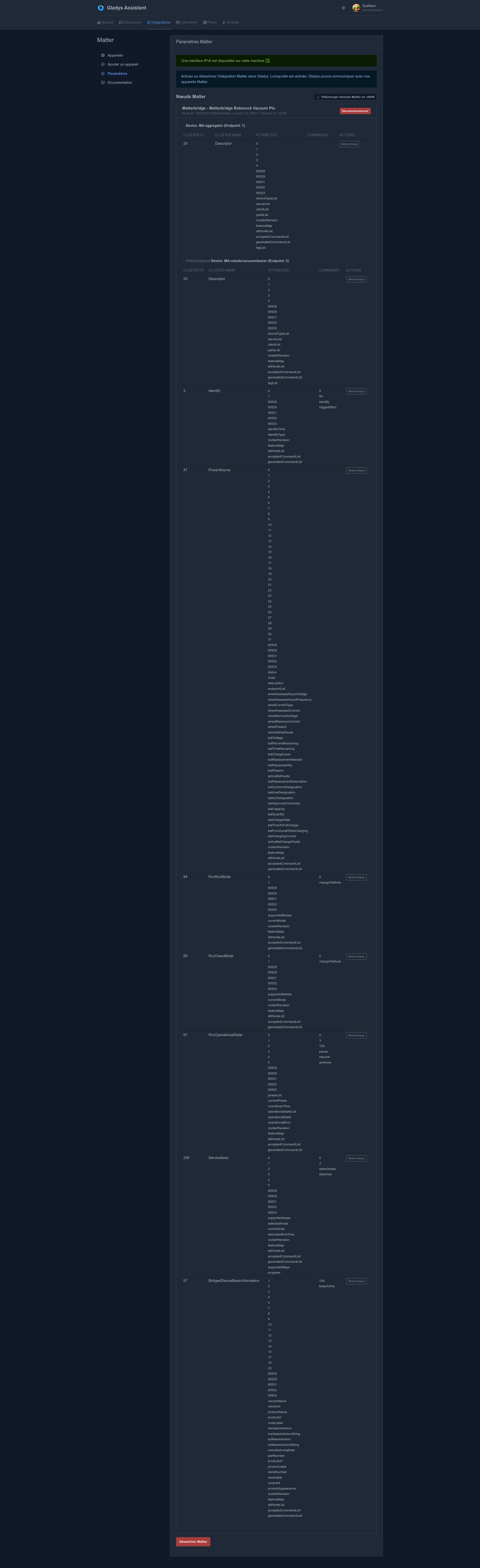
@guim31 the message indicates that you have already started a pairing (commissioning) so it won’t work anymore, and unfortunately the pairing doesn’t seem to have worked.
I’ve had the issue a few times but I have to admit I don’t remember the exact steps to resolve it. But you can try the following.
You should stop the sharing from matterbridge, stop the matter service in gladys, restart the two Docker instances (gladys and matterbridge), then redo the sharing from matterbridge and then pair from gladys.
And I’m wondering whether, in the end, I didn’t completely remove matterbridge to rebuild it from scratch — I think that would be better since you don’t have anything in it.
And before installing the plug-in, you should manage to complete the pairing.
I decommissioned it from Gladys > tried to re-pair > nothing more.
Restarted the device integration on the Matterbridge side then tried again > no better.
In the end maybe I did it wrong from the start?
I don’t have time right now, but I’ll probably remove my Matterbridge container (and the files on the hard drive) and start everything from scratch!
 \n\n- The majority of users use an internet box provided by their ISP, which is generally not designed to handle dozens (let alone hundreds) of devices connected over Wi-Fi, especially in urban environments where interference between networks is common.\n- Zigbee and Thread form a mesh network (mesh) that naturally extends coverage throughout the house, without overloading the main Wi-Fi network.\n- For battery-powered devices, Wi-Fi is not a viable option: it consumes too much power. Low-power protocols like Zigbee or Thread are essential in this case. Most consumer smart home devices are battery-powered (motion sensor, door sensor, temperature sensor, switches).\n\nSo yes, a Wi-Fi setup can work perfectly well in certain well-managed contexts, but it’s not a universal solution nor the most suitable for every use case!