Yes, I’ve resumed development, I’m progressing quite well, detection of "switch
Super cool! 
Do you want any equipment? I can send you some if needed, sometimes testing in person can help (for the final stretch)
So I’m taking the liberty of following up on my question to @Lokkye 
Do you have any idea if we can add robot vacuum cleaners?
Uh… as far as I know, Gladys doesn’t support vacuum cleaners yet.
If that exists in Gladys, we can probably add it later.
My goal for now is to get this working on switches; then we can add anything that’s compatible with Gladys
Here is the PR that is currently in draft. But the code works with virtual devices.
@pierre-gilles: How do we produce a test Docker image?
I’m also looking for testers with hardware  So if you’re up for it
@pierre-gilles: I’d be interested if you have any hardware
To me, a vacuum cleaner is just start/stop, right?
A simple on/off switch is enough  ?
?
I don’t have any, but I can finance equipment with Gladys Assistant SAS
What kind of equipment do you want? Look on Domadoo, and send me a link and I’ll order that for you! (+ your address and phone number via private message)
I just realized I hadn’t replied to you about that
I just wrote a short tutorial for you, it’s really simple — it’s just clicks:
Don’t hesitate to tell me about Tuya hardware if you want me to order something for you 
@Lokkye I ran a test on my side!
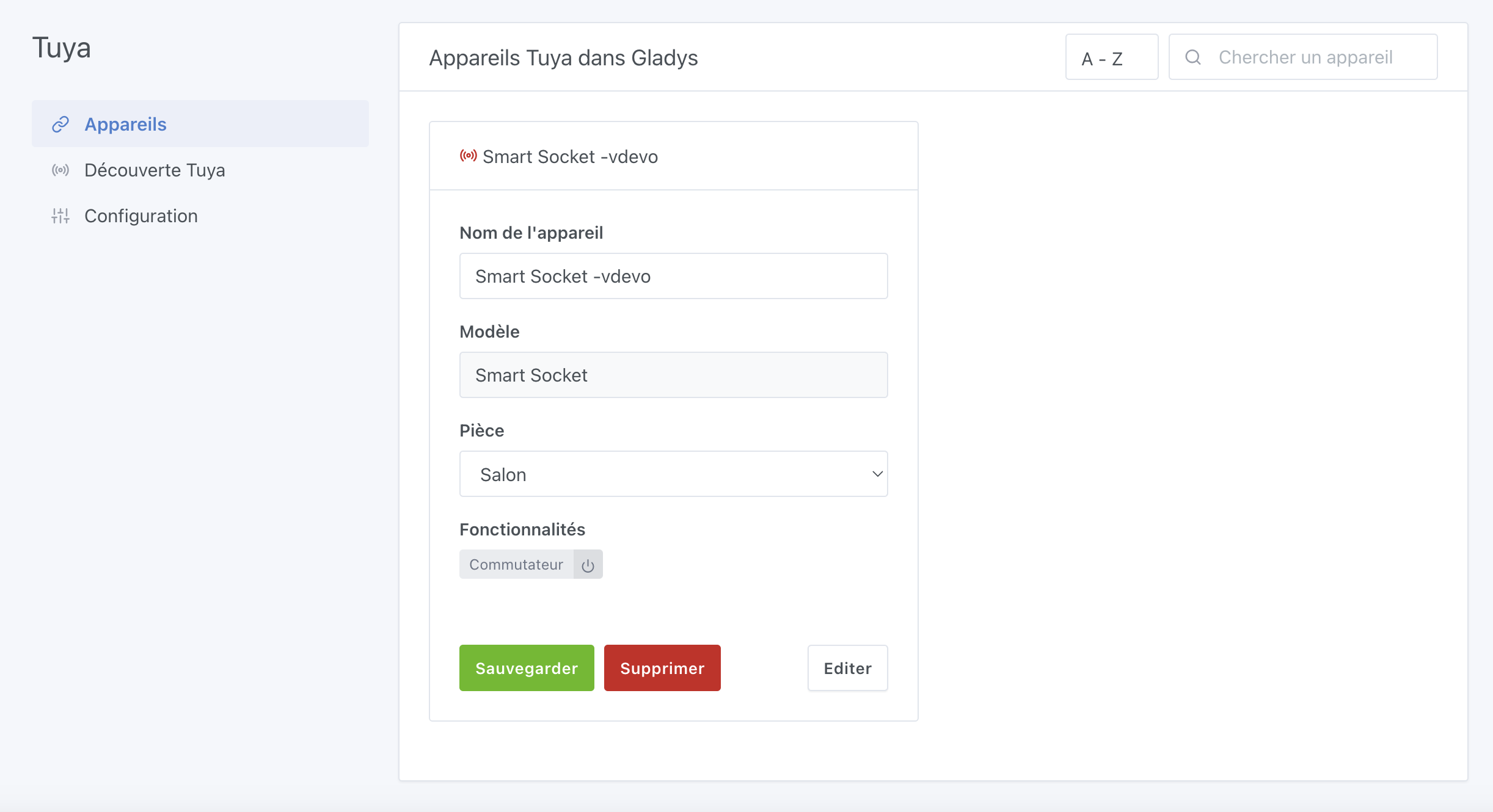
I created a virtual device (an on/off plug), I can see the device in Gladys :
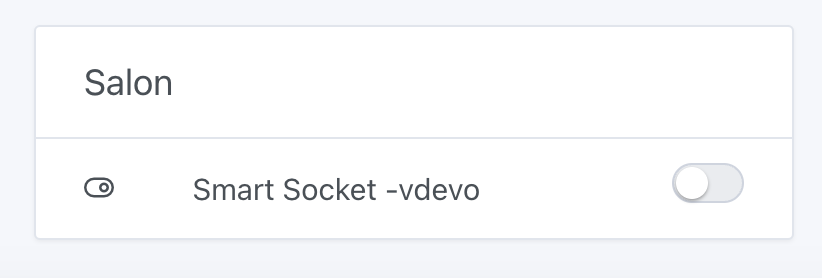
I add it to the dashboard :
But when I control it, I don’t seem to see anything on the Tuya Cloud side (I’m checking the device logs in « debug device »)
Do you see the changes on the Tuya Cloud side ?
The logs :
2023-05-27T11:24:55+0700 <debug> tuya.setValue.js:24 (TuyaHandler.setValue) Change value for devices vdevo168516128427578/switch_1 to value 1...
2023-05-27T11:24:55+0700 <debug> tuya.getAccessToken.js:12 (TuyaHandler.getAccessToken) Loading Tuya access token...
2023-05-27T11:24:55+0700 <debug> tuya.getAccessToken.js:14 (TuyaHandler.getAccessToken) Tuya access token well loaded
2023-05-27T11:24:55+0700 <debug> tuya.getAccessToken.js:12 (TuyaHandler.getAccessToken) Loading Tuya access token...
2023-05-27T11:24:55+0700 <debug> tuya.getAccessToken.js:14 (TuyaHandler.getAccessToken) Tuya access token well loaded
2023-05-27T11:24:55+0700 <debug> tuya.getAccessToken.js:12 (TuyaHandler.getAccessToken) Loading Tuya access token...
2023-05-27T11:24:55+0700 <debug> tuya.getAccessToken.js:14 (TuyaHandler.getAccessToken) Tuya access token well loaded
Thanks, I’ll try that
I looked at the site you gave me but I don’t have Zigbee on my side (I only operate on Wi‑Fi). So I’m not really sure how to do it 
Great
I haven’t really understood the logs on Tuya yet. For now my only check was to call the API to get the device state to see if the value had changed. But it will be easier to test with a real device
The Tuya devices I sent you ( https://www.domadoo.fr/fr/peripheriques/6211-nous-prise-intelligente-wifi-mesure-de-consommation-10a-5907772033999.html?domid=17 et https://www.domadoo.fr/fr/peripheriques/6294-nous-ampoule-intelligente-rgb-wifi-tuya-format-e27-5907772033142.html?domid=17 ) work over Wi‑Fi without a gateway It’s not Zigbee.
What I’m offering is to buy these two devices for you. We can discuss the details privately if you’re interested (address, phone)
Good, good news with the devices sent by @pierre-gilles, I was able to make good progress. Thank you very much
Now the integration is completely functional with real devices.
I will probably need volunteers to test (for the moment, I have only integrated the buttons and the lights).
@pierre-gilles, I finally understood how to use virtual devices. You need to link your Tuya App in your Tuya project. And after that you can add virtual devices to your application. That way you can see the result in the Tuya app on your mobile.
To finish, I can’t remember how to add documentation for an integration because the Tuya configuration is a bit « complex ». Does anyone have any idea?
[quote="Lokkye, post:54, topic:584
Thanks for the link
Normally, nothing.
Cool, thanks
I’m doing it right now, but I noticed a small mistake in the docs. It asks to create variables but actually, if I’m not mistaken, you need to create secrets
I left you a quick review: https://github.com/GladysAssistant/Gladys/pull/1788#pullrequestreview-1467389414
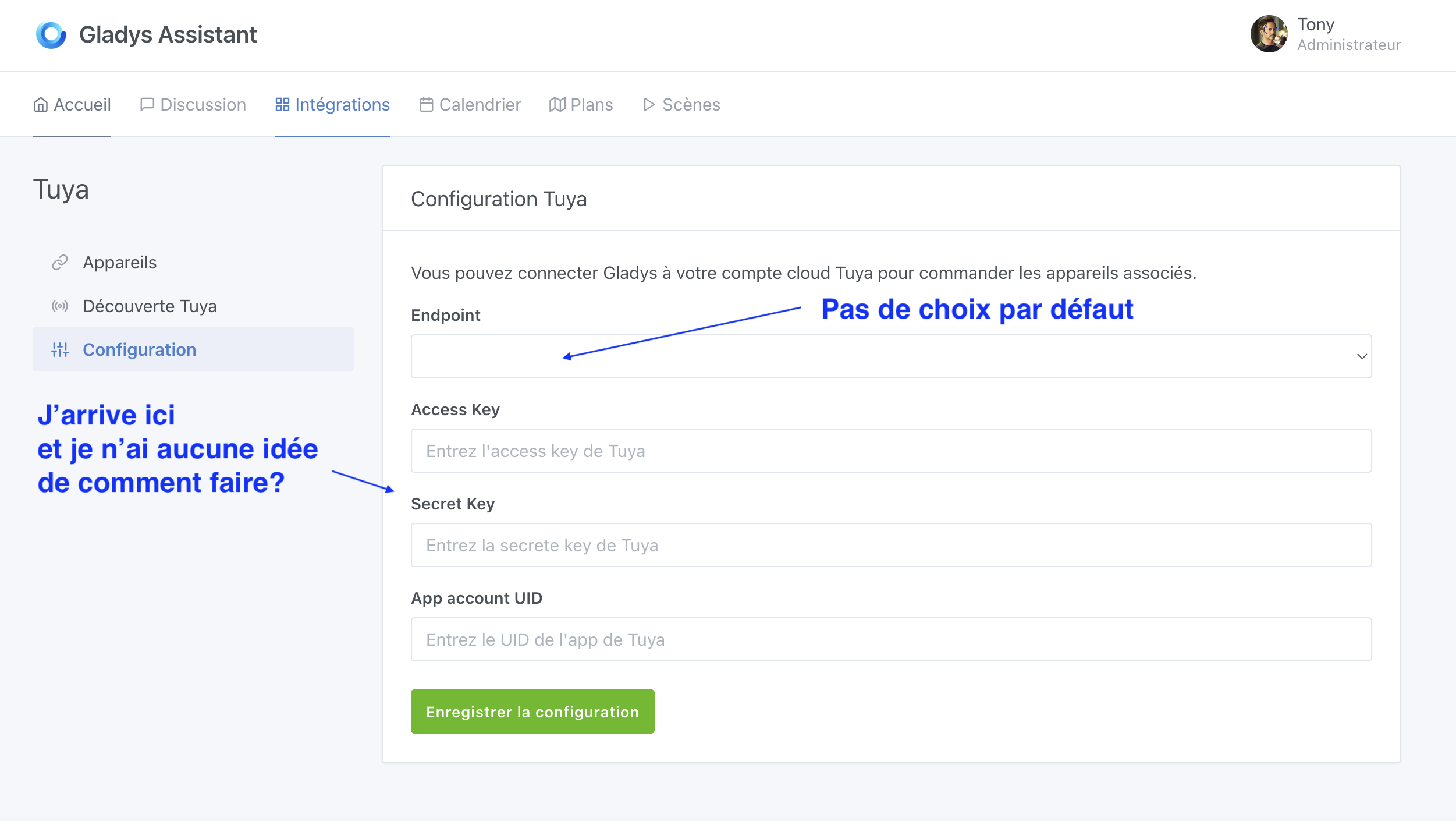
I do think the configuration UX needs a bit of work, because as a new user it’s confusing — it’s hard to know what to do when you arrive on this page
Ok! Put the image here as soon as it’s ready Ah indeed, I’ll fix it
The small Docker image:
delogzway/gladys:tuya
@Lokkye I’d like to share your image with the community (send a somewhat broad email), though it’s a bit « raw » for testing ^^
Right now, if someone lands on the configuration page they’re really lost
Could you improve this page (with explanations and links), write a short explanatory post (here on the forum), and then I’ll share that post?
Thanks for all the work 