prohand
1
Hello,
For your information there is a problem with Docker — the watchtower (containrrr) repository:
Using the nickfedor repository everything is OK
This appears to be due to the latest Docker update
If this can help 
Thanks for the feedback @prohand!
I’ve subscribed to notifications, we’ll see what they do, even though the containrrr repo looks a bit abandoned.
Otherwise, we’ll change the repo recommendation on the site.
For current users, as long as they don’t touch Docker, it won’t have any impact.
I’m installing a new mini-PC and, as a result, I installed Docker 29.
So I had to switch to the fixed Watchtower image ^^
I made a PR to update the site, otherwise others will run into the issue:
Hello, I just saw that watchtower was showing an error…
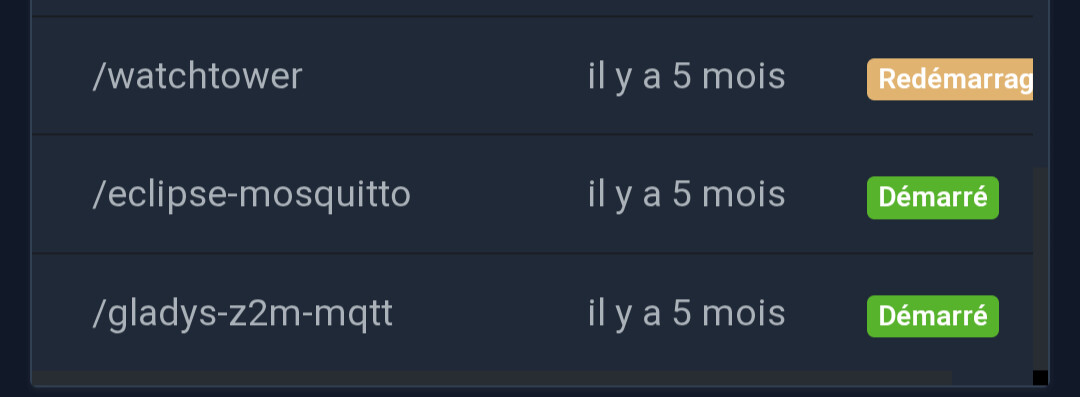
What should I do?
Thank you for your help!
You updated your packages recently, I imagine?
You need to stop Watchtower:
sudo docker stop watchtower
Supprimer le container :
sudo docker rm watchtower
Then run this version:
sudo docker run -d \\
  --name watchtower \\
  --restart=always \\
  -v /var/run/docker.sock:/var/run/docker.sock \\
  nickfedor/watchtower \\
  --cleanup --include-restarting
That works, thank you very much!
Not sure it actually works…
Here’s what I get when I click “Update” in Gladys:
Starting Watchtower 1.7.1

Checking all containers (except explicitly disabled with label)

Running a one time update.

Error response from daemon: client version 1.25 is too old. Minimum supported API version is 1.44, please upgrade your client to a newer version

panic: runtime error: invalid memory address or nil pointer dereference

[signal SIGSEGV: segmentation violation code=0x1 addr=0x30 pc=0x9fa4e2]

goroutine 1 [running]:

Cgithub.com/containrrr/watchtower/pkg/metrics.NewMetric({0x0, 0x0})

I/home/runner/work/watchtower/watchtower/pkg/metrics/metrics.go:31 +0x22


@/home/runner/work/watchtower/watchtower/cmd/root.go:377 +0x171

Ugithub.com/containrrr/watchtower/cmd.Run(0xc00030c300?, {0xc000032420?, 0x3?, 0x3?})

@/home/runner/work/watchtower/watchtower/cmd/root.go:168 +0x658


(0xc00030c300, {0xc0000b6050, 0x3, 0x3})

M/home/runner/go/pkg/mod/github.com/spf13/cobra@v1.8.0/command.go:987 +0xaa7


N/home/runner/go/pkg/mod/github.com/spf13/cobra@v1.8.0/command.go:1115 +0x417

/github.com/spf13/cobra.(*Command).Execute(...)

G/home/runner/go/pkg/mod/github.com/spf13/cobra@v1.8.0/command.go:1039

/github.com/containrrr/watchtower/cmd.Execute()

/home/runner/work/watchtower/watchtower/cmd/root.go:75 +0x52

ain.main()

:/home/runner/work/watchtower/watchtower/main.go:13 +0x17
When you saw Watchtower in error (before your action), had you done anything particular?
Had you updated the OS or the mini-PC’s packages?
My answer assumed yes, but that might not have been the case
Yes yes, it’s after an apt upgrade (I suppose) that it stopped working…
I have several servers/services on the MiniPc that required this update.
Ok, can you run a docker --version on your mini-PC?
You need to update Docker actually; you must have updated Docker but maybe not completely
Docker version 29.1.2, build 890dcca
Et:
 docker logs watchtower
time="2025-12-05T20:54:36Z" level=info msg="Watchtower 1.12.3 using Docker API v1.51"
time="2025-12-05T20:54:36Z" level=info msg="Using no notifications"
time="2025-12-05T20:54:36Z" level=info msg="Next scheduled run: 2025-12-06 20:54:36 UTC in 23 hours, 59 minutes, 59 seconds"
time="2025-12-06T20:54:44Z" level=info msg="Update session completed" failed=0 notify=no scanned=9 updated=0
time="2025-12-07T20:54:49Z" level=info msg="Update session completed" failed=0 notify=no scanned=9 updated=0
Aaah but actually I get it, the Watchtower image launched by Gladys during a « one-off » update is still the old image.
I’ll switch to the new image.
In the meantime, you can update by running:
sudo docker run \
  --rm \
  -v /var/run/docker.sock:/var/run/docker.sock \
  nickfedor/watchtower \
  --cleanup --include-restarting --run-once
The PR to update the Watchtower image:
Gladys Assistant 4.66.1 is available with this change: